> For the complete documentation index, see [llms.txt](https://docs.varbase.vardot.com/llms.txt). Markdown versions of documentation pages are available by appending `.md` to page URLs; this page is available as [Markdown](https://docs.varbase.vardot.com/10.1.x/content-designers/content-management/create-content.md).
# Create Content
A guide to creating content via the preconfigured content types, and any custom content types your system administrator creates.
**Adding Content**
Users can add content to the site with predefined content types throughout the site.
{% hint style="info" %}
**Before you begin**: Make sure you are logged in as a user who has the right to create content – ask your system administrator if you are not sure; otherwise, some of the fields you need to select will not be visible.
{% endhint %}
There are two ways to create a new Node page in your website:
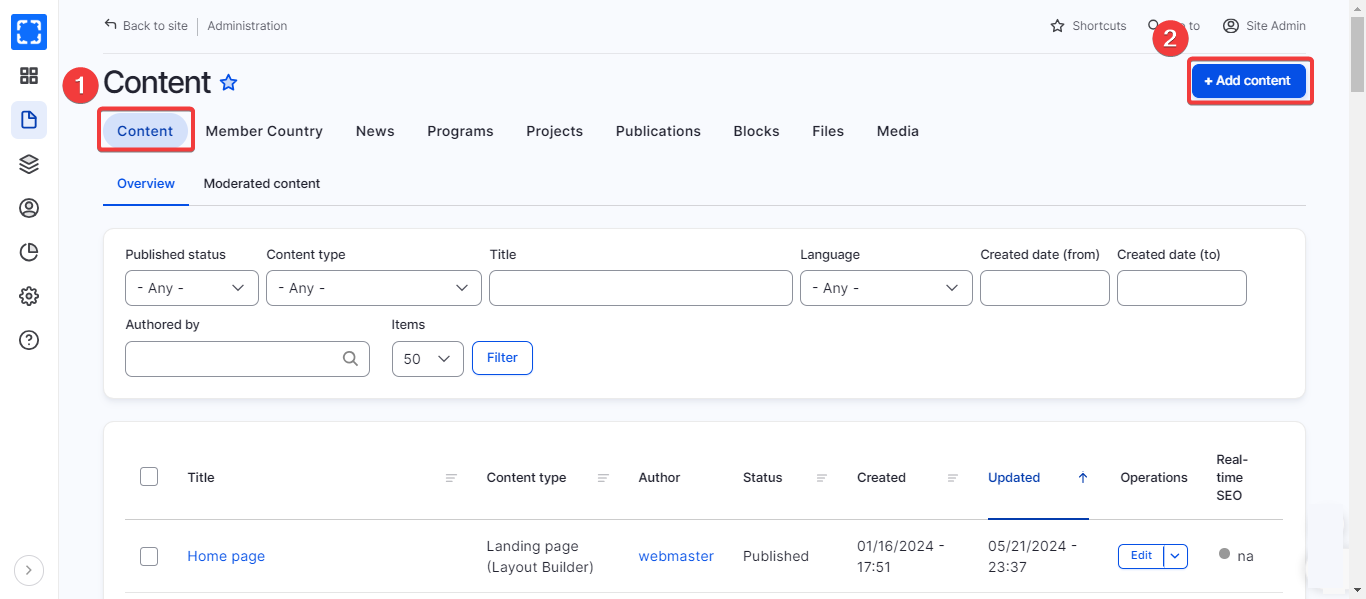
1. From the content backend page:
1. Click on **Content** from the Manage administrative menu.
2. Click on **Add Content** button.
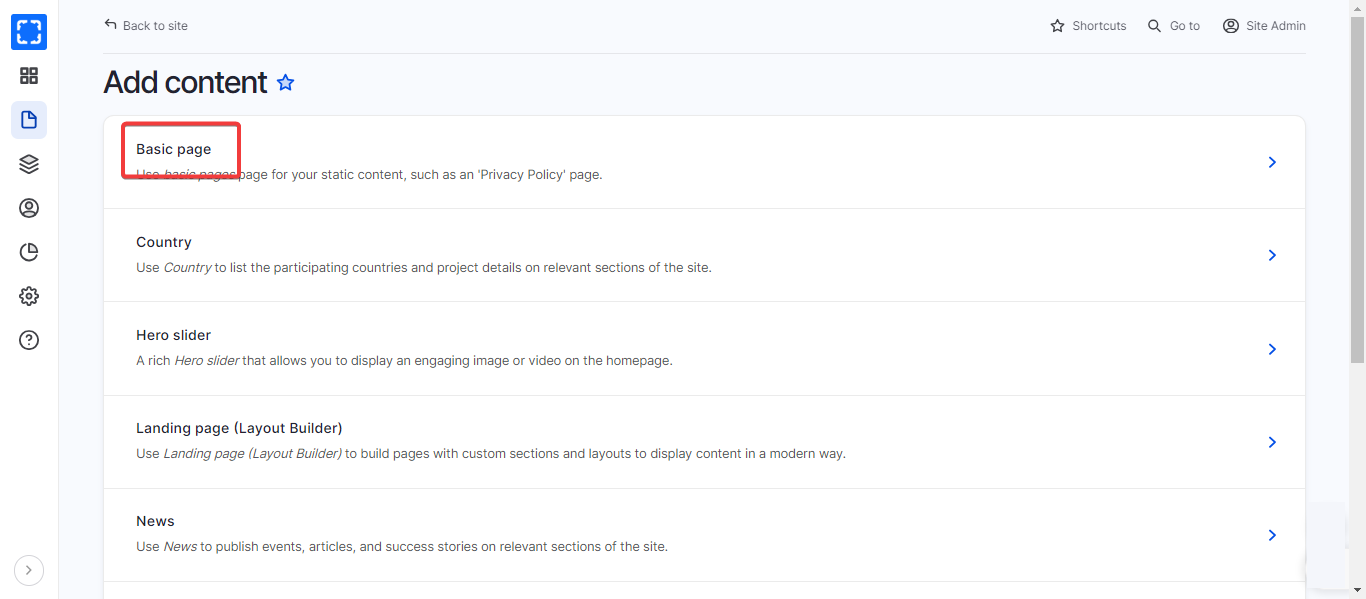
3. Select the content type you want to create it.
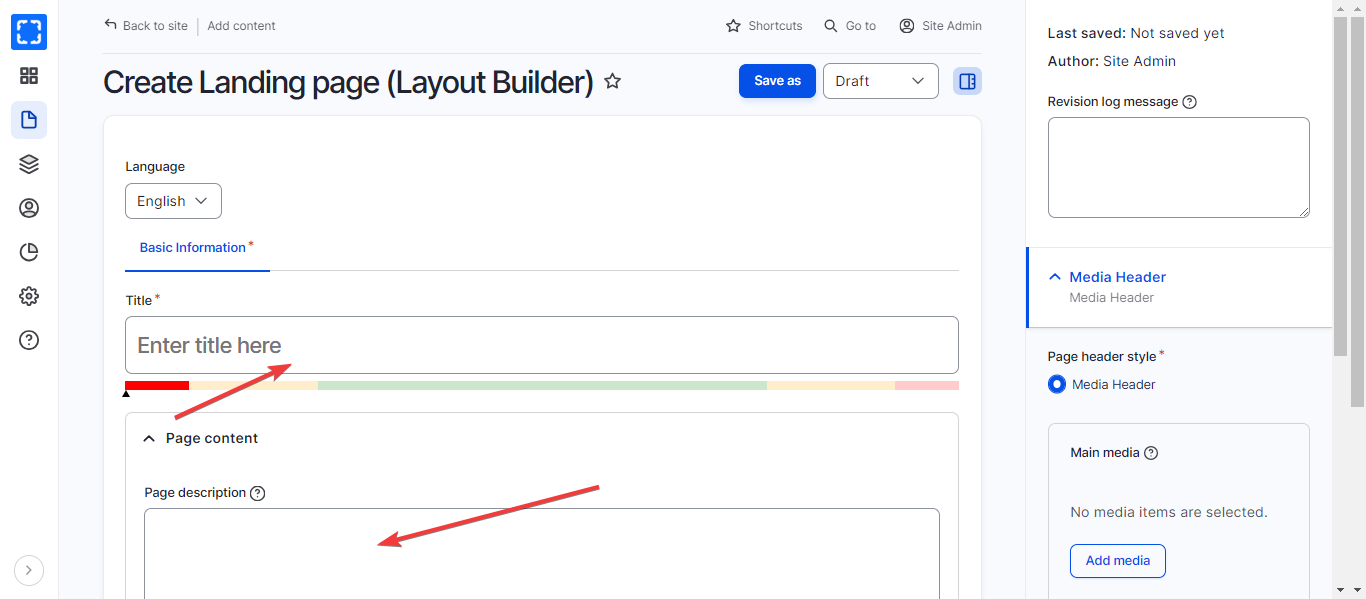
4. Fill in with all required data that is needed.
5. Click **Save**.
Content Backend Page
Add Content Page
Content Backend Page
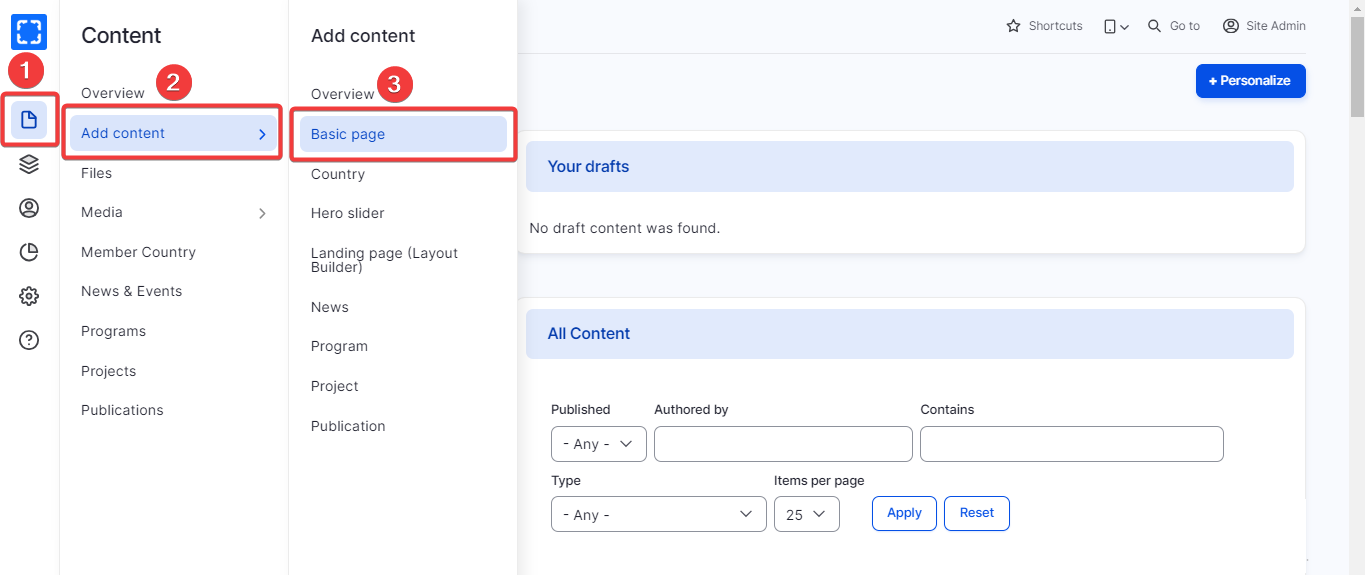
2. From the **Manage** administrative menu:
1. Select **Add Content** from the **Manage** administrative menu**.**
2. Select the content type you want to create it**.**
3. Fill in with all required data that is needed.
4. Click **Save.**