> For the complete documentation index, see [llms.txt](https://docs.varbase.vardot.com/llms.txt). Markdown versions of documentation pages are available by appending `.md` to page URLs; this page is available as [Markdown](https://docs.varbase.vardot.com/10.1.x/content-designers/content-management/delete-content.md).
# Delete Content
Drupal can let you delete your content, users, blocks, views, etc. So be careful when you delete a section you might mess up your page.
{% hint style="info" %}
Any user who has **Delete** permission can see the Delete option in the menu.
{% endhint %}
If you have permission you can delete the node pages in two ways:
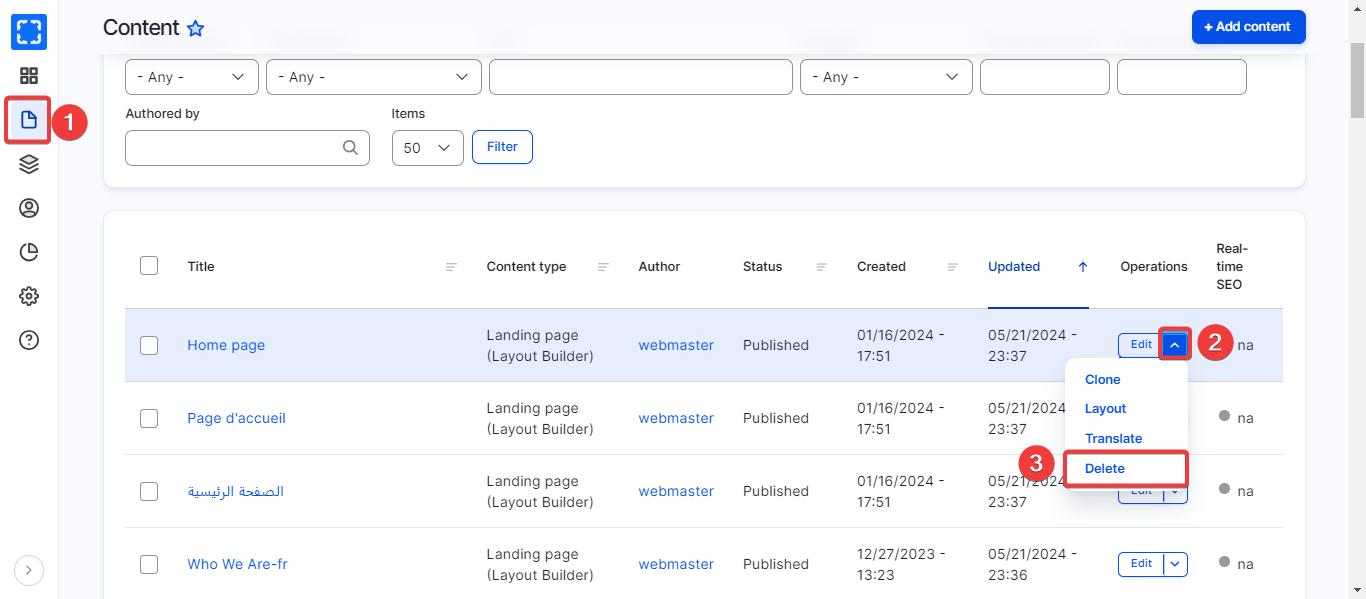
1. From the **Delete** link in the **Edit** menu:
Delete Option
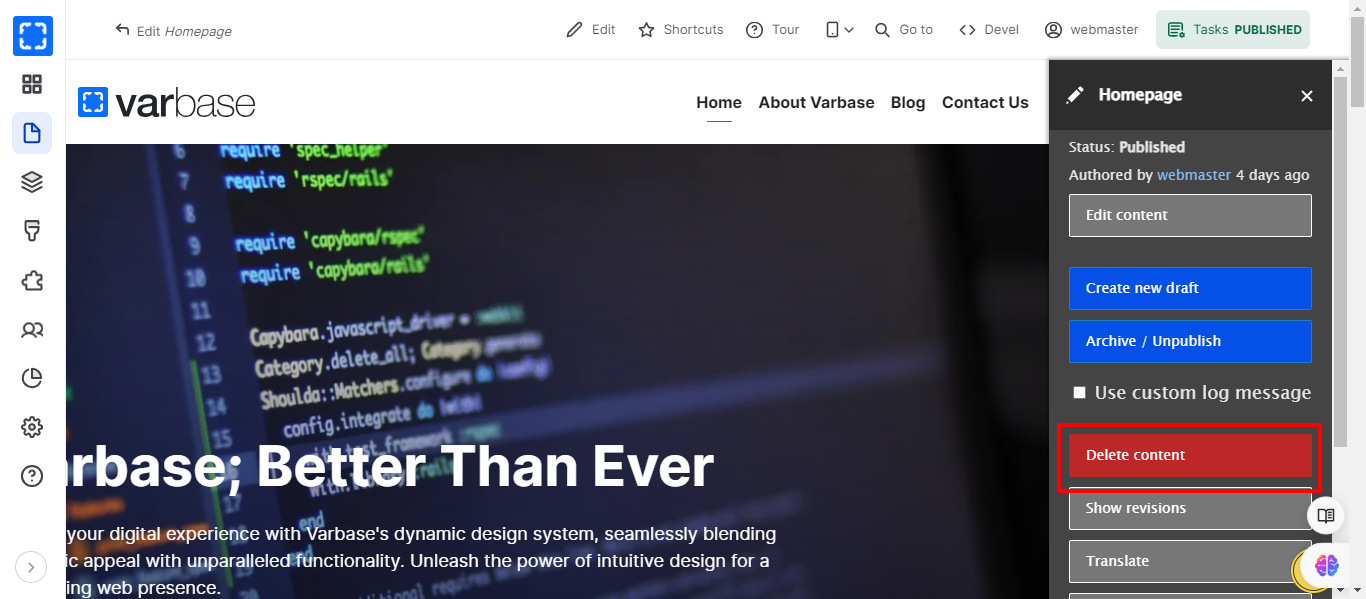
2. From the **Delete** button in the **Moderation sidebar**:
Admin Menu (Tasks) - Delete
{% hint style="danger" %}
Be careful when you delete a page as you can't retrieve it unless you have backup for the content.
{% endhint %}