> For the complete documentation index, see [llms.txt](https://docs.varbase.vardot.com/llms.txt). Markdown versions of documentation pages are available by appending `.md` to page URLs; this page is available as [Markdown](https://docs.varbase.vardot.com/10.1.x/content-designers/content-structure/entityqueues/add-a-new-term.md).
# Add a New Term
This section will show you how to add items to the EntityQueues as example:
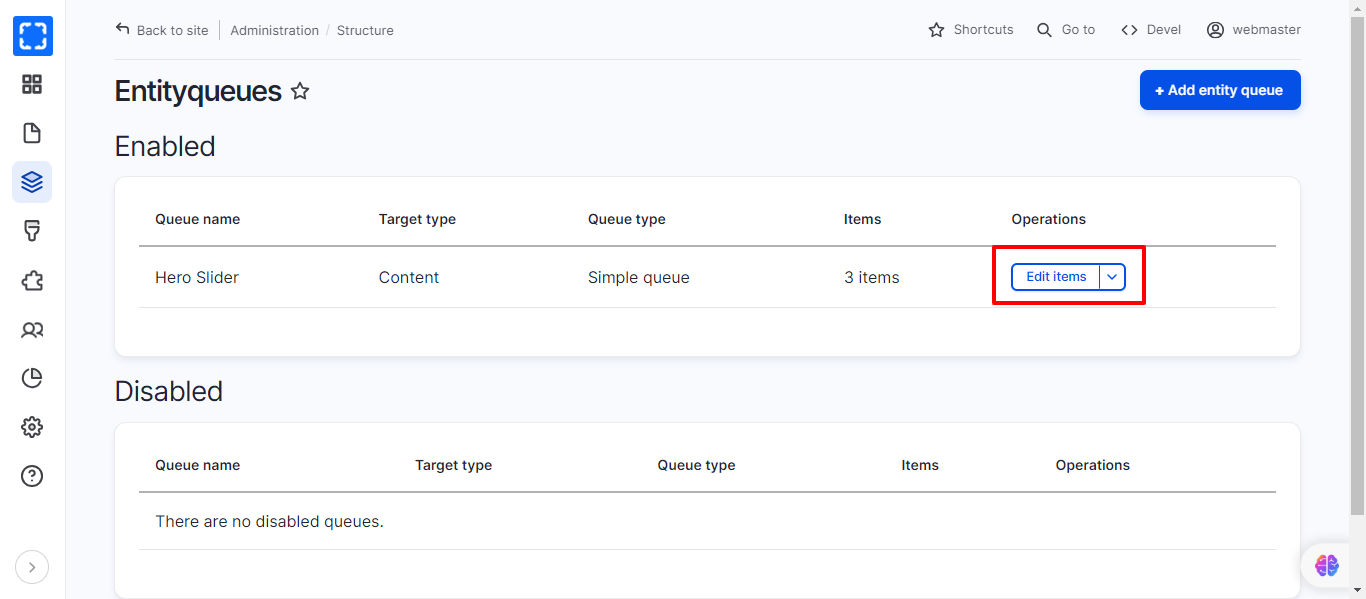
1. Go to **Structure**/***EntityQueues*** page.
2. Select the EntityQueue list that you want to add a term to (eg. Media Hero Slider).
3. Click on the drop-down menu ***Edit items*****.**
Entityqueues List
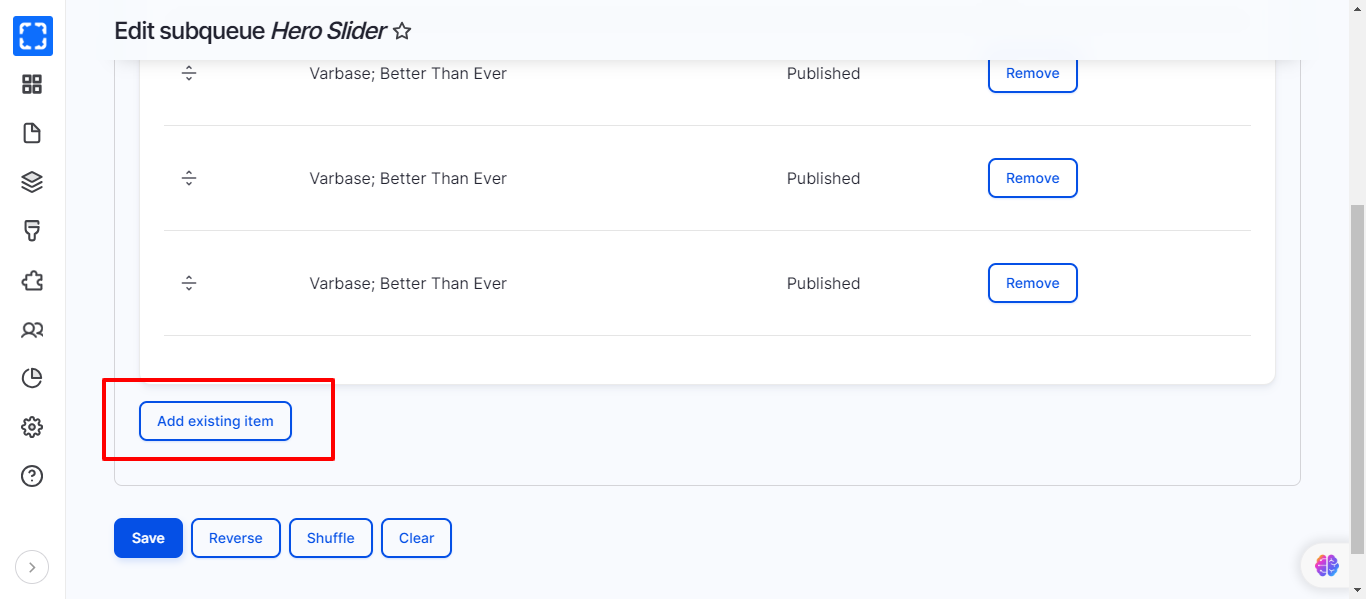
4. Click on ***Add existing item*****,** then choose your specific item to add it into this EntityQueue
Add Existing Item to EntityQueues
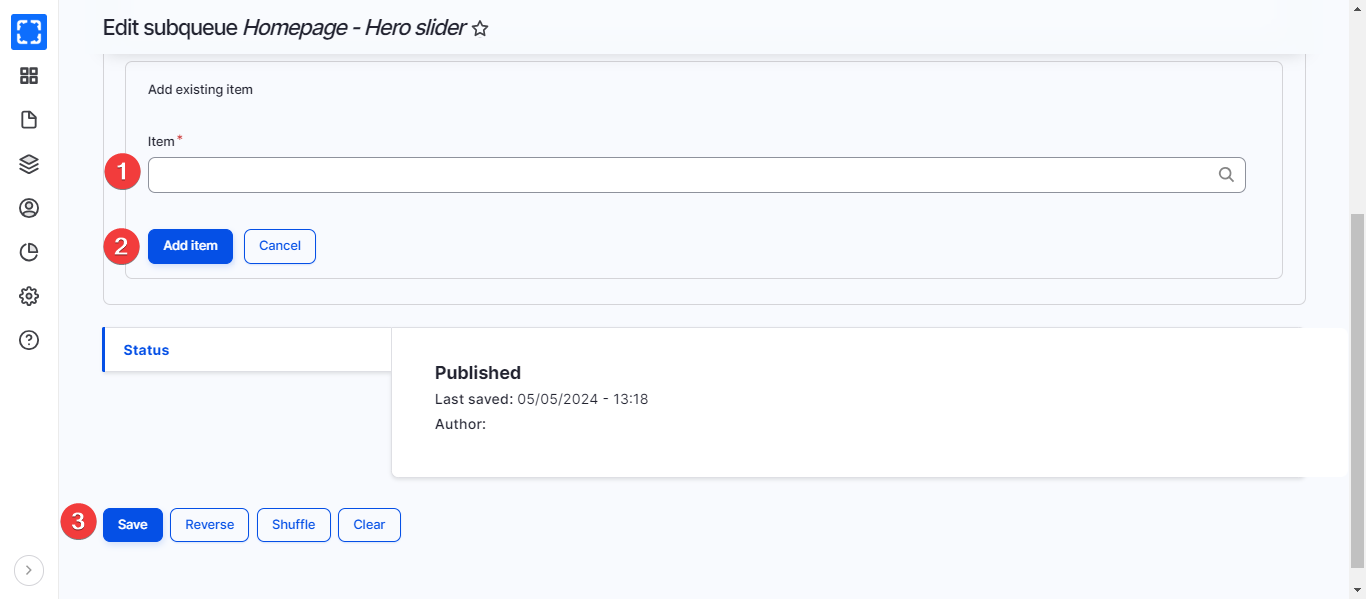
5. Select the node you want to add to the entityqueue.
6. Click on ***Add item*** button.
7. Click on ***Save***.