> For the complete documentation index, see [llms.txt](https://docs.varbase.vardot.com/llms.txt). Markdown versions of documentation pages are available by appending `.md` to page URLs; this page is available as [Markdown](https://docs.varbase.vardot.com/10.1.x/content-designers/content-structure/menu-management/adding-a-page-to-the-menu.md).
# Adding a Page to the Menu
When creating a new page within the website and the page should appear within the menu of the site; follow these steps to ensure it is linked within the menu.
To add a new page to a menu through the page node edit:
1. Click on **Edit** for the page that you want to add to the menu. Or as you are creating a new page.
Edit Landing Page
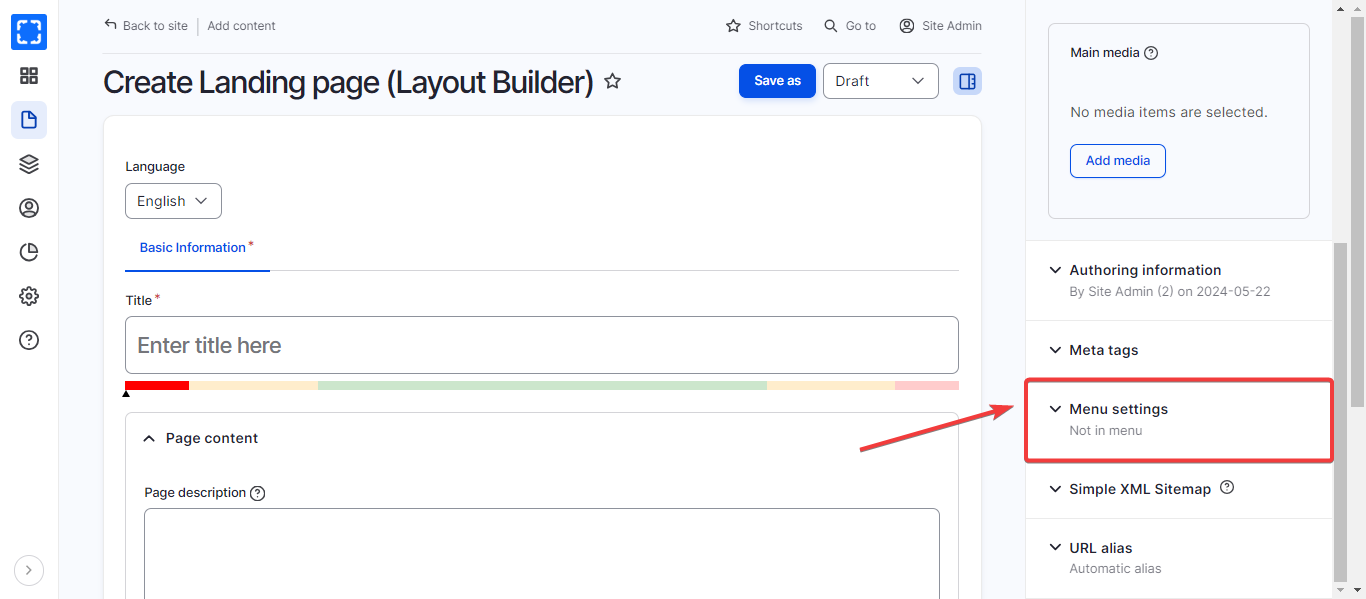
2. Click on the **Menu Settings** tab in the content type settings area.
Menu Settings
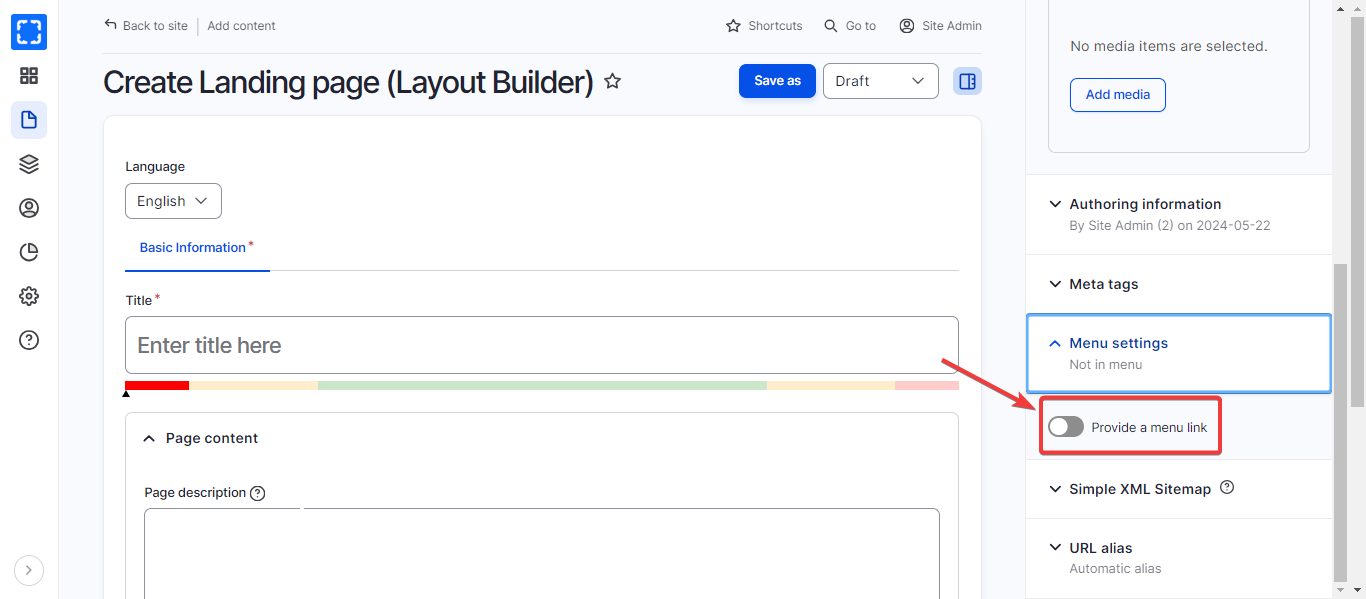
3. Check **Provide a menu link**.
Provide a Menu Link
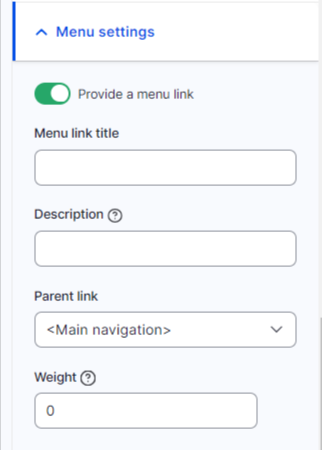
4. Fill **Menu link title** and select the **Parent item.**
Menu Link Title and Parent Item
5. Click **Save** at the bottom of the page.
6. The page will now appear in the **Main Menu.**
{% hint style="success" %}
Adding a new page to a menu using the aforementioned steps; will automatically create a link between the new page and the menu.
{% endhint %}