> For the complete documentation index, see [llms.txt](https://docs.varbase.vardot.com/llms.txt). Markdown versions of documentation pages are available by appending `.md` to page URLs; this page is available as [Markdown](https://docs.varbase.vardot.com/10.1.x/content-designers/content-structure/menu-management/reorder-and-edit-your-menu-items.md).
# Update Menu Items
Reorder, edit and delete items from the menu.
Drupal allows users with sufficient permissions to update menus using the following actions:
1. [Reorder menu items](#reorder-menu-items).
2. [Edit menu items](#edit-menu-items).
3. [Delete menu items](#delete-menu-items).
### Reorder Menu Items
To reorder the links for one of the menus, follow these steps:
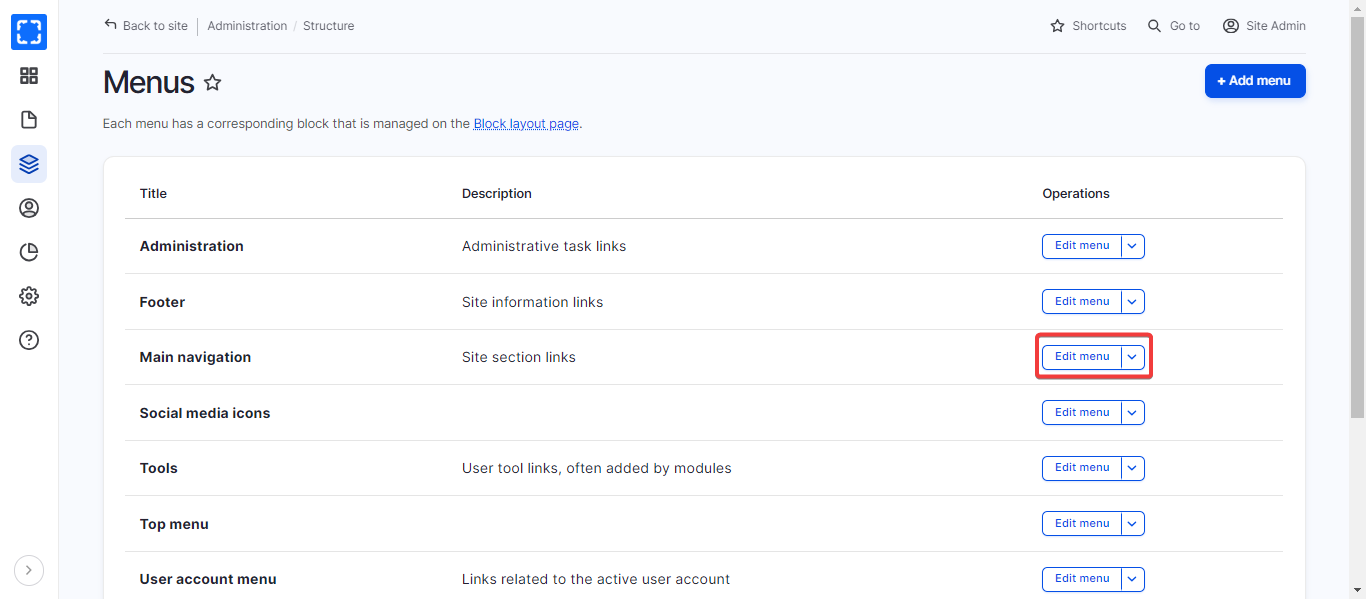
1. Navigate to **Menu** page.
2. Select the menu you want to reorder the links inside it. For example, **Main navigation.**
3. Click **Edit menu.**
Edit the Main Navigation Menu
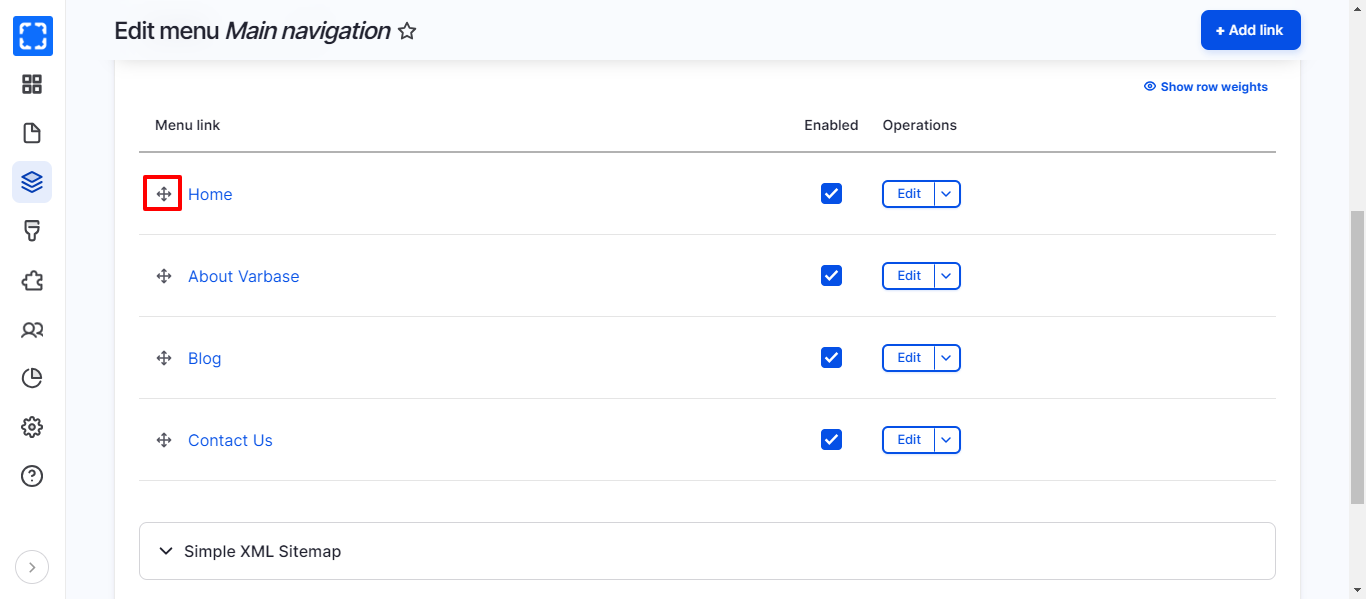
4. You can drag and drop using the below icon to reorder the items in the menu.
Reorder Items in Main Navigation Menu
### Edit Menu Items
In order to edit a link for one of the menus, follow these steps:
1. Go to **Menu** page.
2. Select the menu you want to edit the link inside it. For example, **Main Navigation.**
3. Click **Edit menu.**
4. Choose the link that you want to edit it**.** For example: **Home.**
5. Click **Edit.**
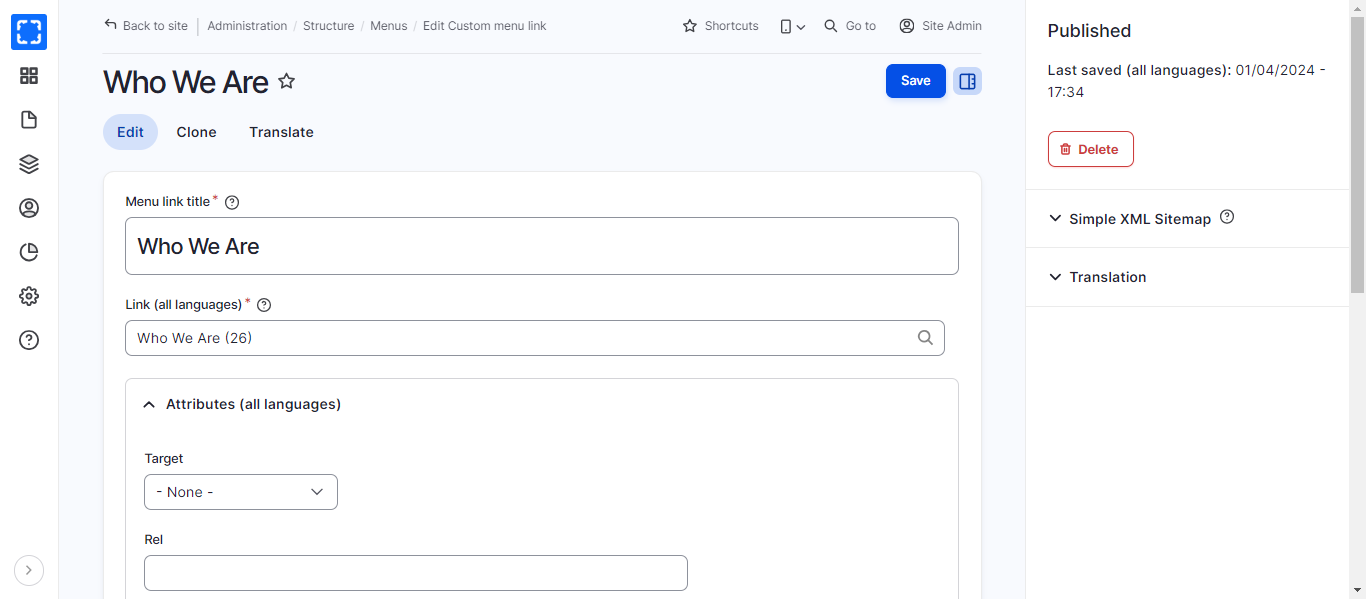
6. Then the **Menu edit Link** page will open, you can change the title of the link or the link itself from this page.
7. Click the **Save** button.
Edit Menu Link Page
### Delete Menu Items
In order to delete a link for one of the menus, follow these steps:
1. Go to **Menu** page.
2. Select the menu you want to delete the link inside it. For example, **Main Navigation.**
3. Click **Edit menu.**
4. Choose the link that you want to delete it**.** For example, **Home.**
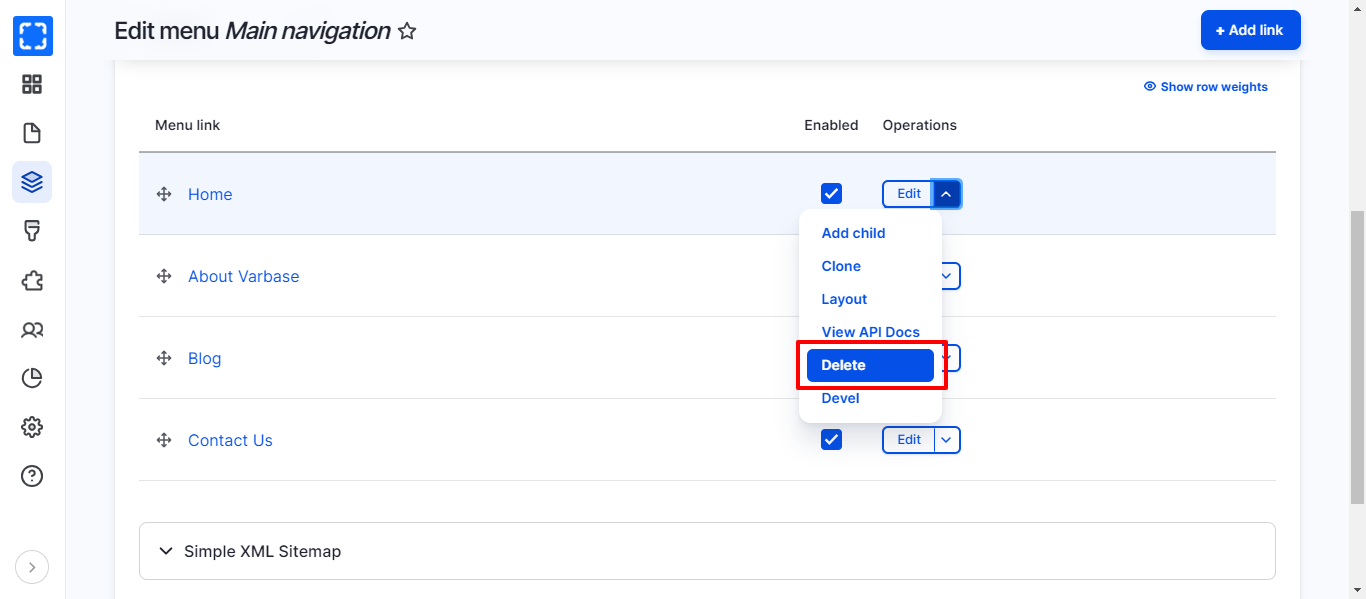
5. Click on the arrow, then click on **Delete.**
Delete Link from the Main Navigation Menu
6. You can go back to the menu to check that the selected item has been deleted**.**