> For the complete documentation index, see [llms.txt](https://docs.varbase.vardot.com/llms.txt). Markdown versions of documentation pages are available by appending `.md` to page URLs; this page is available as [Markdown](https://docs.varbase.vardot.com/10.1.x/content-designers/content-structure/taxonomies/add-terms.md).
# Add Terms
Add a new terms to the vocabulary.
## Add Terms
This section will show you how to add terms to the vocabulary as example:
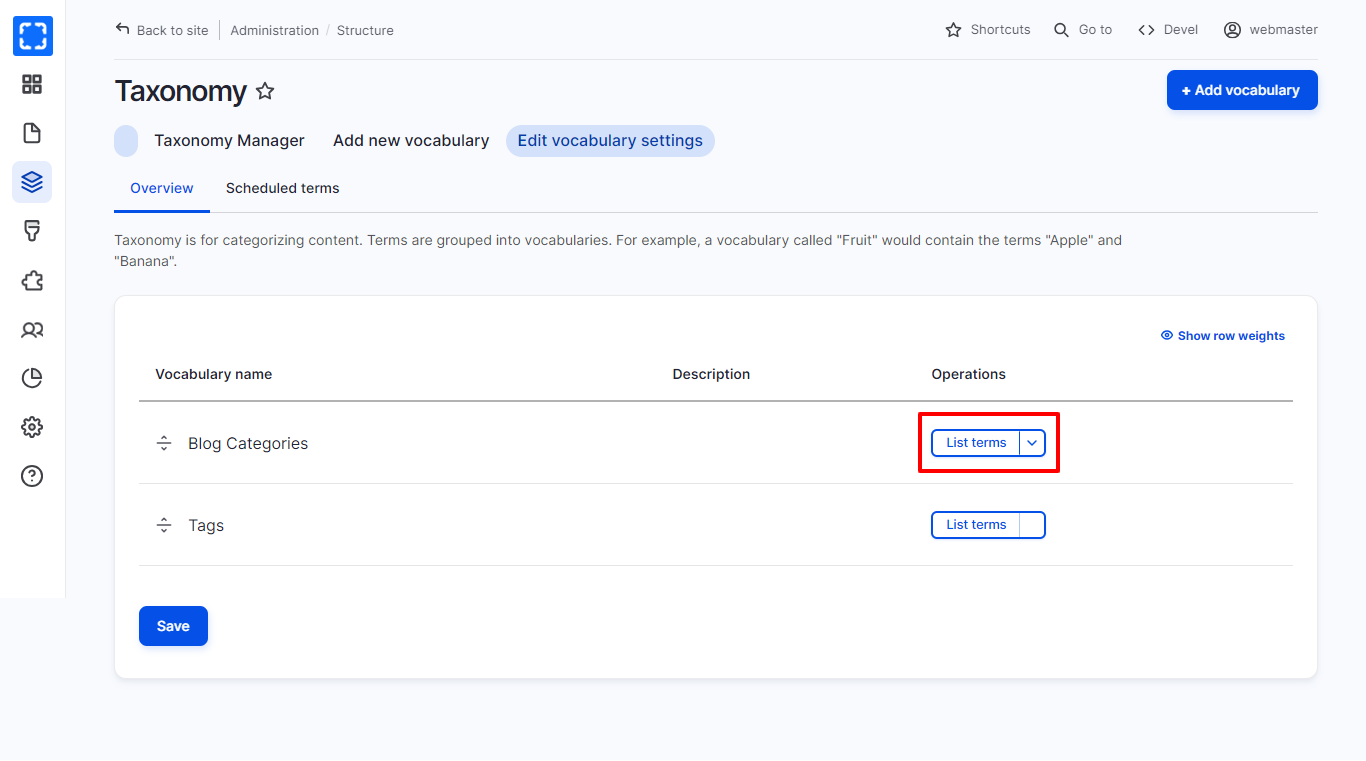
1. Go to **Taxonomy** page.
2. Select the **Taxonomy** list that you want to add a term to (eg. Tags).
3. Click on the drop down menu **List terms.**
List of Terms for the Tags taxonomy
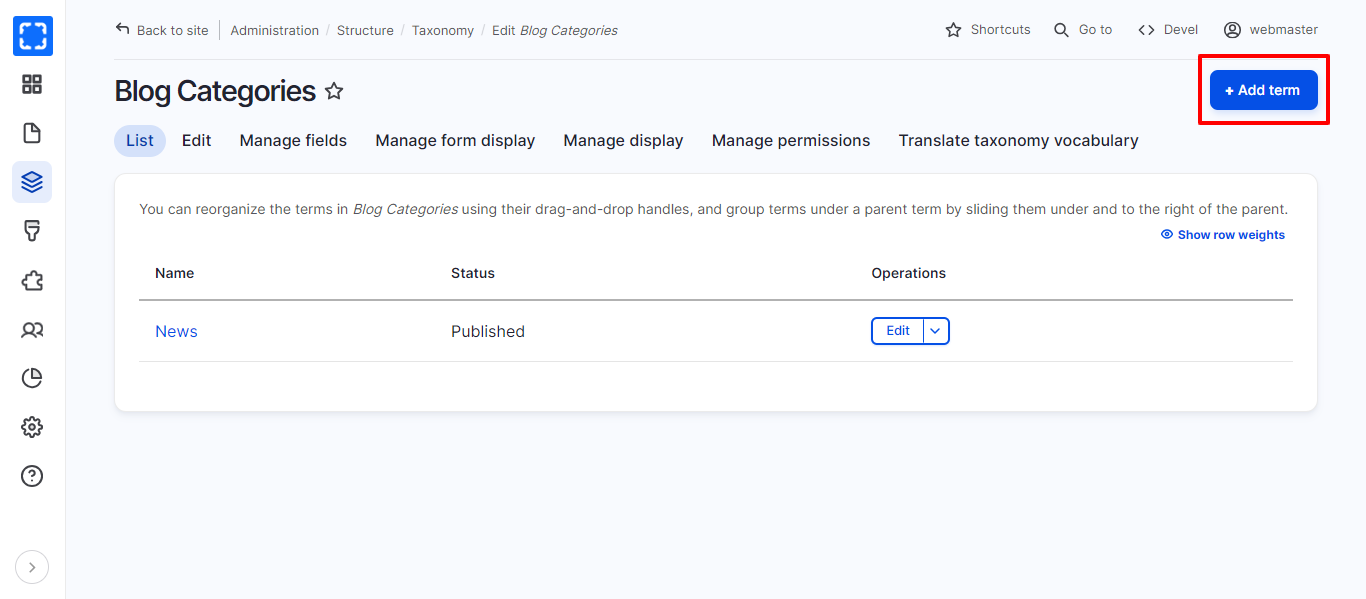
4. This will load a new page. Select **Add term.**
Add a New Term for the Taxonomy
5. A separate page will load, user should fill in the **Name** which is the title of the term.
6. Click the **Save** button, located at the bottom of the page.