> For the complete documentation index, see [llms.txt](https://docs.varbase.vardot.com/llms.txt). Markdown versions of documentation pages are available by appending `.md` to page URLs; this page is available as [Markdown](https://docs.varbase.vardot.com/10.1.x/content-designers/content-structure/taxonomies/reorder-and-edit-terms.md).
# Reorder and Edit Terms
Reorder and edit the terms inside a specific vocabulary
Reorder Terms
To reorder the terms inside the taxonomy follow these steps:
1. Go to **Manage.**
2. Click **Structure** tab.
3. Click **Taxonomy.**
4. A separate page will load with all the list of vocabularies.
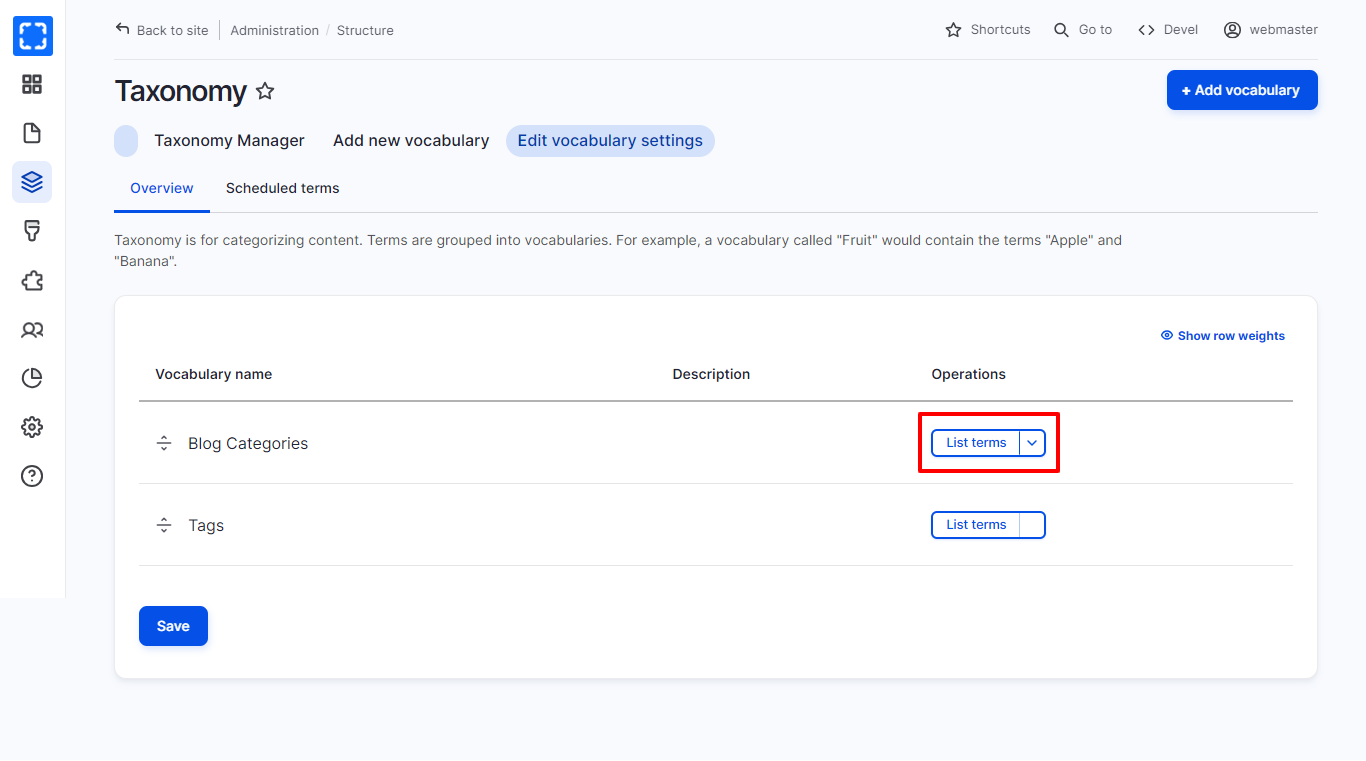
5. Choose the taxonomy that you want to reorder there terms, Click on List terms.
List Terms of the Taxonomy
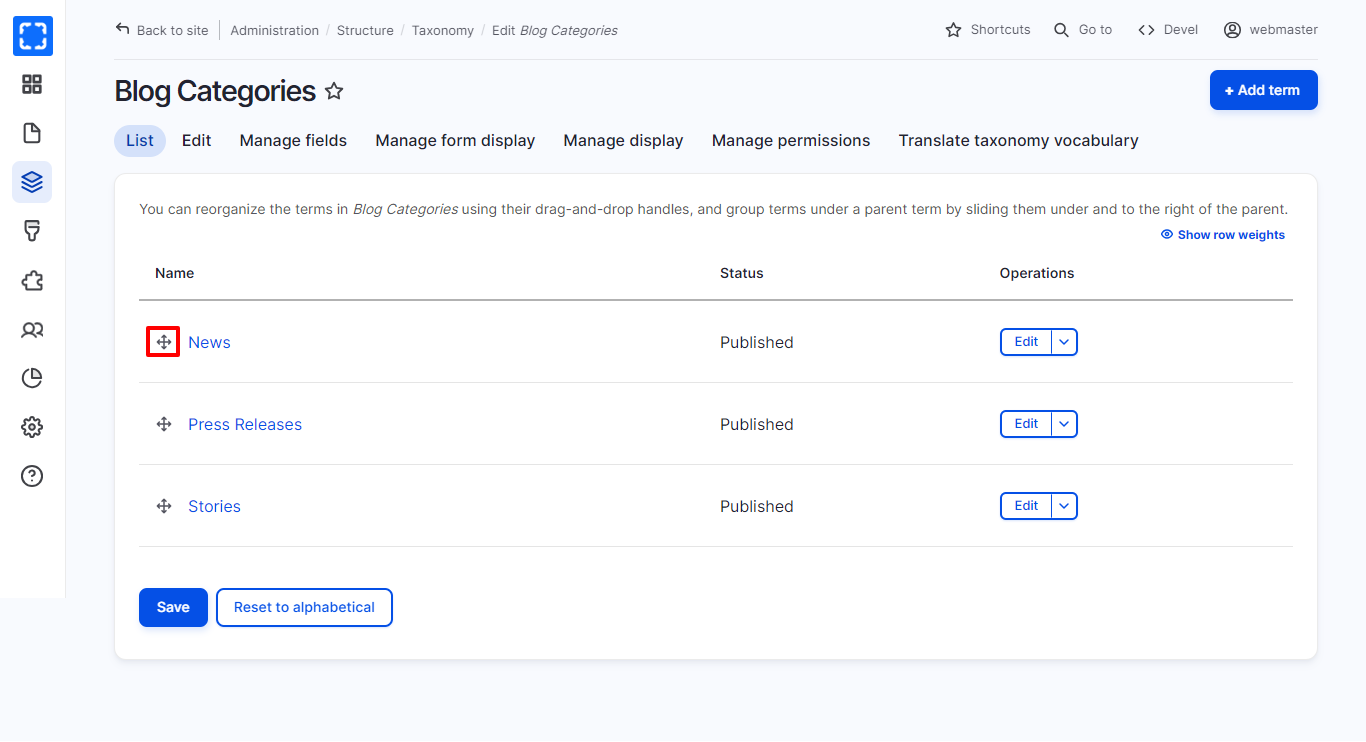
6. You can drag and drop using the below icon to reorder the terms in the taxonomy.
Reorder Terms in Taxonomy
## Edit Terms
In order to edit the terms inside the taxonomy follow these steps:
1. Go to **Manage.**
2. Click **Structure** tab.
3. Click **Taxonomy.**
4. A separate page will load with all the list of vocabularies.
5. Choose the taxonomy that you want to edit it terms, Click on List terms.
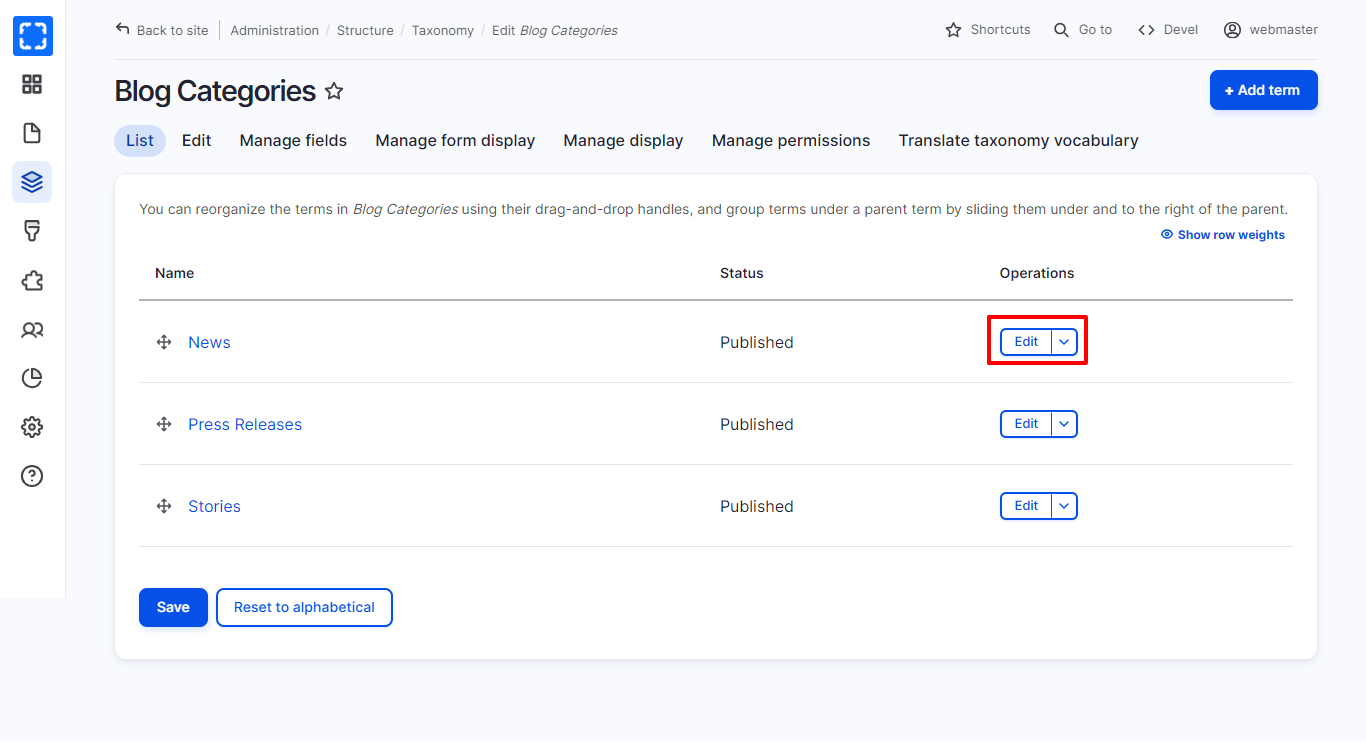
6. Chose the term that you want to edit it then click on **Edit**
Edit Terms
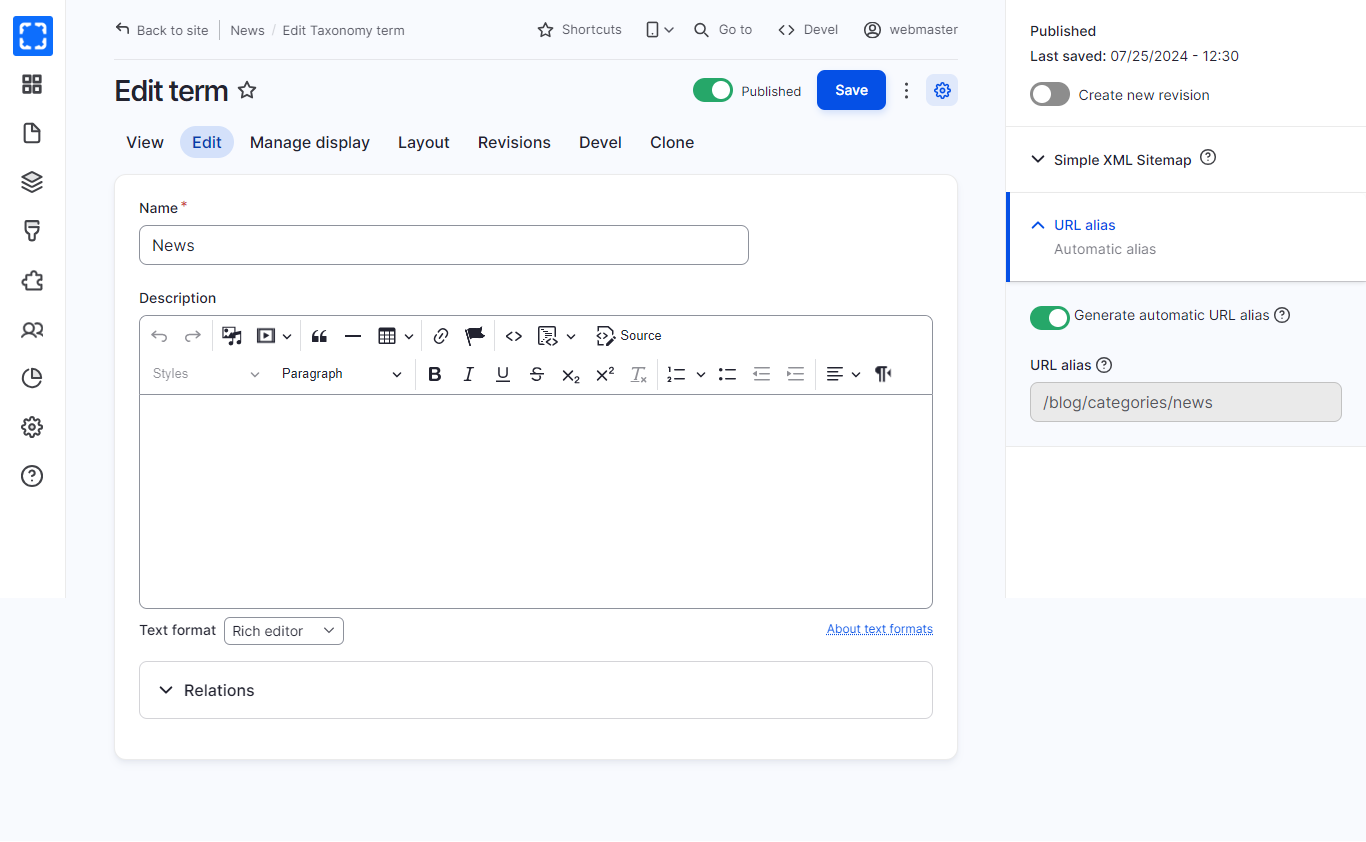
7. A separate page will load, the user can edit the terms of the vocabulary.
8. Click the **Save** button.