> For the complete documentation index, see [llms.txt](https://docs.varbase.vardot.com/llms.txt). Markdown versions of documentation pages are available by appending `.md` to page URLs; this page is available as [Markdown](https://docs.varbase.vardot.com/10.1.x/content-designers/content-translation/editing-a-translation.md).
# Editing a Translation
To edit any translation you have to follow one of the following ways:
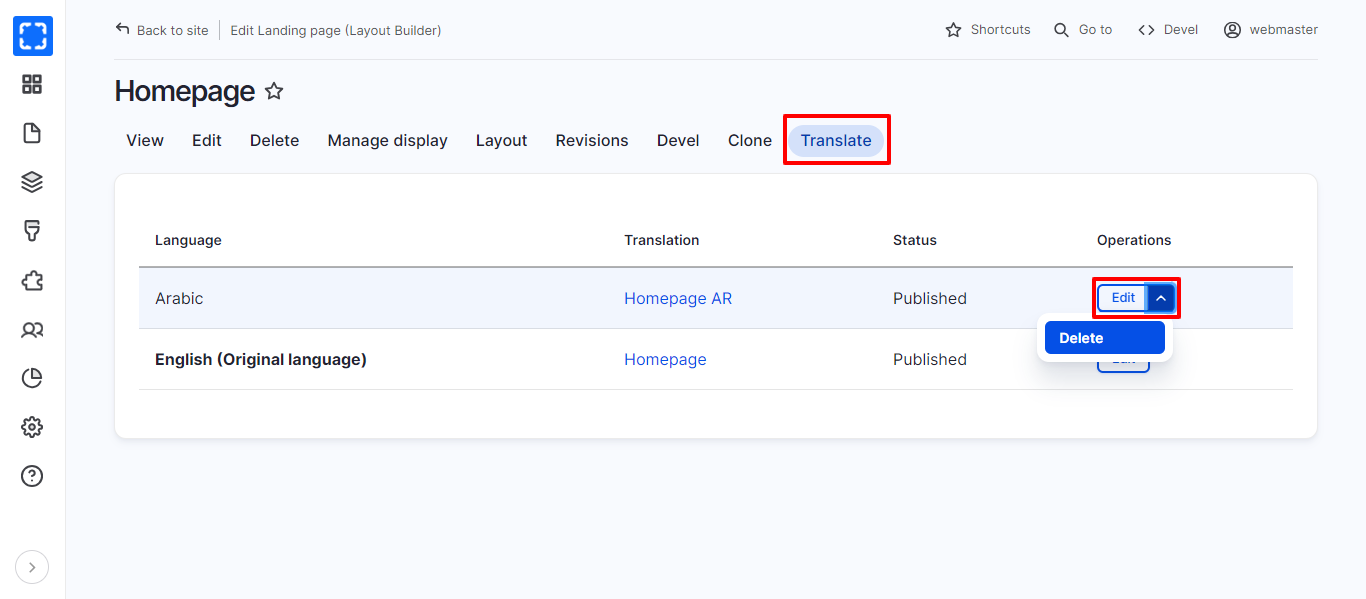
### From the translations page
1. Navigate the translations page.
2. From the operations drop-down list click on ***Edit.***
3. Update the fields that need editing.
4. Click on ***Save (this translation)*** button***.***
Editing the Translation
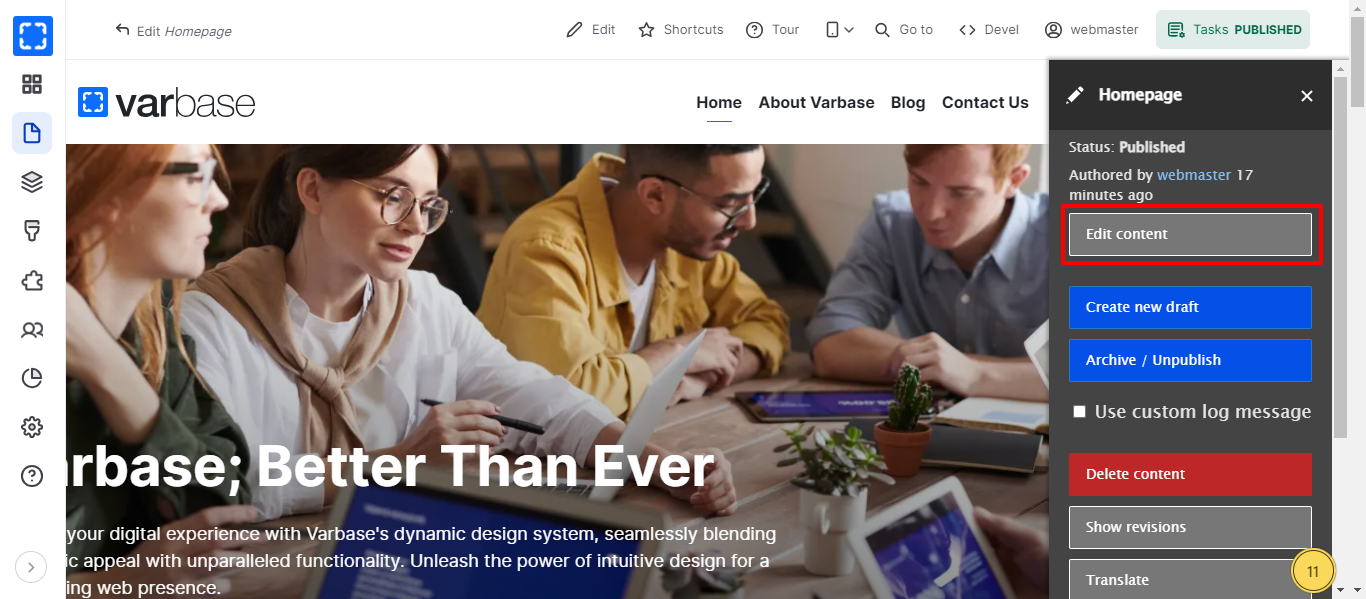
### From the Task side menu
1. Navigate the translated node page you want to delete.
2. From the task side menu click on the ***Edit content*** button.
3. Update the fields that need editing.
4. Click on ***Save (this translation)*** button***.***
Edit Content Option
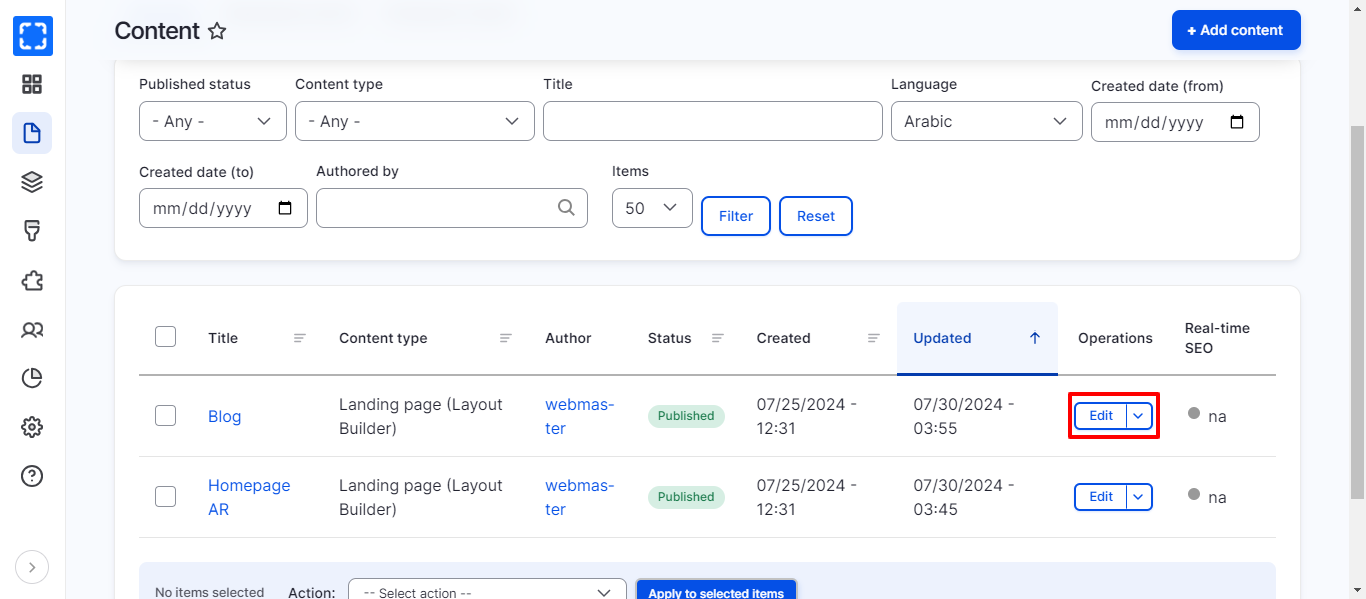
### From the content page
1. Go to **Manage/*****Content.***
2. From the filters select the language of the translation you want to edit.
3. Write the page name in the title field.
4. Click on **Filter** button.
5. From the operations drop-down list click on ***Edit.***
6. Update the fields that need editing.
7. Click on ***Save (this translation)*** button***.***