> For the complete documentation index, see [llms.txt](https://docs.varbase.vardot.com/llms.txt). Markdown versions of documentation pages are available by appending `.md` to page URLs; this page is available as [Markdown](https://docs.varbase.vardot.com/10.1.x/content-designers/site-configuration/system/mail-templates.md).
# Mail Templates
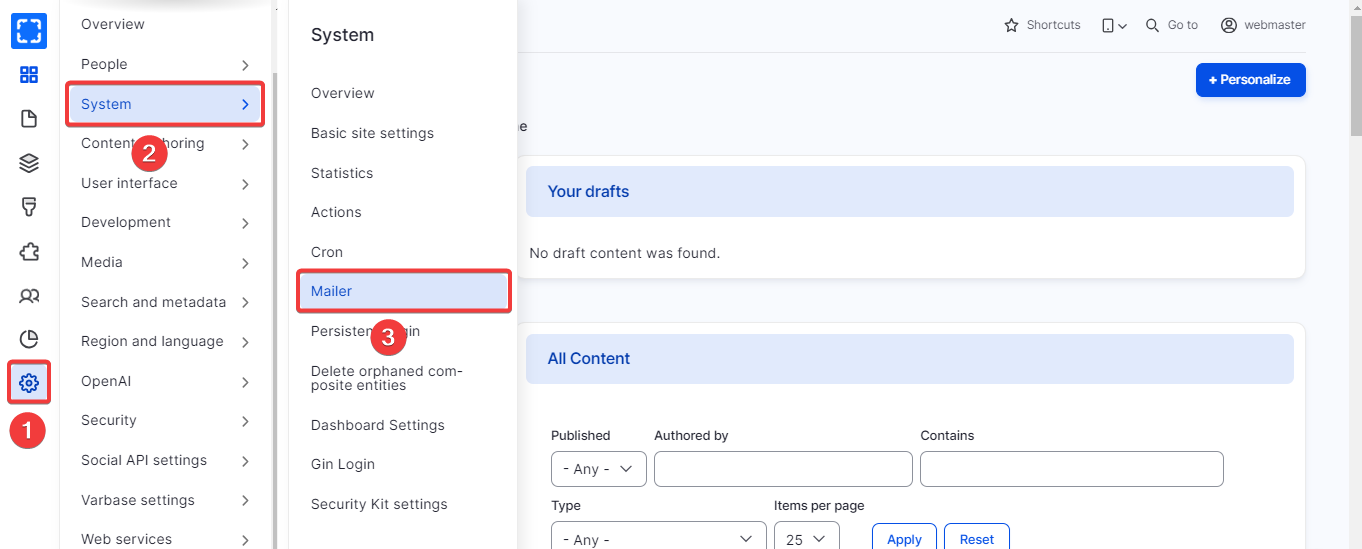
### How to Navigate the Mail Template:
1. Form **Configuration/ System/ *****Mailer.***
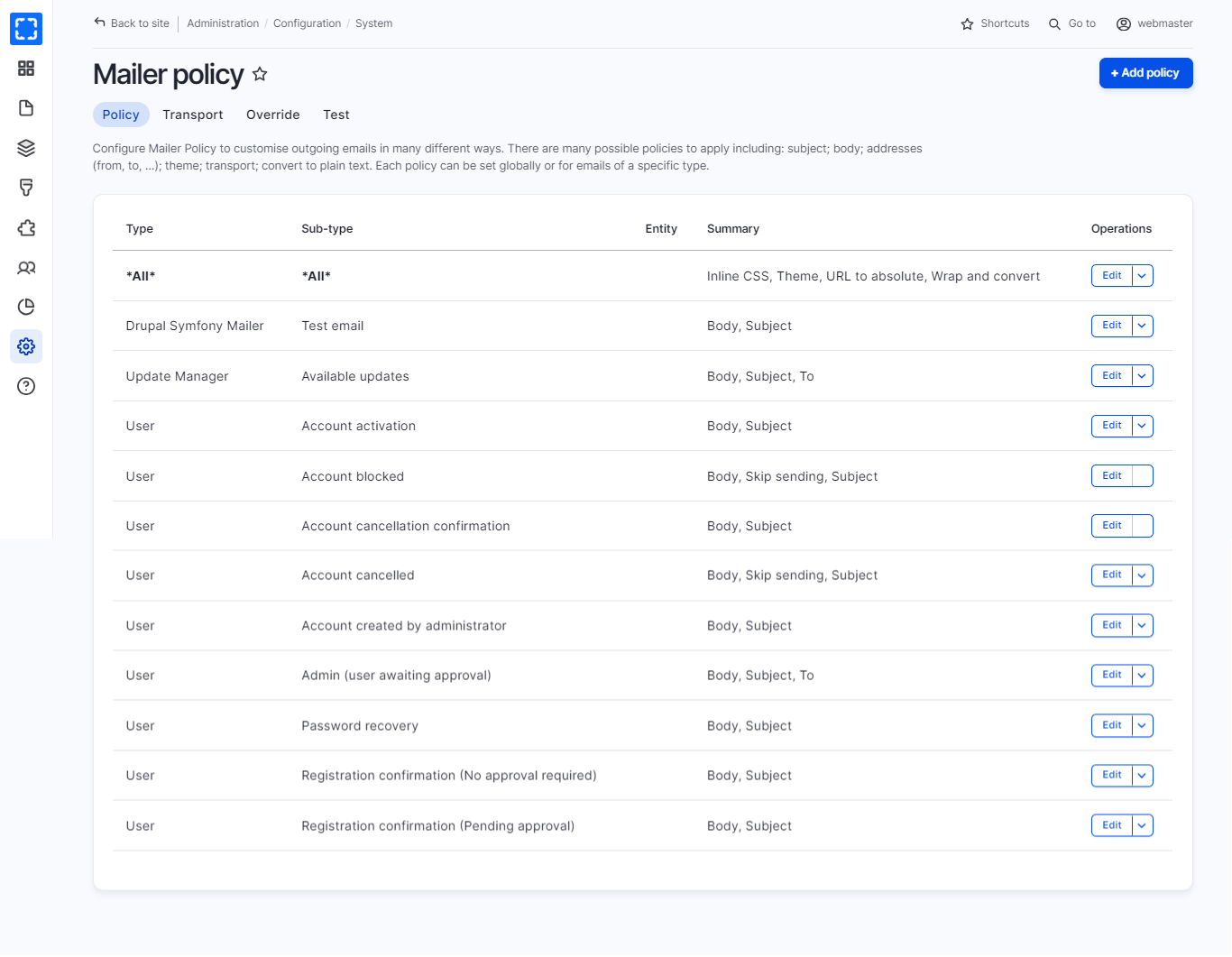
2. The site will redirect users to the Mailer policy page, which contains a list of Email templates available on the site.
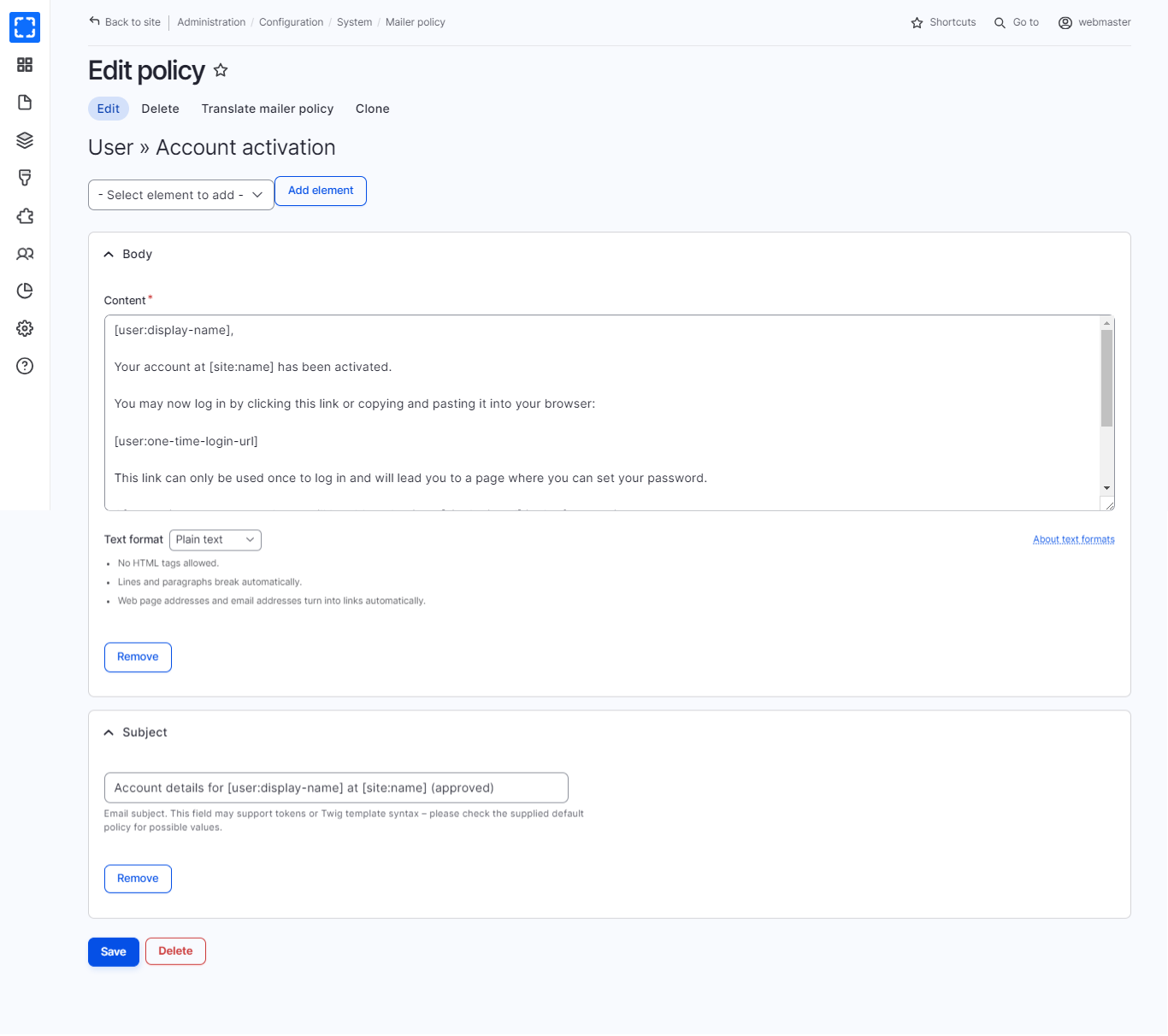
3. Select the Email you want to update, Click on **Edit**.
1. User can edit the Body of the template and the Subject.
4. Update the Email and click on **Save.**
Navigate the Mailer
Mailer Policy Page
Edit Account Activation Email Template
{% hint style="danger" %}
Avoid editing tokens (e.g., \[site:name]) in the email template unless you've consulted your site developer to prevent disrupting the email information.
{% endhint %}
{% hint style="info" %}
For additional information see: [Varbase Email](/10.1.x/developers/understanding-varbase/core-components/varbase-email.md) page and [Configuring Varbase Mailer Settings](/10.1.x/developers/configuring-a-varbase-site/configuring-varbase-mailer-settings.md) page
{% endhint %}