> For the complete documentation index, see [llms.txt](https://docs.varbase.vardot.com/llms.txt). Markdown versions of documentation pages are available by appending `.md` to page URLs; this page is available as [Markdown](https://docs.varbase.vardot.com/10.1.x/content-designers/site-configuration/user-interface.md).
# User Interface
In User interface page the user can manage many functionalities such as **Coffee, External Links, Shortcuts, Moderation Sidebar, Taxonomy Manager, Layout Builder Modal, Tours, ...etc**
### How to Navigate the User Interface:
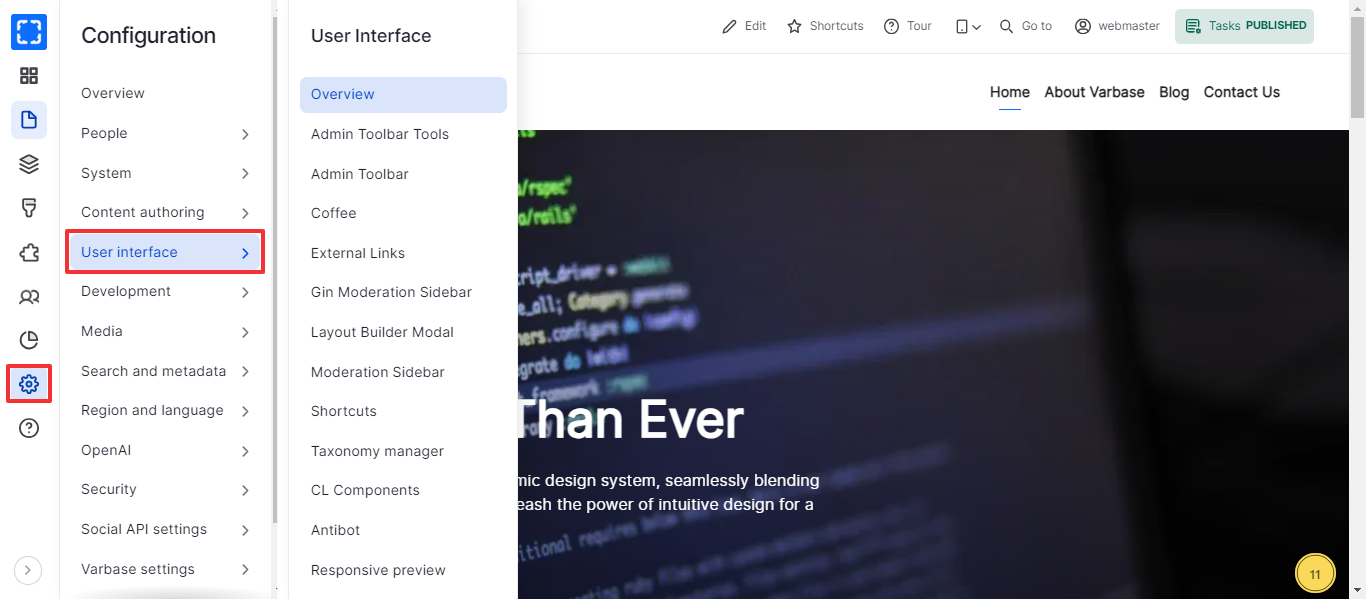
1. Form **Configuration/ *****User interface.***
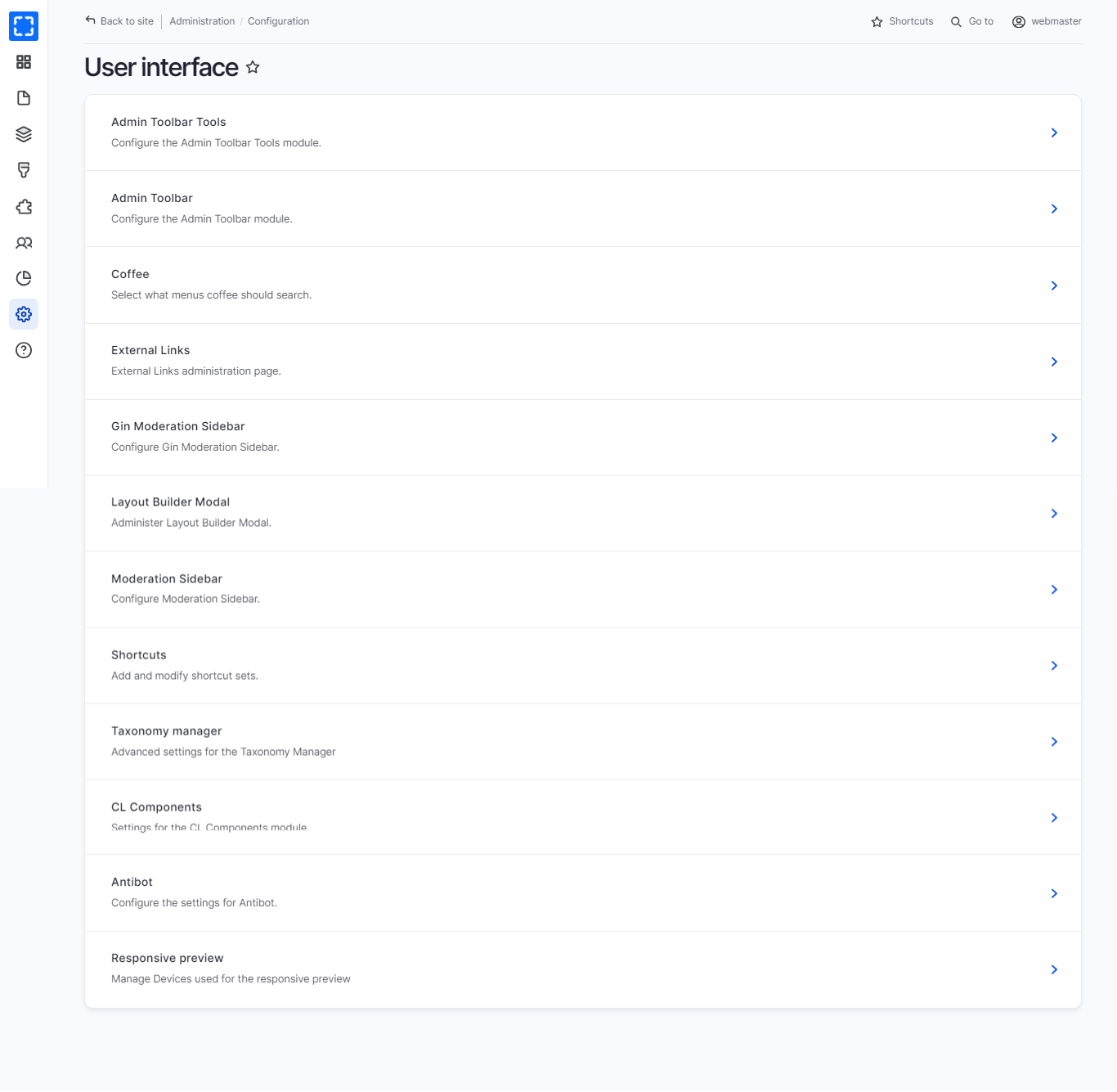
2. The site will redirect you to the User interface page.
3. You can navigate all the User interface configurations from the User interface page.
Navigate User Interface
User Interface Page
In the table below you can find the User interface configurations and their usage:
| Configuration | Usage |
| -------------------------- | --------------------------------------------------------------------------------------------------------------------- |
| **Admin Toolbar Tools** | Configure the Admin Toolbar Tools module. |
| **Admin Toolbar** | Configure the Admin Toolbar module and the maximal depth of displayed menu. |
| **Coffee** | Select what menus coffee should search and the maximum number of items to show in the search results. |
| **External Links** | Manage the settings and translation of external links. |
| **Shortcuts** | Define which shortcut set you are using on the Shortcuts tab of your account page. |
| **Gin Moderation Sidebar** | Choose the Moderation Sidebar tab style. |
| **Layout Builder Modal** | Administer Layout Builder Modal. |
| **Moderation Sidebar** | Select transitions, which should be disabled in the Moderation Sidebar, when the Editorial/Simple workflow is in use. |
| **Taxonomy manager** | Advanced settings for the Taxonomy Manager |
| **Antibot** | Configure the settings for Antibot. |
| **Responsive preview** | Manage Devices used for the responsive preview |