> For the complete documentation index, see [llms.txt](https://docs.varbase.vardot.com/llms.txt). Markdown versions of documentation pages are available by appending `.md` to page URLs; this page is available as [Markdown](https://docs.varbase.vardot.com/10.1.x/content-designers/site-configuration/user-interface/coffee.md).
# Coffee
Varbase is a Drupal distribution that comes with pre-configured features to streamline the website building process. The "Coffee" module within Varbase provides an efficient way to navigate through large admin interfaces by offering a quick search bar, similar to application launchers seen in operating systems. With this module, users can type in keywords and instantly access various sections of their Drupal site, significantly enhancing productivity and user experience by reducing the time spent on navigation.
### How to Use Coffee Module
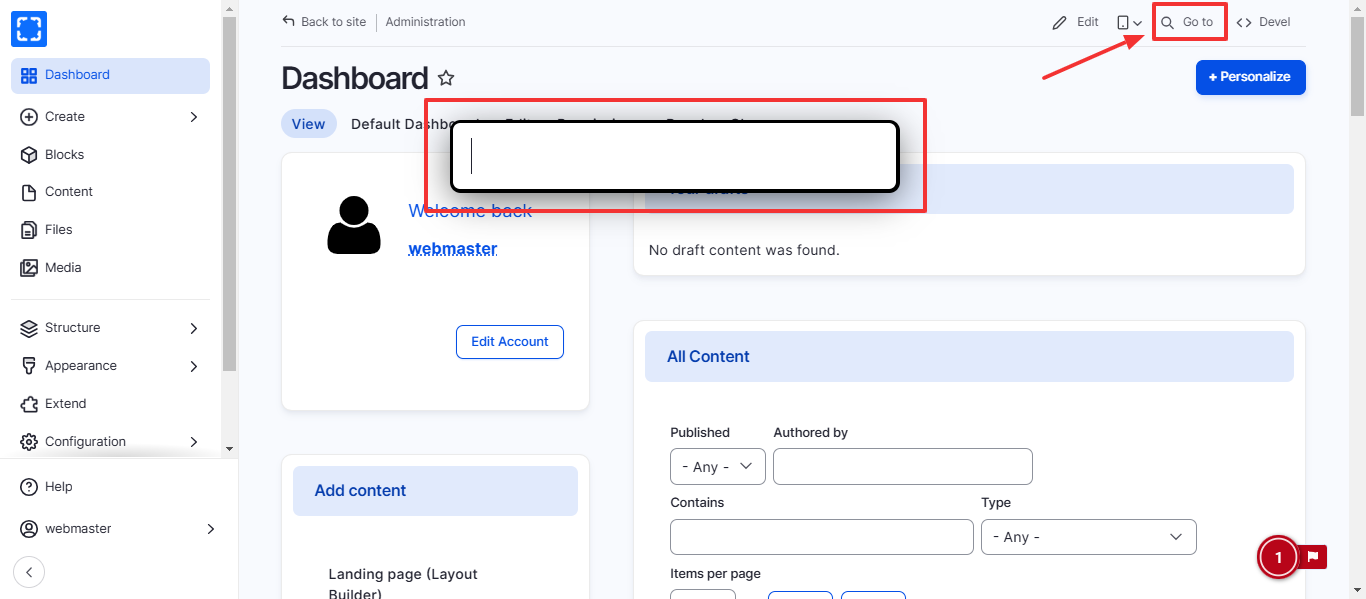
1. From the right tob of all the pages, Click on ***Go To*** link
2. a search bar will appear, type the functionality you are searching for.
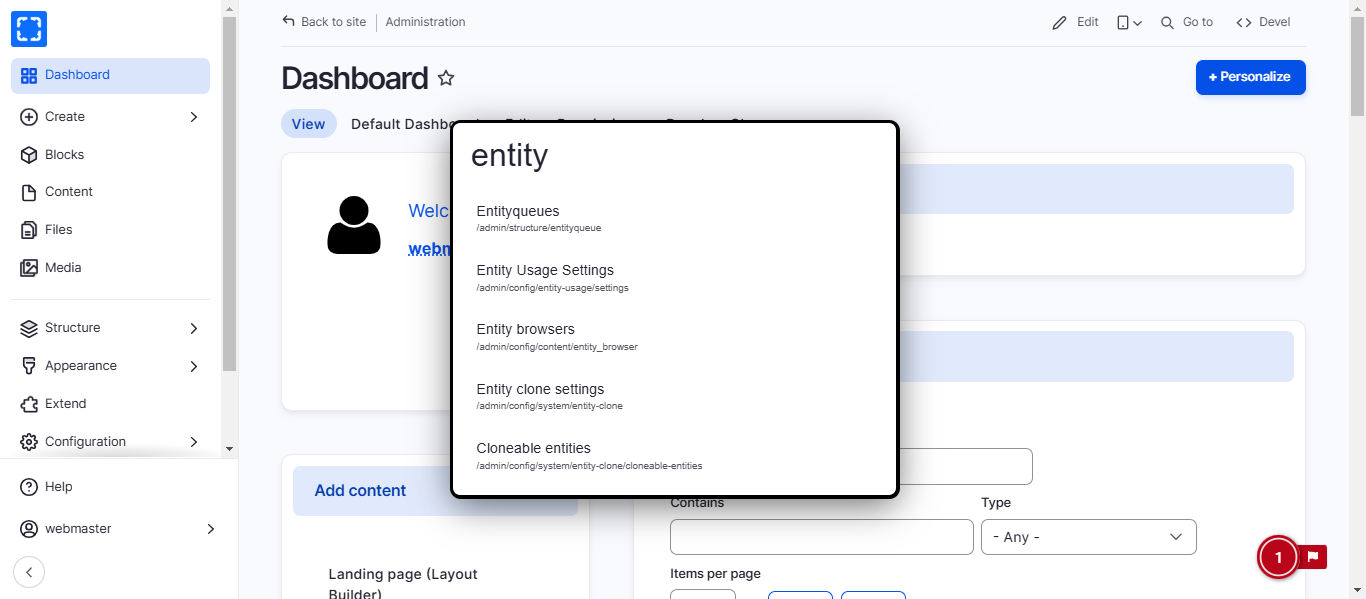
3. Once you start typing the search bar will auto-complete in dropdown list.
4. Click on the page you are looking for.
5. You'll be redirected to the page.
Go to Link/ Search Bar Popup
Auto-complete in Dropdown List
### How to Configure the Coffee Module
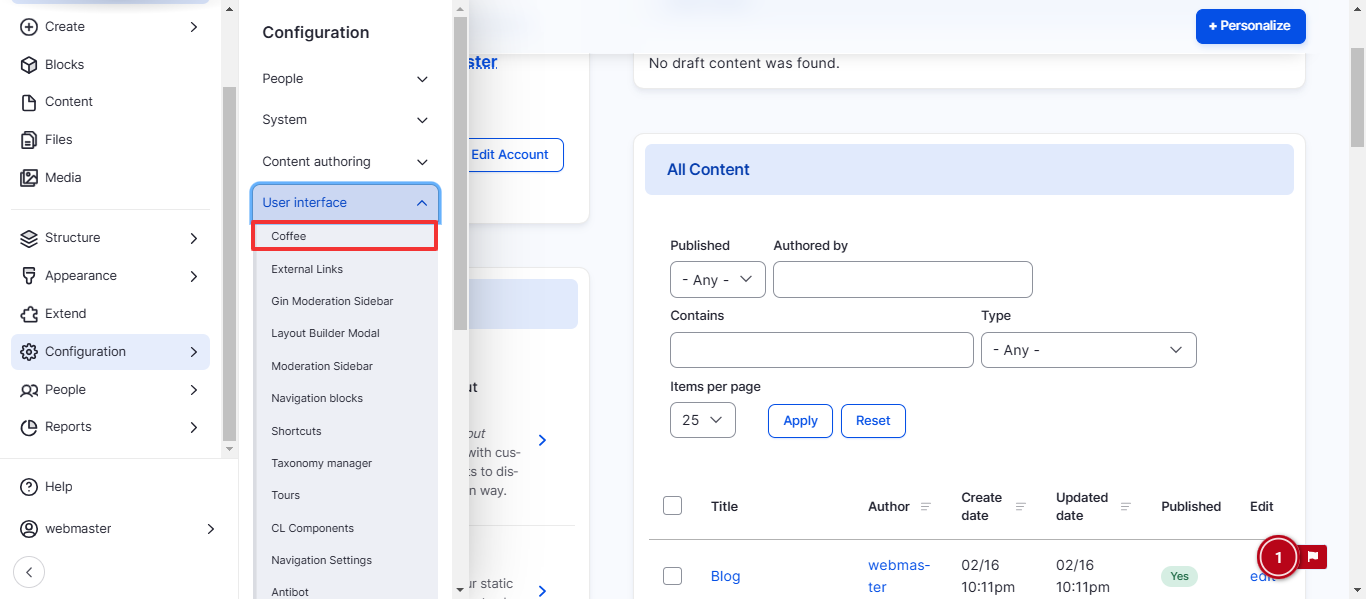
1. Form **Configuration/ User interface/ *****Coffee.***
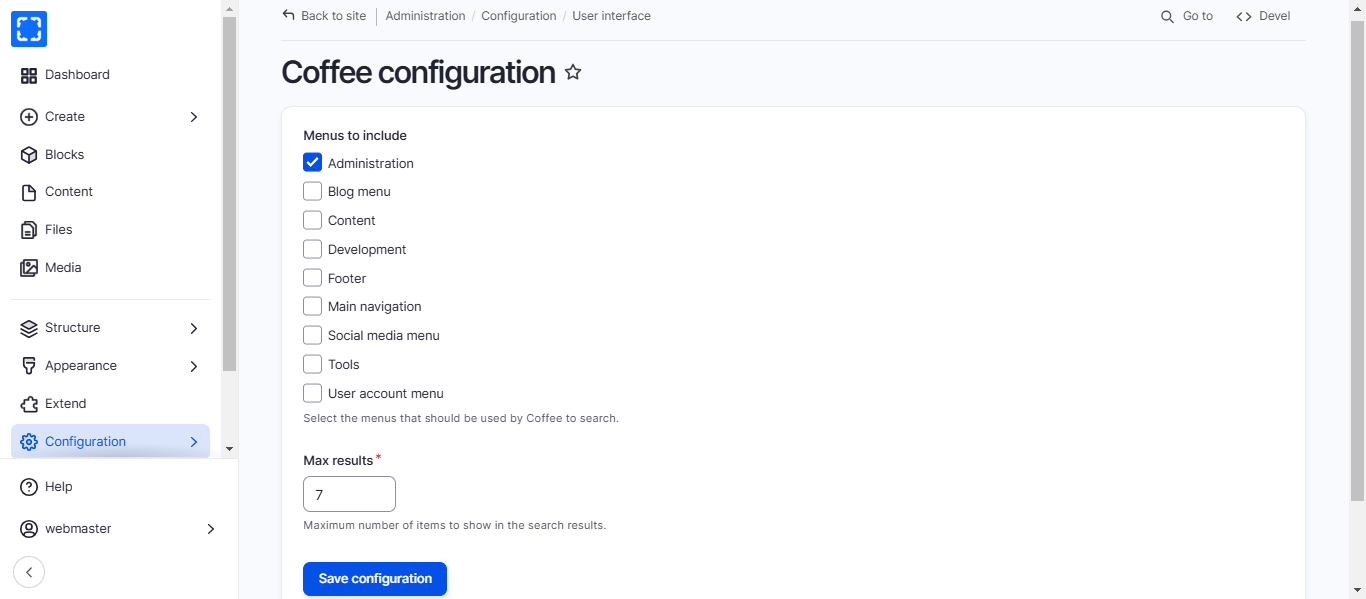
2. You'll be redirected to the **Coffee Configuration** page.
3. Update the information you want and click on Save Configuration button.