> For the complete documentation index, see [llms.txt](https://docs.varbase.vardot.com/llms.txt). Markdown versions of documentation pages are available by appending `.md` to page URLs; this page is available as [Markdown](https://docs.varbase.vardot.com/10.1.x/content-designers/site-configuration/user-interface/moderation-sidebar.md).
# Moderation Sidebar
The **Moderation Sidebar** in Varbase enhances content workflow by allowing users to change moderation states directly from a sidebar. It integrates with **Drupal’s Content Moderation** system for efficient editorial management.
**Key Features:**
* **Quick Content Moderation**: Easily switch between Draft, Needs Review, and Published states.
* **Workflow Integration**: Works with Drupal’s **Content Moderation** and **Workflows** modules.
* **User-Friendly UI**: Provides a seamless experience within the **Gin Admin Theme**.
* **Role-Based Access**: Permissions can be assigned to editors, reviewers, and publishers.
### How to Navigate the Moderation Sidebar Page
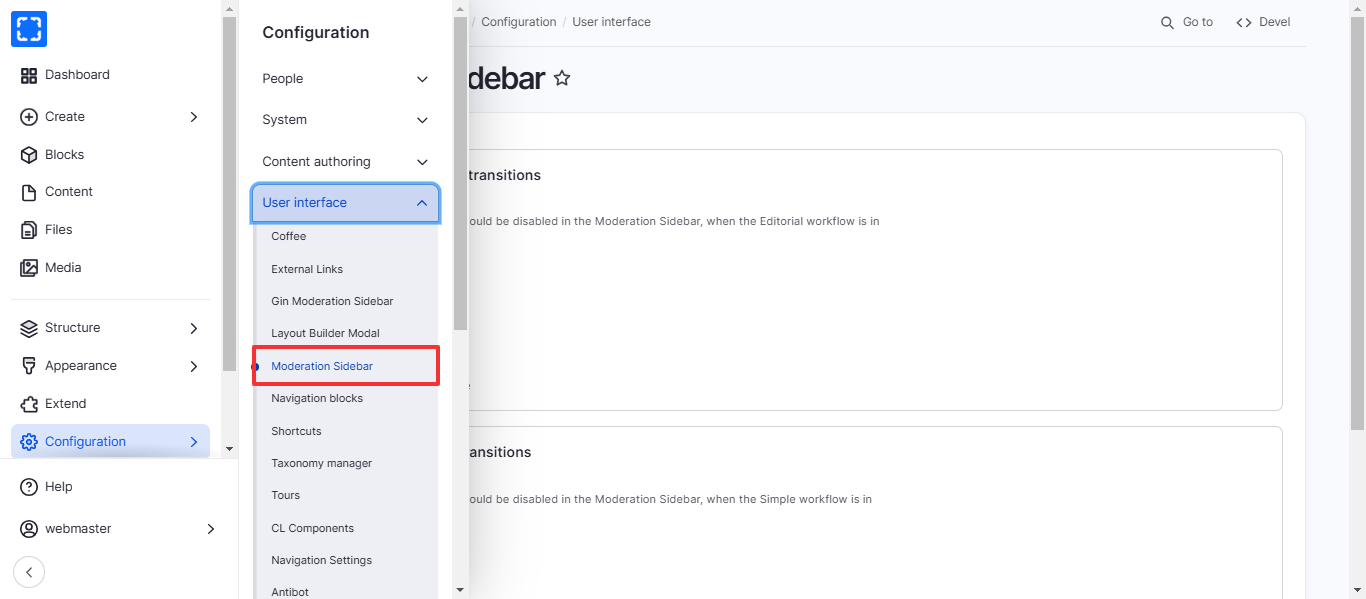
1. Form **Configuration/ User interface/ *****Moderation Sideba***r***.***
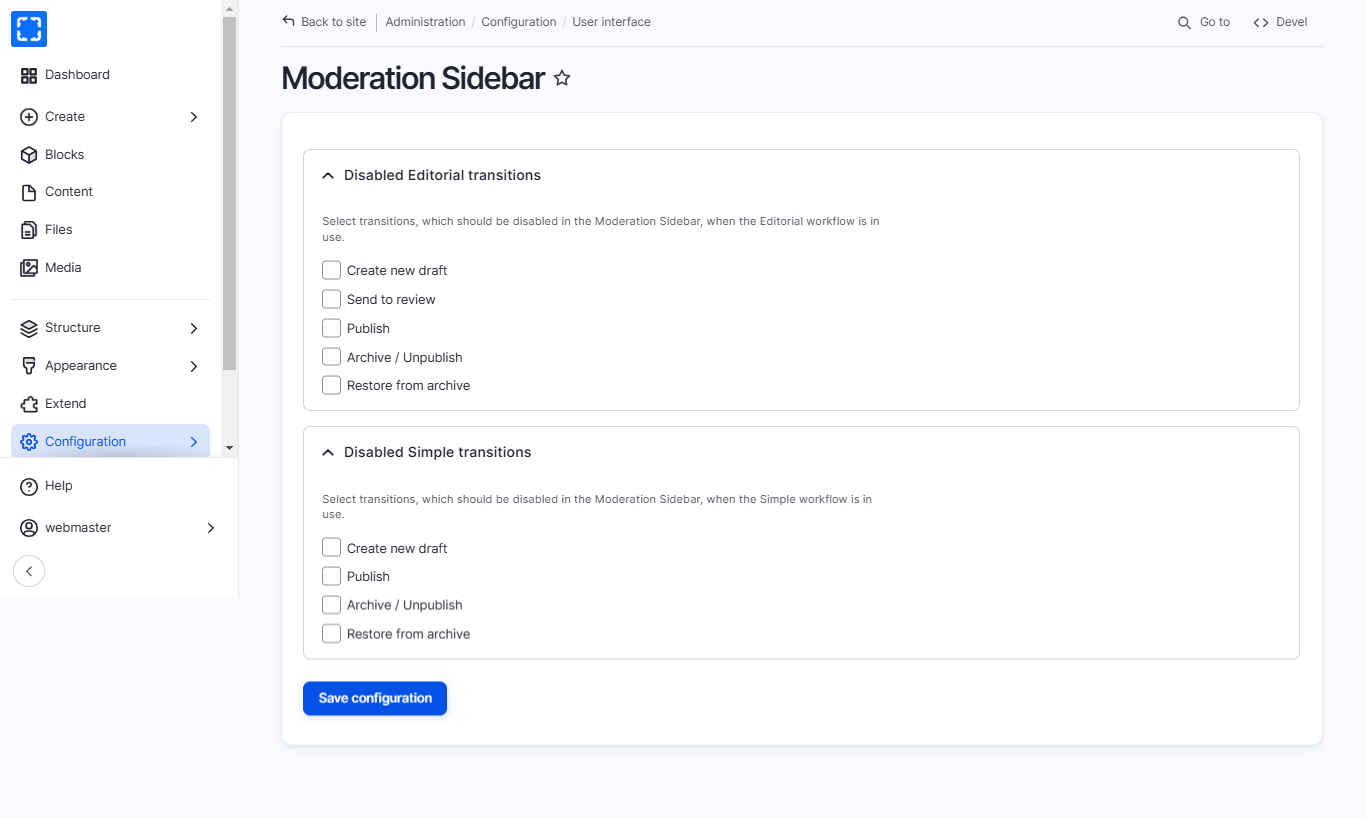
2. You'll be redirected to the **Moderation Sidebar** page.
3. Update the information you want and click on Save Configuration button.