> For the complete documentation index, see [llms.txt](https://docs.varbase.vardot.com/llms.txt). Markdown versions of documentation pages are available by appending `.md` to page URLs; this page is available as [Markdown](https://docs.varbase.vardot.com/10.1.x/content-designers/site-configuration/user-interface/shortcuts.md).
# Shortcuts
The **Shortcuts** feature in Varbase helps users quickly access frequently used admin pages, improving workflow efficiency.
**Key Features:**
* **Customizable Shortcuts**: Users can create and manage their own shortcut links.
* **Quick Access**: Speeds up navigation to commonly used pages (e.g., Content, Media, Configuration).
* **Role-Based Control**: Admins can set different shortcut sets for different user roles.
* **Integration with Gin Admin Theme**: Provides a modern, streamlined UI.
### How to Navigate the Shortcuts Page
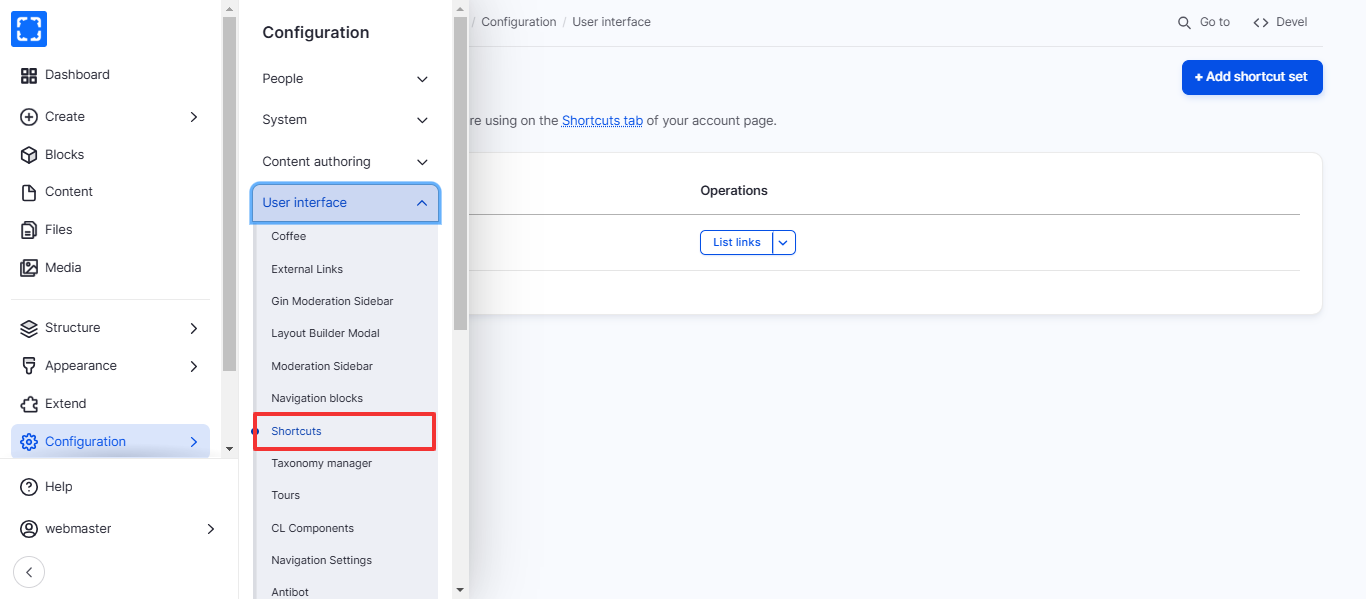
1. Form **Configuration/ User interface/ *****Shortcuts.***
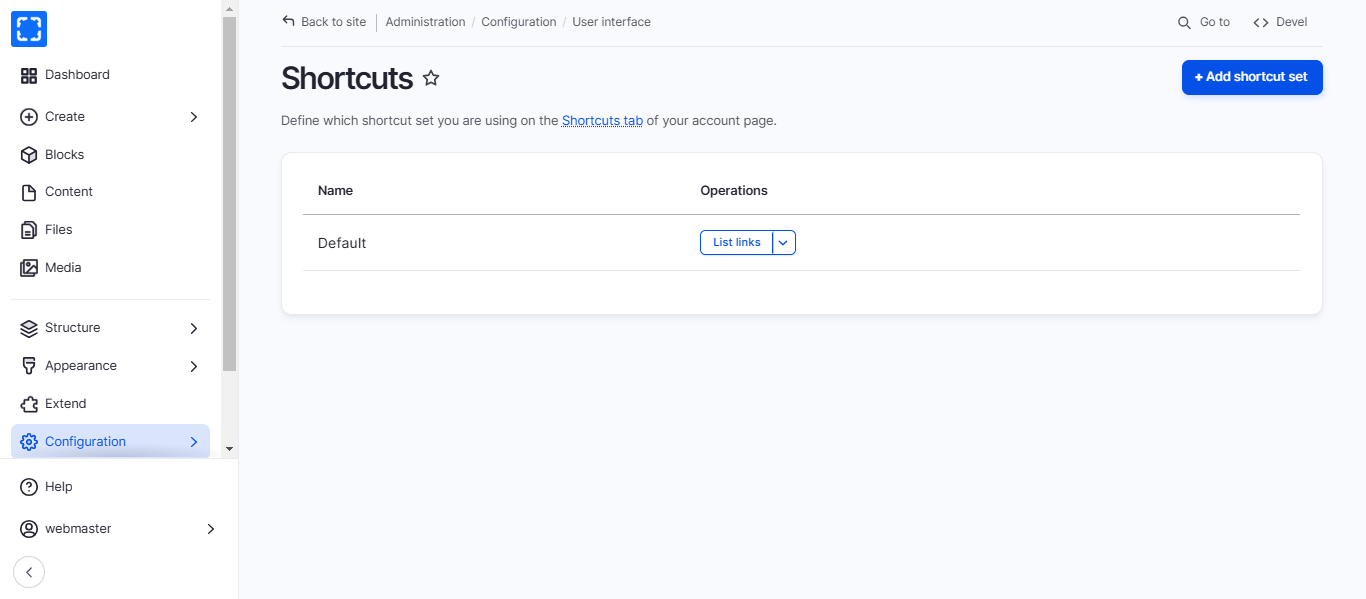
2. You'll be redirected to the **Shortcuts** page.
3. You can create a new shortcut set by clicking on **Add shortcut set** or update an existing set by clicking on **List links.**