> For the complete documentation index, see [llms.txt](https://docs.varbase.vardot.com/llms.txt). Markdown versions of documentation pages are available by appending `.md` to page URLs; this page is available as [Markdown](https://docs.varbase.vardot.com/10.1.x/content-designers/site-configuration/user-interface/taxonomy-manager.md).
# Taxonomy Manager
The **Taxonomy Manager** in Varbase enhances Drupal’s taxonomy system by providing advanced tools for managing terms efficiently.
**Key Features:**
* **Bulk Operations**: Create, delete, and reorder multiple terms at once.
* **Drag-and-Drop Sorting**: Easily rearrange taxonomy terms for better organization.
* **Hierarchical Structure Management**: Supports parent-child relationships with an intuitive UI.
* **Search and Filtering**: Quickly find and edit taxonomy terms.
* **Integration with Varbase**: Works seamlessly with content tagging and categorization.
### How to Navigate the Taxonomy Manager Page
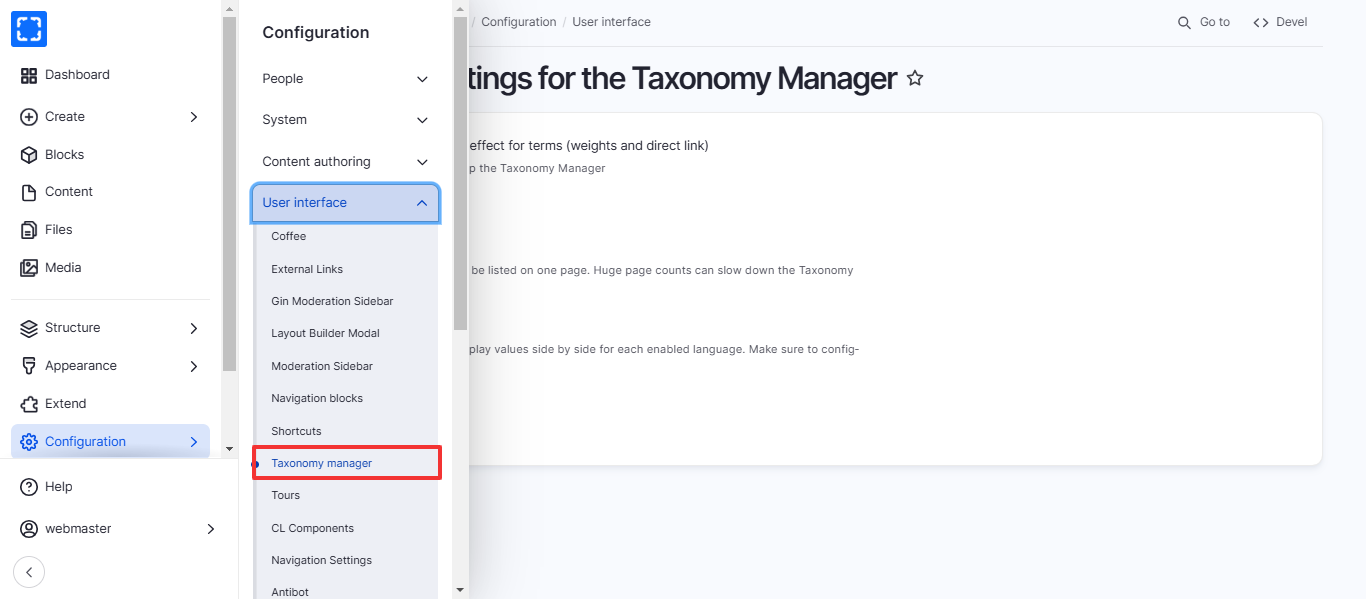
1. Form **Configuration/ User interface/ *****Taxonomy Manager.***
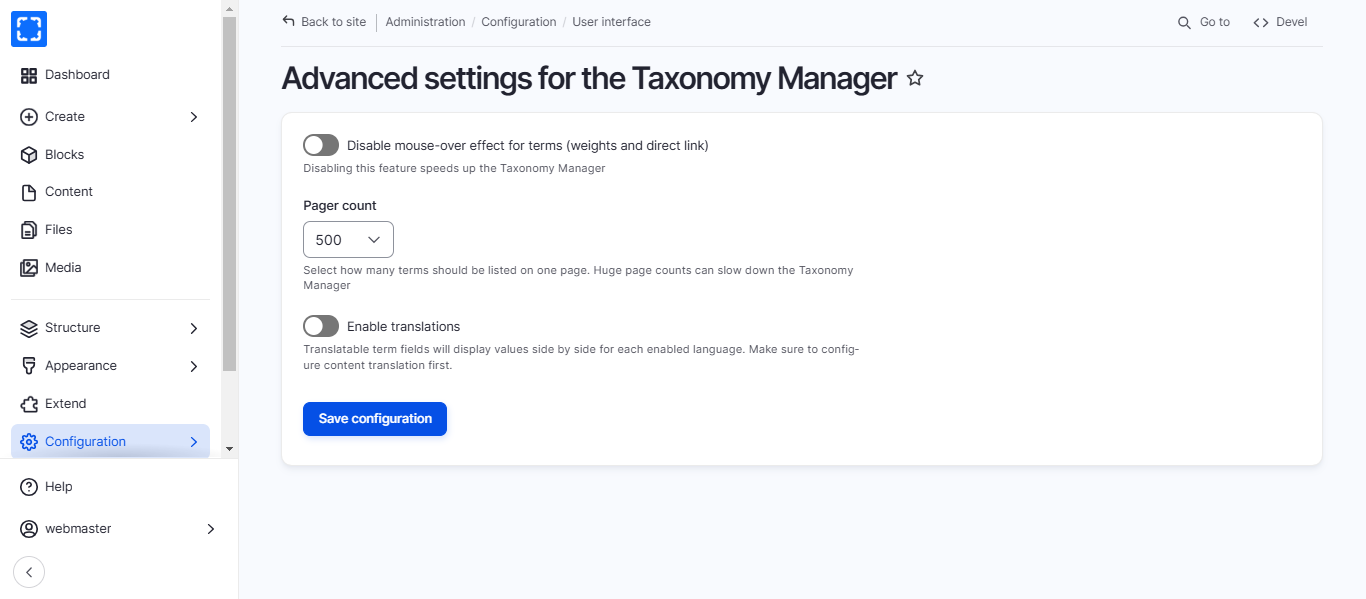
2. You'll be redirected to the **Taxonomy Manager** page.
3. Update the information you want and click on Save Configuration button.