> For the complete documentation index, see [llms.txt](https://docs.varbase.vardot.com/llms.txt). Markdown versions of documentation pages are available by appending `.md` to page URLs; this page is available as [Markdown](https://docs.varbase.vardot.com/10.1.x/content-designers/site-configuration/web-services.md).
# Web Services
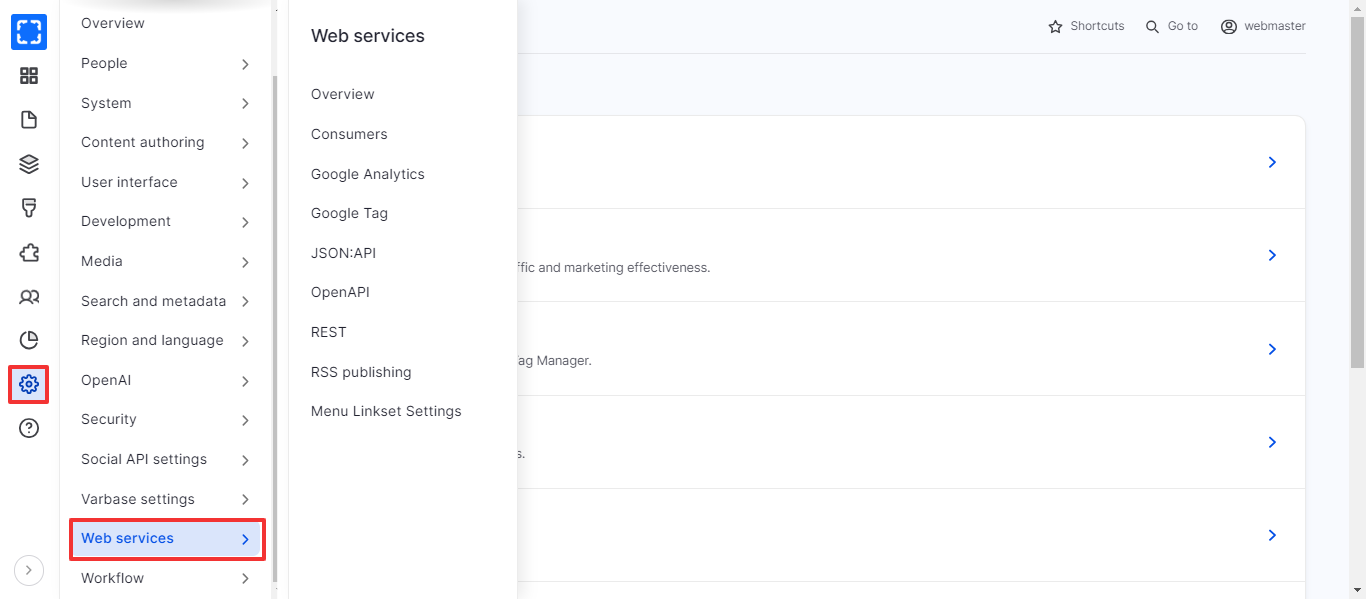
### How to Navigate the Web Services:
1. Form **Configuration/ *****Web Services.***
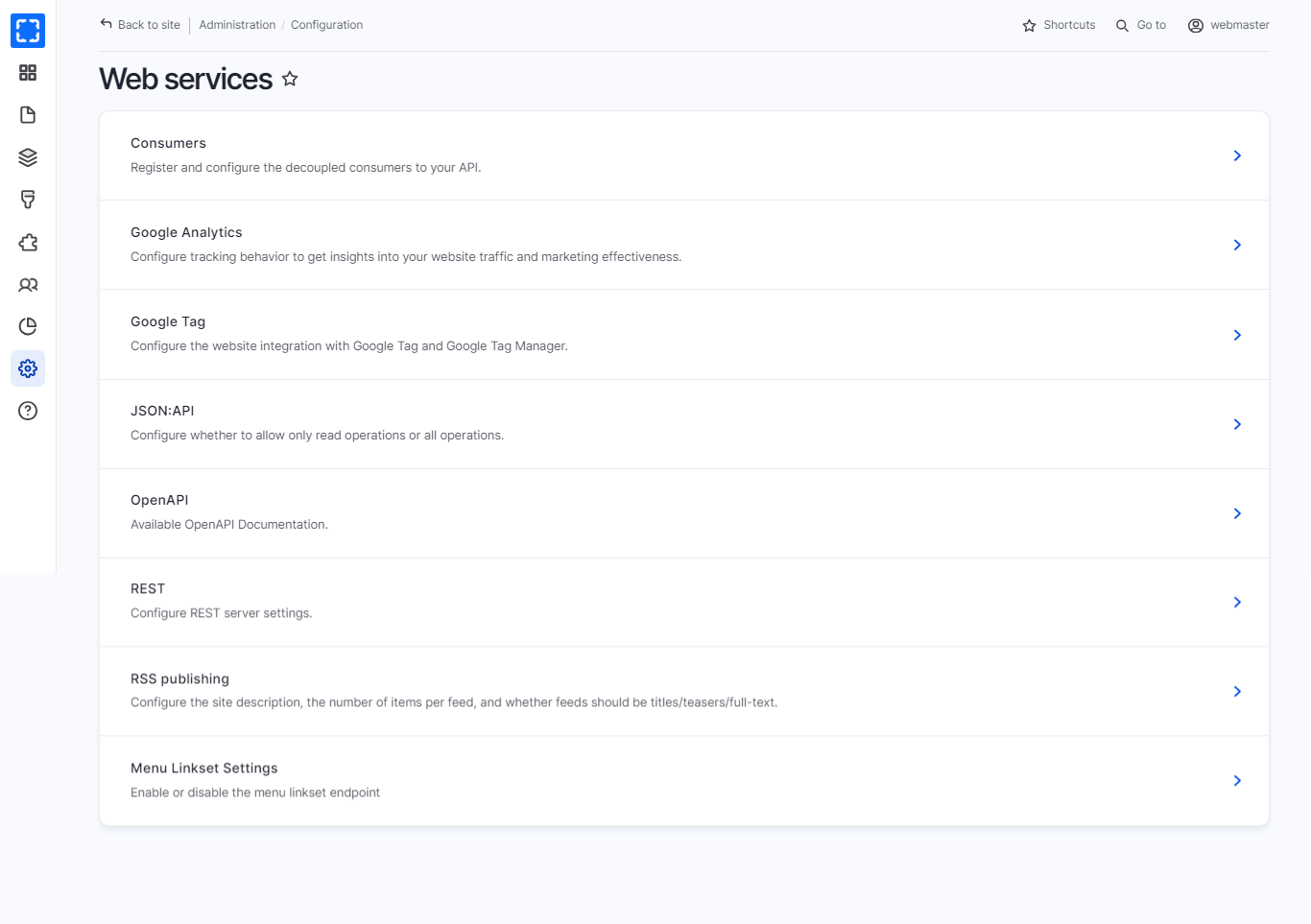
2. The site will redirect you to the Web Services page.
3. You can navigate all the Services from the Web Services page.
Navigate Web Services Page
Web Services Page
In the table below you can find the Web Services and their usage:
| Configuration | Usage |
| ------------------------- | ------------------------------------------------------------------------------------------------------------------- |
| **Google Analytics** | Configure tracking behavior to get insights into your website traffic and marketing effectiveness. |
| **Google Tag** | Configure the website integration with Google Tag and Google Tag Manager. |
| **JSON:API** | Configure whether to allow only read operations or all operations. |
| **OpenAPI** | Available OpenAPI Documentation. |
| **REST** | Configure REST server settings. |
| **RSS publishing** | Configure the site description, the number of items per feed, and whether feeds should be titles/teasers/full-text. |
| **Menu Linkset Settings** | Enable or disable the menu linkset endpoint |