> For the complete documentation index, see [llms.txt](https://docs.varbase.vardot.com/llms.txt). Markdown versions of documentation pages are available by appending `.md` to page URLs; this page is available as [Markdown](https://docs.varbase.vardot.com/10.1.x/content-designers/url-management/generating-url-alias.md).
# Generating URL Alias
Generating URL aliases in Drupal is a straightforward process that enhances the usability and SEO of your website. Whether **manually** setting aliases or using **modules**, creating meaningful URLs contributes to a positive user experience.
### Manually setting the URL alias:
URL aliases can be edited by the site admin by following these steps:
1. Nanigate to the page you want to update the URL alias for.
2. From the **Tasks** side menu click on **Edit content** button.
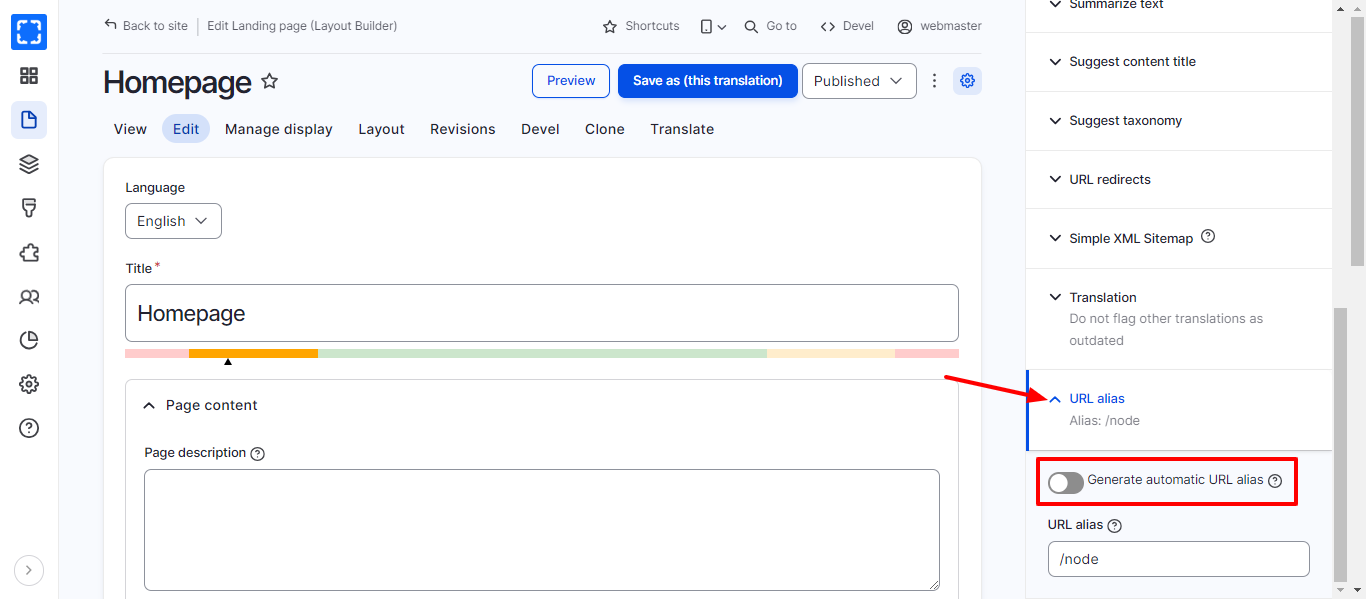
3. On the side menu scroll down to the **URL alias** tab.
4. Un-check the auto-generate checkbox.
Uncheck Auto-Generate URL Checkbox
5. Enter the new URL alias.
6. Click on **Save** button.
### Auto-generating the URL alias:
1. Nanigate to the page you want to update the URL alias for.
2. From the **Tasks** side menu click on **Edit content** button.
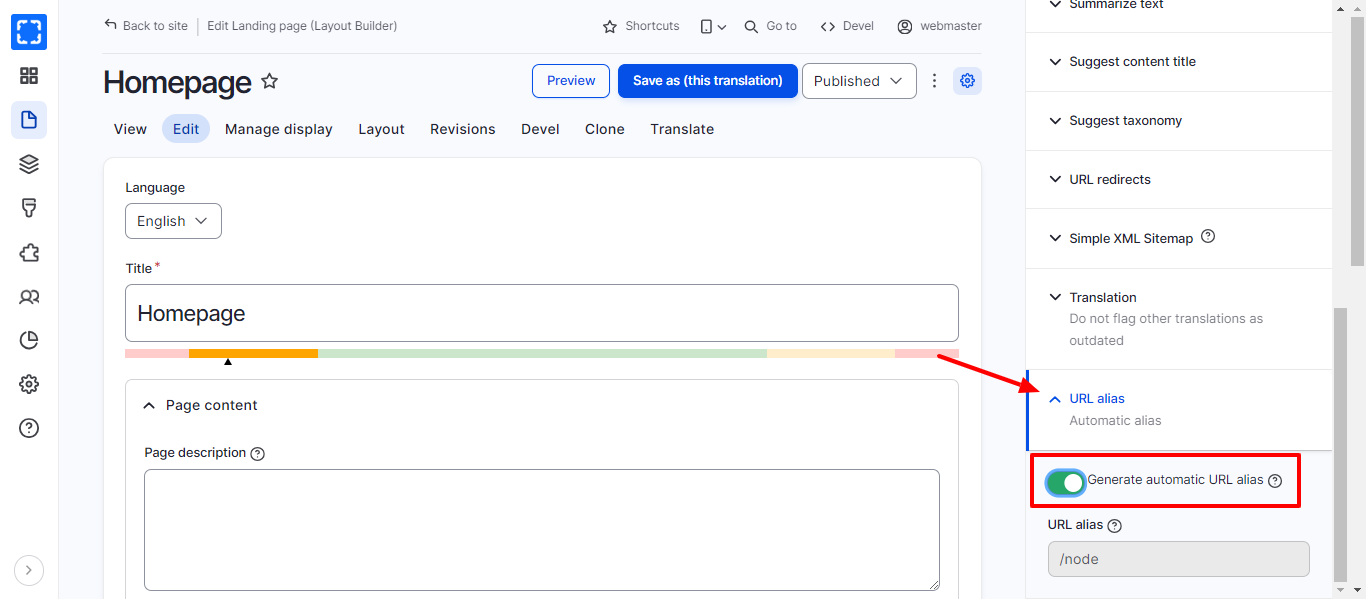
3. On the side menu scroll down to the **URL alias** tab.
4. Check the auto-generate checkbox.