> For the complete documentation index, see [llms.txt](https://docs.varbase.vardot.com/llms.txt). Markdown versions of documentation pages are available by appending `.md` to page URLs; this page is available as [Markdown](https://docs.varbase.vardot.com/10.1.x/content-designers/url-management/url-redirects.md).
# URL Redirects
### What are URL Redirects?
The "URL Redirects" page is used to setup and manage URL Redirects. New redirects are created here using the Add redirect button which presents a form to simplify the creation of redirects. The URL redirects page provides a list of all redirects on the site and allows you to edit them.
### Who Can Manage the URL Redirects?
By default on Varbase, there are default roles that can manage URL Redirects and they are:
* Super Admin
* SEO Admin
* Site Admin
### How to Manage the URL Redirects?
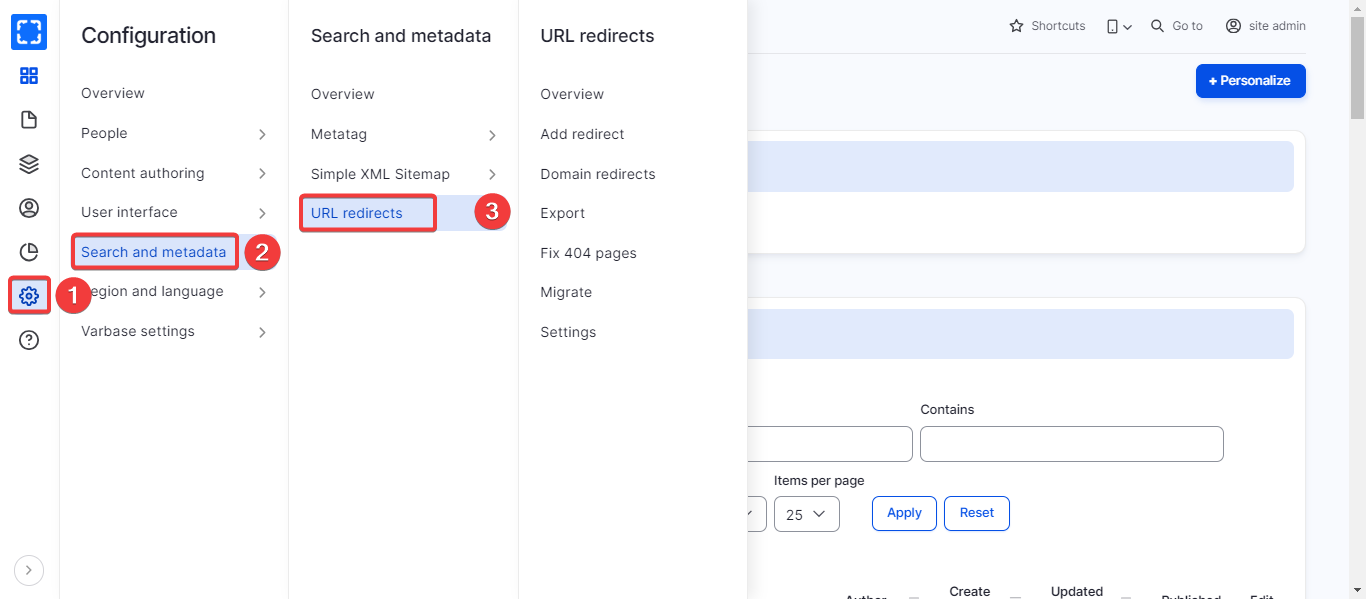
As a Super Admin, Site Admin, or SEO Admin, please navigate to **Administration \ Configurations \ Search and metadata \ *****Redirect***.
Navigating URL Redirects
This page will view all the site's URL redirects that are already applied.
### How to Add URL Redirects?
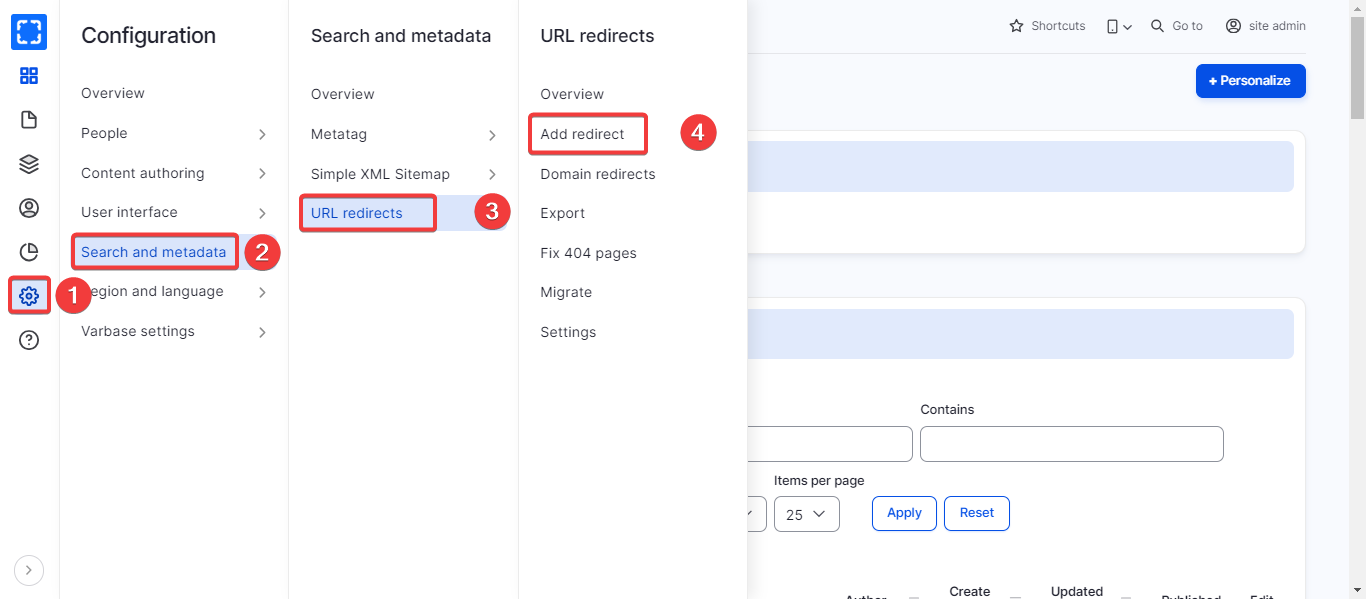
This section will explain how to add users Drupal, please navigate to **Administration \ Configurations \ Search and metadata \ Redirect \ *****Add URL redirect*****.**
Navigating Add URL Redirects
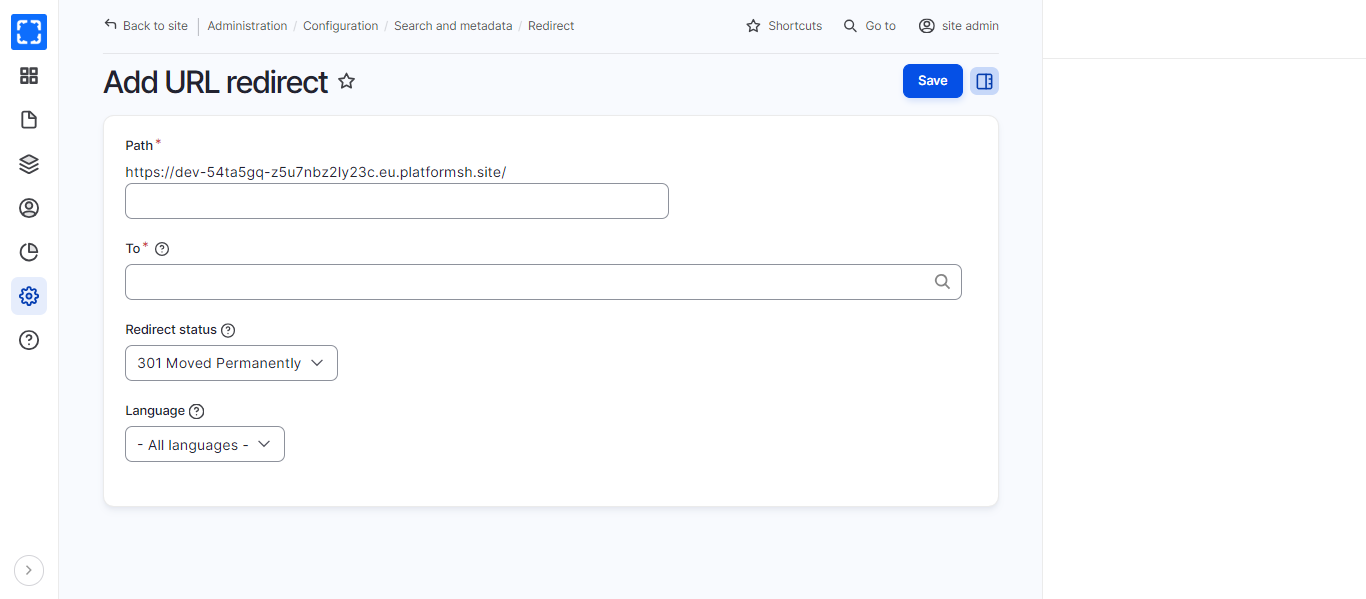
Adding URL Redirects
Follow these steps to add a URL redirect:
1. Fill in the Path
2. Fill in the To - *where you would like the user to be redirected to whether to internal or external pages*
3. Choose the Redirect status
* 300 - Multiple choices
* 301 - Moved Permanently
* 302 - Found
* 303 - See other
* 304 - Not Modified
* 305 - Use Proxy
* 307 - Use temporary Redirect
4. If your site is multi-lingual then select the redirect according to the language.
5. Then click Save