> For the complete documentation index, see [llms.txt](https://docs.varbase.vardot.com/llms.txt). Markdown versions of documentation pages are available by appending `.md` to page URLs; this page is available as [Markdown](https://docs.varbase.vardot.com/10.1.x/content-designers/user-management/login-and-registration.md).
# Login & Registration
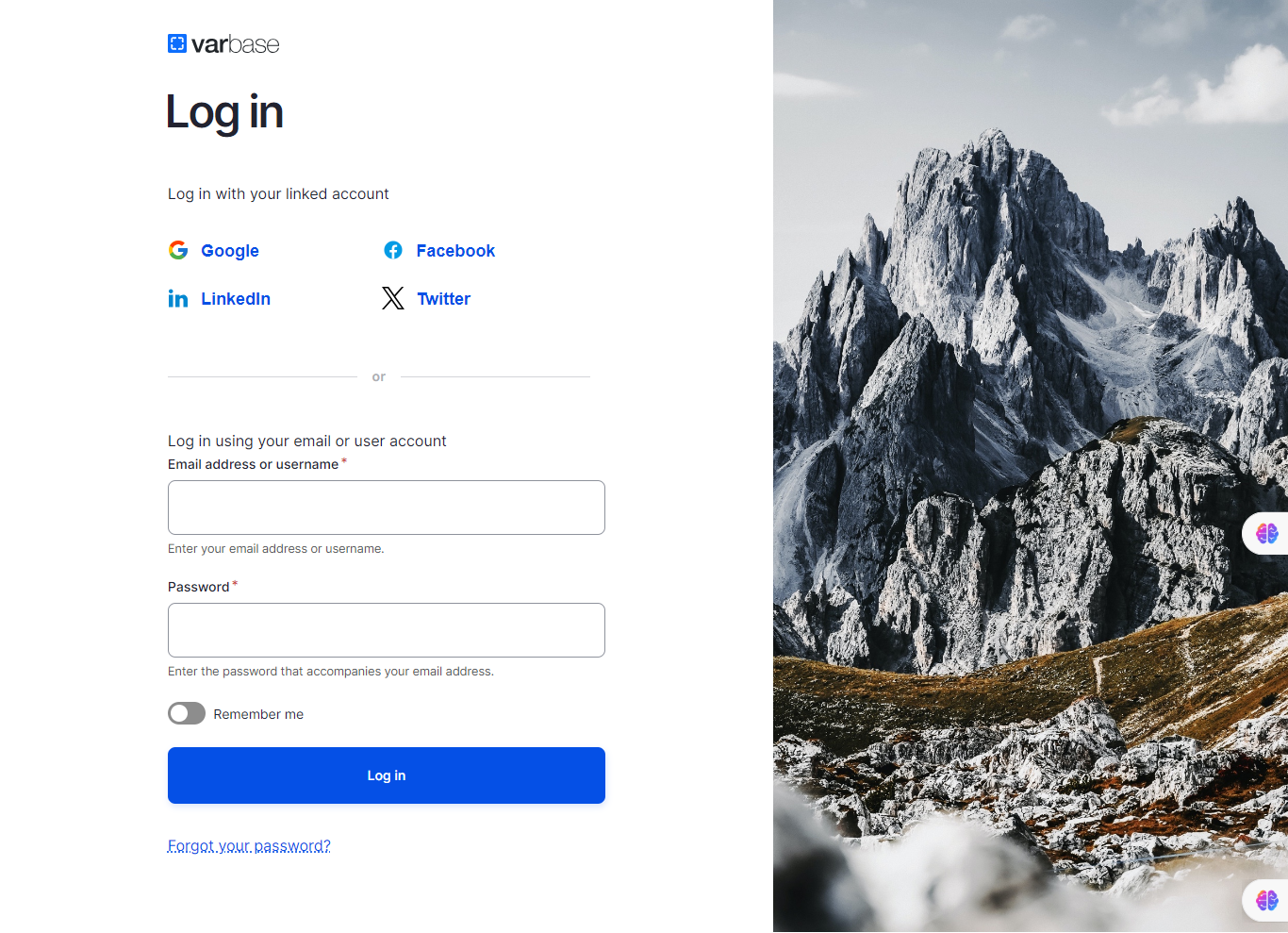
In Drupal, by default. Users can log in to the site using either their username or Email address, thanks to the Email Registration module.
Login Page
## **How It Works**
### **Login and Registration**
The module helps in managing users' sign-up process and forgotten passwords retrieval, users can signup using only their Email address, the username will be the username part of the Email, ex: will have the username “firstlast”.
### **Reset Password**
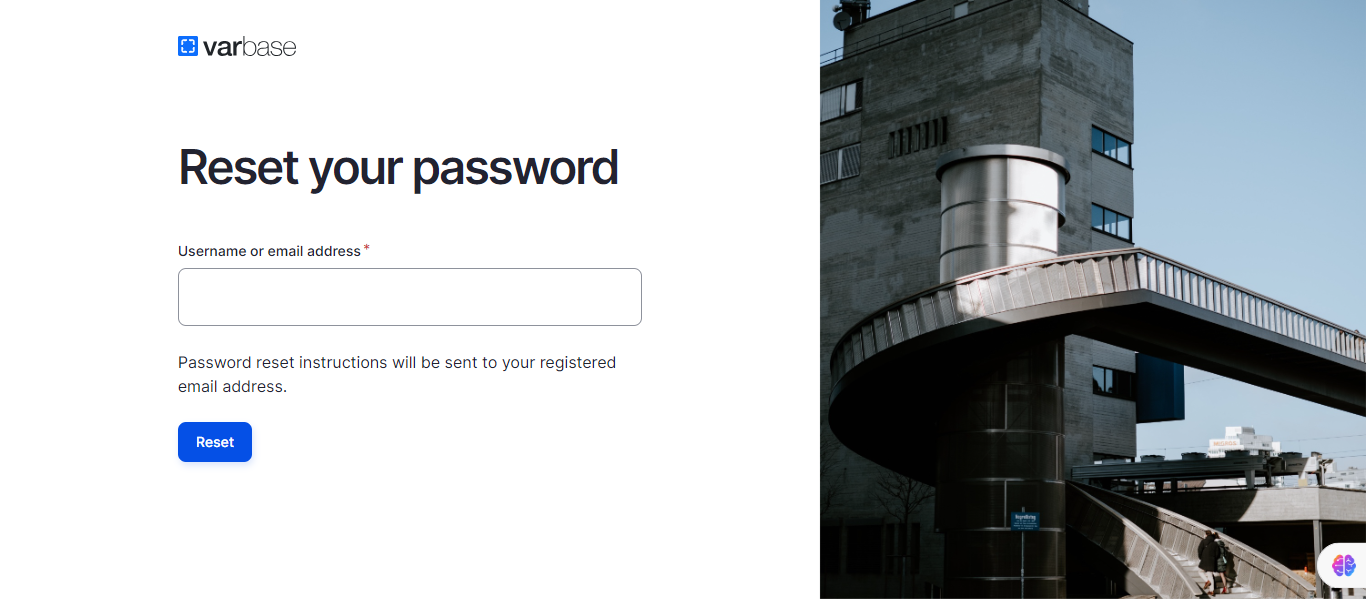
Password retrieval will also require the user to fill in their Email address rather than the username which will have more sense since the password retrieval link will be sent to the Email address.
Reset Password Form
## **Enabling Email-Only Login**
Email-only login means that users will not be allowed to login using usernames anymore. To configure that follow the steps below:
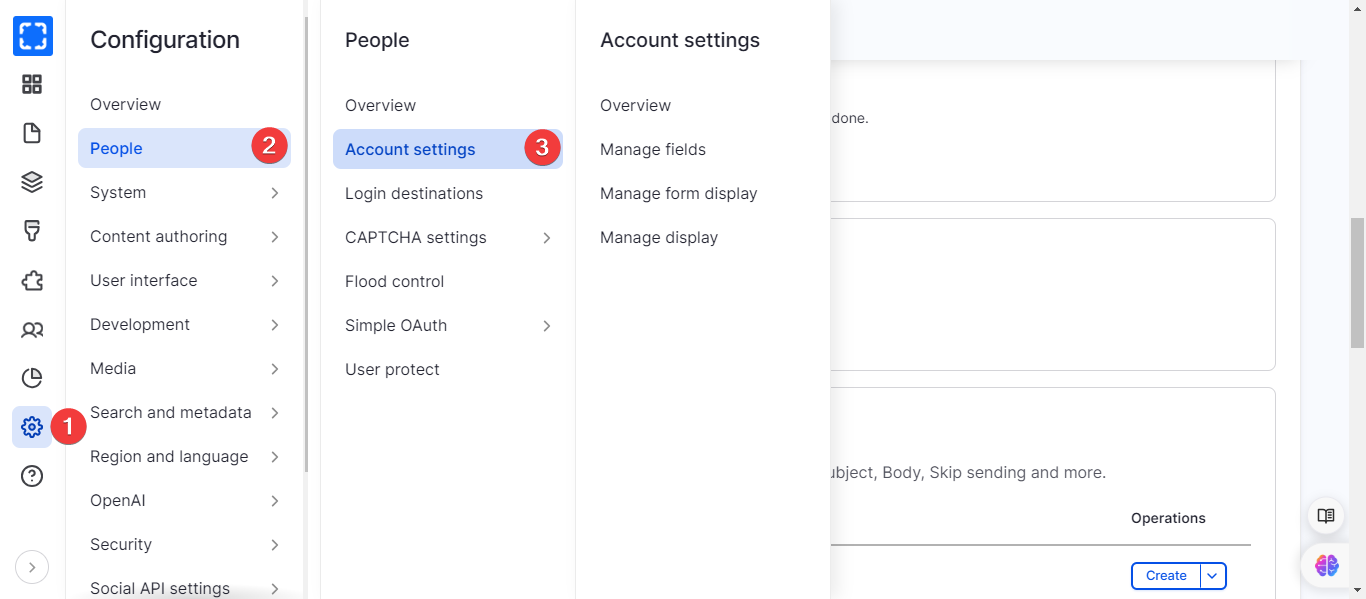
1. Navigate to accounts setting page, **Administration \ Configuration \ People \ *****Account settings***
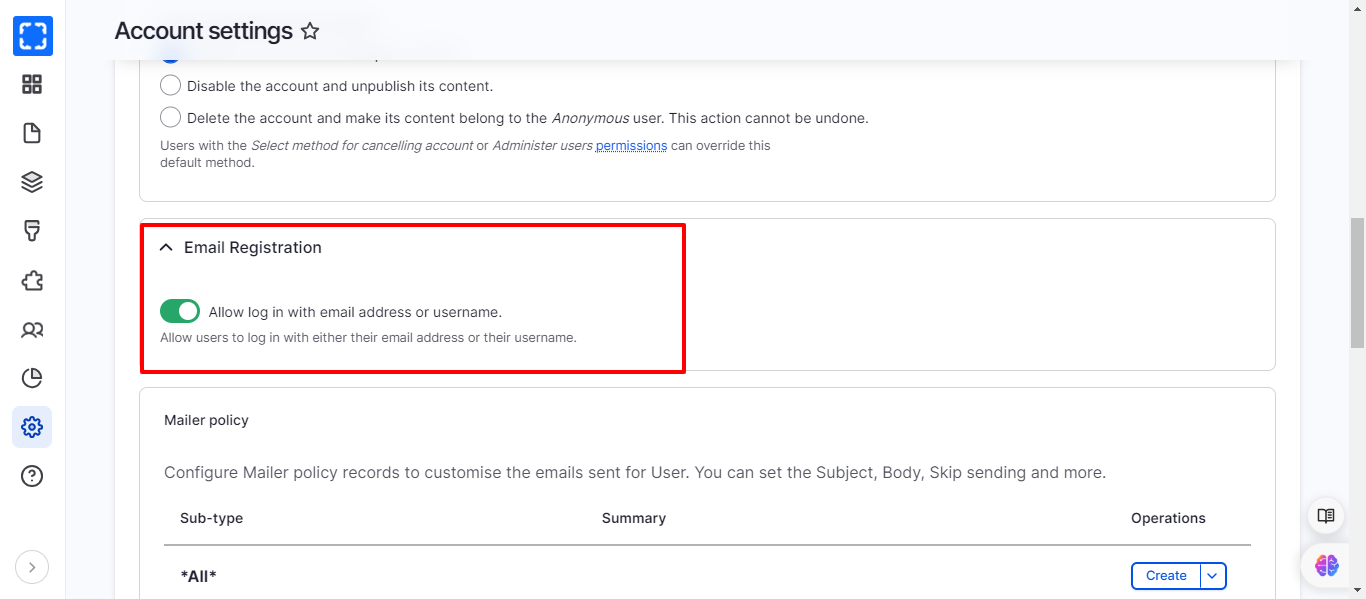
2. In **Email Registration** section select the **Allow log in with email address or username** check box
Navigating the Account Settings Page
Email Registration Section
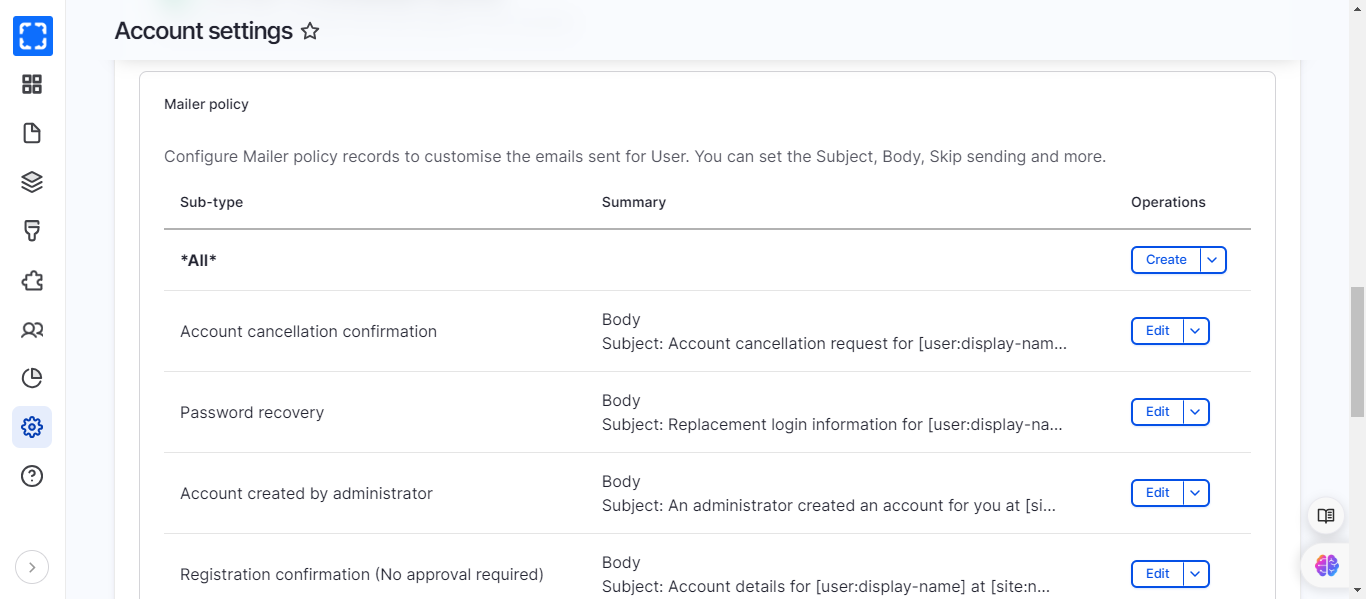
## **Updating Welcome Emails**
Welcome Emails might need updates regarding the needed token or for updating the template itself.
1. Navigate to **Administration \ Configuration \ People \ A*****ccount settings***
2. Scroll to the **Mailer policy** section
3. Check the templates, you can update the template by clicking on **Edit** button.
Mailer Policy Section
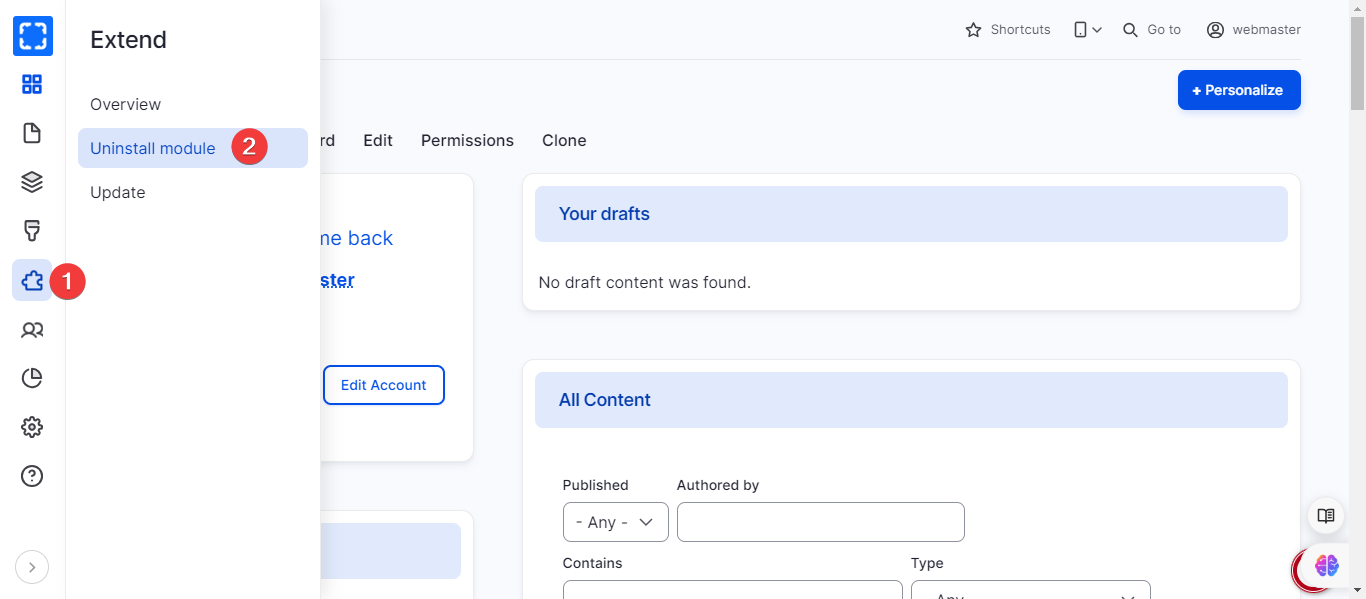
## **Enabling Username-only Login**
To have username only login, the Email registration module should be uninstalled from the site.
1. Navigate to **Extend \ *****Uninstall module***
2. Search for the module name
3. Uninstall it