> For the complete documentation index, see [llms.txt](https://docs.varbase.vardot.com/llms.txt). Markdown versions of documentation pages are available by appending `.md` to page URLs; this page is available as [Markdown](https://docs.varbase.vardot.com/10.1.x/content-designers/webforms/setting-up-confirmations-message-settings-types.md).
# Setting up Confirmations Message Settings Types
This section will explain how to set up confirmation settings types.
Please follow these instructions:
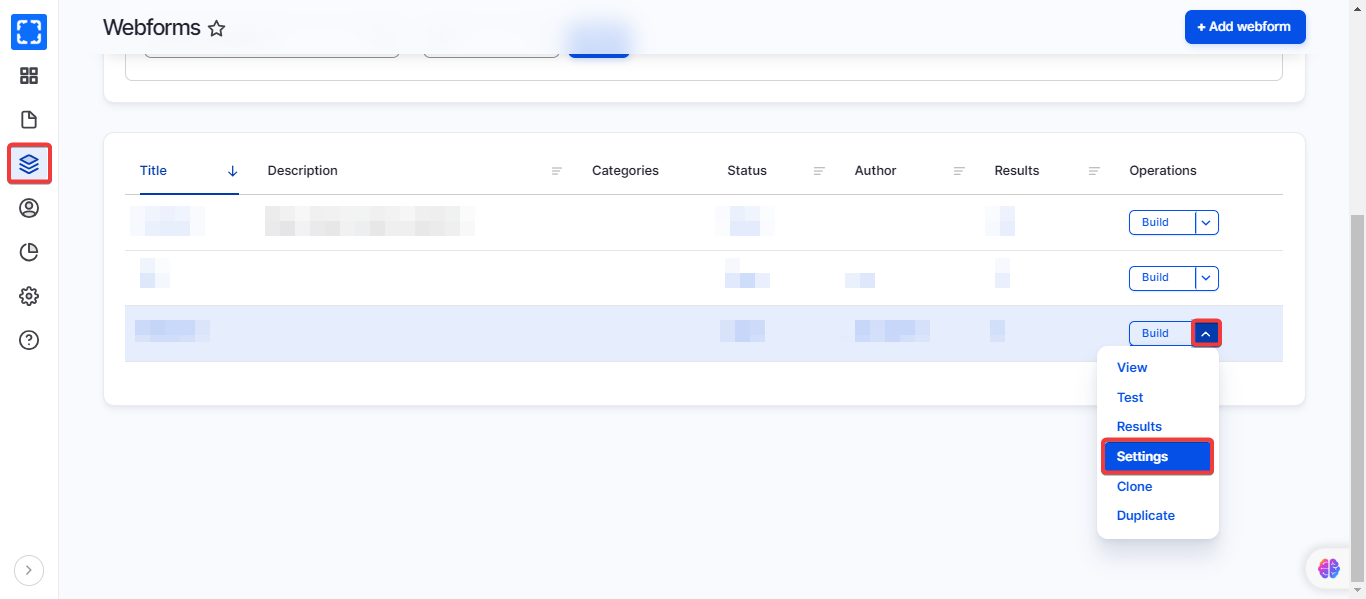
1. Go to **Manage \ Structure \ *****Webforms.***
2. Go to **Settings** on the desired webform.
Navigate the Settings
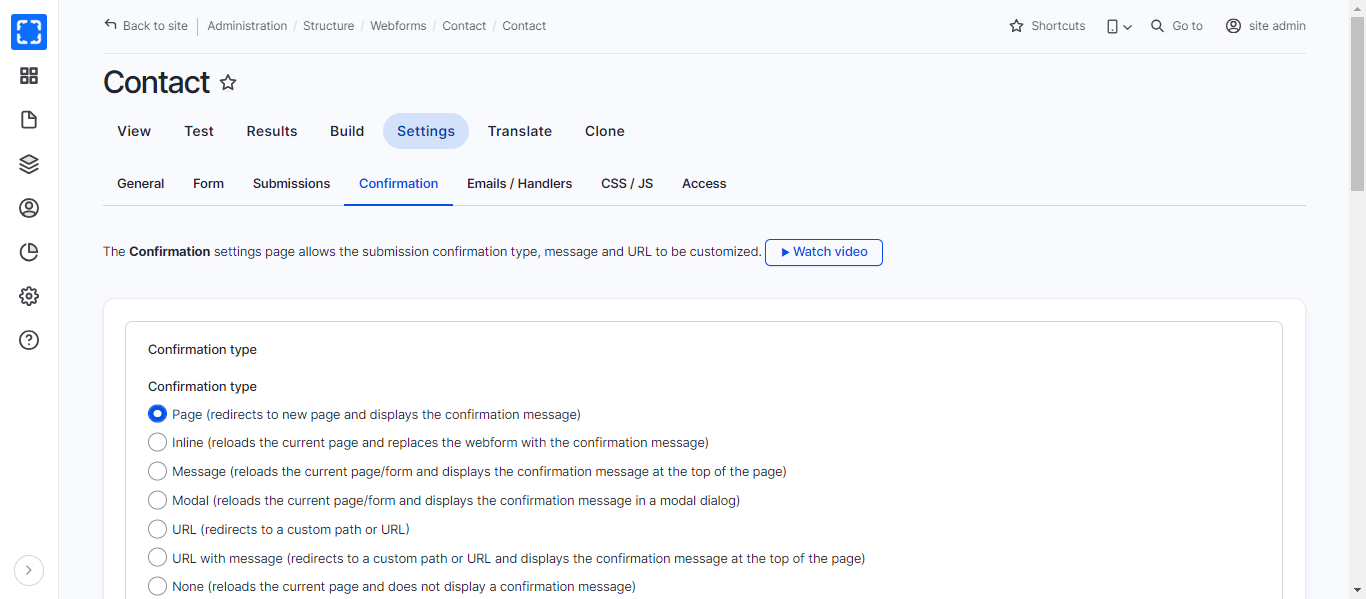
3. Click on the **Confirmation** tab.
4. You will find “Confirmation types”, select which one you need to do the following actions but we recommend using: Page, Message, URL, or URL with message.