> For the complete documentation index, see [llms.txt](https://docs.varbase.vardot.com/llms.txt). Markdown versions of documentation pages are available by appending `.md` to page URLs; this page is available as [Markdown](https://docs.varbase.vardot.com/10.1.x/content-designers/webforms/setting-up-emails-handler-conditions.md).
# Setting up Emails Handler Conditions
This section will explain how to trigger the confirmation using the conditions on each email handler.
Please follow these instructions:
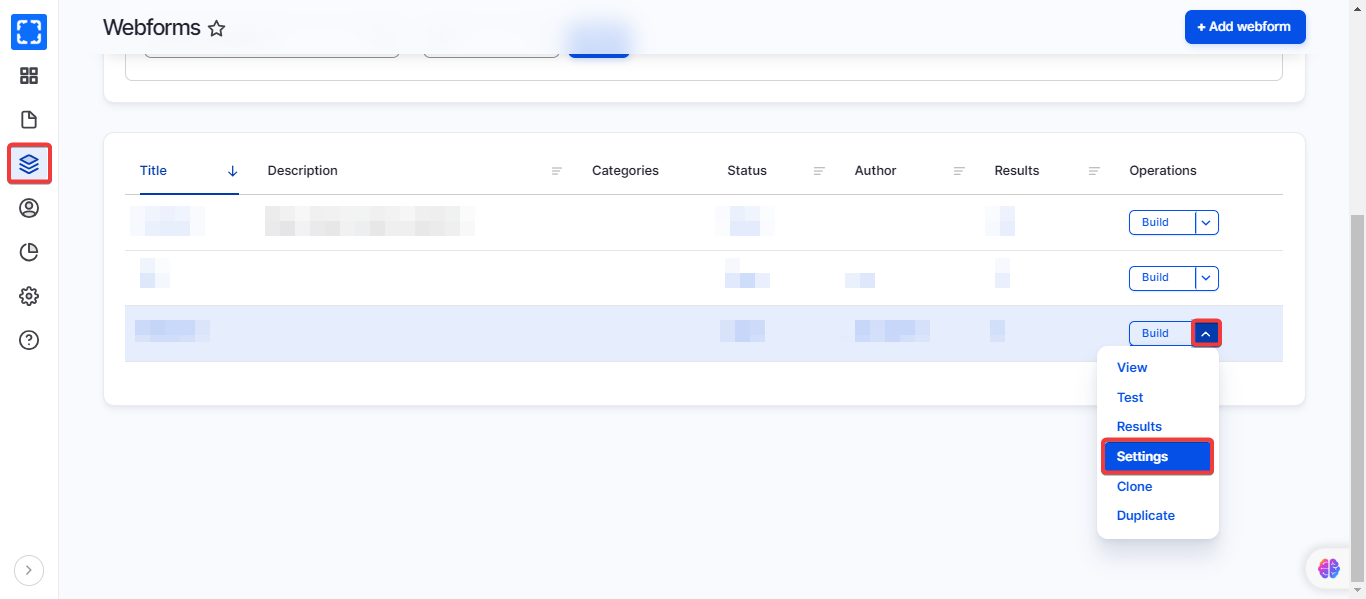
1. Go to **Manage/Structure/Webforms/*****Settings*** on the desired webform.
Navigate the Settings
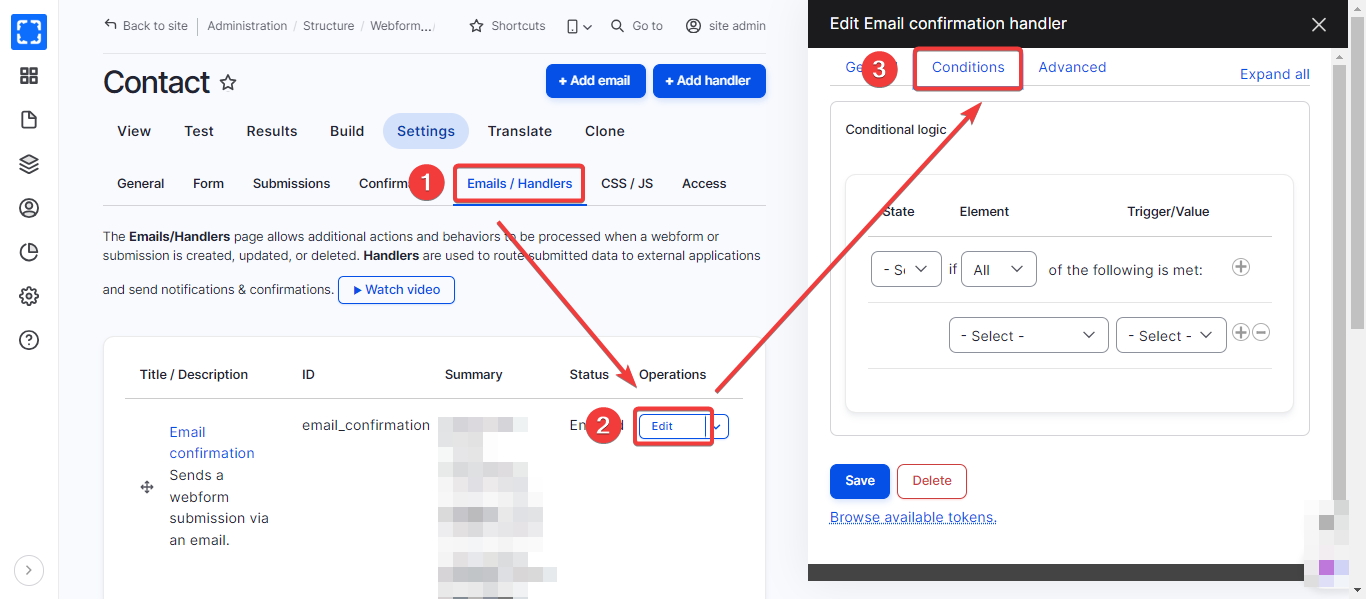
2. The page will redirect you to the Settings section of the webform, click **Emails/Handlers**
3. Go to **Edit**
4. A section will appear on the right side, click on **Conditions**
Navigate the Conditions
5. From this section, you can set up the triggers
6. Click on **Save**.