> For the complete documentation index, see [llms.txt](https://docs.varbase.vardot.com/llms.txt). Markdown versions of documentation pages are available by appending `.md` to page URLs; this page is available as [Markdown](https://docs.varbase.vardot.com/10.1.x/developers/configuring-a-varbase-site/configure-ckeditor-5-media-embed.md).
# Configure Ckeditor 5 Media Embed
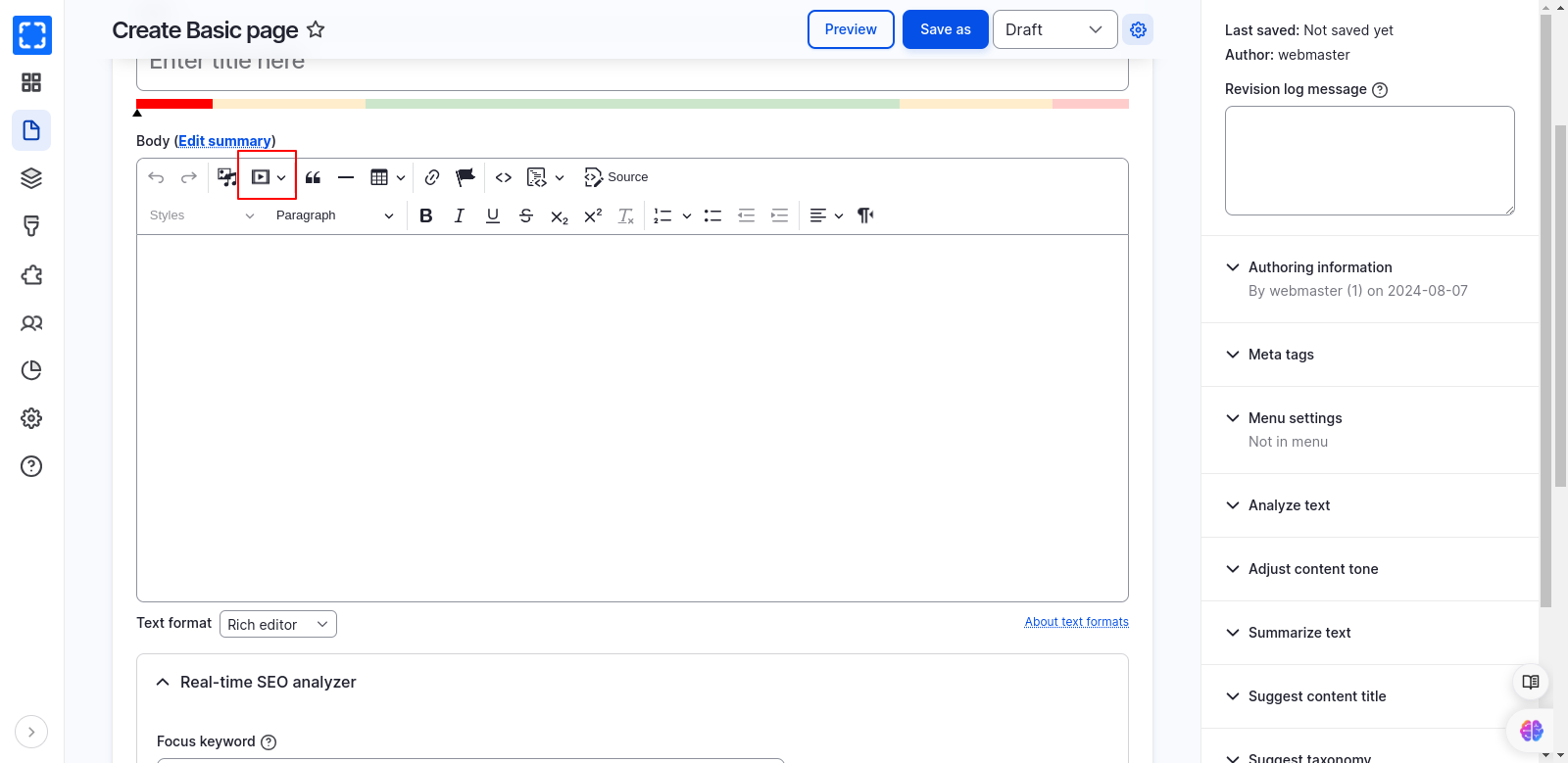
The **Varbase Editor Module** comes with the **CKEditor Media Embed Plugin** enabled by default. This feature allows you to directly incorporate resources—such as videos, images, tweets, and more—from external services (known as "content providers") into your content using CKEditor.
Body - CKEditor Field Formatter
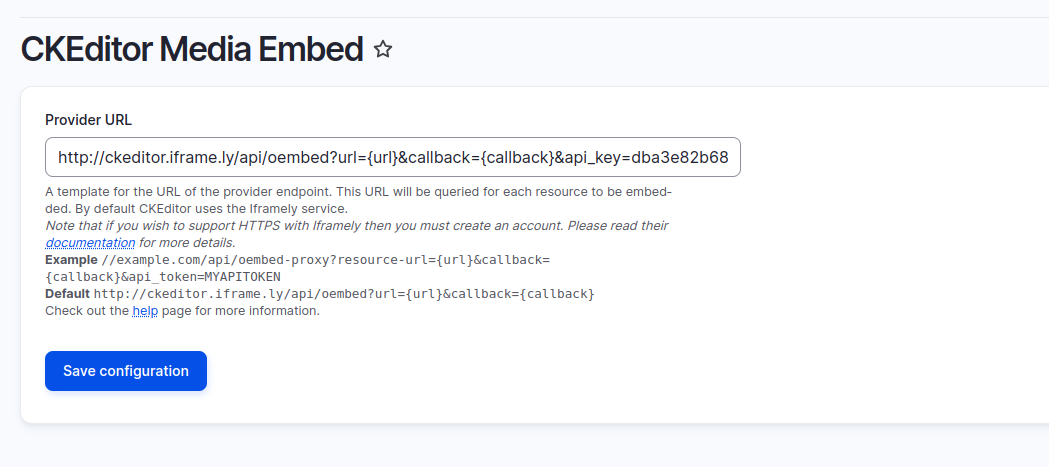
To enable embedding from various sources like Spotify, YouTube, and Instagram, generate an API key from Iframely and add it to the configuration navigate to **Administration \ Configuration \\** **Media \ CKEditor Media Embed**. In the settings page, enter the following in the Provider URL field:
```
http://ckeditor.iframe.ly/api/oembed?url={url}&callback={callback}&api_key=YOUR_API_KEY
```
Then save the configuration.
CKEditor Media Embed Configuration
### CKEditor Media Embed Providers
The following providers are enabled by default with the URL patterns:
**YouTube**
* URL patterns:
* `youtube.com/watch?v={id}&t={time}`
* `youtube.com/v/{id}?t={time}`
* `youtube.com/embed/{id}?start={time}`
* `youtu.be/{id}?t={time}`
**Vimeo**
* URL patterns:
* `vimeo.com/{id}`
* `vimeo.com/{user}/{name}/video/{id}`
* `vimeo.com/album/{album_id}/video/{id}`
* `vimeo.com/channels/{channel_id}/{id}`
* `vimeo.com/groups/{group_id}/videos/{id}`
* `vimeo.com/ondemand/{ondemand_id}/{id}`
* `player.vimeo.com/video/{id}`
**Instagram**
* URL pattern:
* `instagram.com/p/{id}`
**Twitter**
* URL pattern:
* `twitter.com`
**Google Maps**
* URL patterns:
* `google.com/maps`
* `goo.gl/maps`
* `maps.google.com`
* `maps.app.goo.gl`
**Flickr**
* URL pattern:
* `flickr.com`
**Facebook**
* URL pattern:
* `facebook.com`
**Spotify**
* URL patterns:
* `open.spotify.com/artist/{id}`
* `open.spotify.com/album/{id}`
* `open.spotify.com/track/{id}`
**Dailymotion**
* URL patterns:
* `dailymotion.com/video/{id}`
* `dai.ly/{id}`
### Create a New API Key From Iframely
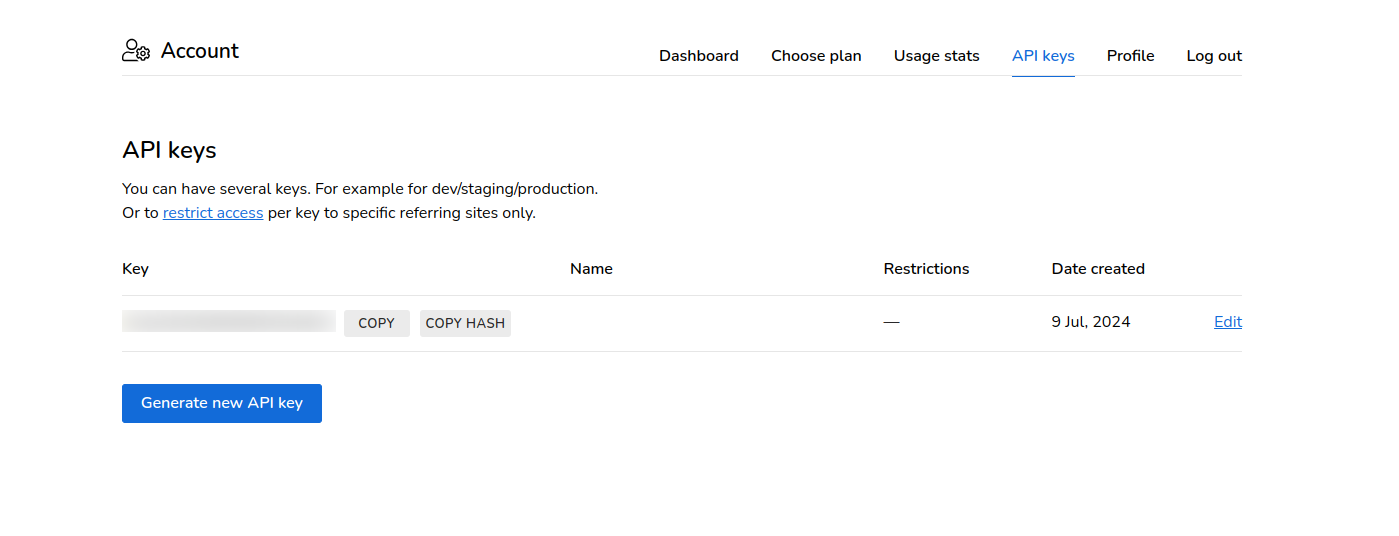
To generate a new API key from Iframely:
1. Visit [Iframely's login page](https://iframely.com/login) and login or create a new account.
2. Go to [Iframely's API keys page](https://iframely.com/keys).
3. Generate a new API key.