# External Links
In **Varbase**, external links refer to links that direct users to websites outside of your own domain. Varbase, being a Drupal-based distribution, offers various ways to handle external links effectively. Here are some key features:
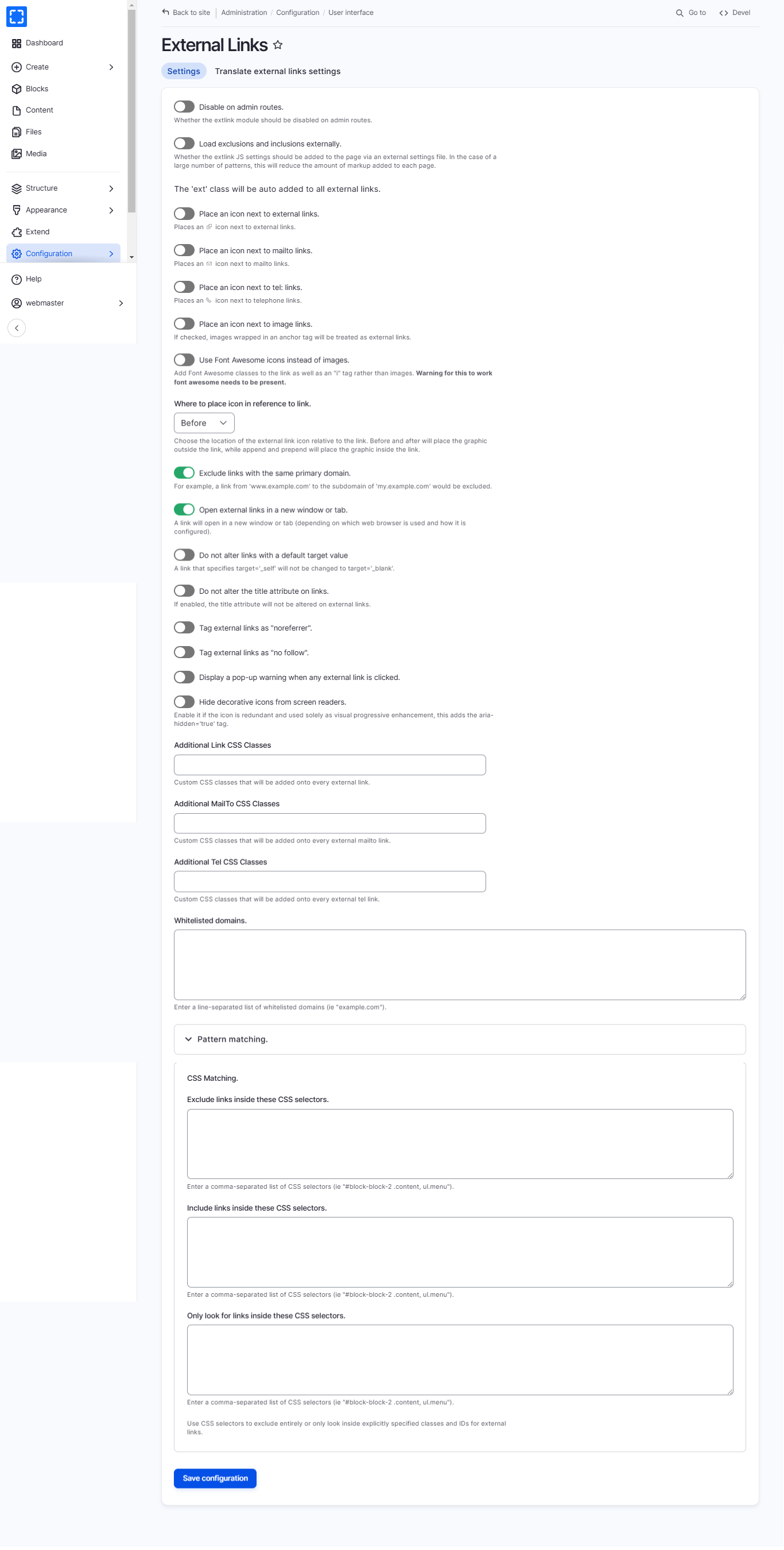
* **Automatic Detection**: Varbase can differentiate between internal and external links.
* **Target Behavior**: You can configure external links to open in a new tab (`_blank`) for better user experience.
* **Icon Indication**: External links can be automatically marked with an external link icon.
* **SEO & Security Enhancements**: Attributes like `rel="noopener noreferrer"` can be added to improve security and SEO.
* **Customization**: You can configure external link behavior using Drupal modules like **External Links** or custom settings in Varbase.
### How to Navigate the External Links Page
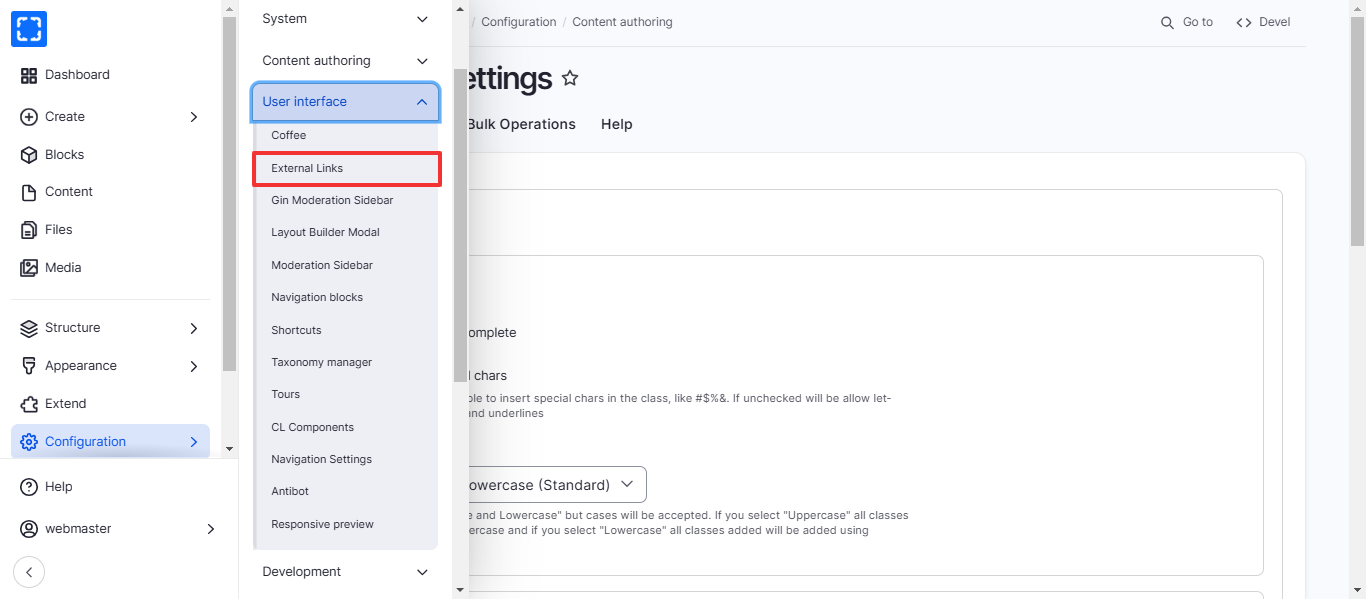
1. Form **Configuration/ User interface/ *****External Links.***
2. You'll be redirected to the **External Links** page.
3. Update the information you want and click on Save Configuration button.