# Varbase Settings
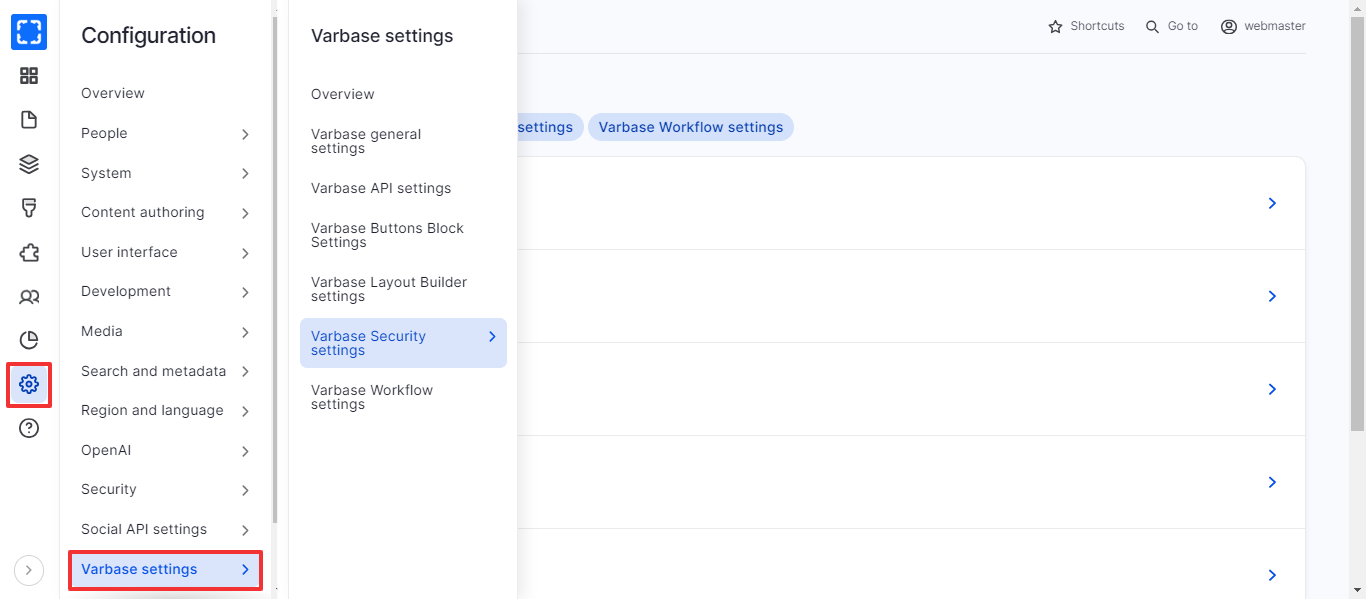
### How to Navigate the Varbase Settings:
1. Form **Configuration/ *****Varbase Settings.***
2. The site will redirect you to the Varbase Settings page.
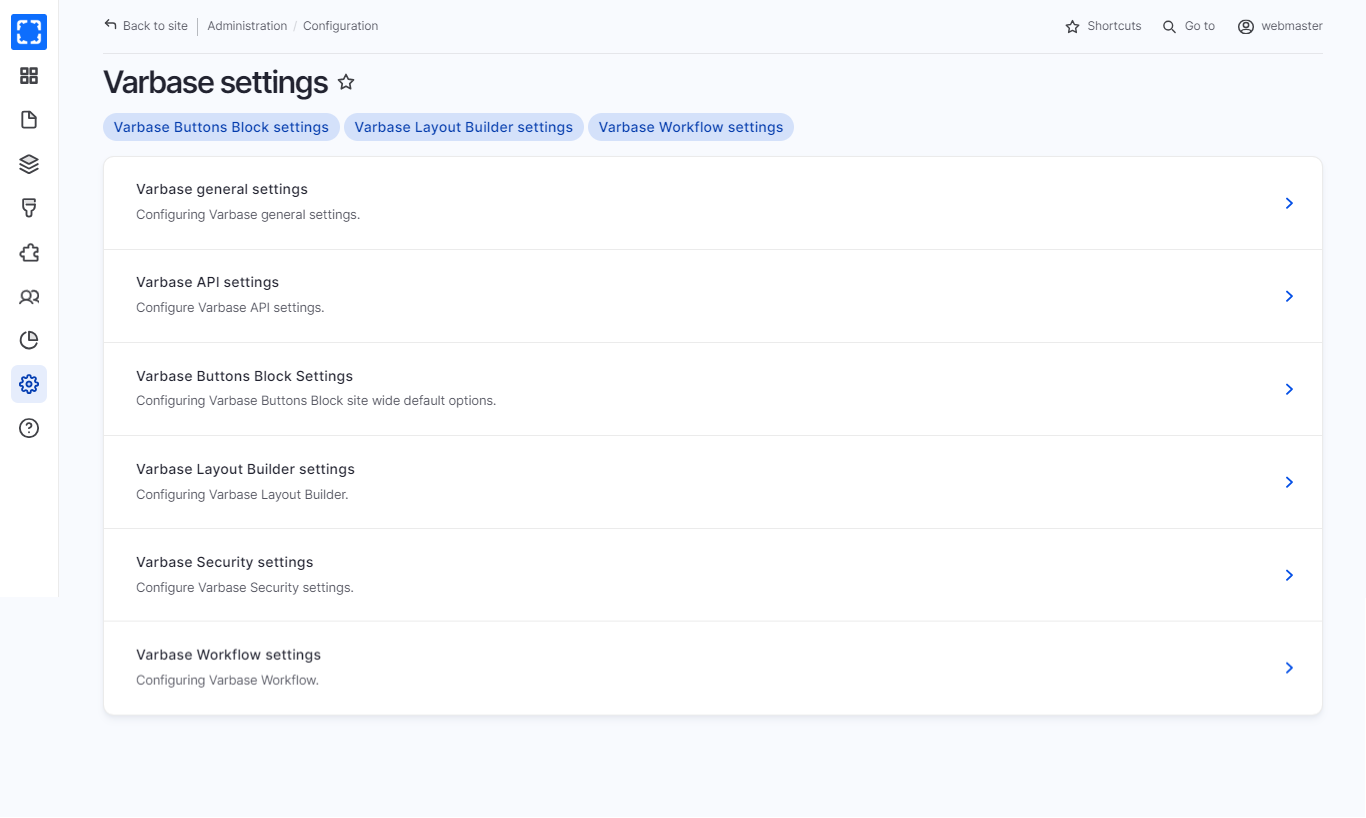
3. You can navigate all the Varbase Settings from the Varbase Settings page.
Navigate Varbase Settings Page
Varbase Settings Page
In the table below you can find the Varbase Settings and their usage:
| Setting | Usage |
| ----------------------------------- | --------------------------------------------------------------------------------------------------------------------------------------------------------------------------- |
| **Varbase general settings** | Configuring Varbase general settings, Customize the display of the site by controlling the appearance of an account name or showing a welcome message. |
| **Varbase API settings** | Configure Varbase API settings. |
| **Varbase Buttons Block Settings** | Configuring Varbase Buttons Block site-wide default options \[color, size, ..etc]. |
| **Varbase Layout Builder settings** | Allowing the user to use claro theme inside the layout builder modal. |
| **Varbase Security settings** | Configure password confirmation suggestions message settings. |
| **Varbase Workflow settings** | Allow the user to select the applicable Entity type to auto-grant new access unpublished permissions for anonymous and all authenticated user roles for these entity types. |