> For the complete documentation index, see [llms.txt](https://docs.varbase.vardot.com/llms.txt). Markdown versions of documentation pages are available by appending `.md` to page URLs; this page is available as [Markdown](https://docs.varbase.vardot.com/10.1.x/developers/theme-development-with-varbase/integration-of-varbase-with-storybook.md).
# Integration of Varbase with Storybook
**Varbase** has been integrated with [**Storybook**](https://storybook.js.org/) to provide a listing of stories for [**Single Directory Components (SDC)**](https://www.drupal.org/docs/develop/theming-drupal/using-single-directory-components) components. This integration allows for easier development and testing of [**Varbase Components**](https://www.drupal.org/project/varbase_components).
Not for production!!, only for development or staging.
## Initialize Storybook for DDEV
Follow with the following to build and install Varbase with DDEV before going into intilizing Storybook.
{% content-ref url="/pages/PeQWdbHZaQt9sm6Ju9ze" %}
[Installing Varbase locally with DDEV](/10.1.x/developers/installing-varbase/installing-varbase-with-ddev.md)
{% endcontent-ref %}
#### 1. Initialize Storybook for Varbase
```bash
ddev init-storybook
```
The `ddev init-storybook` command in Varbase is a custom DDEV command designed to initialize Storybook for the DDEV project.
Have a look at the content of the [init-storybook](https://github.com/Vardot/varbase-project/blob/10.1.x/.ddev/commands/web/init-storybook) command.
#### 2. Generate Stories
Generate all stories using the following alias script
```bash
ddev yarn storybook:gen
```
It will run the following drush command
```
ddev drush storybook:generate-all-stories --force
```
#### 3. Start Varbase Storybook
```bash
ddev yarn storybook:dev
```
#### 4. Verify Installation and Links
```bash
ddev status
```
## When Adding or Changing Stories
Important to run the `ddev yarn storybook:gen` command for all new or changed stories.
## Manual Steps by step to Set up a Working Storybook for Varbase
* Enable the **`storybook`** module on the site either through the site's interface or by running the command `drush en storybook` with Drush. Note that the CL Server module should not be kept running on a production site.
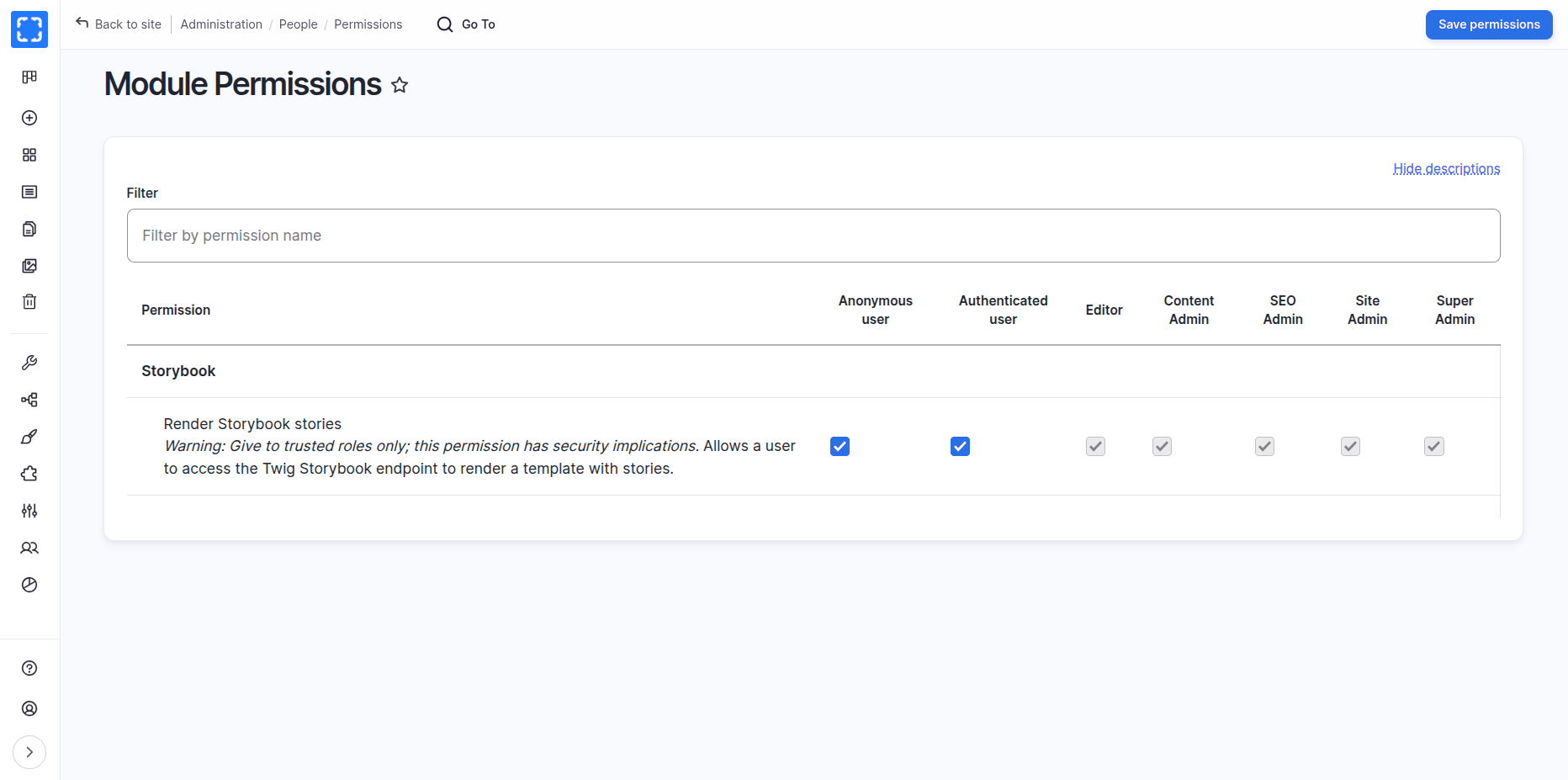
* Navigate to **`"/admin/people/permissions/module/storybook"`** to give the `Render storybook stories` permission to all user roles. Check the `Anonymous user` and `Authenticated user` checkbox and press **`Save permission`** submit button.
**Use Drush to** [**grant specified permission(s) to a role**](https://www.drush.org/12.4.2/commands/role_perm_add/)**.**
`drush role:perm:add anonymous 'render storybook stories'`
`drush role:perm:add authenticated 'render storybook stories'`
**Use the** Render Storybook stories
{% hint style="warning" %}
**Use the** Render Storybook stories
***Warning:** Give to trusted roles only; this permission has security implications.* Allows a user to access the Twig Storybook endpoint to render a template with stories.
{% endhint %}
**Use Drush to** [**remove specified permission(s) from a role**](https://www.drush.org/12.4.2/commands/role_perm_remove/)**.**
`drush role:perm:remove anonymous 'render storybook stories'`
`drush role:perm:remove authenticated 'render storybook stories'`
* Add the following exclude of modules to the `settings.php` or `settings.local.php` only to the development environment:
* Change the following **Cross-Site HTTP requests (CORS)** in the **`development.services.yml`** file.
```yaml
# Local development services.
#
# To activate this feature, follow the instructions at the top of the
# 'settings.platformsh.php' or 'settings.local.php' file, which sits next to this file.
parameters:
twig.config:
debug: true
cache: false
http.response.debug_cacheability_headers: true
storybook.development: true
cors.config:
enabled: true
# Specify allowed headers, like 'x-allowed-header'.
allowedHeaders: ['*']
# Specify allowed request methods, specify ['*'] to allow all possible ones.
allowedMethods: ['*']
# Configure requests allowed from specific origins. Do not include trailing
# slashes with URLs.
allowedOrigins: ['*']
# Configure requests allowed from origins, matching against regex patterns.
allowedOriginsPatterns: ['*']
# Sets the Access-Control-Expose-Headers header.
exposedHeaders: false
# Sets the Access-Control-Max-Age header.
maxAge: false
# Sets the Access-Control-Allow-Credentials header.
supportsCredentials: true
services:
cache.backend.null:
class: Drupal\Core\Cache\NullBackendFactory
```
{% hint style="warning" %}
Not recommended to keep **`"cors.config"`** with **`"enabled: true"`** in production environments.
#### **Better to keep all changes in the `"development.services.yml"` file**
{% endhint %}
* Enable Twig debugging by `debug: true` in the `development.services.yml` file.
Having a local services file. Make sure to have the right path for custom local development services file. `sites/default/development.local.services.yml`
```php
// Enable the development local services for Storybook.
$settings['container_yamls'][] = DRUPAL_ROOT . '/sites/default/development.local.services.yml';
```
Having a local settings `settings.local.php` file. When used in a local development environment, or in Development, Staging, or Demo hosts.
Enabling Twig debugging is not recommended in production environments.
* Disable the Twig cache by `cache: false` in the `development.services.yml` file.
Disabling the Twig cache is not recommended in production environments.
#### Change the Local Development Domain
* Change `varbase.local` in the **`package.json`** file to the appropriate local or development domain name.
* Replace `process.env.STORYBOOK_SERVER_RENDER_URL` in the **`preview.ts`** file with the base URL of your project or an environment variable representing the local or development domain.
* Open a command terminal window and navigate to your project's directory.
* Run the **`yarn install`** command in the terminal to install the necessary dependencies.
* Run the **`yarn storybook:gen`** to generate all stories.
* Run the **`yarn storybook:dev`** command to start the development site for the **Storybook**.
* Open site domain with **:6006** port.
### Storybook Build
Building the storybook ones for the project, only for demos, staging, or hosted development, when the other ports are not allowed.
Run the **`yarn storybook:build`** command to build the story, in the local or in at the dev, test, staging, or demo server.
{% hint style="danger" %}
#### Not for production!!, only for development or staging.
{% endhint %}
A domain name could point at the storybook folder.
**Example:**
1. An example development, staging or demo `my-staging-varbase-site.com` domain name can point at the `docroot` directory, which will bootstrap from **Varbase**
2. A sub domain `storybook.my-staging-varbase-site.com` domain name can point at the `storybook` directory, which will load the **Varbase Storybook**, and the **Component Library Server** will have requests from the `my-staging-varbase-site.com`
## Customizing Varbase Storybook for a Project:
### **Switching Between Themes**
To showcase a custom cloned generated theme, uncomment and modify the following line in the **`.storybook/preview.ts`** file:
`// mytheme: {title: 'My Custom Theme for a Project'}`
### **Show Custom Vartheme BS5's Components**
To include components from **Vartheme BS5 Starterkit**, uncomment and modify the following line in the `.storybook/main.js` file:
```
"../docroot/themes/contrib/vartheme_ba5/components/**/*.mdx",
"../docroot/themes/contrib/vartheme_ba5/components/**/*.stories.@(json)",
```
### Show Custom Theme**'s Components**
In case of having a custom theme for a project by
{% content-ref url="/pages/-MA0MNwJI5boKlsGE0zA" %}
[Creating Your Own Theme](/10.1.x/developers/theme-development-with-varbase/creating-your-own-theme.md)
{% endcontent-ref %}
To include components from a custom cloned generated theme, uncomment and modify the following line in the `.storybook/main.ts` file:
```
"../docroot/themes/custom/mytheme/components/**/*.mdx",
"../docroot/themes/custom/mytheme/components/**/*.stories.@(json)",
```
Please ensure that the path to the custom theme is correct. It should be located either in `"../docroot/themes"` or `"../docroot/themes/custom"`
### Show Custom Module**'s Components**
To include components from a custom module, uncomment and modify the following line in the `.storybook/main.ts` file:
```
"../docroot/modules/custom/my_custom_module/components/**/*.mdx",
"../docroot/modules/custom/my_custom_module/components/**/*.stories.@(json)",
```
## Run Varbase Storybook in Platformsh
Having a working Storybook for development, testing or staging.
{% hint style="danger" %}
**NOT** for production environments.
{% endhint %}
### Select The Varbase Template as The Project Type
Choose [**Vardot/platformsh-varbase**](https://github.com/Vardot/platformsh-varbase) from the pre-existing code base template to start a project with.
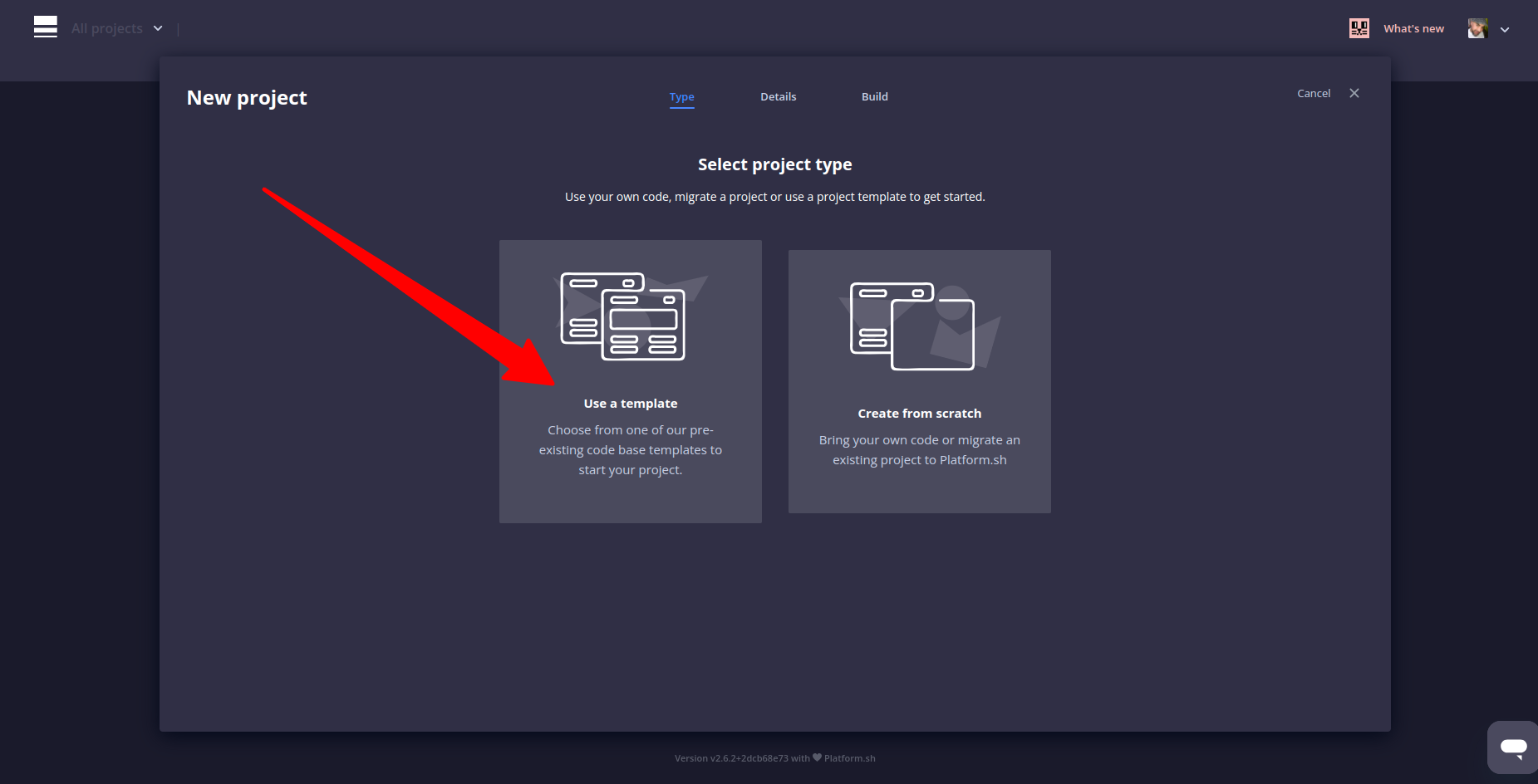
Click on Use a Template
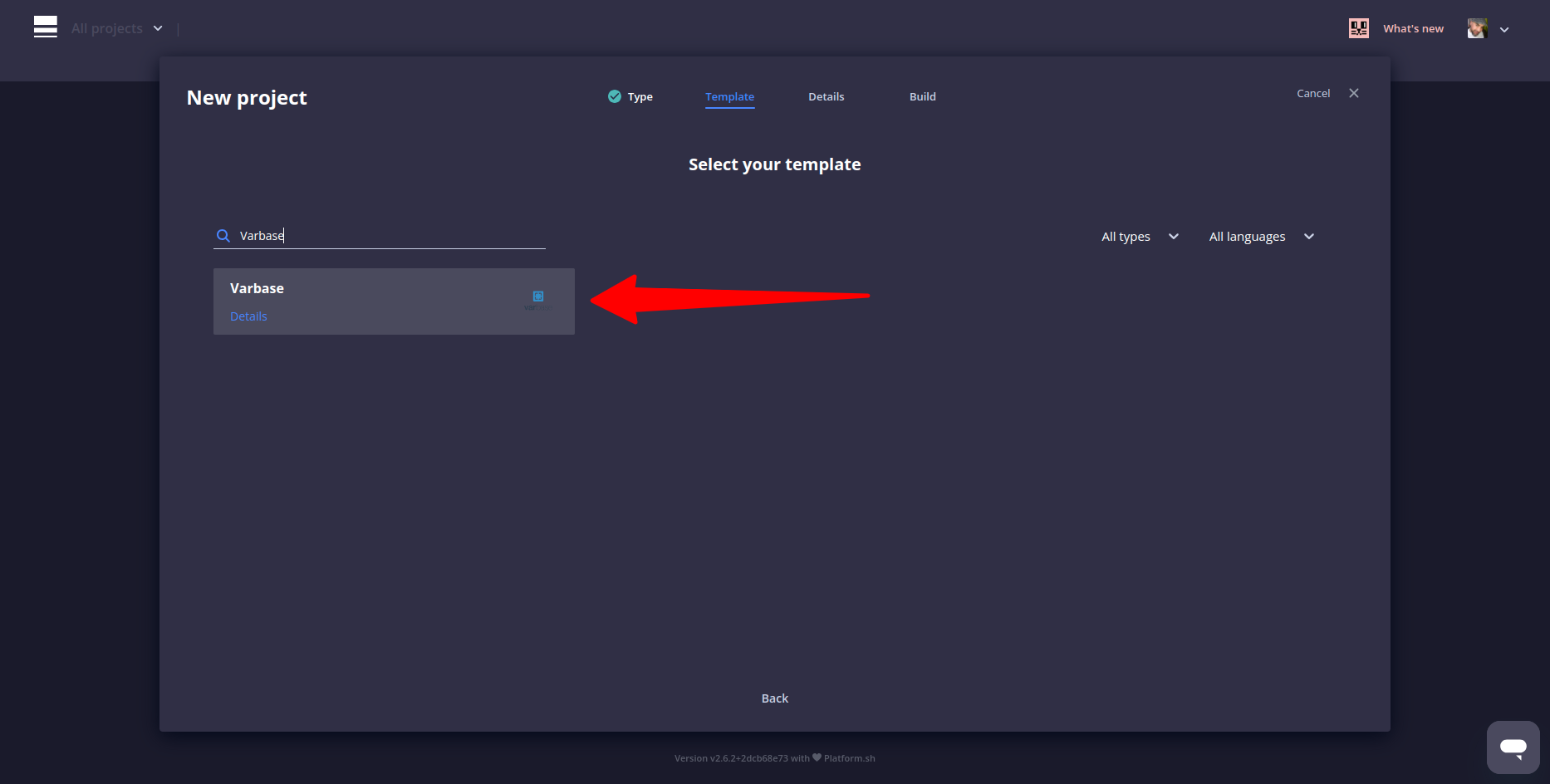
Select **Varbase** as the template, by default a **Varbase 10.1** will be built
Select Varbase as the Template
After creating the project and installing Varbase 10
### Replace Site URL with an Environment URL
Edit the **`preview.ts`** file in the **`.storybook`** folder, replace this with your Drupal site URL, or an environment variable.
```json
server: {
// Replace this with your Drupal site URL, or an environment variable.
url: process.env.STORYBOOK_SERVER_RENDER_URL + '/storybook/stories/render',
},
```
### Use 'development.local.services.yml' File
Have the following in the `settings.platformsh.php` file
```php
// Enable the development local services for Storybook.
if (isset($platformsh->branch)) {
if (!$platformsh->onProduction() || !$platformsh->onDedicated()) {
$settings['container_yamls'][] = $app_root . '/' . $site_path . '/development.local.services.yml';
}
}
```
Both files are in the [**Vardot/platformsh-varbase**](https://github.com/Vardot/platformsh-varbase10x01) project template.
After committing and starting the development environment for the development branch,
The Storybook link will work as follow
```yaml
https://storybook.{default}
```