Loading...
Loading...
Loading...
Loading...
Loading...
Loading...
Loading...
Loading...
Loading...
Loading...
Loading...
Loading...
Loading...
Loading...
Loading...
Loading...
Loading...
Loading...
Loading...
Loading...
Loading...
Loading...
Loading...
Loading...
Loading...
Loading...
Loading...
Loading...
Loading...
Loading...
Loading...
Loading...
Loading...
Loading...
Loading...
Loading...
Loading...
Loading...
Loading...
Loading...
Loading...
Loading...
Loading...
Loading...
Loading...
Loading...
Loading...
Loading...
Loading...
Loading...
Loading...
Loading...
Loading...
Loading...
Loading...
Loading...
Loading...
Loading...
Loading...
Loading...
Loading...
Loading...
Loading...
Loading...
Loading...
Loading...
Loading...
Loading...
Loading...
Loading...
Loading...
Loading...
Loading...
Loading...
Loading...
Loading...
Loading...
Loading...
Loading...
Loading...
Loading...
Loading...
Loading...
Loading...
Loading...
Loading...
Loading...
Loading...
Loading...
Loading...
Loading...
Loading...
Loading...
Loading...
Loading...
Loading...
Loading...
Loading...
Loading...
Loading...
A brief overview of Varbase Docs Drupal and its features.
Varbase is a product of Vardot, the enterprise Drupal solutions provider.
We simplify and organize all the work for you! So you can enjoy building your website in less time. This documentation is built and maintained by a community of developers, content designers and digital leaders from Vardot.
We will start sharing quick overview for Varbase product and community, then our roadmap and finally how to reach out for support.
Varbase is an enhanced Drupal distribution packed with adaptive functionalities and essential modules, that speed up your development, and provides you with standardized configurations, making your life easier.
The essence of Varbase, lies within the basic concept that initiated it; DRY (Don’t Repeat Yourself). Varbase handles that for you, relieving you from repeating all the modules, features, configurations that are included in every Drupal project.
Varbase can bring ease to you if you are:
Confused about choosing the appropriate module needed for a specific functionality.
Trying to bridge the gap between the users experience and editors experience.
Being overwhelmed by the complexity of making a fully-fledged Drupal CMS website.
Wasting so much time on choosing the suitable functionalities.
Visit to join now.
We simplify and organize all the work for you! So you can enjoy building your website in less time.
is a product of , the enterprise Drupal solutions provider.
Varbase is developed by a core team of experienced Drupal developments and is funded and supported by Vardot, a leading Drupal agency with offices in the USA, Egypt, and Jordan.
Varbase is available as an Open Source and FREE software for developers and development teams to install, host, and run it yourself.
Open Source software is free and promotes the collaboration and sharing of ideas. Varbase was built on top of Drupal, which is Open Source and is completely free. Everyone should contribute something, sometimes simply reporting and maybe fixing a minor bug can make a difference. The Drupal community and the marketplace make money supporting Drupal. If you need a feature or support you should contact the Varbase .
Varbase provides a great deal of functionality out of the box, which makes it possible for you to prototype your knowledge base, and try out and experiment with all the available features.
However, if you need professional support for implementation, customization, training, or hosted management, please contact Vardot at
You may also contact for professional and enterprise support of Varbase by sending an email to:
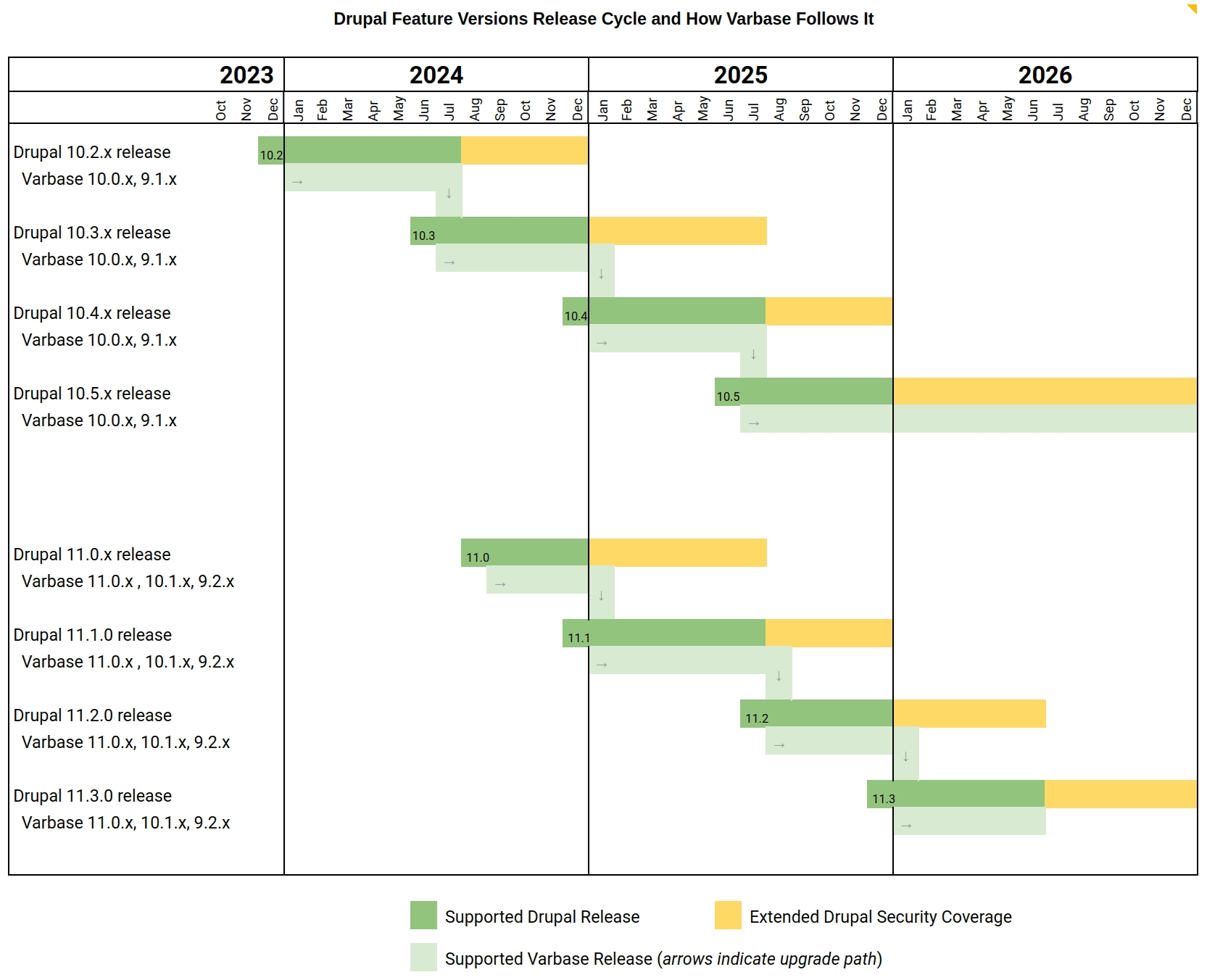
Varbase supports one major version. That is the most recent one using the most recent Drupal 9/10 major version (e.g. 9.0.x , 10.0.x, 11.0.x )
Upgrade paths will always be provided to guarantee a smooth move between supported Varbase versions.
See the below image for an illustration of supported versions and major release cycle:
Varbase 9.1.x will continue to be supported for Drupal 10 and later on Varbase 9.2.x will be supported for Drupal 11
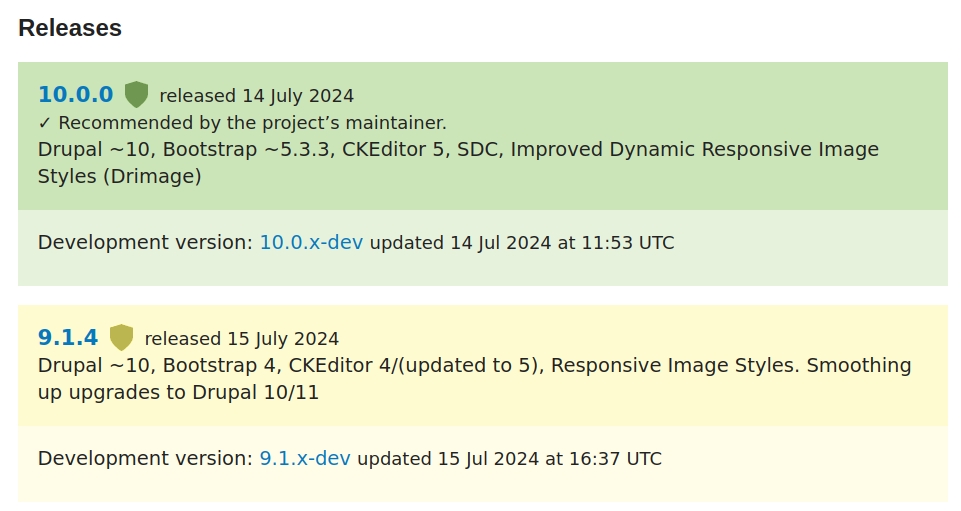
Varbase ~10.0.0 uses Drupal 10, Bootstrap ~5.3.3, CKEditor 5, Single Directory Components (SDC), Improved Dynamic Responsive Image Styles (Drimage) - also using Drupal Recipes
Varbase ~9.1.0 uses Drupal 10, Bootstrap 4, CKEditor 4/5, Default Drupal Responsive Image Styles. Smoothing up upgrades to Drupal 10/11
No upgrade path from Varbase 9 to Varbase 10
Recommended to start new projects with latest version of Varbase ~10.0.0
Provides default configuration and enhancements to utilize Drupal core's Layout Builder.
After building a project using the varbase-project template, you can see the code of the recipe in:
Change directory to /web or /docroot
project_directory
|-- docroot
|-- recipes
|-- contrib
|-- varbase_ai_image_altcomposer require drupal/varbase_ai_image_alt:~1.0.0drush recipe recipes/contrib/varbase_ai_image_altis a great local development environment for Drupal and other applications that vastly simplifies local development and DevOps so you can focus on the application, rather than the environment.
Learn more about Lando on the official website:
is a development tool!
Note that while you can run Lando in production, it is highly discouraged, not recommended, and 100% not supported! DON'T DO IT!
A Drupal distribution is a collection of Drupal and other software components built, assembled, and configured so that it can be used essentially "as is" for its intended purpose.
Varbase is built on top of , utilizing the Drupal installation profiles feature.
Drupal is the #1 platform for web content management among global enterprises, governments, higher education institutions, and NGOs. Flexible and highly scalable, Drupal publishes a single web site or shares content in multiple languages across many devices. Technology and business leaders transform content management into powerful digital solutions with Drupal backed by one of the world's most innovative open source communities.
A dashboard is what's missing for better Drupal administration experience.
This dashboard is built on top of module, utilize Drupal core's Layout Builder for dynamic dashboard management, and several enhanced blocks and widgets for an intuitive and flexible administration experience.
The idea is made to provide the site admins with an appealing and concise dashboard to become the home of any Drupal site's administration task.
Provides default set of dashboards with configuration and enhancements for dynamic default, editorial, and admin dashboard management system.
Allows to display video and/or image slides. It implements the universal "Hero Slider" to be used in your homepage.
URL is an abbreviation of "Uniform Resource Locator" and it is the page's address on the web.
URL/path aliases are automatically generated in Varbase for various kinds of content (nodes, taxonomy terms, users) without requiring the user to manually specify the path alias. This allows the administrator to have URL aliases like /category/my-node-title instead of /node/123.
Drupal assigns a unique id number to each node created, ex: /node/60. However, by using "URL Alias" a more readable URL alias can be generated, ex: /node/landing-page.
The aliases are based upon a "pattern" system that uses tokens that the administrator can change. In Drupal, you can specify a pattern to follow for different types of content. Which gives the ability to automatically generate or regenerate aliases for pre-existing content as well as using tokens.
Hint: This can be achieved by using the module which comes pre-installed with Varbase and is enabled by default.
Read here about how Drupal 10's installation profile feature works: https://www.drupal.org/docs/distributions/creating-distributions
The homepage. Varbase Home page is using the Layout Builder.
project_directory
|-- docroot
|-- recipes
|-- contrib
|-- varbase_ai_editor_assistantDrupal.org: https://www.drupal.org/project/varbase_ai_agents
After building a project using the varbase-project template, you can see the code of the recipe in:
composer require drupal/varbase_ai_editor_assistant:~1.0.0drush recipe recipes/contrib/varbase_ai_editor_assistantproject_directory
|-- docroot
|-- recipes
|-- contrib
|-- varbase_ai_agentscomposer require drupal/varbase_ai_agents:~1.0.0drush recipe recipes/contrib/varbase_ai_agentsAfter building a project using the varbase-project template, you can see the code of the Varbase Tour module in:
Brings in the following core and contributed modules to your site:
Module
Purpose
Displays guided tours of the site interface.
project_directory
|-- docroot
|-- modules
|-- contrib
|-- varbase_core
|-- modules
|-- varbase_tourInstall Lando on your machine. Whether you use Linux, Mac, Windows, there's a package for you. Follow this guide to install Lando on your machine.
Create a new Varbase project using Composer, this will include a template file for .lando.yml, for information on how to integrate Lando on an existing project scroll to the bottom of this page.
Edit the .lando.yml file and change the name value to your project's name.
Edit the settings.php file and add the following code to setup the database connection and the config sync directory.
Start the Lando project and enjoy.
For more information on the Lando file configuration, read more on https://docs.lando.dev/drupal/getting-started.html
Download .lando.yml file and .lando folder from the Varbase project repository https://github.com/Vardot/varbase-project .
Proceed with steps 3, 4, 4, and 5 mentioned above.
Varbase workflow features are bundled through the Varbase Dashboards module.
GitHub: https://github.com/Vardot/varbase_dashboards
Drupal.org: https://www.drupal.org/project/varbase_dashboards
After building a project using the varbase-project template, you can see the code of the Varbase Dashboards module in:
Brings in the following core and contributed modules to your site:
Module
Purpose
Layout Builder
(in Drupal core)
Allows users to add and arrange blocks and content fields directly on the content.
Content Moderation
(in Drupal core)
Provides additional publication states that can be used by other modules to moderate content.
Dashboard module provides users with a centralized interface to access key information and essential tools after logging into the system.
varbase-project template, you can see the code of the Varbase Email module in:Brings in the following core and contributed modules to your site:
Module
Purpose
Integrate Symfony Mailer into Drupal.
A simple system for sending HTML-formatted emails
project_directory
|-- docroot
|-- modules
|-- contrib
|-- varbase_emailThe Flood Control module provides a simple interface to configure hidden flood control options and provides the ability to remove IP addresses and user IDs from the flood table.
The Flood Control module is installed and enabled in Varbase by default, site admins are given access to the Flood Unblock table where the list of blocked IP addresses and user IDs can be seen.
The Flood Unblock table can be accessed by navigating to Administration \ People \ Flood Unblock.
The table shows the blocked users with other information like the timestamp of the failed login.
A user can be unblocked by selecting it from the flood table and clicking on the Removed selected items from the flood table button at the bottom of the page.
Flood Control configurations can be accessed by navigating to Administration \ Configuration \ People \ Flood Control.
IP login limit: How many failed login attempts are allowed from one IP address before being blocked
IP time window: The allowed time window for failed IP logins
Username login limit: How many failed login attempts a username is allowed before being blocked
Username login time window: The allowed time window for failed username logins
View Modes inventory (VMI) provides a set of template content "View Modes" that are typically used (some of them) in each website.
Vertical media
Vertical media teaser - xlarge.
Vertical media teaser - large.
Vertical media teaser - medium.
Vertical media teaser - small.
Vertical media teaser - xsmall.
Horizontal media
Horizontal media teaser - xlarge.
Horizontal media teaser - large.
Horizontal media teaser - medium.
Horizontal media teaser - small.
Text teaser
Text teaser - large.
Text teaser - medium.
Text teaser - small.
Touts
Tout - xlarge.
Tout - large.
Tout - medium.
Hero
Hero xlarge.
For quick tips watch this video.
A base theme for Varbase standard websites.
A new generation of theming (base theme) based on Bootstrap 5, Single Directory Components (SDC) with Drupal ~10.1.0, and UI Patterns 2.0.x-dev.
Having Varbase Components to provides component management system for Varbase and Vartheme BS5.
Brings in the following core and contributed themes to your site:
Offering customizable Content Planner dashboard. Drag and drop calendar for adding, scheduling, and rescheduling content. Drag and drop Kanban for any workflow.
Brings in the following core and contributed modules to your site:
This module needs the following Varbase modules in order to function.
Provides core components required by other features.
Includes a toolkit for robust, quick, and enterprise content moderation features.
An Open Source Drupal distribution. Built to rapidly develop websites and web applications, That empower teams with a focus on enterprise requirements.
Why We Created Varbase
Platform-as-a-service tuned for security, scalability, and resilience
Accelerate launching websites
Bridge the gap between the users' experience and editors' experience in Drupal.
Bring new capabilities not yet present in Drupal core
Furnish best-in-class standards and selected capabilities from the vast array of Drupal modules
Varbase is built on top of Drupal, utilizing the Drupal installation profiles feature.
Drupal is the #1 platform for web content management among global enterprises, governments, higher education institutions, and NGOs. Flexible and highly scalable, Drupal publishes a single web site or shares content in multiple languages across many devices. Technology and business leaders transform content management into powerful digital solutions with Drupal backed by one of the world's most innovative open source communities.
Visit Drupal.org for more information: http://www.drupal.org
Read here about how Drupal 10's installation profile feature works: https://www.drupal.org/docs/distributions/creating-distributions
The components that make up Varbase are outlined in the Venn diagram below:
This section will be explaining how to apply the active menu trail using the Menu Position module which is already installed and configured within Varbase.
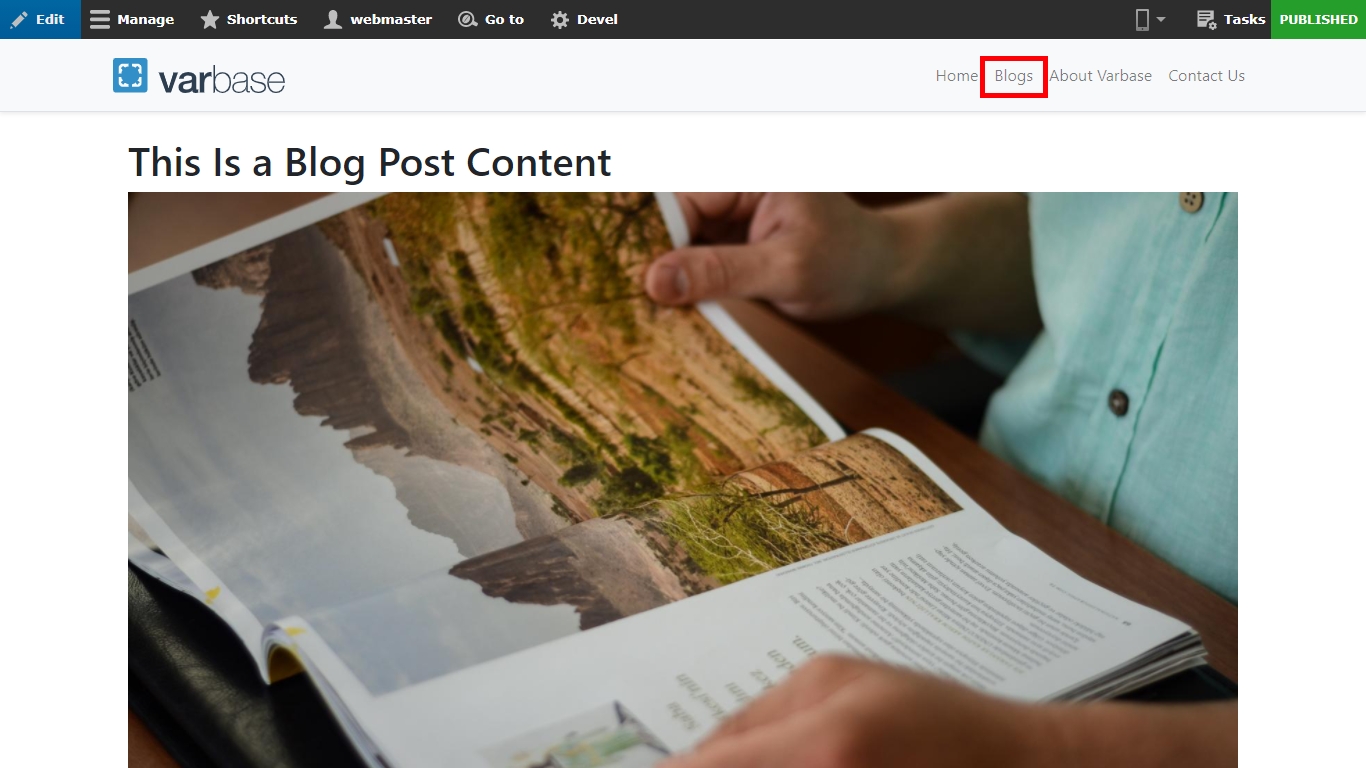
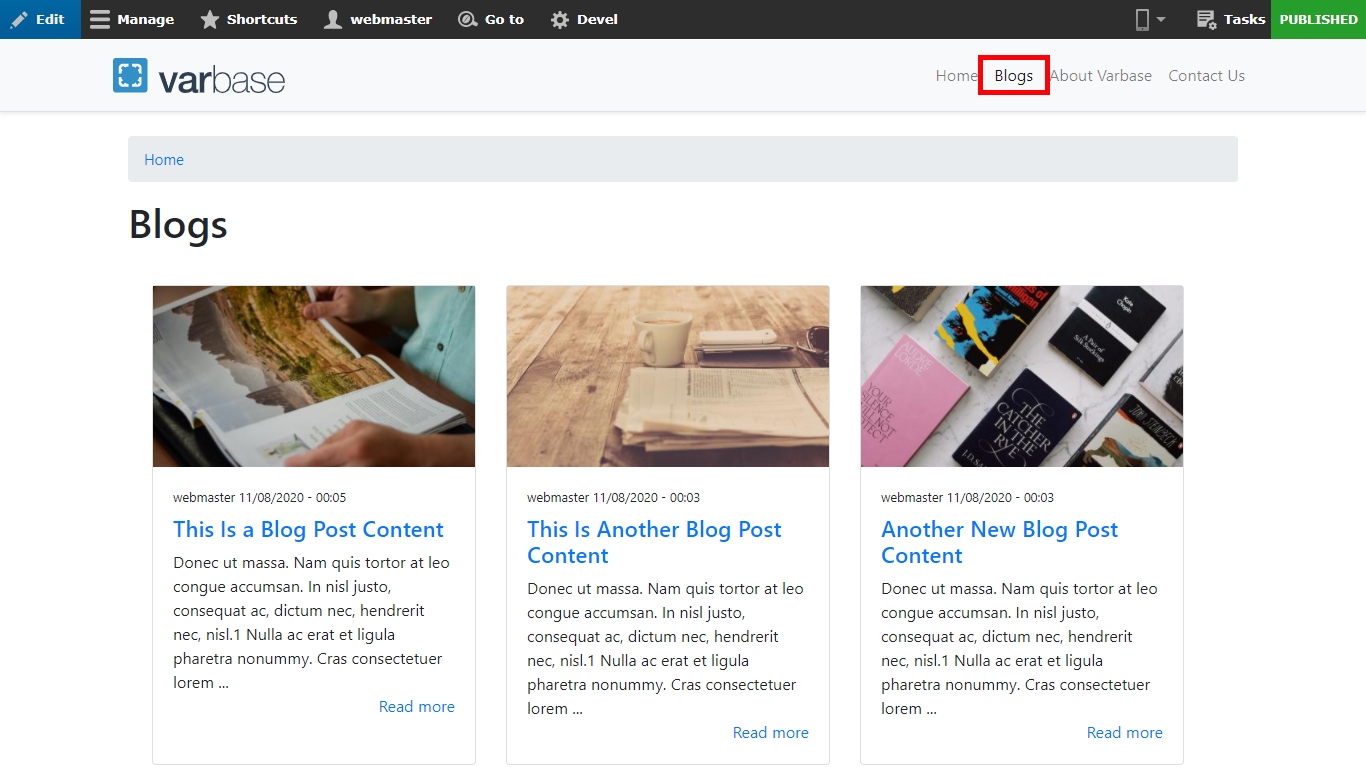
Let us visit the Blogs landing page section on the site, you will notice the "Blogs" on the main menu is active but once you visit one of the Blog posts, you will notice the "Blogs" is no longer active.
This is a problem for the users because they will get lost and get confused if they are still in the blogs section or they were in another section of the site.
To solve this issue, we can simply by adding a position rule to the Blog post content type. Navigate to: Administration \ Structure \ Menu Position Configuration
As you have noticed there are no rules yet, please follow the instruction on how to add a Menu Position Rule:
Click the "Add Menu Position Rule" button
Add a label "Blog posts"
Make sure the checkbox is Enabled
Select "Main Navigation" from the "Parent menu item" drop-down field
Now if you go back to the blog post content, you will notice the "Blogs" menu item is active.
Intercepts all outgoing emails from a Drupal site and reroutes them to a predefined configurable email address.
Example use for rerouting emails :
If a live production site was copied to a testing server for the purpose of development. The copied site should not send any emails to real users of the original production site.
Make sure to uninstall this module before deployment to production sites.
Navigate to: Administration \ Configuration \ Development \ Reroute Email
Enter a list of email addresses to route all emails to.
On enabling the Varbase Development module in a development environment, a default config values will be sat to the reroute email settings.
Rerouting email addresses: [email protected]
Whitelisted email addresses: *@vardot.com
Having an empty field with no provided values for rerouted email addresses will results on having all outgoing emails been aborted and recorded in the recent log entries, with a full dump of the email variables, which could provide an additional debugging method.
The allowed list section allows setting up lists of email address and domain name exceptions for which outgoing emails would not be rerouted.
While installing a fresh Varbase for a project. It is available to setup the rerouting email address in the Development Tools installation step.
Check the "Install Development Tools" check box to expend out the mini development setting.
Change the default emails for "Rerouting email addresses" and "Whitelisted email addresses"
Varbase packages several modules and themes to make use of its functionality.
Those components are detailed in the table below:
This module is already installed and configured within Varbase. The main purpose of this module is to fix all URLs that should redirect to the production site if it was redirected to the internal contents.
To navigate to the Pathologic configuration page: Administration \ Configuration \ Content authoring \ Pathologic configuration
There are three type of URL formats:
Full URL (http://example.com/foo/bar): This option is best for stopping broken images and links in syndicated content (such as in RSS feeds), but will likely lead to problems if your site is accessible by both HTTP and HTTPS.
If you already have a local or hosted environment available for your use that meets and/or including working versions of Apache, MySQL, and PHP, you’re ready to install Varbase.
Follow the steps below to install Varbase distribution for Drupal 9 on a local server.
Security Kit for XSS, CSRF, SSL/TLS, Expect-CT, and More
To configure the Security Kit module in your site, navigate to: Administration \ Configuration \ System \ Security Kit settings
The configuration page allows you to configure settings to tighten your website's security regarding:
Cross-site Scripting (XSS)
Varbase Security is part of Varbase Core.
Varbase bundles several security-related enhancements for compliant and secure websites.
Varbase Security module assembles general security configurations, with password policy, username enumeration prevention, security kit and review.
composer create-project vardot/varbase-project:10.1.0-rc1 MY_VARBASE_PROJECT --no-dev --no-interactioncd MY_VARBASE_PROJECT
vim .lando.ymlproject_directory
|-- docroot
|-- modules
|-- contrib
|-- varbase_dashboardsInstall Varbase custom styling guide if you want to have a full look for Varbase components, Bootstrap elements, and view mode style for content types. This will install several modules that help you on themeing and styling your site, such as Style Guide.
Make sure to uninstall this module and its enabled modules when you go in production mode.
Intercepts all outgoing emails from a Drupal site and reroutes them to a predefined configurable email address.
Example use for rerouting emails :
If a live production site was copied to a testing server for the purpose of development. The copied site should not send any emails to real users of the original production site.
Make sure to uninstall this module when you go in production mode.
Defines selection, check box and radio button widgets for text and numeric fields.
Link
(in Drupal core)
Provides a simple link field type.
Filter
(in Drupal core)
Filters content in preparation for display.
Module
Purpose
Block
(in Drupal core)
Controls the visual building blocks a page is constructed with. Blocks are boxes of content rendered into an area, or region, of a web page.
Block Content
(in Drupal core)
Allows the creation of custom blocks and block types.
Text
(in Drupal core)
Defines simple text field types.
Field
(in Drupal core)
Field API to add fields to entities like nodes and users.
User
(in Drupal core)
Manages the user registration and login system.
Options
(in Drupal core)
Theme
Purpose
A flexible Booststrap based theme, with many regions and a responsive, mobile-first layout.
Module
Purpose
Provides a generic framework for modules offering search capabilities.
Offers an implementation of the Search API that uses database tables for indexing content.
Theme
Purpose
The components handler module for Varbase distribution.
Module
Purpose
Aggregates RSS/Atom/RDF feeds, imports CSV files and more.
A generic Feeds parser used to create extensible parsers.
Modify feeds data before it gets saved.
Module
Purpose
Content Moderation
(in Drupal core)
Provides moderation states for content.
Provides moderation states for content.
Publish and unpublish content automatically on specified dates and times.
Module
Purpose
Enables the creation of webforms and questionnaires.
Provides starter templates that can be used to create new webforms.
Provides a user interface for building and maintaining webforms.
Webform integration with views.
Integrate ECA with the Webform module and its plugins.
project_directory
|-- docroot
|-- recipes
|-- contrib
|-- varbase_ai_defaultproject_directory
|-- docroot
|-- modules
|-- contrib
|-- varbase_media
|-- modules
|-- varbase_media_twitterModule
Purpose
Media Entity Twitter provider.
Module
Purpose
Provides an API for creating fillable, persistent checklists.
Helper tool for generation and applying of configuration updates.
Provide integration of Update Helper module with checklist.
GitHub: https://github.com/Vardot/varbase_bootstrap_paragraphs Drupal.org: https://www.drupal.org/project/varbase_bootstrap_paragraphs
After building a project using the varbase-project template, you can see the code of the Varbase Bootstrap Paragraphs Text and Image module in:
This module needs the following Varbase modules in order to function.
A suite of Paragraph bundles to be used for Varbase distribution.
Provides the basis for Landing Pages, which are built to include appealing stacked components that are visually separate.
After building a project using the varbase-project template.
Install with Composer: $ composer require 'drupal/varbase_media_header:~10'
Using Composer to manage Drupal site dependencies
The code of the Varbase Media Header module will be located in:
This module needs the following Varbase modules in order to function.
Manages type of media contents and entity browsers in the site.
$databases['default']['default'] = [
'database' => 'drupal10',
'username' => 'drupal10',
'password' => 'drupal10',
'prefix' => '',
'host' => 'database',
'port' => '3306',
'isolation_level' => 'READ COMMITTED',
'driver' => 'mysql',
'namespace' => 'Drupal\\mysql\\Driver\\Database\\mysql',
'autoload' => 'core/modules/mysql/src/Driver/Database/mysql/'
];
$settings['config_sync_directory'] = '../config/sync';
lando startproject_directory
|-- docroot
|-- modules
|-- contrib
|-- varbase_layout_builder
|-- modules
|-- varbase_media_blockproject_directory
|-- docroot
|-- themes
|-- contrib
|-- vartheme_bs4project_directory
|-- docroot
|-- modules
|-- contrib
|-- varbase_searchproject_directory
|-- docroot
|-- themes
|-- contrib
|-- vartheme_bs5project_directory
|-- docroot
|-- modules
|-- contrib
|-- varbase_youtube_importproject_directory
|-- docroot
|-- modules
|-- contrib
|-- varbase_workflow
|-- contrib
|-- modules
|-- varbase_content_plannerproject_directory
|-- docroot
|-- modules
|-- contrib
|-- varbase_core
|-- modules
|-- varbase_webformcomposer require drupal/varbase_ai_default:~1.0.0drush recipe recipes/contrib/varbase_ai_defaultproject_directory
|-- docroot
|-- modules
|-- contrib
|-- varbase_core
|-- modules
|-- varbase_update_helperproject_directory
|-- docroot
|-- modules
|-- contrib
|-- varbase_bootstrap_paragraphs
|-- modules
|-- vbp_text_and_imageproject_directory
|-- docroot
|-- modules
|-- contrib
|-- varbase_media_headerHorizontal media teaser - xsmall.
Make sure the "Blog post" is checked from the "Content type" under "Conditions"
Click the "Save" button
After building a project using the varbase-project template, you can see the code of the Varbase Default Content module in:
Brings in the following core and contributed modules to your site:
Module
Purpose
Block
(in Drupal core)
Controls the visual building blocks a page is constructed with. Blocks are boxes of content rendered into an area, or region, of a web page.
Block Content
(in Drupal core)
Allows the creation of custom blocks and block types.
Imports default content when a module is enabled
Having the home page as a content page. Using the Varbase Landing page (Layout Builder) content type for that.
Managing the home page with hero slider or not. When the Varbase Media Hero Slider module was enabled or not on the installation of Varbase.
Welcome to Varbase block
Copyright block
Home
About Varbase
Contact Us
Community Support
Documentation
Get Professional Support
Path relative to server root (/foo/bar): The Path relative to server root option will avoid problems with sites accessible by both HTTP and HTTPS with no compatibility concerns, but will absolutely not fix broken images and links in syndicated content.
As you have noticed from the above screenshot in the text area field "All base paths for this site", we have inserted the base URLs as example links acting as testing environments and the production environment:
https://www.example.com/
http://www.example1.com/
https://dev.example.com/
http://dev.example.com/
https://stg.example.com/
http://stg.example.com/
We will test this for example let us create new Basic page content and insert text with hyperlinks:
"Link" is linked to "https://www.example.com/test"
"Link1" is linked to "https://www.example1.com/test"
"Link2" is linked to "https://www.example2.com/test"
After we created the Basic page content, let us know how the links are showing on the frontend by using the inspect element (DevTool)
As you can see from the screenshot above, notice "Link2" how it is linked and the rest links are being stripped out from the base URL, this is because "https://www.example2.com/" is not listed within the "All base paths for this site" field.
Run the following command:
Composer will create a new directory called YOUR_PROJECT containing a docroot directory with a full Varbase codebase.
2. Point your browser to your localhost folder where you installed ran the command. You can then install Varbase as you install Drupal normally.
DDEV is an open source tool for launching local web development environments in minutes. It supports PHP and other languages.
Lando is a great local development environment for Drupal and other applications that vastly simplifies local development and DevOps so you can focus on the application, rather than the environment.
You can install Varbase on Platform.sh and enjoy 30 days free trial for new users!
Follow this link to provision your Varbase instance on Platform.sh: Deploy Varbase on Platform.sh!
Or deploy it using the baseline Varbase Platform.sh template project.
X-XSS-Protection header: X-XSS-Protection HTTP response header controls Microsoft Internet Explorer, Google Chrome and Apple Safari internal XSS filters.
Cross-site Request Forgery (CSRF): Configure levels and various techniques of protection from cross-site request forgery attacks.
Clickjacking
X-Frame-Options header: Configure the X-Frame-Options HTTP header.
JavaScript-based protection: Warning: With this enabled, the site will not work at all for users who have JavaScript disabled (e.g. users running the popular NoScript browser extension, if they haven't whitelisted your site).
SSL/TLS: Configure various techniques to improve security of SSL/TLS
Expect-CT: Configure the Expect-CT header which allows sites to opt in to reporting and/or enforcement of Certificate Transparency requirements. See Mozilla's developer documentation.
Feature policy: Allows configuration of the Feature-Policy header to selectively enable, disable, and modify the behavior of certain APIs and web features in the browser. See Google's developer documentation.
Miscellaneous: Configure miscellaneous unsorted security enhancements such as:
From-Origin HTTP response header
Referrer-Policy HTTP response header
All necessary documentation and examples of usage are on the settings page.
After building a project using the varbase-project template, you can see the code of the Varbase Media Instagram module in:
Brings in the following core and contributed modules to your site:
Module
Purpose
Media Entity Instagram provider.
project_directory
|-- docroot
|-- modules
|-- contrib
|-- varbase_media
|-- modules
|-- varbase_media_instagramIncludes a toolkit for robust, quick, and enterprise content moderation features. It is useful for small sites with simple publishing workflow to enterprise complex publishing workflows, all thanks to leveraging Drupal 10 Content Moderation and Workflow modules.
After building a project using the varbase-project template, you can see the code of the Varbase Workflow module in:
Brings in the following core and contributed modules to your site:
Simple workflow: Draft, Published, and Archived Useful for any website, and offers the ability make a draft of a live version of content without unpublishing the whole content.
Editorial workflow: Draft, Published, In review, and Archived Useful for website with editorial or moderation staff. You can create as many additional states as you like and define transitions between them to suit your organization's needs.
Offering customizable Content Planner dashboard. Drag and drop calendar for adding, scheduling, and rescheduling content. Drag and drop Kanban for any workflow.
Customizable Content Planner dashboard
Drag-n-drop calendar for adding, scheduling, and rescheduling content
Drag-n-drop Kanban for any workflow
A dashboard is what's missing for better Drupal administration experience.
This dashboard is built on top of Total Control Admin Dashboard module, utilizing Panels, Google Analytics Reports, and several enhanced blocks and widgets for an intuitive and flexible administration experience.
The idea is made to provide the site admins with an appealing and concise dashboard to become the home of any Drupal site's administration task.
Brings in the following core and contributed modules to your site:
Adds single sign-on using existing information from a social networking service. Such as Facebook, Twitter, LinkedIn, or Google. Built using Social API.
Brings in the following core and contributed modules to your site:
DDEV is an open source tool for launching local web development environments in minutes. It supports PHP and other languages.
Learn more about DDEV on the official website: https://ddev.com
DDEV is a development tool!
Note that while you can run DDEV in production, it is highly discouraged, not recommended, and 100% not supported! DON'T DO IT!
Install DDEV on your machine. Whether you’re using Linux, Mac, or Windows, there’s a package for you. Follow to install DDEV.
1- Create a folder for a local Varbase project
2- Configure and Start DDEV in the folder
3- Create a Varbase Project in DDEV
Launch the DDEV url in the Default Browser
You’re all set! Enjoy working with Varbase and DDEV!
Verify the status of your DDEV project by running:
Full installation including demo content and sample data.
Complete Varbase installation with all components enabled except.
Core Varbase installation with all extra components explicitly disabled.
Change the name value to your project's name.
Edit the .ddev/config.yaml file
For more information on the DDEV file configuration, read more on
Download config.yaml file and .ddev folder from the Varbase project repository .
Proceed with steps 1, 2, 3, and 4 mentioned above.
The List tab shows a list of all existing URLs on the site with their alias, with a search field to filter for aliases.
Editing an existing alias is possible by clicking on the Edit button next to the alias wanted to be edited. The edit alias page will contain two fields:
System path which should point to an existing path on the site.
URL alias which will contain the alias for the system path specified, both of these fields should start with a forward slash (/).
The Add alias button will allow the user to add a new alias to the site, the add alias page contains two fields which are:
System path which should point to an existing path on the site.
URL alias which will contain the alias for the system path specified, both of these fields should start with a forward slash (/).
Pattern type aliases can be deleted individually or you can delete all aliases of the site by navigating to the Delete tab.
Another option available is to only delete automatically generated aliases, this can be helpful in case the URL aliases patterns were changed and there is a need to regenerate them.
Bulk generation can be done in the Bulk generate to apply the following:
Generate URL aliases for items that currently have no aliases
Re-generate URL aliases for items that have an old alias and for which the Pathauto pattern has been changed.
Warning: This will only affect items that are configured to have their URL alias automatically set. Items whose URL alias is manually set are not affected.
To configure the Password Policies on your site, navigate to: Administration \ Configuration \ Security \ Password Policy
Varbase ships with a default password policy to provide a way to enforce restrictions on user passwords by defining password policies.
You can add multiple policies each policy is assigned to a specific role, or edit the default provided policy
A password policy can be defined with a set of constraints that must be met before a user password change will be accepted. Each constraint has a parameter allowing for the minimum number of valid conditions which must be met before the constraint is satisfied.
Example: an uppercase constraint (with a parameter of 2) and a digit constraint (with a parameter of 4) means that a user password must have at least 2 uppercase letters and at least 4 digits for it to be accepted.
Changing policy constraints won't affect the markup or wordings found in the "Recommendations to make your password stronger" box on the user profile page, to reflect changes to the end-user when creating or editing their password you should edit the password suggestions settings form found at Administration \ Configuration \ Varbase settings \ Varbase Security settings \ Password Suggestions settings.
A modern administration theme for Varbase standard websites.
Based on the Gin Admin Theme and Claro Drupal core admin theme.
Following up with Drupal Design system
Left to right (LTR) support with custom tweaks and fixes.
Right to left (RTL) support with a better perloaded selected RTL font.
Brings in the following core and contributed themes to your site:
The PHP Authentication Shield module was packaged with Varbase Core, but not enabled on the installation of Varbase.
A simple shield for the site with Apache authentication. It hides the sites, if the user does not know a simple username/password.
Enable the PHP Authentication Shield module to be able to have general shield for the site.
drush pm:enable shieldNavigate to Configurations \ System \ Shield from the administration toolbar menu.
Check or un-check the "Enable Shield" checkbox to enable/disable shield functionality. All other settings are ignored if this is not checked.
Add an authentication message to show it in the authentication request popup. Use the [user] and [pass] tokens to print the user and the password respectively. leave it empty, when not wanting to print out any special message to users.
Provide the desired User and Password in the credential part of the settings.
Press the Save Configuration button to save the changed configurations.
The site will start asking to fill in a user and password on every opened new session.
Adding HTTP authentication for a specific route/pattern instead of the whole site.
The list of paths will be either excluded from, or included in Shield protection.
Select "Include" to protect only the listed paths.
Include a leading slash to listed internal links.
Provides custom styling guide for components for Varbase.
Install Varbase custom styling guide if you want to have a full look for Varbase components, Bootstrap elements, and view mode style for content types. This will install several modules that help you on themeing and styling your site, such as Style Guide.
Make sure to uninstall this module before deployment to production sites.
Brings in the following core and contributed modules to your site:
Navigate to Administration \ Extend and enable the Varbase Styleguide module.
Navigate to Administration \ Structure \ Content types and add a new content type.
Navigate to Administration \ Structure \ Content types \ [Content type to edit] \ Manage display and in the vertical tab set select "Custom display settings" and activate desired View modes. Save.
Provides Blog post content type and related configuration.
Use Blog to publish a blog post by different authors in the Blog section of the site.
serves as an exemplary model for understanding how to effectively manage various elements such as Content types, View modes, Layout Libraries, Views, site section pages, categories, and tags using the comprehensive range of "assembled"
Spam is sending bulks of emails or submissions at low volume per IP this can cause issues as it could be harmful and annoying. One of the ways spammers can damage a website is by using forms found on that website; forms are great and helpful however they are still vulnerable to attackers and spambots that are trying to crack into websites found on the web.
To configure the CAPTCHA methods in your site, navigate to: Administration \ Configuration \ People \ CAPTCHA module settings
A or (distro) is a collection of software components built, assembled, and configured so that it can essentially be used "as is".
is a distribution. It packages several adaptive functionalities and essential modules into its powerhouse. It takes advantage of Drupal core modules, as well as other famous and contributed modules and software components.
project_directory
|-- docroot
|-- modules
|-- contrib
|-- varbase_core
|-- contrib
|-- modules
|-- varbase_default_contentcomposer create-project Vardot/varbase-project:10.1.0-rc1 YOUR_PROJECT --no-dev --no-interaction
Defines selection, check box and radio button widgets for text and numeric fields.
Module
Purpose
Block
(in Drupal core)
Controls the visual building blocks a page is constructed with. Blocks are boxes of content rendered into an area, or region, of a web page.
Block Content
(in Drupal core)
Allows the creation of custom blocks and block types.
Text
(in Drupal core)
Defines simple text field types.
Field
(in Drupal core)
Field API to add fields to entities like nodes and users.
User
(in Drupal core)
Manages the user registration and login system.
Options
(in Drupal core)
Theme
Purpose
Claro
(in Drupal core)
A clean, accessible, and powerful Drupal administration theme.
Admin theme with a strong focus on improving the Editorial Experience.
Gin Toolbar for Gin Theme.
Adds Gin admin theme compatibility for Moderation Sidebar.
Navigate to Administration \ Appearance \ Styleguide and search for the name of the content type for an example of what its view modes will look like.
Module
Purpose
Generates a theme style guide for proofing common elements.
This module has a set of template view modes that we typically use (some of them) in each website.
project_directory
|-- docroot
|-- recipes
|-- contrib
|-- varbase_ai_taxonomy_taggingproject_directory
|-- docroot
|-- modules
|-- contrib
|-- varbase_layout_builder
|-- modules
|-- varbase_rich_text_blockproject_directory
|-- docroot
|-- themes
|-- contrib
|-- vartheme_claroproject_directory
|-- docroot
|-- modules
|-- contrib
|-- varbase_styleguidecomposer require drupal/varbase_ai_taxonomy_tagging:~1.0.0drush recipe recipes/contrib/varbase_ai_taxonomy_taggingDefines selection, check box and radio button widgets for text and numeric fields.
Link
(in Drupal core)
Provides a simple link field type.
Filter
(in Drupal core)
Filters content in preparation for display.
Provides improvements to blocks that will one day be added to Drupal core.
Limit which text formats are available for each field instance.
Module
Purpose
Block
(in Drupal core)
Controls the visual building blocks a page is constructed with. Blocks are boxes of content rendered into an area, or region, of a web page.
Block Content
(in Drupal core)
Allows the creation of custom blocks and block types.
Text
(in Drupal core)
Defines simple text field types.
Field
(in Drupal core)
Field API to add fields to entities like nodes and users.
User
(in Drupal core)
Manages the user registration and login system.
Options
(in Drupal core)
Defines selection, check box and radio button widgets for text and numeric fields.
Link
(in Drupal core)
Provides a simple link field type.
Filter
(in Drupal core)
Filters content in preparation for display.
Provides improvements to blocks that will one day be added to Drupal core.
Limit which text formats are available for each field instance.
Module
Purpose
Block
(in Drupal core)
Controls the visual building blocks a page is constructed with. Blocks are boxes of content rendered into an area, or region, of a web page.
Block Content
(in Drupal core)
Allows the creation of custom blocks and block types.
Text
(in Drupal core)
Defines simple text field types.
Field
(in Drupal core)
Field API to add fields to entities like nodes and users.
User
(in Drupal core)
Manages the user registration and login system.
Options
(in Drupal core)
Events, conditions and actions for content moderation workflow.
Module
Purpose
Workflows
(in Drupal core)
Provides an interface to create workflows with transitions between different states (for example publication or user status) provided by other modules.
Content Moderation
(in Drupal core)
Provides moderation states for content.
Provides a frontend sidebar for Content Moderation
Scheduler sub-module providing content moderation functionality for publishing/unpublishing.
Logs workflows events performed by the user.
Social Auth integration for Google.
Module
Purpose
Block
(in Drupal core)
Controls the visual building blocks a page is constructed with. Blocks are boxes of content rendered into an area, or region, of a web page.
Allows user authentication with different services.
Social Auth integration for Facebook.
Social Auth integration for Twitter.
Social Auth integration for LinkedIn.
After building a project using the varbase-project template, you can see the code of the Varbase Page module in:
Brings in the following core and contributed modules to your site:
Module
Purpose
Text
(in Drupal core)
Defines simple text field types.
Text Editor
(in Drupal core)
Provides a means to associate text formats with text editor libraries such as WYSIWYGs or toolbars.
CKEditor 5
(in Drupal core)
Provides the CKEditor 5 rich text editor.
Menu UI
(in Drupal core)
Allows administrators to customize the site navigation menu.
Basic functionality that is shared among the different Rabbit Hole modules.
"Starterkit/Recipes"Brings in the following core and contributed modules to your site:
Module
Purpose
This module has a set of template view modes that we typically use (some of them) in each website.
Embed a taxonomy tree into a menu
Statistics
(in Drupal core)
Logs content statistics for your site.
Adds an optional length indicator to fields
Provides an additional formatter for text field, text area and text format.
This module needs the following Varbase modules in order to function.
Provides core components required by other features.
Manages type of media contents and entity browsers in the site.
Provide Search Engine Optimization (SEO) Core features and settings.
Provides default configuration and enhancements to utilize Drupal core's Layout Builder.
Provides Landing page (Layout Builder) content type and related configuration. Use Landing page (Layout Builder) to build pages with custom sections and layouts to display content in a modern way.
Default CAPTCHA method
Challenge description
Persistence options. Whether you want the CAPTCHA challenge to appear every time or to skip after a successful challenge
Enable statistics
Log wrong responses
To enable reCAPTCHA, you'll need a Site key and Secret key for your site. These are provided from Google's reCAPTCHA administration page.
Navigate to the reCAPTCHA tab in your site (Administration \ Configuration \ People \ CAPTCHA module settings \ reCAPTCHA
Obtain a Site key and and a Secret key from https://www.google.com/recaptcha/admin, and enter it the reCAPTCHA configuration page
Change the Widget settings to match your site's theme
Navigate to Form settings tab in your site (Administration \ Configuration \ People \ CAPTCHA module settings \ Form settings
Click on "+ Add captcha point" to add a new form to the list
Enter the form ID (e.g. user_register_form) and choose the enabled CAPTCHA type on it, or keep it as the default challenge configured for the site
Honeypot is a spam-prevention module that comes installed with Varbase to provide extra protection to forms submitted on the site, Honeypot protects forms by adding an extra hidden field which can only be seen and filled by bots, and blocks that submission in case anything was found in that field, another form of protection provided by Honeypot is by adding a time restriction on forms which prevents a form from being submitted before a specific timestamp.
Navigate to Administration \ Structure \ Webform \ Configuration
Scroll down to Third party settings
Check the Protect all webforms with Honeypot checkbox
Navigating to Administration \ Configuration \ Content authoring \ Honeypot configuration will show the Honeypot settings, the most important things here are:
The time limit which will control the timestamp after which a form can be submitted (2 seconds by default),
The element name field which will have the name of the hidden field provided by Honeypot
Antibot is a module that comes installed with Varbase to protect Webforms from being submitted by robots. This is achieved by forcing the users to have javascript enabled to be able to see and submit the form. While providing a free-captcha experience.
In Varbase, Antibot is enabled to protect all webforms by default, this can be seen in the Webforms configurations page.
Navigate to Adminstration \ Structure \ Webform \ Configuration
Check Third party settings section
The checkbox is selected by default.
Navigate to Administration \ Configuration \ User interface \ Antibot that shows the forms that are protected and which can be edited.
Display forms IDs when enabled will show the form ID on any page that contains a form and whether that form is protected by Antibot or not.
In case Antibot is enabled and the user trying to see the form has Javascript disabled, a warning message will show up stating that Javascript must be enabled to use the form.
After building a project using the varbase-project template, you can see the code of the Varbase Carousels Slider module in:
Brings in the following core and contributed modules to your site:
Module
Purpose
Block
(in Drupal core)
Controls the visual building blocks a page is constructed with. Blocks are boxes of content rendered into an area, or region, of a web page.
Block Content
(in Drupal core)
Allows the creation of custom blocks and block types.
Text
(in Drupal core)
Defines simple text field types.
Field
(in Drupal core)
Field API to add fields to entities like nodes and users.
User
(in Drupal core)
Manages the user registration and login system.
This module needs the following Varbase modules in order to function.
Manages type of media contents and entity browsers in the site.
After building a project using the varbase-project template, you can see the code of the Varbase Media Hero Slider module in:
Brings in the following core and contributed modules to your site:
Module
Purpose
Slick carousel, the last carousel you'll ever need.
Provides Slick carousel integration with Views.
Link
(in Drupal core)
Provides a simple link field type.
Menu UI
(in Drupal core)
Allows administrators to customize the site navigation menu.
Allows users to collect entities in arbitrarily ordered lists.
This module needs the following Varbase modules in order to function.
Manages type of media contents and entity browsers in the site.
A full-width responsive Media Hero Slider.
Easy to customize slides to act as a promotional feature typically displayed in the site's homepage.
Queued Media Hero Sliders.
After building a project using the varbase-project template, you can see the code of the Varbase API module in:
Brings in the following core and contributed modules to your site:
Module
Purpose
JSON:API
(in Drupal core)
Exposes entities as a JSON:API-specification-compliant web API.
Declare all the consumers of your API.
Connects Drupal to the OpenAPI Javascript Library.
OpenAPI support for the JSON:API module.
OpenAPI support for the REST module.
Can be installed in the extra components installation step with Varbase.
Varbase internationalization features are bundled through the Varbase Internationalization module as part of the Varbase Core module. GitHub: https://github.com/Vardot/varbase_core Drupal.org: https://www.drupal.org/project/varbase_core
After building a project using the varbase-project template, you can see the code of the Varbase Internationalization module in:
Brings in the following core and contributed modules to your site:
Module
Purpose
Language
(in Drupal core)
Allows users to configure available languages.
Interface Translation
(in Drupal core)
Translates the built-in user interface.
Configuration Translation
(in Drupal core)
Allows users to translate configuration text.
Content Translation
(in Drupal core)
Allows users to translate content.
Advanced language handling within ECA.
Choose the language of installation and default website language on the first step of installing Varbase
Varbase gave the option of enabling multiple language options on the multilingual configuration installation step.
This will enable the necessary modules for a multilingual website.
Enabling multiple languages for the site right from the installation step is the best option for multilingual websites.
Configurations that are related to languages will take effect on install. And after the install of any extra or external components.
In case of not selecting the option on install. some issues will start to show up.
Examples:
The language field at the form display and field display will not be placed in the default Varbase standard order and position.
Manual fixes are needed for newly activated translatable content types. In order not to face language issues.
Manual changes are needed for custom views. In order to manage multilingual filtering of contents.
It is better to use the right character set and collation, If the database was manually created.
GitHub: https://github.com/Vardot/varbase_layout_builder Drupal.org: https://www.drupal.org/project/varbase_layout_builder
After building a project using the varbase-project template, you can see the code of the Varbase Gallery Block module in:
Brings in the following core and contributed modules to your site:
Module
Purpose
Block
(in Drupal core)
Controls the visual building blocks a page is constructed with. Blocks are boxes of content rendered into an area, or region, of a web page.
Block Content
(in Drupal core)
Allows the creation of custom blocks and block types.
Text
(in Drupal core)
Defines simple text field types.
Field
(in Drupal core)
Field API to add fields to entities like nodes and users.
User
(in Drupal core)
Manages the user registration and login system.
This module needs the following Varbase modules in order to function.
Manages type of media contents and entity browsers in the site.
After building a project using the varbase-project template.
Install with Composer: $ composer require 'drupal/varbase_reports:~10'
Using Composer to manage Drupal site dependencies
The code of the Varbase Reports module will be located in:
Brings in the following core and contributed modules to your site:
Module
Purpose
User
(in Drupal core)
Manages the user registration and login system.
Node
(in Drupal core)
Allows content to be submitted to the site and displayed on pages.
Views
(in Drupal core)
Create customized lists and queries from your database.
Provides advanced options (e.g. links, checkboxes, or other widgets) to exposed Views elements.
Allows to format date fields using SQL. This enables group aggregation. (Needs 'Date Views' to work with Date-module fields.)
After building a project using the varbase-project template, you can see the code of the Varbase Hero Slider module in:
Brings in the following core and contributed modules to your site:
Module
Purpose
Link
(in Drupal core)
Provides a simple link field type.
Menu UI
(in Drupal core)
Allows administrators to customize the site navigation menu.
Allows users to collect entities in arbitrarily ordered lists.
Adds Rabbit Hole functionality for nodes.
Provides the ability to group your fields on both form and display.
A full-width responsive Hero Slider.
Easy to customize slides to act as a promotional feature typically displayed in the site's homepage.
Queued Hero Sliders.
This module needs the following Varbase modules in order to function.
Provides a components for hero sliders, slides, carousel, and needed hero card patterns.
Manages type of media contents and entity browsers in the site.
The pre-defined date and time formats are already configured for the backend, for example, if we go to the content page navigate to: Administration \ Content
You will find the date under the created date / updated date column and it is using the default short date format.
Please follow these steps to add a new date and time format:
Navigate to: Administration \ Configuration \ Regional and language \ Date and time formats.
Click the "Add format" button.
Insert the name of the date format.
Then insert the "Format string", if you don't know the format please check this .
Then click "Save format".
Please follow these steps to clone a date and time format:
Navigate to: Administration \ Configuration \ Regional and language \ Date and time formats.
Under the operation column click the drop down one of the pre-defined formats, then click "Clone".
Insert the new name of the date format, then click the "Clone" button. It will redirect you to the homepage.
Navigate back to the Date and time formats section, locate the new cloned date format then click the "Edit" button.
Either keeping the old format or if you like to change the format, notice the example of how it changes when inserting a new format.
Then click "Save format" button.
You can translate any date and time format to any languages that are available on Varbase, please follow these steps to start translating them:
Navigate to: Administration \ Configuration \ Regional and language \ Date and time formats.
Under the operation column click the drop-down on any date and time formats, then click "Translate".
You will be redirected to the translation section, click the "Add" button to the available language.
Either keeping the old format or if you like to change the format, notice the example of how it changes when inserting a new format.
Then click "Save translation" button.
Since Varbase is a Drupal distribution, any Drupal compatible module, theme, library, can be used and utilized with Varbase.
If you're new to Drupal, we recommend you also familiarize yourself with the Drupal docs: https://www.drupal.org/docs
Varbase uses Composer to package dependencies and components.
To build a project using Varbase, we have provided a Varbase Composer project template.
To install the most recent stable release of Varbase 10.0.x run this command:
Module
Purpose
Total Control Administration Dashboard
Display statistics from Google Analytics using Views.
API to access statistics from the Google Analytics Core Reporting API.
A charting API for Drupal that provides chart elements and integration with Views.
Charts module integration with C3 Charts.
As of Drupal 9.5.0 stable and Varbase 9.0.10
Remove the following from the root composer.json file for the project.
Search engines are indexing the media/oembed links in websites. And the search results for the Oembed remote media can be viewed in search results. Then a landing page will open with only the content of the remote media in it.
Current Status In Every ProjectDevelopers add the following Oembed media link in the
robots.txtto be disallowed
This is a repetitive issue that the support team faces when starting the handover process to push a site to production before launching a project.
Drupal core file does not have the Disallow: /media/oembed
and only following with
Waiting on the Drupal core issue to be committed.
As of Varbase 9.0.6 and later do not need to do any work on this part.
If the project was built from Varbase 9.0.5 and older versions need to do the following steps:
Add line “
Disallow: /media/oembed“ to be configured from Varbase to be always included inrobots.txtRegarding the other languages will be dealt with by the delivery team to add the variation according to the available languages on the website
Add the following in src/assets/varbase-robots-additions.txt file
Add the following append for for the file-mapping in template. To make sure it will be added, even if the robots.txt was changed or updated.
Projects may change the "append": "docroot/profiles/varbase/src/assets/varbase-robots-additions.txt" to their custom robots-additions.txt file.
Updated the default Varbase Project with the issue.
Remove the following from the root composer.json file.
Provides Landing page (Layout Builder) content type and related configuration. Use Landing page (Layout Builder) to build pages with custom sections and layouts to display content in a modern way.
Brings in the following core and contributed modules to your site:
This module needs the following Varbase modules in order to function.
Provides default configuration and enhancements to utilize Drupal core's Layout Builder.
Navigate to Administration \ Configuration \ System \ Mailer
To configure Mailer Policy to customize outgoing emails in many different ways. There are many possible policies to apply including: subject; body; addresses (from, to, ...); theme; transport; convert to plain text. Each policy can be set globally or for emails of a specific type.
Navigate to Administration \ Configuration \ System \ Mailer policy \ Transports
To see the list of mailer transports.
Select SMTP from the list of transport types, and click on the Add transport button
Fill in the Label for the SMTP service
Fill in the User name for the SMTP service. It could be the same email sender created in the SMTP service provider
Provide the password to log in with it
Press the Save submit button to save the SMTP transport
A message of "The transport configuration has been saved." will show up and the page will be redirected back to the Mailer transports configuration page.
Set the STMP transport as the default transport sender for emails, by clicking on "Set as Default" from the operations list for the SMTP transport.
provide theme settings for emails too. Vartheme generated themes followed with that too.
Generate a new custom theme following with
Enable the new custom generated theme for example and set it as the default theme on the site.
Navigate to Administration \ Appearance \ Appearance settings \ A Custom Generated Theme of Vartheme
The email logo custom theme settings can be filled as desired
The provided Email Logo will feed the Symfony Mailer template with the selected logo, which it will be linked in the email.
When the custom theme for a project did not have any changes. No extra work is needed at this point.
Change the following steps when having any changes over the custom theme in the project.
Inline or style elements are cleared out in the email.twig , varbase_email.twig template file.
Create a new library to attach the needed styles to it
Example: custom_theme.libraries.yml file
Have all custom LTR ( left to right) and RTL ( right to left ) styling in separate files and libraries, to override the default Varbase Email libraries.
Symfony Mailer only allows attaching the custom styling to the template using the default Drupal library system.
The Varbase Email module has two libraries which are attached to the Symfony email template. They can be extended or overridden.
Example: custom_theme.info.yml file in your custom Vartheme generated theme
Symfony Mailer allows each module to have custom email templates and other sending transport.
The default transport service will be used when no custom transport was configured for the module. When a custom or contrib module is trying to send emails.
If the old project had any custom code or custom multiple mailers in the same system. The code should be migrated to configs. Using the Symfony Mailer plugin system.
Provides Frequently Asked Questions content type and related configuration. A frequently asked question and its answer.
FAQs page using the Varbase Layout Builder. so that sections and blocks could be managed on the page.
FAQs list as a block, which it could be placed in any section of the site.
Protected content of Frequently Asked Questions to be listed only on the /faqs page.
Brings in the following core and contributed modules to your site:
FAQs page using the Varbase Layout Builder. so that sections and blocks could be managed on the page.
FAQs list as a block, which it could be placed in any section of the site.
Protected content of Frequently Asked Questions to be listed only on the /faqs page.
This module needs the following Varbase modules in order to function.
Provides default configuration and enhancements to utilize Drupal core's Layout Builder.
Provides Landing page (Layout Builder) content type and related configuration. Use Landing page (Layout Builder) to build pages with custom sections and layouts to display content in a modern way.
Provides the basis for Landing Pages, which are built to include appealing stacked components that are visually separate.
Brings in the following core and contributed modules to your site:
This module needs the following Varbase modules in order to function.
A suite of Paragraph bundles to be used for distribution.
Manages type of media contents and entity browsers in the site.
Provide Search Engine Optimization (SEO) Core features and settings.
Provides a component management system for Varbase
The logical use for Varbase Layout Builder configs is with the "Full Content" display mode for most planed content types. If the Content type has an access permission for users to open a page with a URL to see the full content. It's better to activate the Layout Builder for the default layout for that full content.
A suite of Paragraph bundles to be used for distribution.
Made with the Bootstrap framework, based on a fork of Bootstrap Paragraph module
Using , you can add text with a WYSIWYG-editor, pictures, complex layouts to your pages – and change the order by dragging and dropping the content wherever you like it. Thanks to a preview mode, you get a good idea of how your page will look like in the end. It handles responsive layouts in a seamless way.
URL aliases configuration can be managed by the administration user by navigating to Admin \ Configuration \ Search and Metadata \ URL aliases, This will navigate to the URL aliases admin page which contains multiple tabs to configure URL aliases. The taps that can be seen in the URL aliases page are the following:
List
Patterns
project_directory
|-- docroot
|-- modules
|-- contrib
|-- varbase_layout_builder
|-- modules
|-- varbase_html_code_blockproject_directory
|-- docroot
|-- modules
|-- contrib
|-- varbase_layout_builder
|-- modules
|-- varbase_heading_blockproject_directory
|-- docroot
|-- modules
|-- contrib
|-- varbase_workflowproject_directory
|-- docroot
|-- modules
|-- contrib
|-- varbase_authproject_directory
|-- docroot
|-- modules
|-- contrib
|-- varbase_core
|-- contrib
|-- modules
|-- varbase_pageproject_directory
|-- docroot
|-- modules
|-- contrib
|-- varbase_blogproject_directory
|-- docroot
|-- modules
|-- contrib
|-- varbase_carouselsproject_directory
|-- docroot
|-- modules
|-- contrib
|-- varbase_heroslider_mediaproject_directory
|-- docroot
|-- modules
|-- contrib
|-- varbase_apiproject_directory
|-- docroot
|-- modules
|-- contrib
|-- varbase_core
|-- contrib
|-- modules
|-- varbase_internationalizationproject_directory
|-- docroot
|-- modules
|-- contrib
|-- varbase_layout_builder
|-- modules
|-- varbase_gallery_blockproject_directory
|-- docroot
|-- modules
|-- contrib
|-- varbase_reportsproject_directory
|-- docroot
|-- modules
|-- contrib
|-- varbase_heroslidercomposer create-project Vardot/varbase-project:~10 PROJECT_DIR_NAME --no-dev --no-interactionproject_directory
|-- docroot
|-- modules
|-- contrib
|-- varbase_total_controlmkdir my-varbase-project
cd my-varbase-projectddev config --project-type=drupal11 --docroot=docroot
ddev startddev composer create-project vardot/varbase-project:10.1.0-rc1ddev launchddev statusddev install-varbase demoddev install-varbase fullddev install-varbase minimalOptions
(in Drupal core)
Defines selection, check box and radio button widgets for text and numeric fields.
Link
(in Drupal core)
Provides a simple link field type.
Filter
(in Drupal core)
Filters content in preparation for display.
Provides improvements to blocks that will one day be added to Drupal core.
Slick carousel, the last carousel you'll ever need.
Options
(in Drupal core)
Defines selection, check box and radio button widgets for text and numeric fields.
Link
(in Drupal core)
Provides a simple link field type.
Filter
(in Drupal core)
Filters content in preparation for display.
Provides improvements to blocks that will one day be added to Drupal core.
Limit which text formats are available for each field instance.
Adds Real-time SEO page analysis and configuration
Manage meta tags for all entities.
Adds an optional length indicator to fields
Provides an additional formatter for text field, text area and text format.
Limit the number of characters in textfields and textareas and shows the amount of characters left.
Limit the number of characters in textfields and textareas and shows the amount of characters left.
Adds Rabbit Hole functionality for nodes.
Provides the ability to group your fields on both form and display.
Adds an optional length indicator to fields
Provides an additional formatter for text field, text area and text format.
Limit the number of characters in textfields and textareas and shows the amount of characters left.
Adds an optional length indicator to fields
Provides an additional formatter for text field, text area and text format.
Limit the number of characters in textfields and textareas and shows the amount of characters left.

Module
Purpose
Provides additional paragraphs widgets.
Extends the paragraphs field widgets to support asymmetric translations.
Adds an optional length indicator to fields
Provides an additional formatter for text field, text area and text format.
Limit the number of characters in textfields and textareas and shows the amount of characters left.
"[web-root]/robots.txt": {
"append": "docroot/profiles/varbase/src/assets/varbase-robots-additions.txt"
}# Oembed media
Disallow: /media/oembed
Disallow: /en/media/oembed
Disallow: /fr/media/oembed
Disallow: /es/media/oembed
Disallow: /ar/media/oembed# Varbase Robots additions to Robots.txt
# --------------------------------------
# Oembed media
Disallow: /media/oembed
Disallow: /*/media/oembed "file-mapping": {
"[web-root]/robots.txt": {
"append": "docroot/profiles/varbase/src/assets/varbase-robots-additions.txt"
}
} "[web-root]/robots.txt": {
"append": "docroot/profiles/varbase/src/assets/varbase-robots-additions.txt"
}project_directory
|-- docroot
|-- modules
|-- contrib
|-- varbase_landingMinimum number of different character types the password must contain.
Minimum characters of a particular type the password must contain.
Sets up a password constraint to limit repeated use of the same password.
Sets up a character length constraint for passwords.
Restrict users from having their username in their password.
Enhance security of your Drupal website.
Removes the error message produced by the forgot password form,when an invalid user has been supplied.
Allows configuring hidden flood control options and unblocking IP addresses and user ID's that are blocked after multiple failed login attempts.
Module
Purpose
Provides the CAPTCHA API for adding challenges to arbitrary forms.
Protect your website from spam and abuse while letting real people pass through with ease.
Mitigates spam form submissions using the honeypot method.
Prevent forms from being submitted without JavaScript enabled.
Sets up constraints and expiration of passwords.
Defines a field type for files.
CKEditor
(in Drupal core)
WYSIWYG editing for rich text fields using CKEditor.
Block
(in Drupal core)
Controls the visual building blocks a page is constructed with. Blocks are boxes of content rendered into an area, or region, of a web page.
Field
(in Drupal core)
Field API to add fields to entities like nodes and users.
Provides the ability to group your fields on both form and display.
Adds an optional length indicator to fields
Provides an additional formatter for text field, text area and text format.
Limit the number of characters in textfields and textareas and shows the amount of characters left.
Defines the viewsreference field type to embed views in an entity reference field.
Adds a Entity Reference field type with revision support.
Module
Purpose
User
(in Drupal core)
Manages the user registration and login system.
Node
(in Drupal core)
Allows content to be submitted to the site and displayed on pages.
Menu UI
(in Drupal core)
Allows administrators to customize the site navigation menu.
Text
(in Drupal core)
Defines simple text field types.
Options
(in Drupal core)
Defines selection, check box and radio button widgets for text and numeric fields.
Link
(in Drupal core)
Provide the Hostname public SMTP domain provider
Use the right SMTP port, which the provider recommends to use
Allows administrators to customize the site navigation menu.
Manages configuration of questions for a FAQ page.
Adds Rabbit Hole functionality for nodes.
Adds an optional length indicator to fields
Provides an additional formatter for text field, text area and text format.
Limit the number of characters in textfields and textareas and shows the amount of characters left.
Module
Purpose
User
(in Drupal core)
Manages the user registration and login system.
Node
(in Drupal core)
Allows content to be submitted to the site and displayed on pages.
Text
(in Drupal core)
Defines simple text field types.
Block
(in Drupal core)
Controls the visual building blocks a page is constructed with. Blocks are boxes of content rendered into an area, or region, of a web page.
Path
(in Drupal core)
Allows users to rename URLs.
Menu UI
(in Drupal core)
After building a project using the varbase-project template, you can see the code of the Varbase Components module in:
Brings in the following core and contributed modules to your site:
Module
Purpose
Single Directory Components (in Drupal core)
Allows discovery and rendering of self-contained UI components.
Allows to declare, discover, and render self-contained components.
Allows turning CL Components into configurable blocks.
Allows to create a field to select components.
Providers server rendering for CL Components.
varbase-project template, you can see the code of the Varbase SEO module in:Brings in the following core and contributed modules to your site:
Module
Purpose
Resource Description Framework (RDF)
(in Drupal core)
Enriches your content with metadata to let other applications (e.g. search engines, aggregators) better understand its relationships and attributes.
Manage meta tags for all entities.
A set of meta tags specially for controlling advanced functionality with Facebook.
Provides support for Google's Plus meta tags.
Provides support for the hreflang meta tag with some extra logic to simplify it.
Example: Let consider creating a "Post" content type
Go to "/admin/structure/types/add" link to add a new content type
Fill in "Post" in the "Name" field
Fill in "Use the Post to add posts to the website. So that they will show up under the posts site section." in the "Description" field
Press the "Save and manage fields" submit button to create the content type
Then the website will be directed to the "Manage fields" page
Add more fields as needed for the project
Go to "/admin/structure/types/manage/post/display" page
Click on "Custom display settings" tab to show the list of view modes
Check the "Full content" checkbox and press save to activate it
Check the "Use Layout Builder" under the "Layout options" settings group and press save
Select the following layouts from "Layout available for sections" and press save
Bootstrap 1 Col
Bootstrap 2 Cols
Bootstrap 3 Cols
Bootstrap 4 Cols
Bootstrap 6 Cols
Click on the "Manage layout" button to change the default layout for the "Full content" display
The default set of fields as a block are placed in a default section will show up
Add Section to choose a layout for new sections
On choosing the "Bootstrap 2 Cols" section layout. Another styling settings tray options will show up to configure the section
Set the desired Layout options, Styling options then click on the "Add Section" button in the setting try
Important to manage to have only the supported Varbase Layout Builder layouts. having the "Moderation control" field in a section with Bootstrap 1 Col layout, and the Body and other fields or needed blocks in other sections.
Varbase Blog is the standard example for how a content type could be configured, then packaged to work with Varbase. Using Varbase Layout Builder default configs.
Use the learn by example method. In case of wanting to create a custom Varbase compatible features.
Have a look at the default configs and code for Varbase Blog
Install Varbase Blog in a Varbase site. It comes with Varbase by default.
Have a look at the default Varbase Blog configs. Manage custom content types using the same configs.
Varbase Bootstrap paragraphs features are bundled through the Varbase Bootstrap Paragraphs module. GitHub: https://github.com/Vardot/varbase_bootstrap_paragraphs Drupal.org: https://www.drupal.org/project/varbase_bootstrap_paragraphs
After building a project using the varbase-project template, you can see the code of the Varbase Bootstrap Paragraphs module in:
Brings in the following core and contributed modules to your site:
Module
Purpose
Text
(in Drupal core)
Defines simple text field types.
Options
(in Drupal core)
Defines selection, check box and radio button widgets for text and numeric fields.
Link
(in Drupal core)
Provides a simple link field type.
CKEditor
(in Drupal core)
WYSIWYG editing for rich text fields using CKEditor.
Block
(in Drupal core)
Controls the visual building blocks a page is constructed with. Blocks are boxes of content rendered into an area, or region, of a web page.
This module needs the following Varbase modules in order to function.
Manages type of media contents and entity browsers in the site.
After building a project using the varbase-project template, you can see the code of the Varbase API module in:
Brings in the following core and contributed modules to your site:
This module provides and abstraction layer for AI services.
This enables the use of OpenAI for the AI module.
Allows AI and other tools and services to automatically generate field values on content creation.
Adds decoupled AI Assistants for any frontend to work with.
The Agents module makes Drupal taskable by AI agents.
Provides a chatbot frontend for the AI Assistant API.
Can be installed in the recipes installation step with Varbase.
When the Varbase AI module is installed, the site is initially equipped with the Default Varbase AI Recipe. However, developers can extend its capabilities by integrating optional recipes.
By installing the Varbase AI module, the site will applay the Default Varbase AI Recipe, but developers can apply optional recipes too.
Below are the recipes designed to integrate AI in Varbase:
A recipe to configure default AI modules, settings, and permissions in Varbase, enabling OpenAI integrations for alt-text generation, CKEditor enhancements, and various AI-powered features.
A recipe to add AI-powered features and an assistant button to a CKEditor 5 text editor.
Provides a recipe to automatically generate and fill the alt text of an image field using AI.
Provides a recipe to automatically tag selected referenced taxonomy terms based on the content entity's body field.
Provides an AI-powered chatbot for streamlined administration and allows managing multiple agents with distinct functionalities.
OpenAI Provider (Already packaged with Varbase AI)
To power your Drupal site with an alternative AI service provider, you'll need an AI provider module. Here are some frequently used AI provider modules:
Bulk generate
Delete aliases
To start creating patterns for some specific entities, navigate to the Patterns tab. This is where the URL aliases template is specified for each entity type, one entity type can have multiple URL alias patterns.
The page will show some predefined patterns, the table of patterns includes:
Label - This is the name defined by the user to identify the pattern.
Pattern - This is the pattern itself, it consists of keywords and tokens which will grab the needed data to be placed in the URL alias.
Pattern type - Will identify to which entity type the pattern belongs to.
Conditions - On which basis the pattern will be applied, the condition uses the machine name of the entity type.
A new URL pattern can be created by clicking on the Add Pathauto pattern button. The add Pathauto pattern will prompt the user to select the entity type wanted then it will show some other options related to the entity type selected.
The Path pattern field will contain the pattern needed, the pattern field can include fixed keywords which are mostly the entity types, and also some tokens that are used to retrieve the data needed to populate the URL alias.
The list of tokens can be seen by clicking on the Browse available tokens link.
When selecting some entities, a list of entity types will show up to select from.
Example (1) - Simple URL Alias:
For this example, we will choose the media pattern type, we want the URL alias to show the name of the media entity so the [media:name] token should be used since it will retrieve the name of the media entity, fixed keywords can be also used so we can modify it to be /media/[media:name]
when navigating to a media entity the URL will be domain.com/media/media-name
Example (2) - Automated Hierarchical URL Aliases:
This example will add the path pattern for a basic page content type, the content pattern type should be selected, for pages. The most common thing is to display the title of it in the URL so the [node:title] token should be used, in some cases, the page might be a child of another page so the system might not be able to retrieve it using a single token so another token can be added, [node:menu-link:parents:join-path] token can be used to retrieve the parent link title if found, this will be omitted if no parent link available, the final pattern will be [node:menu-link:parents:join-path]/[node:title]
The settings tab is used to configure the overall global settings for URL aliases.
Enabled entity types will show where the URL alias is enabled, the user can also enable other entity types to have URL aliases or to configure a new pattern for them.
Some other options that can be configured are:
Separator - Which is the character used to separate words in titles, in Varbase it’s (-) by default.
Strings to Remove - Defines which keywords to omit when building a URL alias.
Update action - What will happen when creating a new URL alias or editing an existing URL alias.
When selecting the “Create a new alias. Delete the old alias.” option, the URL alias isn’t deleted, but gets added as a previous redirect to ensure that the old URL alias will still function.
Safe Tokens - Will have the list of tokens/words that are safe to use in an alias pattern and need no cleaning
Punctuation - Will contains some punctuation marks and the action to do when having them in a URL alias, by default they are removed but another option is to replace them with the separator defined beforehand, selecting the option “No action(do not replace)” might cause problems with some URLs.
Provides display of OpenAPI docs using the ReDoc library.
Provides display of OpenAPI docs using the Swagger UI plugin.
The OAuth 2.0 Authorization Framework
Provides a user interface to manage REST resources.
Builds on top of JSON:API to deliver extra functionality.
Builds on top of JSON API to deliver extra functionality.
Provides CSV as a serialization format.
Plugin to export views data into various file formats.
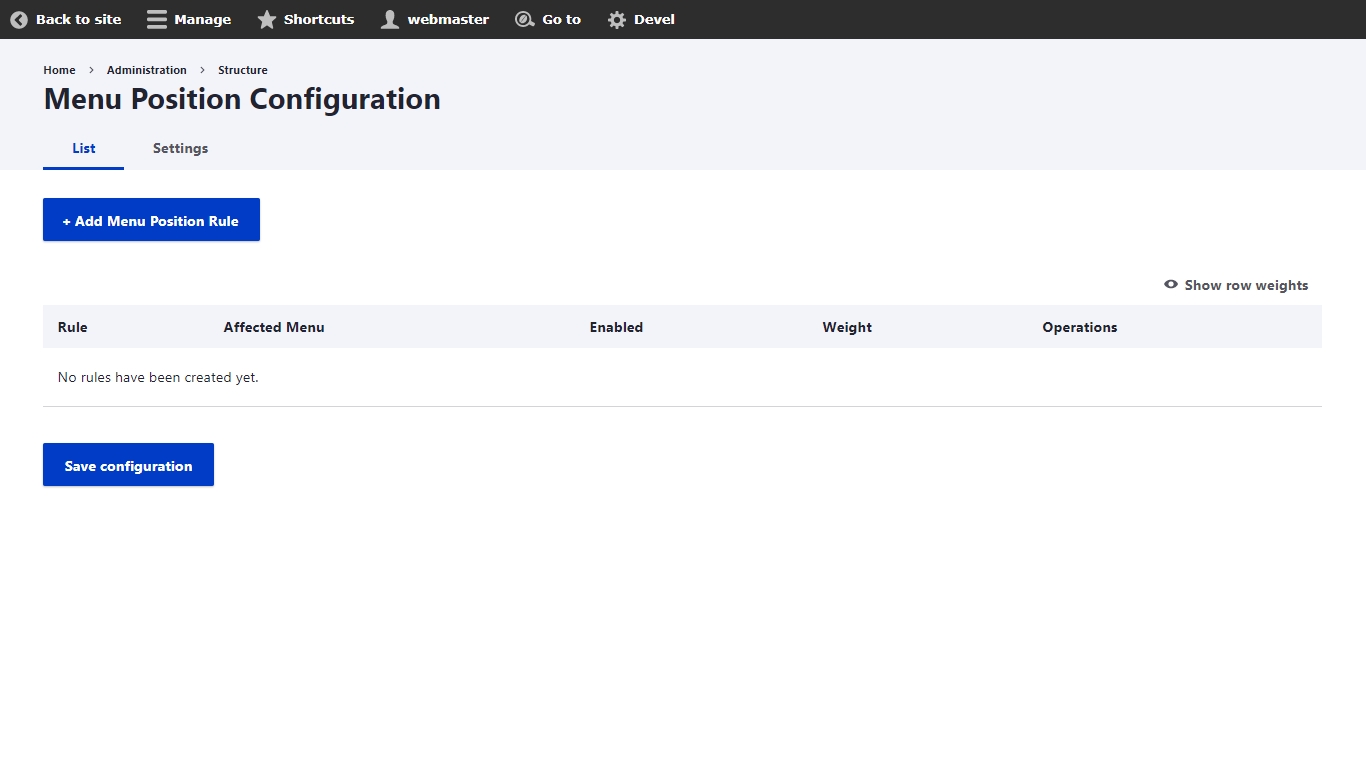
Integrates a rich editor into Varbase distribution.
Brings in the following core and contributed modules to your site:
Full media integration with CKEditor including captions and much more like the CKEditor paste filter which provides extra filtering for text pasted from word.
LinkIt Integration for easy internal linking of content.
Image enhancements and optimizations.
Embeddable media and entities.
Varbase comes with a set of content moderation and editorial workflows out of the box. These features are all provided from the Varbase Workflow module, shipped with Varbase as of version 8.8.6.
Varbase Workflow brings in the following core and contributed modules to your site:
Out of the box, Varbase Workflow offers two workflows for content moderation:
Simple workflow: Draft, Published, and Archived / Unpublished Useful for any website, and offers the ability make a draft of a live version of content without unpublishing the whole content.
2. Editorial workflow: Draft, In review, Published, and Archived / Unpublished Useful for websites with editorial or moderation staff. You can create as many additional states as you like and define transitions between them to suit your organization's needs.
To view or manage these workflows, navigate to: Administration \ Configuration \ Workflow \ Workflows
Varbase considers the "Simple" workflow as the default Workflow to be enforced even for sites without a content moderation process. This is mainly because the Simple workflow offers the ability to make a draft of a live version of content without unpublishing the whole content.
Therefore, when creating a new Content Type, whether from the UI, or via code (i.e. enabling a module), the "Simple" workflow will be chosen by default.
You can then change the Workflow to another one if you wish. It's advised you do so before adding new content of that Content Type.
By default, Varbase let's you choose the Content Moderation Workflow when creating a new content type from the UI.
You'll see that option under the "Publishing options" when creating a new Content Type.
You can also assign an existing Content Type to a Workflow if it wasn't assigned one yet. To do so"
Navigate to: Administration \ Configuration \ Workflow \ Workflows
Click "Edit" under Operations for the desired Workflow
Scroll down to "This workflow applies to" section
To add a new Workflow or edit an existing one, navigate to: Administration \ Configuration \ Workflow \ Workflows then click on "+Add workflow" for a new Workflow, or "Edit" under Operations for the desired Workflow.
Moderation Sidebar provides an off-canvas menu to moderate the current content. To use the sidebar, visit any content with an enabled Workflow. You'll see the "Tasks" button in the Administration Toolbar. This will open an off-canvas menu that contains contextual actions related to the assigned Workflow.
Varbase Workflow adds a simple administration view to show the available drafts and their moderation state. This view is available for all roles who can edit content.
To see the available drafts, navigate to: Administration \ Content \ Moderated content
Varbase bundles several SEO-related enhancements for top-notch search engine optimization.
Varbase SEO module assembles Search Engine Optimization (SEO) Core features and settings. such as Resource Description Framework (RDF), meta tags, automatically generated aliases, redirected old links to new links, Schema.org JSON-LD structured data definitions, and Real-time SEO page analysis.
Varbase SEOWhen you install Varbase, Google Analytics and/or Google Tag Manager modules can be optionally installed.
The module adds the web statistics tracking system to your website.
The module allows you, by default, to add the following statistics features to your site:
Single/multi/cross domain tracking
Selectively track/exclude certain users, roles and pages
Monitor what type of links are tracked (downloads, outgoing and mailto)
Monitor what files are downloaded from your pages
Custom integrations can also be provided to send custom events and dimensions via:
Custom dimensions and metrics support with tokens
Custom code snippets
The module allows your site to integrate with application, which allows you to deploy analytics and measurement tag configurations from a web-based user interface (hosted by Google) instead of requiring administrative access to your website.
To use the module, sign up for GTM and obtain a "container ID" for your website. For development purposes, create a GTM environment for your website.
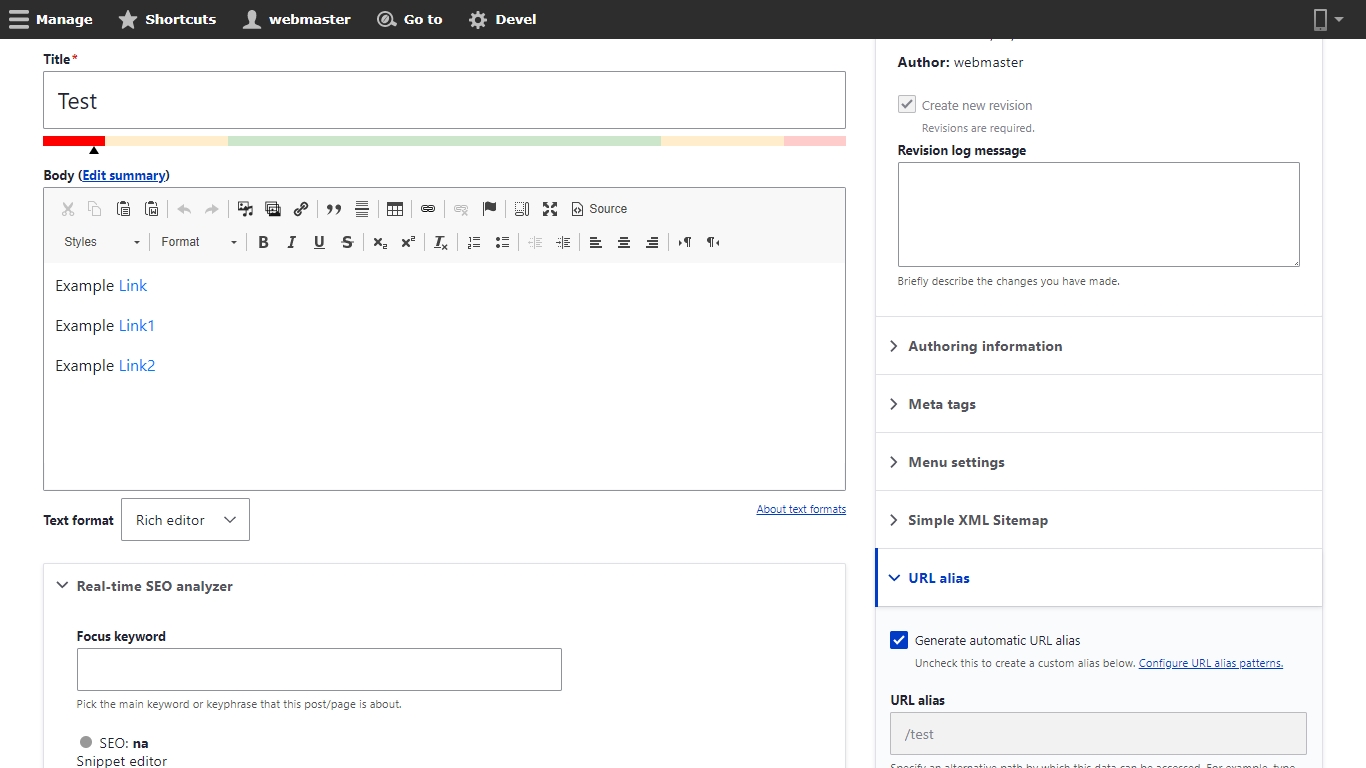
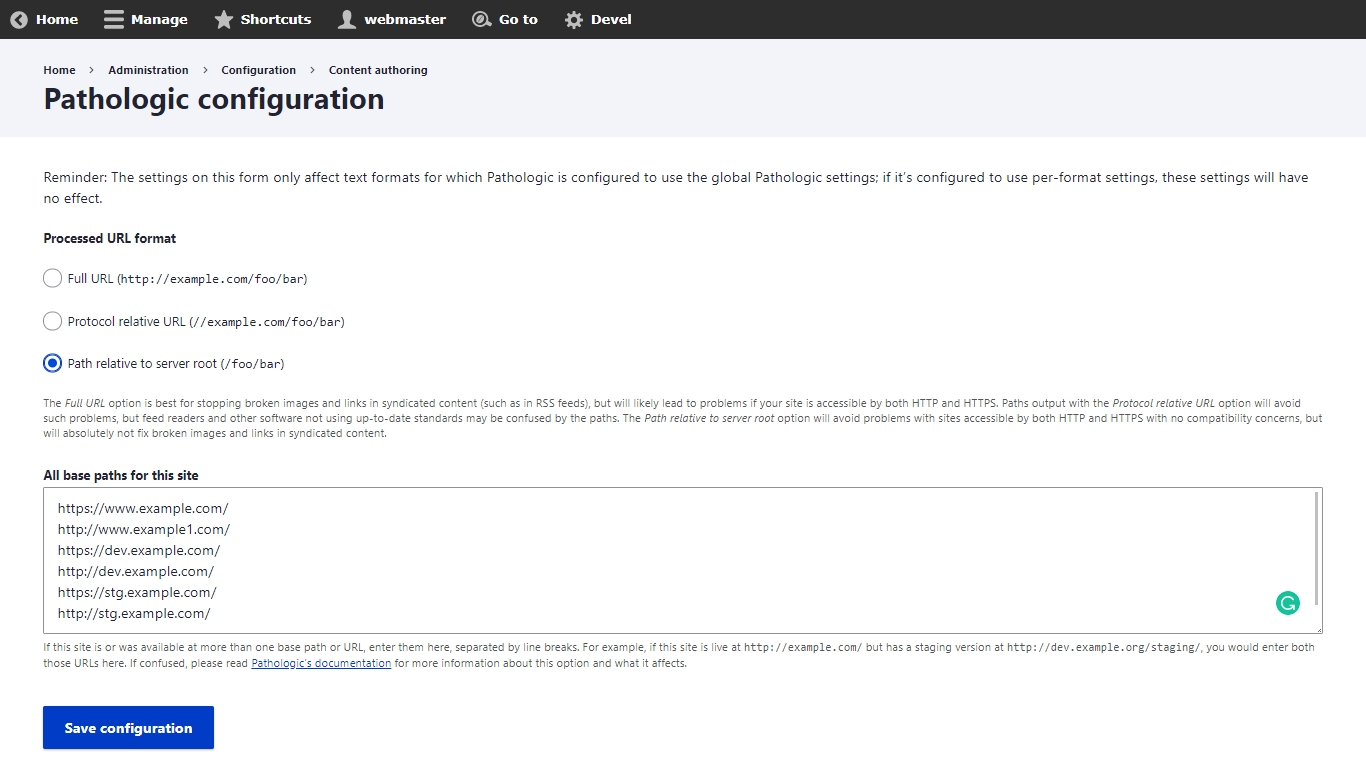
project_directory
|-- docroot
|-- modules
|-- contrib
|-- varbase_core
|-- modules
|-- varbase_securityproject_directory
|-- docroot
|-- modules
|-- contrib
|-- varbase_layout_builder
|-- modules
|-- vlplbdefault.email-style.ltr:
css:
theme:
css/theme/email-style.theme.ltr.css: {}
default.email-style.rtl:
css:
theme:
css/theme/email-style.theme.rtl.css: {}
libraries-override:
varbase_email/default.email-style.ltr: custom_theme/default.email-style.ltr
varbase_email/default.email-style.rtl: custom_theme/default.email-style.rtlproject_directory
|-- docroot
|-- modules
|-- contrib
|-- varbase_faqsproject_directory
|-- docroot
|-- modules
|-- contrib
|-- varbase_componentsproject_directory
|-- docroot
|-- modules
|-- contrib
|-- varbase_seoproject_directory
|-- docroot
|-- modules
|-- contrib
|-- varbase_bootstrap_paragraphsproject_directory
|-- docroot
|-- modules
|-- contrib
|-- varbase_aiProvides an additional formatter for text field, text area and text format.
Provides the ability to group your fields on both form and display.
Limit the number of characters in textfields and textareas and shows the amount of characters left.
Enables the creation of webforms and questionnaires.
Defines the viewsreference field type to embed views in an entity reference field.
Adds a Entity Reference field type with revision support.
Enables the creation of paragraphs entities.
Provides a library for reusing paragraphs.
Provides a rendered preview of a paragraphs item while on an entity form.
Allows users to edit paragraphs.
Provides development aids to component developers.
Drush integration to generate CL Components interactively.
Provides shared features to aid low-code approaches using Single Directory Components.
Allows tagging components so other modules can understand components better.
Integrates fields and view modes with single directory components.
Define and expose self-contained UI patterns as Drupal plugins and use them seamlessly in Drupal development and site-building.
Use patterns as layouts via the Layout Discovery module.
Exposed patterns in you modules and themes and display them in a pattern library page.
Configure patterns with settings.
Use patterns as Views templates.
Core Icons main form element for Icon autocomplete.
Icons integration with UI Patterns
Field type Icon and field type Link integration.
Provide a fancy icon picker for UI Icons selector.
Overview of all icons available on your site.
Provides support for meta tags used to control the mobile browser experience.
Provides support for Open Graph Protocol meta tags.
Provides support for Twitter's Card meta tags.
Verifies ownership of a site for search engines and other services.
Provides a mechanism for modules to automatically generate aliases for the content they manage.
Allows users to redirect from old URLs to new URLs.
Logs 404 errors and allows users to create redirects for often requested but missing pages.
Allows users to redirect between domains.
Base module for creating Schema.org JSON-LD structured data defined with Metatag module.
Adds Schema.org/Article to the JSON LD array. Creates Article, BlogPosting, SocialMediaPosting, Report, ScholarlyArticle, TechArticle or APIReference.
Adds Schema.org/ItemList to the JSON LD array.
Adds Schema.org/WebPage to the JSON LD array. Creates WebPage, ItemPage, AboutPage, CheckoutPage, ContactPage, CollectionPage, ProfilePage, SearchResultsPage.
Adds Schema.org/WebSite to the JSON LD array.
Adds Real-time SEO page analysis and configuration
Manage JavaScript snippets included in your website.
Integrate ECA with the Metatag module and its plugins.
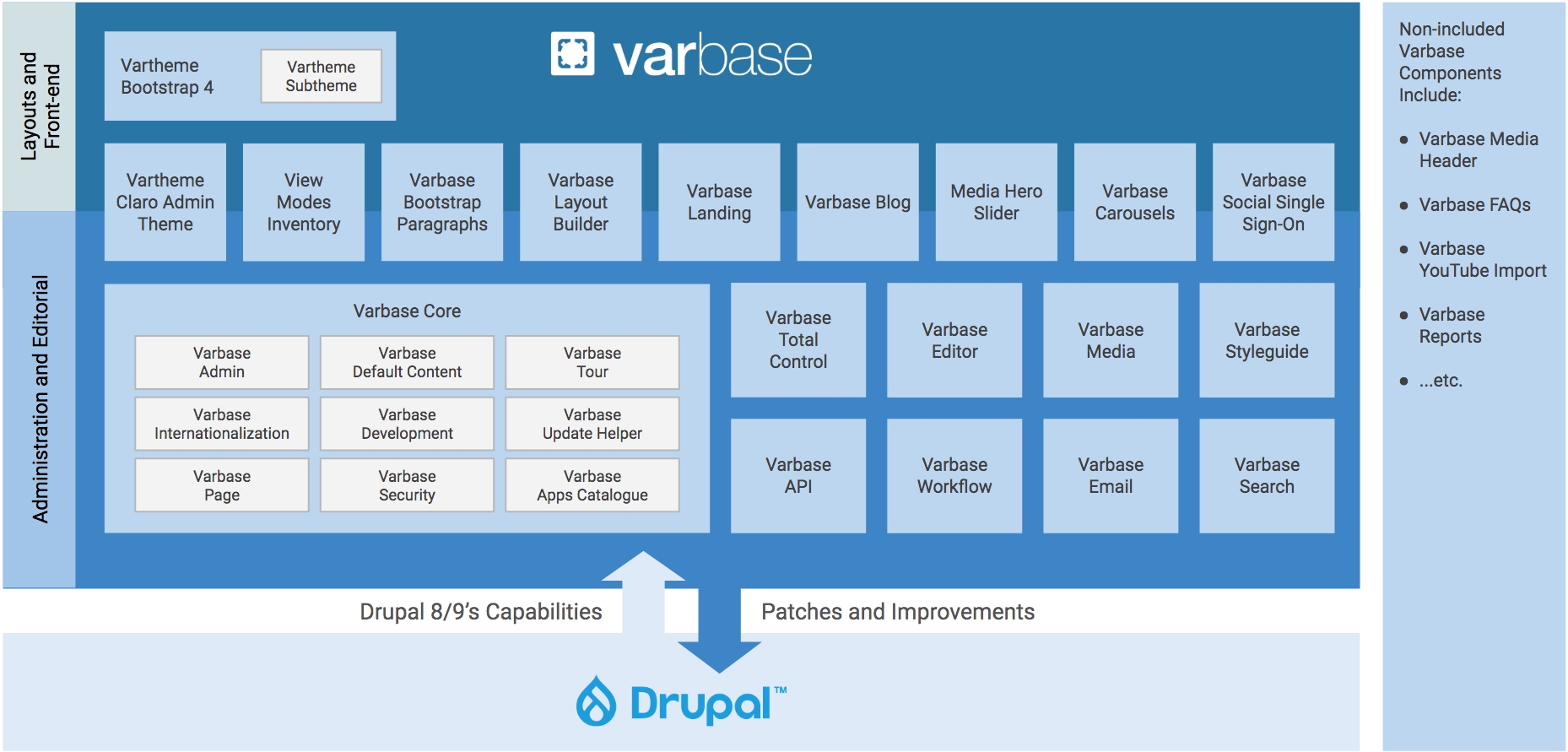
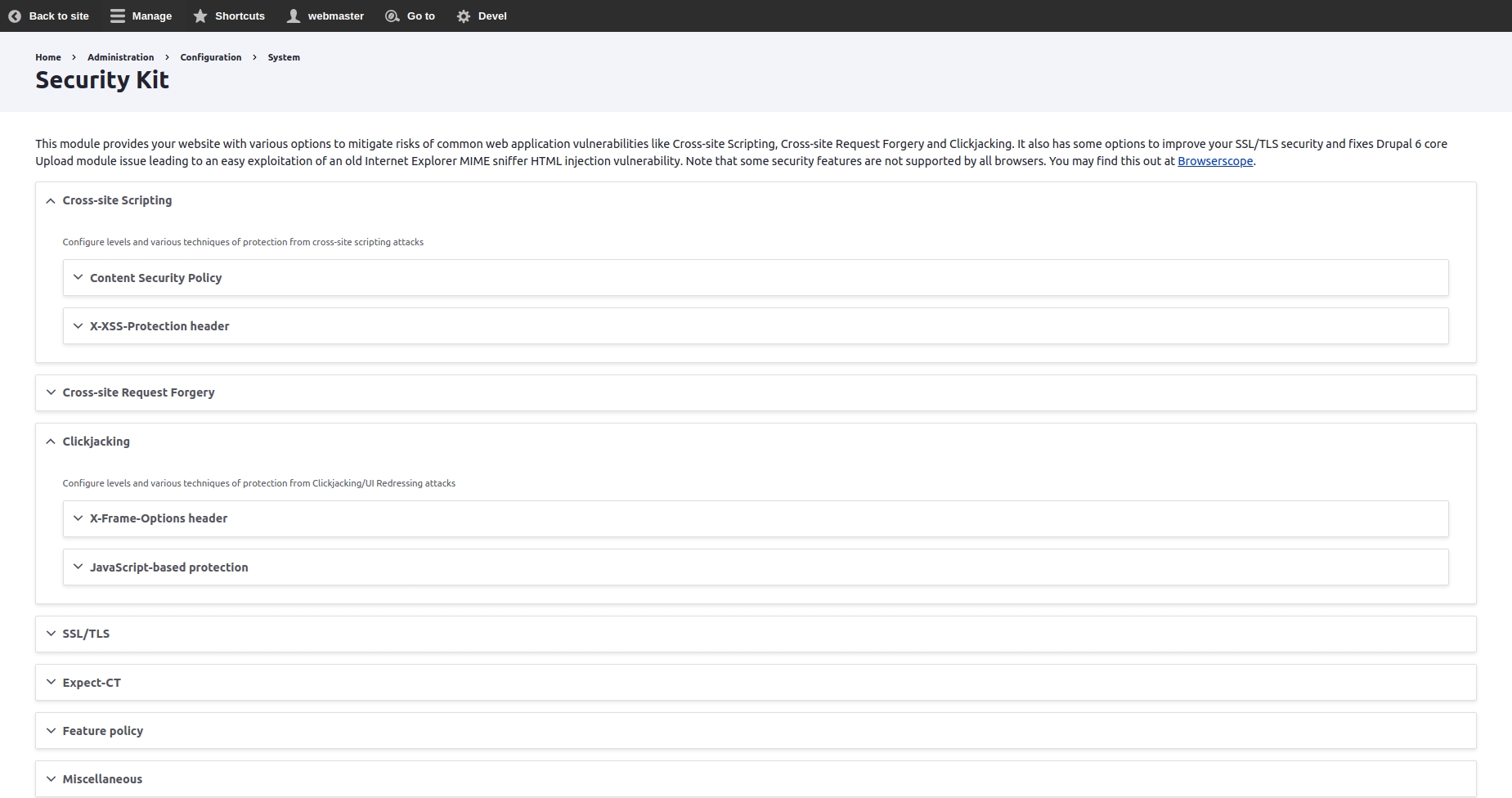
Enables CKEditor 2 bi directional Buttons. One for Right To Left text direction (RTL) and another for Left To Right (LTR).
Allows entities to be embedded using a text editor.
Adds the Media Embed CKEditor plugins to Drupal.
The tiny module provides the ability to edit a Media entity in a modal window.
Provides a ckeditor5 plugin that allows resizing of embedded image media.
Modify behavior and appearance of external links.
Provides an easy interface for internal and external linking with wysiwyg editors.
This plugin module adds the better link dialog and anchor related features to CKEditor 5 in Drupal 10
Add title, target etc. attributes to Text Editor''s link dialog if the text format allows them.
Helps avoid broken links and incorrect paths in content.
Provides a user interface for the Token API and some missing core tokens.
Allows token values to be used as filters.
This module implements extra filtering of text pasted from Word.
Provides common functions for other modules in the Plugin Pack.
Provides a plugin to maximize the editor window.
Provides the CKEditor 5 Find and Replace plugin.
Provides free access to the CKEditor 5 WProofreader plugin. Requires the CKEditor 5 Premium Features module to work.
Provides general configuration and authentication used by all CKEditor 5 Premium Features.
Provides WProofreader features.
Provides Emoji CKEditor Plugin for CKEditor5.
Path fixing when uploading images or linking to content with absolute URLs directing to staging or development environments.
Code Editor for Web Admins.
Module
Purpose
Node
(in Drupal core)
Allows content to be submitted to the site and displayed on pages.
Text Editor
(in Drupal core)
Provides a means to associate text formats with text editor libraries such as WYSIWYGs or toolbars.
CKEditor
(in Drupal core)
WYSIWYG editing for rich text fields using CKEditor.
Filter
(in Drupal core)
Filters content in preparation for display.
Provides integration with Ace code editor.
Scheduler sub-module providing content moderation functionality for publishing/unpublishing.
module
Logs workflows events performed by the user.
module and its submodules
Plan your content using a Dashboard, the Content Calendar and Content Kanban.
Content Planner is not enabled by default in Varbase.
Choose your desired Content Type from the list and click on "Save". Note that Content Types assigned to another Workflow will not appear on this list.
Module
Purpose
Workflows module
(in Drupal core)
Provides an interface to create workflows with transitions between different states (for example publication or user status) provided by other modules.
Content Moderation module
(in Drupal core)
Provides moderation states for content.
Moderation Sidebar module
Provides a frontend sidebar for Content Moderation.
Scheduler module
Publish and unpublish content automatically on specified dates and times.
Allows emails to be sent on state transitions.
module
Site Search support
AdSense support
Demographics and Interests support (formerly known as DoubleClick remarketing support)
Anonymize visitors IP address
DoNotTrack support (non-cached content only)
Drupal messages tracking
Modal dialog tracking (Colorbox)
Access denied (403) and Page not found (404) tracking
Cache the Google Analytics code on your local server for improved page loading times
Enhanced Link Attribution support
User ID tracking across devices
Changing URL fragments can be tracked as pageviews
Debug mode with analytics_debug.js
After building a project using the varbase-project template.
Install with Composer: $ composer require 'drupal/varbase_commerce:~1'
Using Composer to manage Drupal site dependencies
The code of the Varbase Commerce module will be located in:
Brings in the following core and contributed modules to your site:
Module
Purpose
Defines common functionality for all Commerce modules.
Implements the shopping cart system and add to cart features.
Defines the Product entity and associated features.
Provides reporting capabilities for sales, products, customers and payment gateways.
Comment
(in Drupal core)
Allows users to comment on content.
Provided the possibility to fill out the alt text of an image field using AI.
Adds the possibility to bulk change the alt text.
The JSON:API module comes with Drupal core out of the box. It exposes entities as a JSON:API-specification-compliant web API.
Varbase API module assembles a better JSON:API starter kit implementation. With authentication and authorization. Allows for easy ingestion of content by other applications.
Varbase APIThe JSON:API module is a Drupal-centric implementation of the JSON:API specification. By its own definition, the JSON:API specification "is a specification for how a client should request that resources be fetched or modified, and how a server should respond to those requests.
Designed to minimize both the number of requests and the amount of data transmitted between clients and servers. This efficiency is achieved without compromising readability, flexibility, or discoverability.
On top of JSON:API settings and configs. Varbase brings more configs for easier accessibility. Extra JSON:API specifications and better API documentation for developers.
Having a permission "Administer Varbase API settings" to access Varbase API settings and generate keys page.
Navigate to "/admin/config/system/varbase/api" to change the default Varbase API settings
Check the expose a "View JSON" or "View API Docs" link in entity operations check boxes to list them in entity operation actions in the content page.
Having a permission "Access View JSON entity operation" to let site admins see the View JSON link in entity operations.
Having a permission "Access View API Docs entity operation" to let site admins View API Docs link in entity operations.
Select the desired Auto Enabled JSON:API Endpoints for Entity Types. Checked entity types will dynamically re-configured on creation of new entity types or entity config types.
Other not checked entity types will not have a new JSON:API endpoints by default.
Having an advanced authentication and authorization with private and public ssh keys.
The key generation form provided by Simple OAuth doesn't generate unique key names (or allow the user to override the names) and doesn't allow the user to specify the location of the OpenSSL config file. Specifically, the fact that the names are always the same could cause problems on systems where the home directory stores keys for more than one application. So hide the link to that form and users can continue to use the one provided by Varbase API.
Navigate to "/admin/config/system/varbase/api/keys" to generate keys configurations.
Use the overwrite operation to overwrite a resource type's configuration. You can revert back to the default configuration using the revert operation.
Navigate to "/admin/config/services/jsonapi/resource_types" for overwriting a resource type's configuration. Revert back to the default configuration using the revert operation.
A document (or set of documents) that defines or describes an API. An OpenAPI definition uses and conforms to the OpenAPI Specification.
Path templating refers to the usage of template expressions, delimited by curly braces ({}), to mark a section of a URL path as replaceable using path parameters.
The OpenAPI Specification (OAS) defines a standard, language-agnostic interface to RESTful APIs which allows both humans and computers to discover and understand the capabilities of the service without access to source code, documentation, or through network traffic inspection. When properly defined, a consumer can understand and interact with the remote service with a minimal amount of implementation logic.
An OpenAPI definition can then be used by documentation generation tools to display the API, code generation tools to generate servers and clients in various programming languages, testing tools, and many other use cases.
Content Types
Media
Taxonomy
Navigate to "/admin/config/services/openapi/swagger/jsonapi" in the site to browse the OpenAPI Documentation.
Build a Varbase project website with a local domain http://varbase.local pointing at the path of the project.
Install all Varbase components, with Extra components and optional components too.
Make sure that the Varbase API module was enabled.
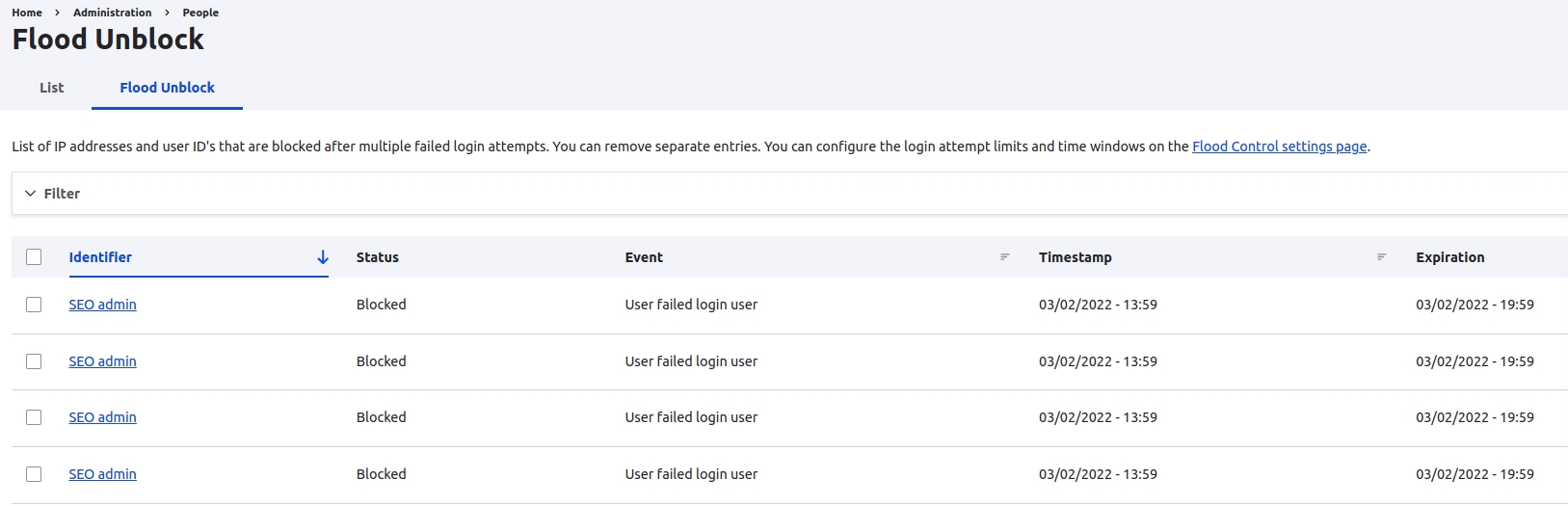
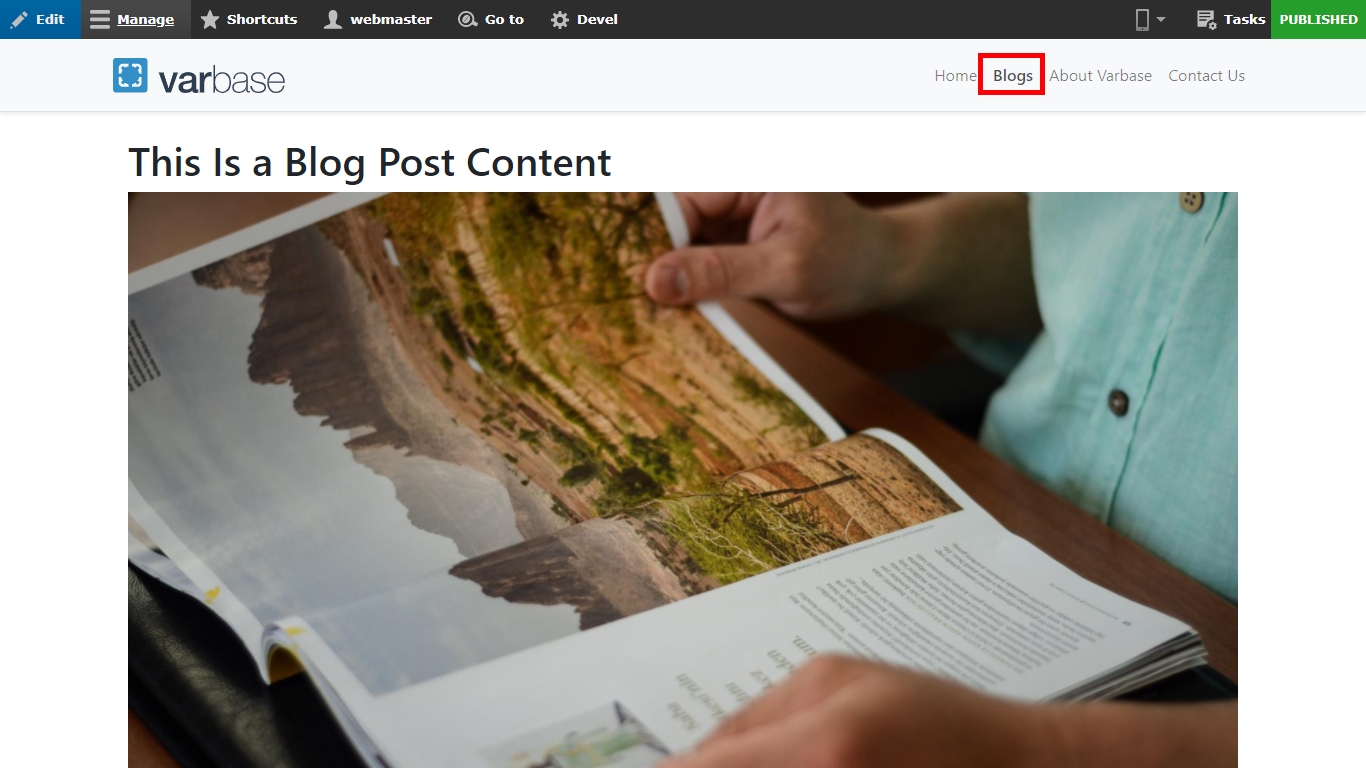

Development Environment Modules and Features, make sure to disable this feature in production.
Install the development tools if you're a developer and you're going to use Varbase to build a new project. This will install several modules that help you build your site, such as , , and UI modules such as View UI, and Configuration Update Reports.
Make sure to uninstall this module before deployment to production sites.
It is recommended that sites running on production environments do not display any errors.
Navigate to Administration \ Configuration \ Development \ Logging and errors
Allows developers to set various options for logging errors and messages to a database or Syslog. They can choose the level of detail they want to keep in the log, and even set a unique identity for your site in the Syslog messages. The page also explains the different logging facilities and formats available.
project_directory
|-- docroot
|-- modules
|-- contrib
|-- varbase_editorproject_directory
|-- docroot
|-- modules
|-- contrib
|-- varbase_workflowproject_directory
|-- docroot
|-- modules
|-- contrib
|-- varbase_commercePlugin to export views data into various file formats.
Provides configurable checkout flows.
Provides core shipping functionality.
Adds the commerce stock management feature.
Provides payment functionality.
Replaces the default cart block to use a offcanvas flyout
Provides tax functionality.
Provides a UI for managing promotions.
Enables fivestar ratings on content, users, etc.
Create customized flags that users can set on entities.
Provides a generic framework for modules offering search capabilities.
Adds autocomplete functionality to searches.
Faceted search interfaces that can be used on Search API searchers.
Render Facets in a single block.
Provides advanced options (e.g. links, checkboxes, or other widgets) to exposed Views elements.
Allows users to collect entities in arbitrarily ordered lists.
Provides a color field type to store the color value and opacity
An expanding/collapsing tree widget for selecting terms in a taxonomy term reference field.
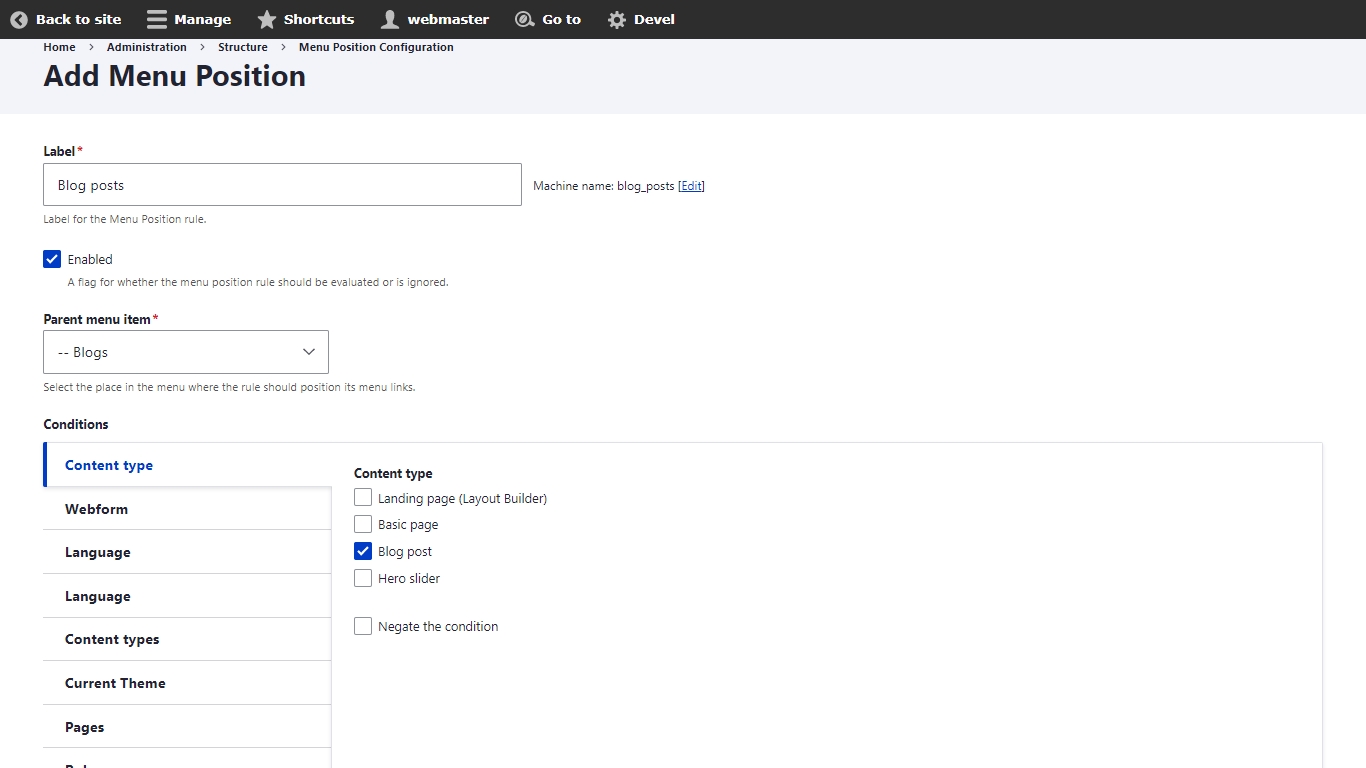
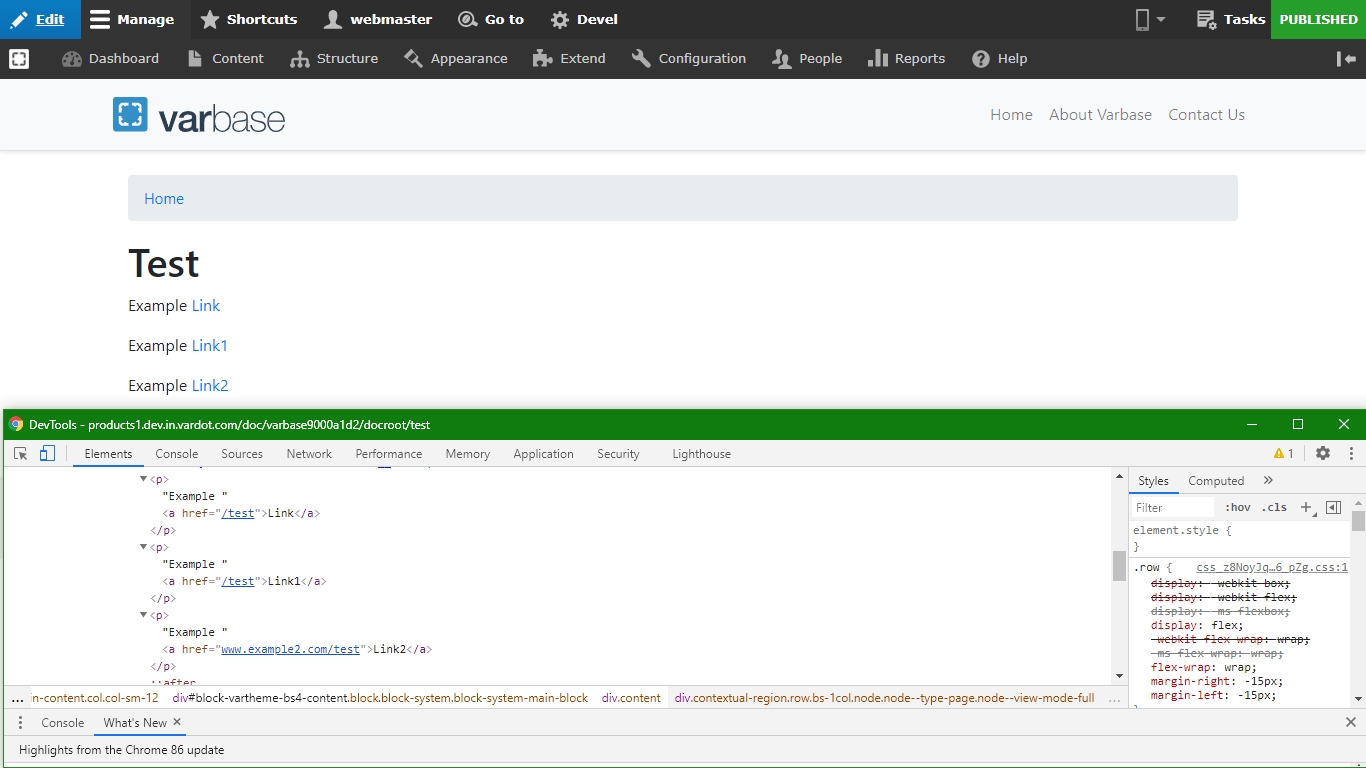
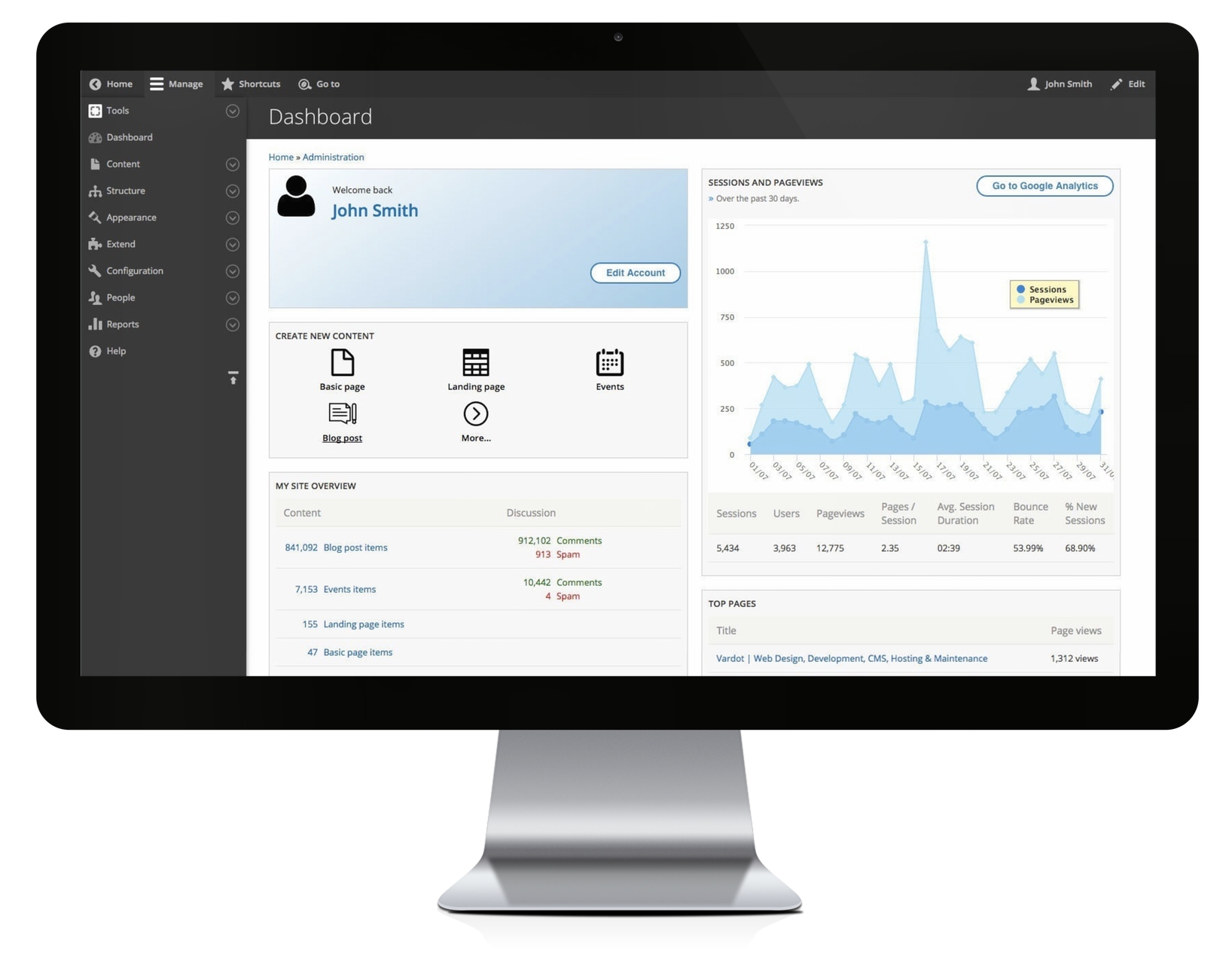
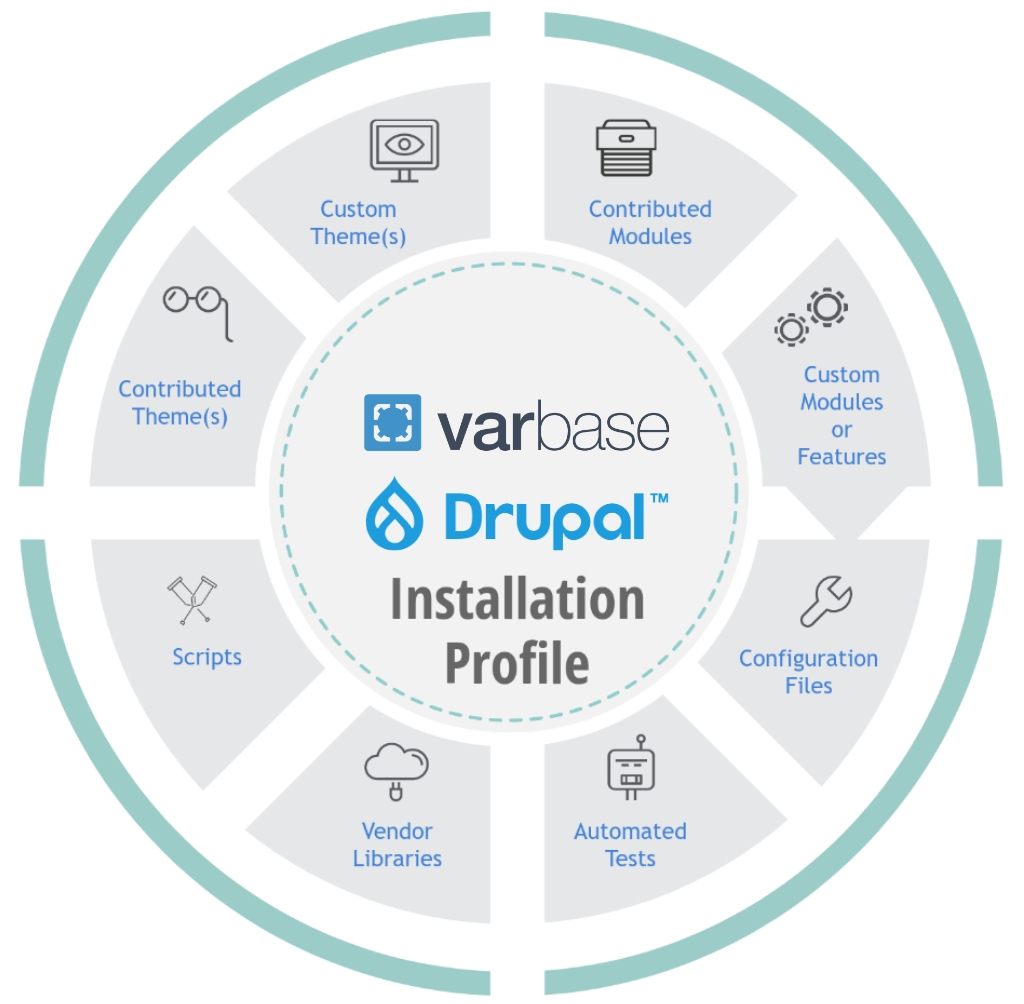
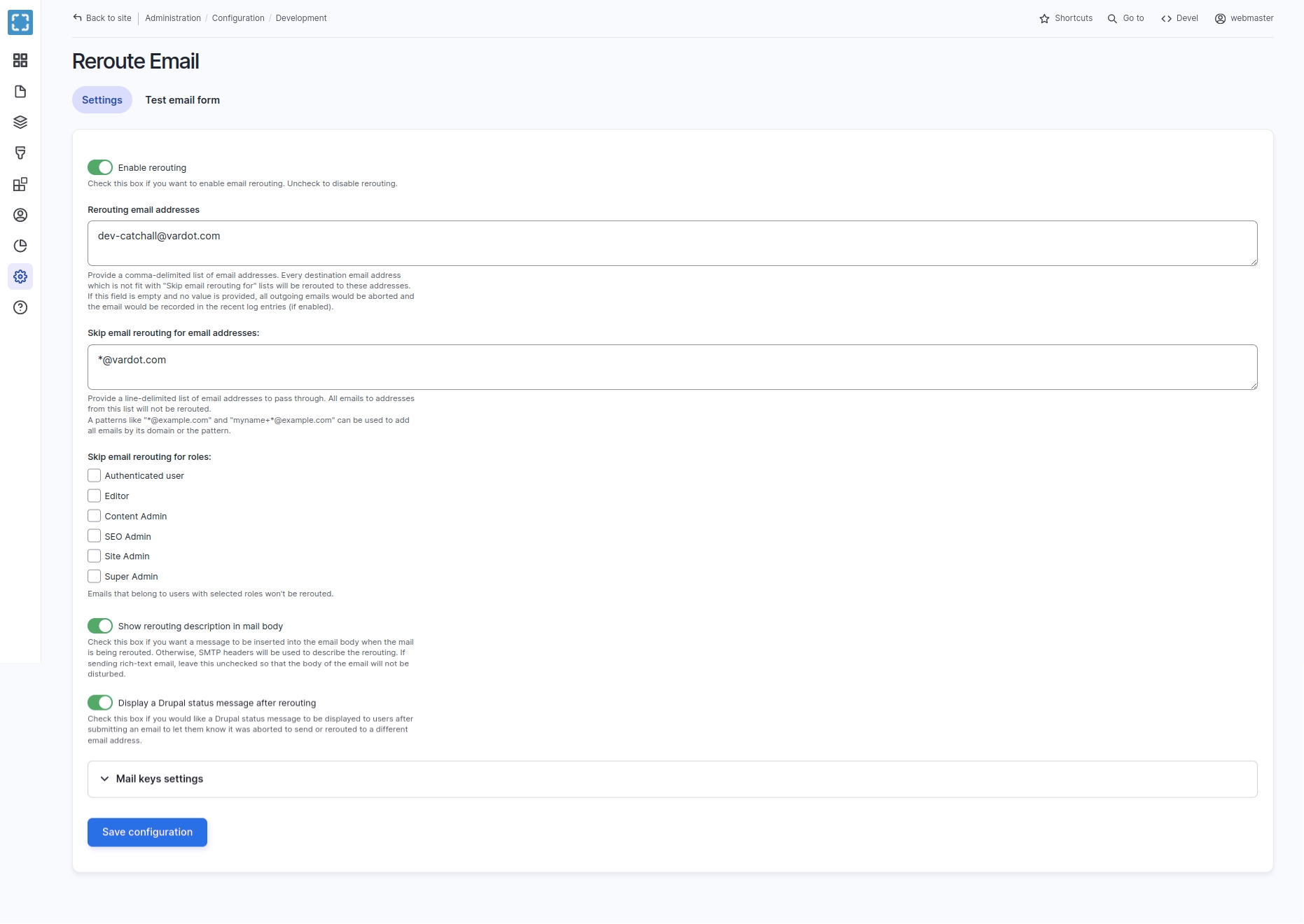
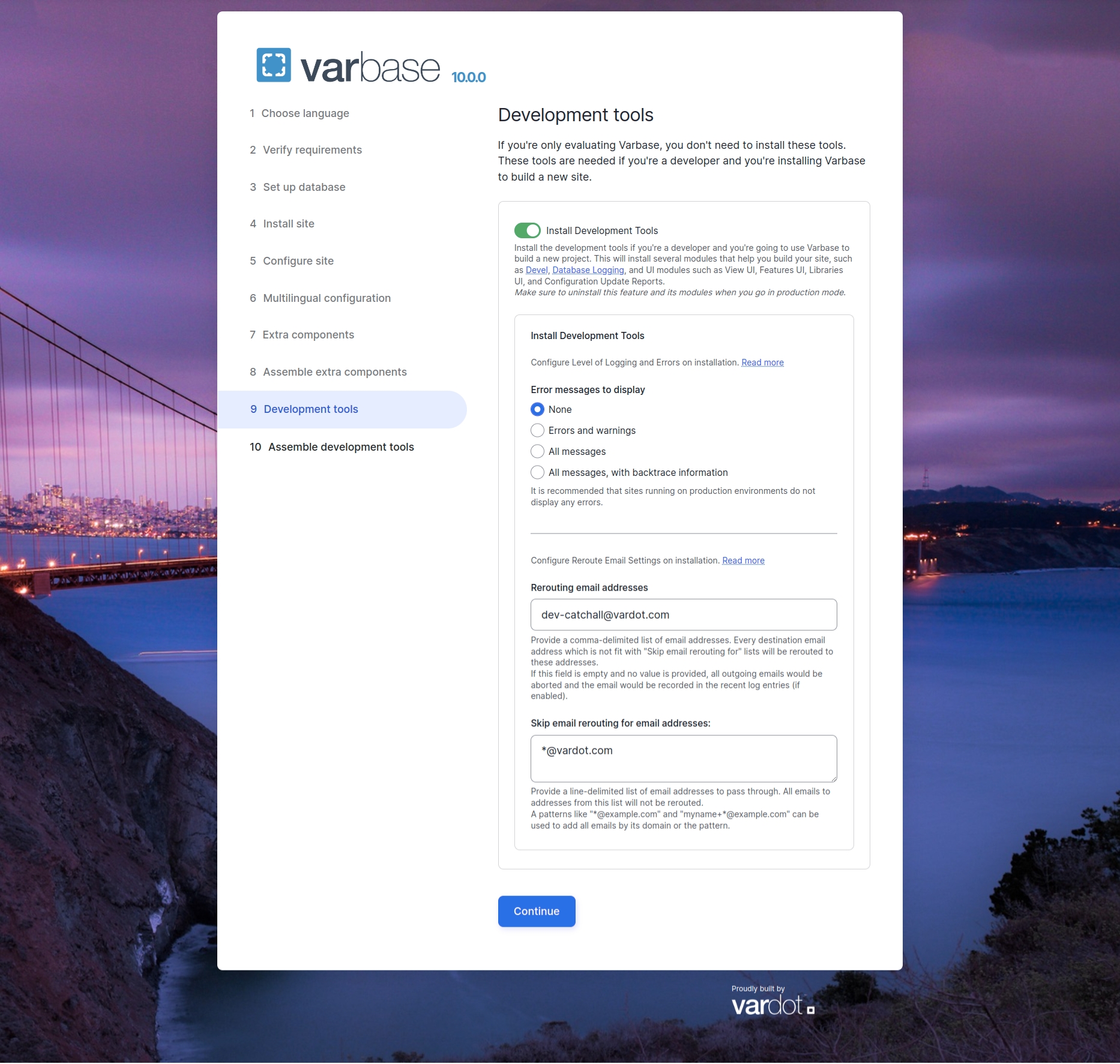
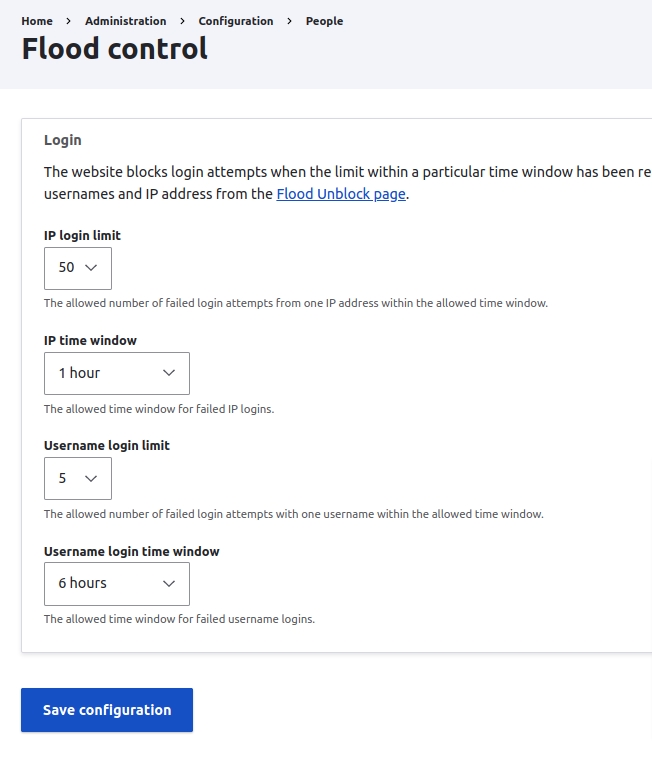
"View JSON" and "View API Docs" links is based on enabled or disabled JSON:API resource types. Which maps only to active endpoints for entity types and bundles.http://varbase.local/api URL in a any browser. Or use any API testing platforms.The API link should show empty list of endpoints. Except allowed and default configured by Varbase API.
After building a project using the varbase-project template, you can see the code of the Varbase Admin module in:
Brings in the following core and contributed modules to your site:
Module
Purpose
Shortcut
(in Drupal core)
Allows users to manage customizable lists of shortcut links.
Toolbar
(in Drupal core)
Provides a toolbar that shows the top-level administration menu links and links from other modules.
Syslog
(in Drupal core)
Logs and records system events to syslog.
Settings Tray
(in Drupal core)
Allows users to directly edit the configuration of blocks on the current page.' package: Core
Update Manager
(in Drupal core)
Checks for available updates, and can securely install or update modules and themes via a web interface.
After building a project using the varbase-project template, you can see the code of the Varbase Layout Builder module in:
Brings in the following core and contributed modules to your site:
Module
Purpose
Layout Builder
(in Drupal core)
Allows users to add and arrange blocks and content fields directly on the content.
Manage which fields & layouts are available in Layout Builder
Let site administrators place content entities as blocks.
Provides block form alter functions
A Form API element to select / add new media item.
Manages type of media contents and entity browsers in the site.
Having a Landing page (Layout Builder) content type and related configuration. To be used for building pages with custom sections and layouts to display content in a modern way.
Utilizing a number of block types to be used in layout builder displays.
A heading block is used to add headings to your page or sections. Headings help structure your page making your content easier to read by humans and search engines.
A rich text block contains a title and a body with a rich text format.
An HTML Code block contains a title and a body with an HTML text format.
A media block contains a title and media.
A gallery block contains a title and a gallery of images and videos.
Varbase Layout Builder add more layout settings. And more styling plugins.
Vertical and horizontal alignments for all blocks in a section.
Having an edge to edge background for sections or boxed background.
Having more options for boxed container type. A number of width options of ( Wide, Medium, Narrow, or Tiny ).
A browser with the ability to fully execute JavaScript from Varbase to access its full functionality.
The below requirements outline the minimum needed requirements. If you need help sizing your server, please contact us at https://www.vardot.com/contact-us for consultation.
Disk space: Minimum 300MB for codebase, 5GB for files, and 1GB for the database (Will greatly depend on your application data and usage).
Memory: Minimum of 2GB (for 1 host). Minimum PHP memory of 196MB (might need to increase this as your Varbase site's functionalities increase).
CPU: Minimum of 2 CPUs is recommended (for 1 host).
Component
Description
PHP
PHP 8.3 or higher. PHP 8.3 is recommended.
PHP extensions: mysqli (for MySQL), pgsql (for PostgreSQL), yaml, gd, openssl, json, curl, mbstring, date, dom, filter, hash, pcre, pdo, session, SimpleXML, SPL, tokenizer, mcrypt
Applications
Composer
Drush 12 or higher
Git
Web Server
Varbase works on any web server with PHP version of 8.3 or higher. mod_rewrite is required if you use Apache.
ngx_http_rewrite_module if you use Nginx.
Database Engine
Varbase works on any multiple database engines. MySQL, MariaDB or Percona Server (Recommended)
MySQL 8 is supported
Required MySQL 5.5.3/MariaDB 5.5.20/Percona Server 5.5.8 or higher with InnoDB
To deploy and run Varbase your web server must meet certain minimum requirements. We recommend sizing your application and considering your database size, files data, and expected traffic.
Your servers' requirements will greatly be impacted by the usage of your application. For example, if you have more logged-in users that are anonymous users, you will need to consider higher requirements to serve non-cached requests.
If you need help sizing your server, please contact us at https://www.vardot.com/contact-us for consultation.
Component
Description
PHP
PHP 8.3 or higher. PHP 8.3 is recommended.
PHP extensions: mysqli (for MySQL), pgsql (for PostgreSQL), xml, gd, openssl, json, curl, mbstring, date, dom, filter, hash, pcre, pdo, session, SimpleXML, SPL, tokenizer, mcrypt
For production environments, PHP memory of 256MB is recommended. In some memory-intensive pages, you can .
Applications
Composer
Drush 11 or higher
Git
Web Server
Varbase works on any web server with a PHP version of 8.3 or higher.mod_rewrite is required if you use Apache.
ngx_http_rewrite_module if you use Nginx.
Database Engine
Varbase works on multiple database engines. MySQL, MariaDB, or Percona Server (Recommended)
MySQL 8 is supported
Required MySQL 5.5.3/MariaDB 5.5.20/Percona Server 5.5.8 or higher with InnoDB
Memcache
Memcached server daemon
PECL Memcache or PHP Memcached libraries
Component
Description
Browser
Brings in the following core and contributed modules to your site:
Module
Purpose
Database Logging
(in Drupal core)
Logs system events in the database.
Views UI
(in Drupal core)
Provides a user interface for creating and managing views.
Adds an updates report and revert functionality to configuration management
Provides a configuration data and structure inspector tool.
Various blocks, pages, and functions for developers.
Make sure that the Error messages to display is sat as None on production.
For "None" run the following command.
For "Errors and warnings" run the following command.
For "All messages" run the following command.
For "All messages, with backtrace information" run the following command.
While installing Varbase, the installer will have an installation step for Development Tools
On checking the "Install Development Tools" checkbox, more options will show up to configure on installation.
Keep Error message to display as None, When installing a Varbase Demo site.
Change to other options when starting development for a project.
Recommended to use "All messages, with backtrace information" in local development, to keep track and trace of all errors and warnings.
It is recommended that sites running on production environments DO NOT DISPLAY any errors.
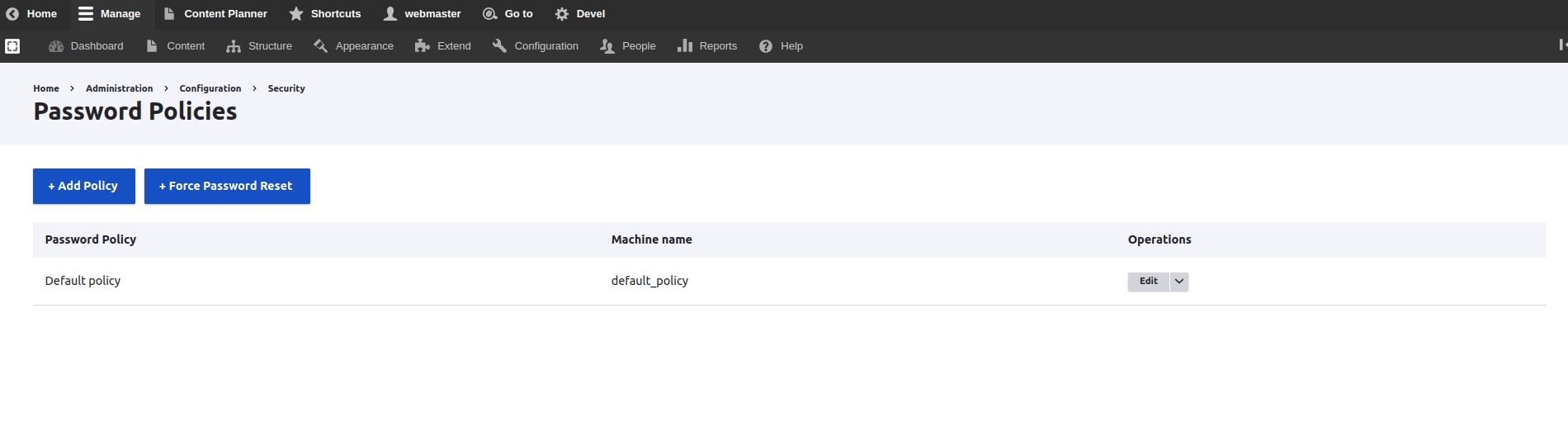
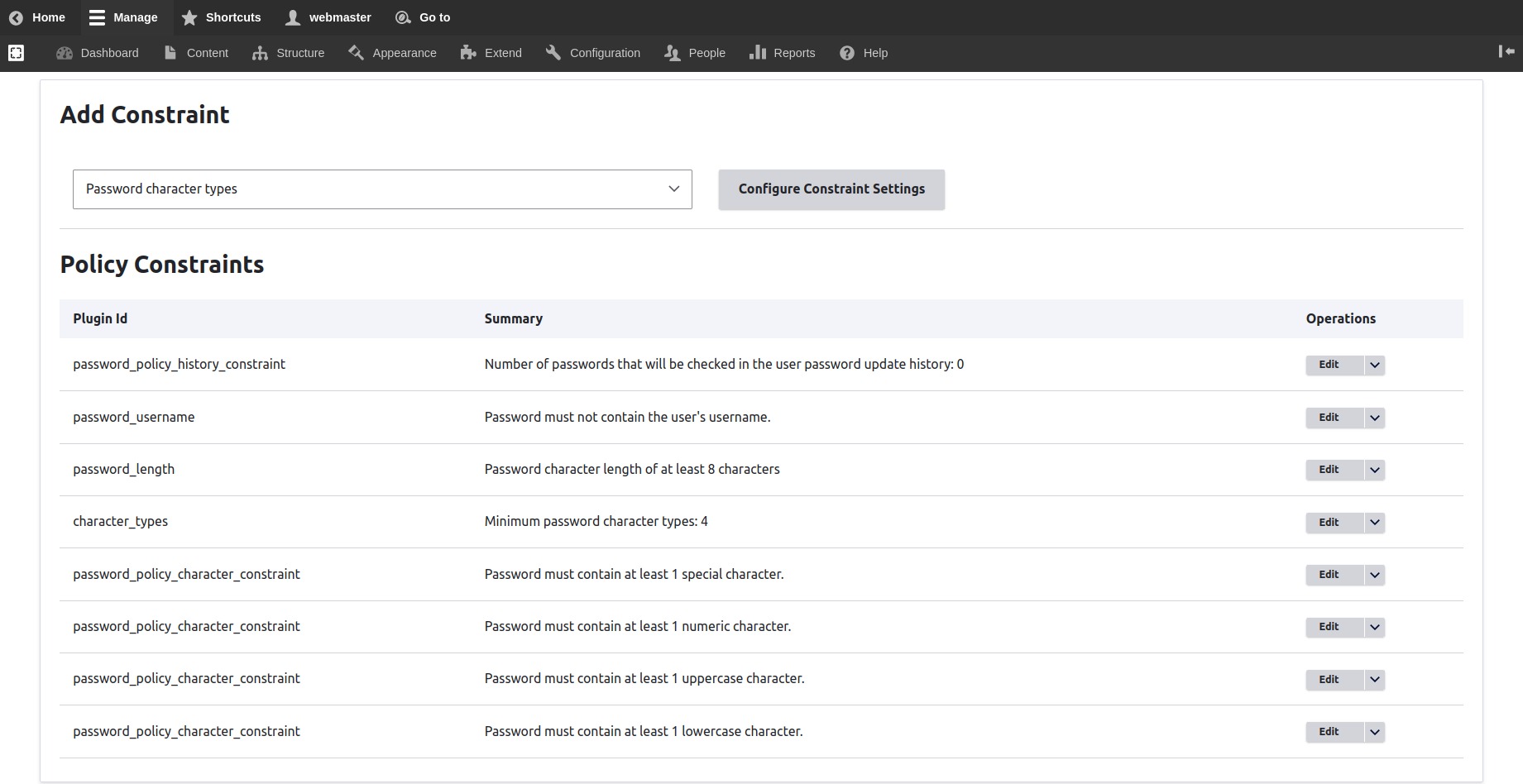

Manages type of media contents and entity browsers in the site.
Brings in the following core and contributed modules to your site:
Varbase Media is enabling this module by default.
A generic/global embed text area for Entity Browsers that allows you to paste any URL to create a media entity based on the URL schema.
Manages default config for Tweet media type.
Manages default config for Instagram media type.
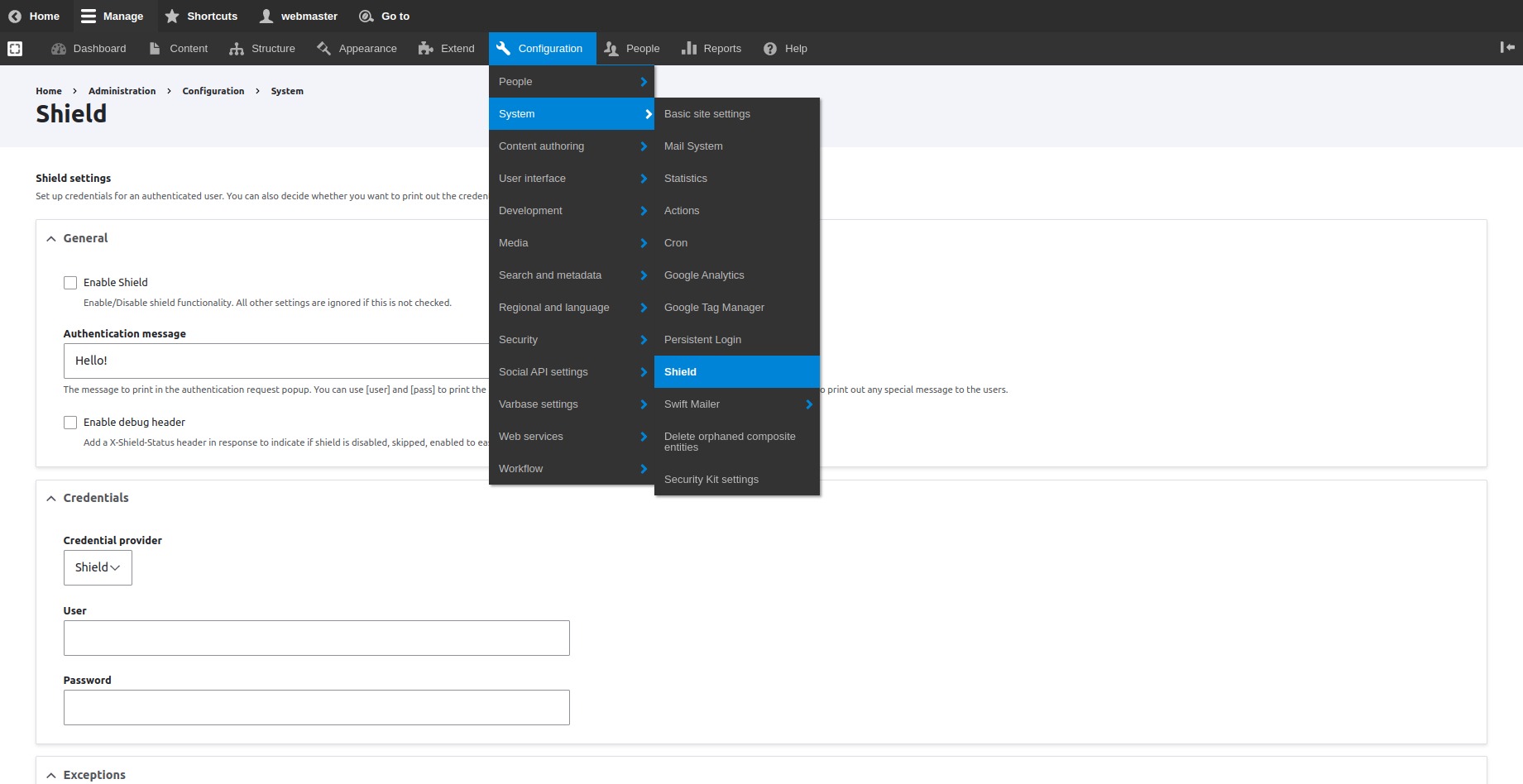
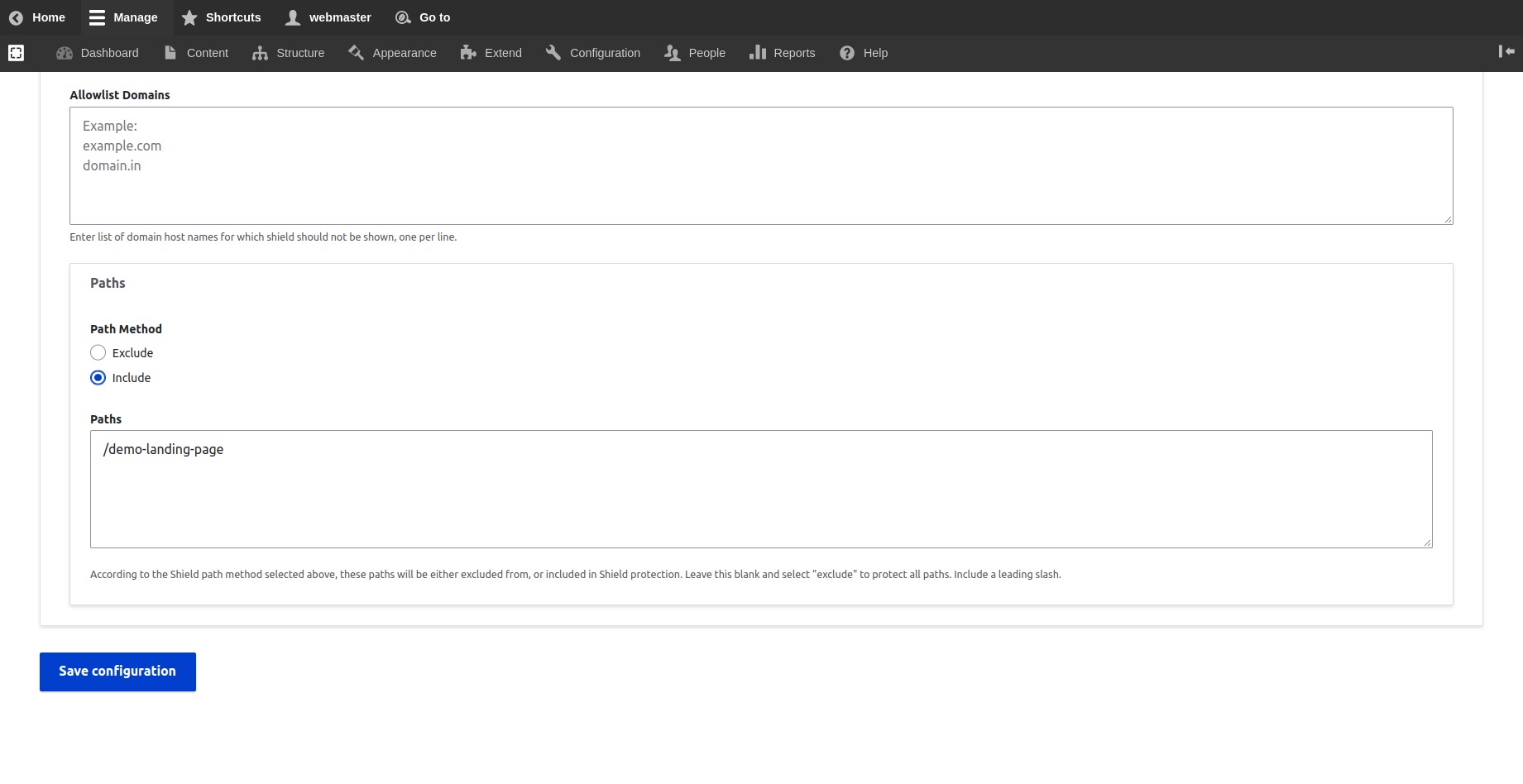
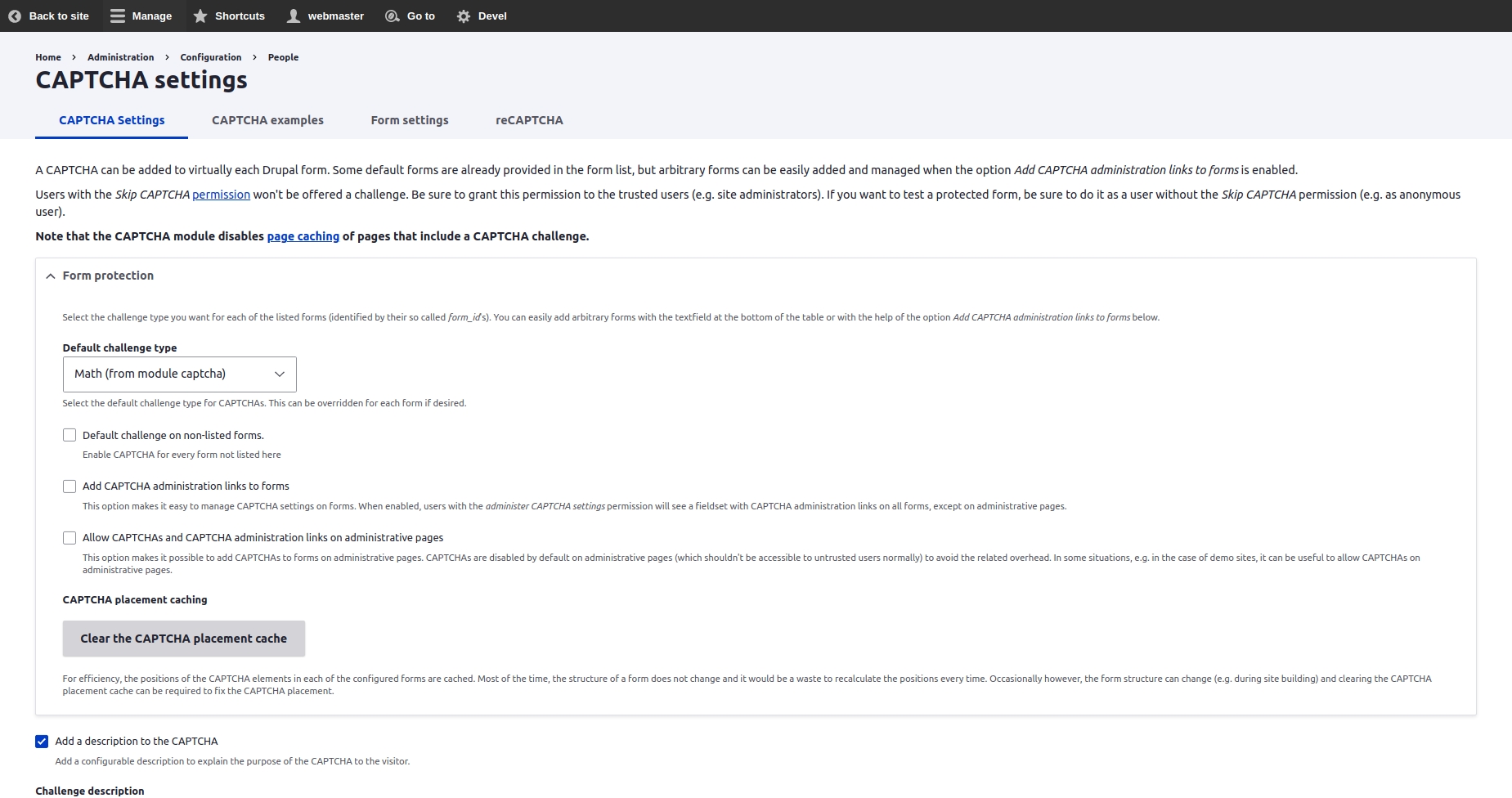


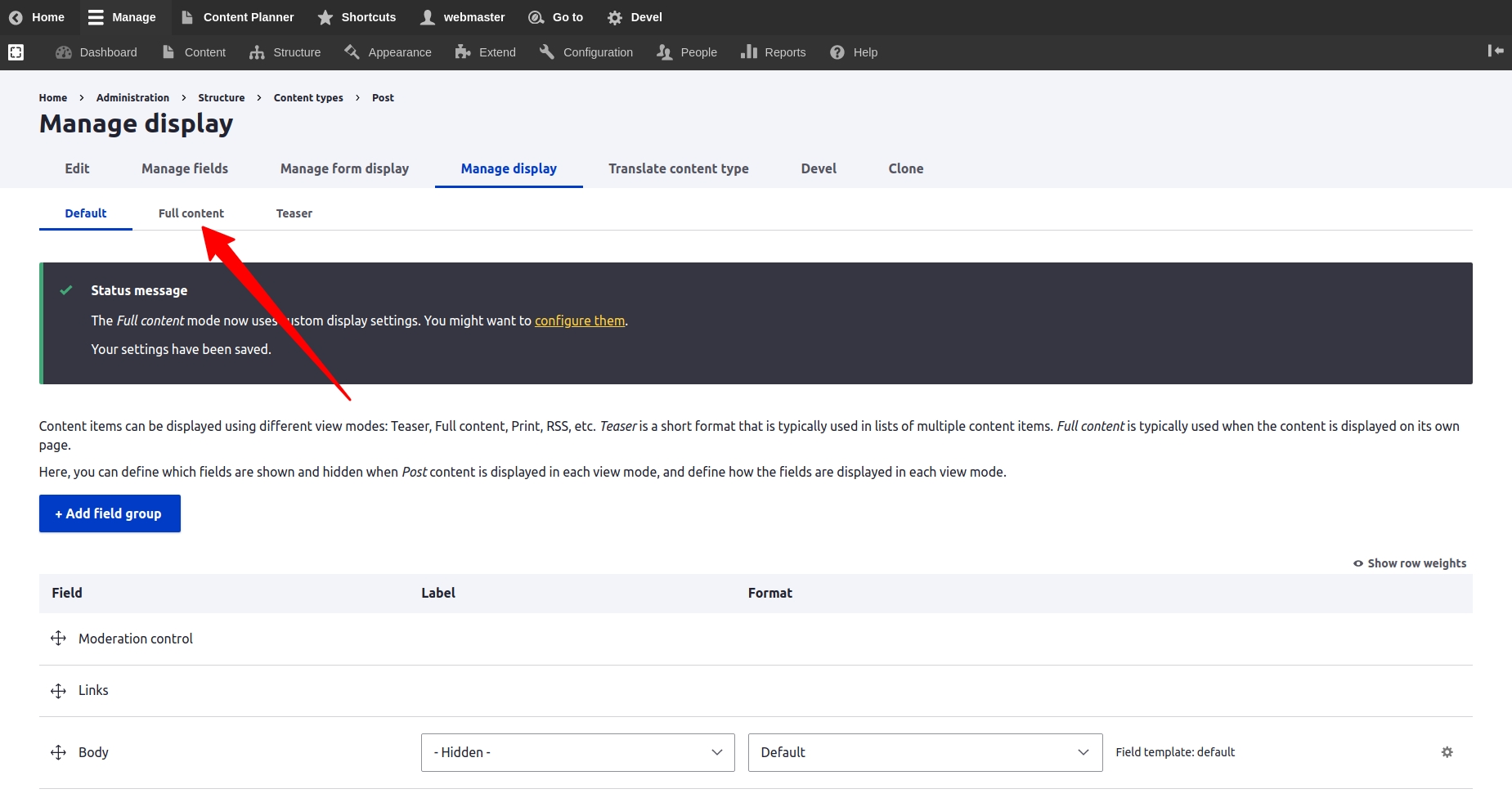
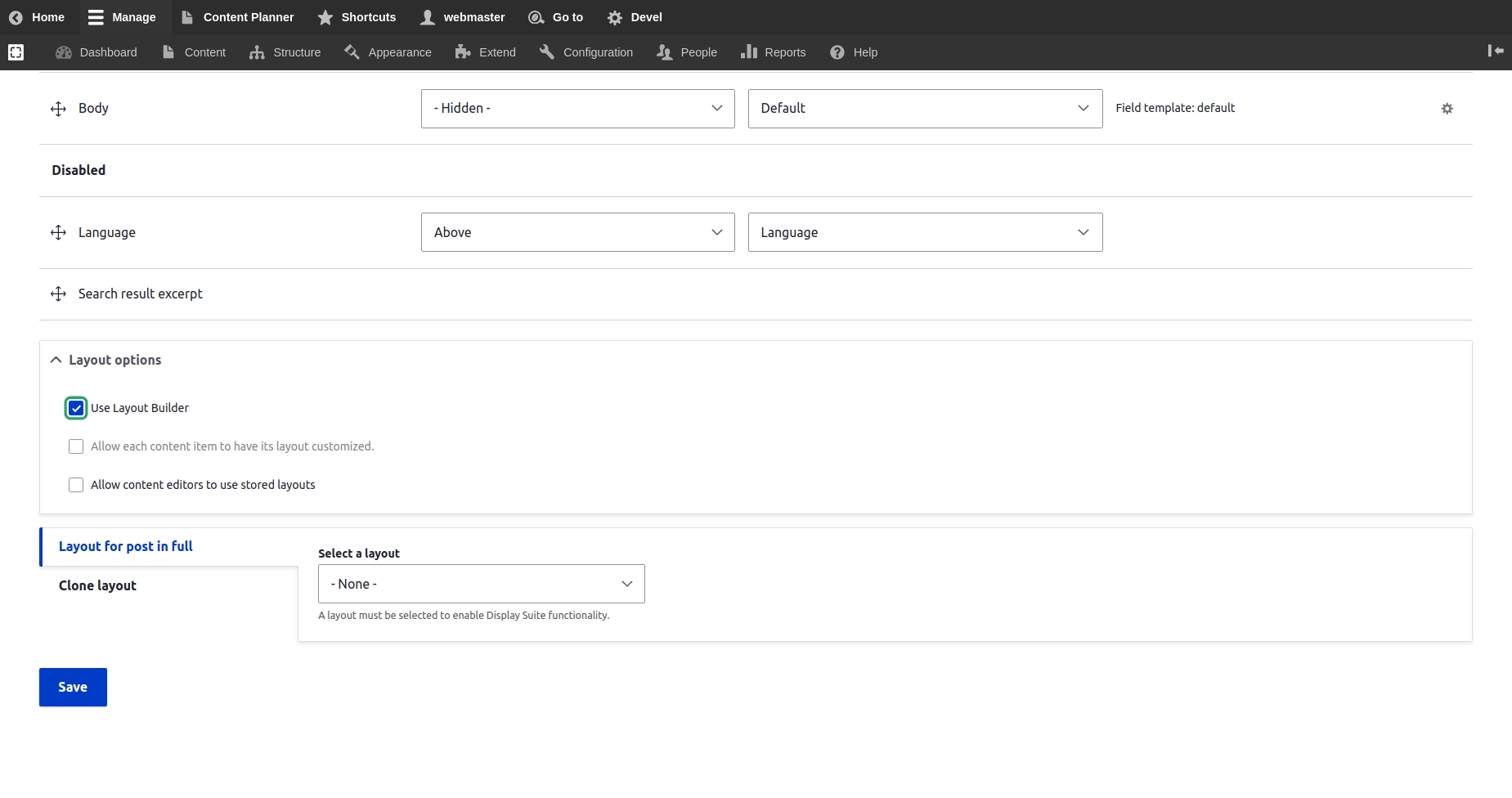
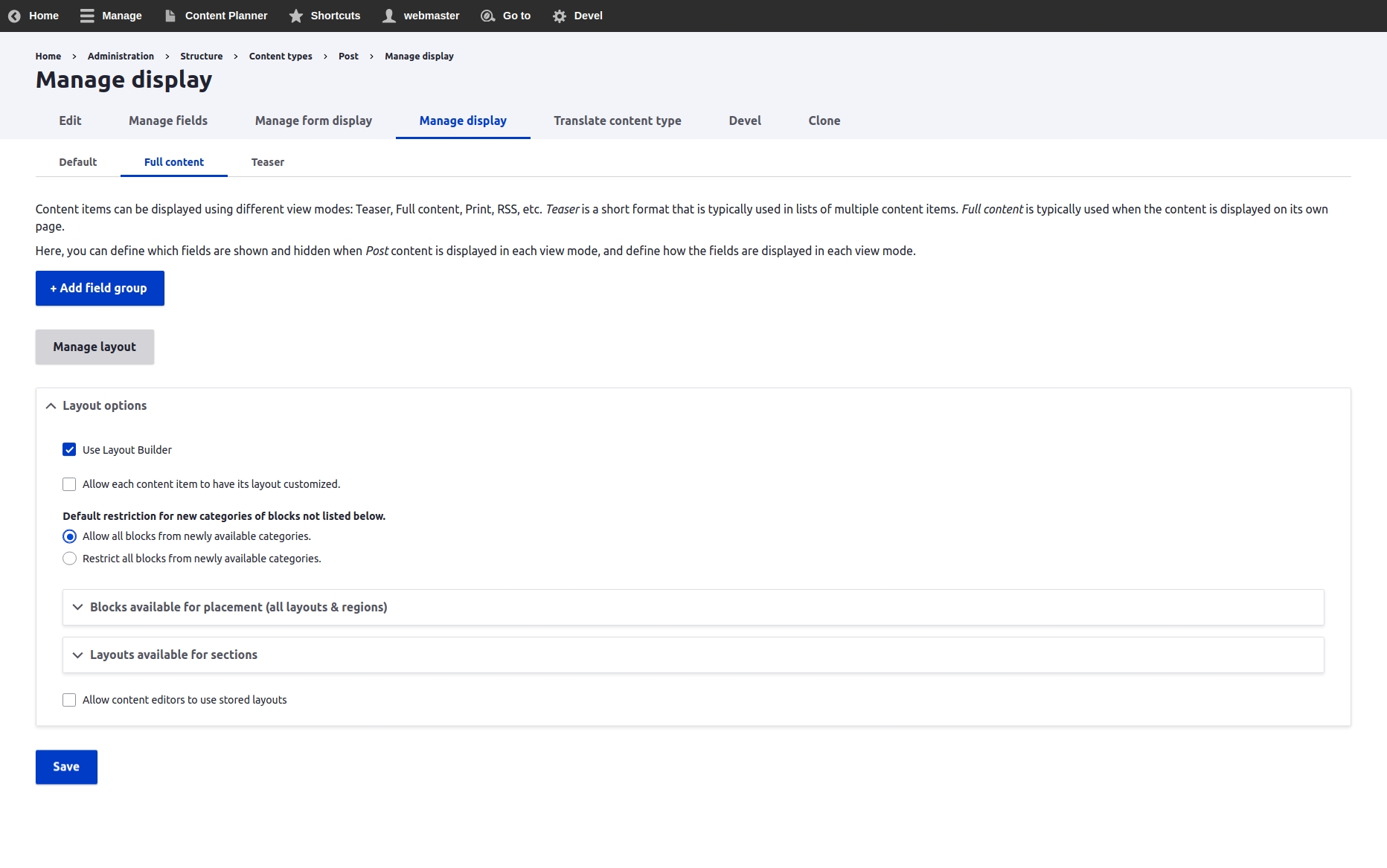
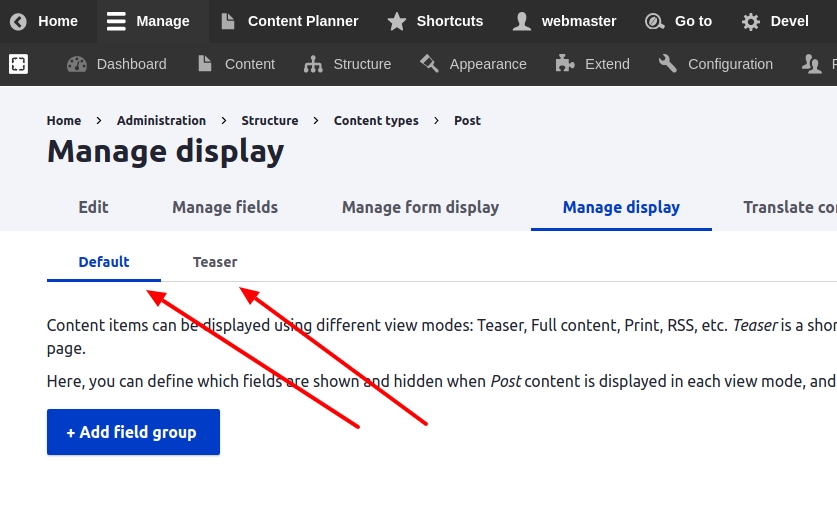
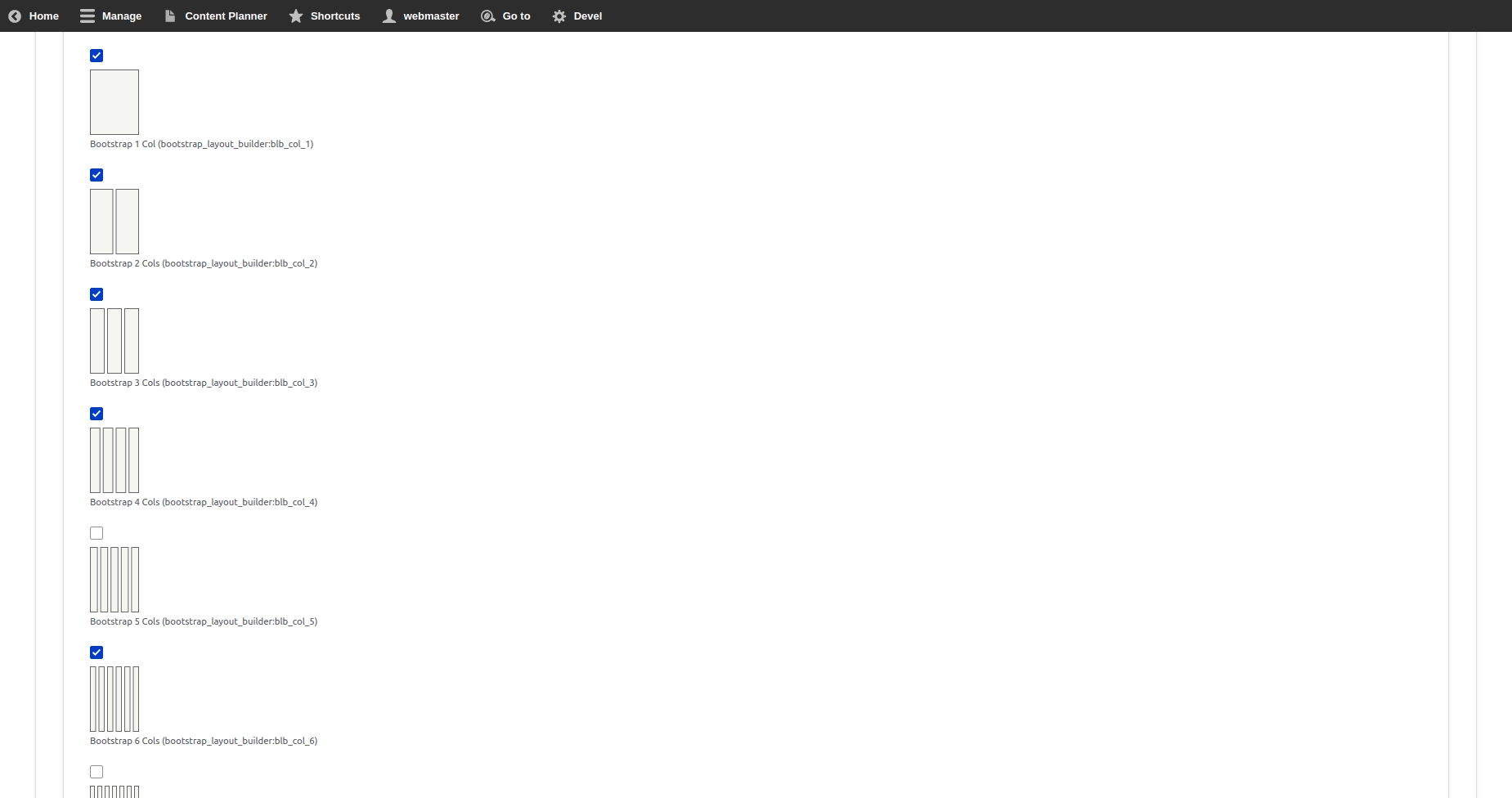
{
"jsonapi":{
"version":"1.0",
"meta":{
"links":{
"self":{
"href":"http:\/\/jsonapi.org\/format\/1.0\/"
}
}
}
},
"data":[
],
"meta":{
"links":{
"me":{
"meta":{
"id":"6e55da50-01c1-4efc-8420-035e88ea1e80"
}
}
}
},
"links":{
"media--audio":{
"href":"http:\/\/varbase.local\/api\/media\/audio"
},
"media--file":{
"href":"http:\/\/varbase.local\/api\/media\/file"
},
"media--gallery":{
"href":"http:\/\/varbase.local\/api\/media\/gallery"
},
"media--image":{
"href":"http:\/\/varbase.local\/api\/media\/image"
},
"media--remote_video":{
"href":"http:\/\/varbase.local\/api\/media\/remote_video"
},
"media--video":{
"href":"http:\/\/varbase.local\/api\/media\/video"
},
"media_type--media_type":{
"href":"http:\/\/varbase.local\/api\/media_type\/media_type"
},
"node--landing_page_lb":{
"href":"http:\/\/varbase.local\/api\/node\/landing_page_lb"
},
"node--page":{
"href":"http:\/\/varbase.local\/api\/node\/page"
},
"node--varbase_blog":{
"href":"http:\/\/varbase.local\/api\/node\/varbase_blog"
},
"node--varbase_heroslider_media":{
"href":"http:\/\/varbase.local\/api\/node\/varbase_heroslider_media"
},
"node_type--node_type":{
"href":"http:\/\/varbase.local\/api\/node_type\/node_type"
},
"self":{
"href":"http:\/\/varbase.local\/api"
},
"taxonomy_term--blog_categories":{
"href":"http:\/\/varbase.local\/api\/taxonomy_term\/blog_categories"
},
"taxonomy_term--tags":{
"href":"http:\/\/varbase.local\/api\/taxonomy_term\/tags"
},
"taxonomy_vocabulary--taxonomy_vocabulary":{
"href":"http:\/\/varbase.local\/api\/taxonomy_vocabulary\/taxonomy_vocabulary"
}
}
}project_directory
|-- docroot
|-- modules
|-- contrib
|-- varbase_core
|-- contrib
|-- modules
|-- varbase_adminproject_directory
|-- docroot
|-- modules
|-- contrib
|-- varbase_layout_builderproject_directory
|-- docroot
|-- modules
|-- contrib
|-- varbase_core
|-- contrib
|-- modules
|-- varbase_development./bin/drush config:set system.logging error_level hide --yes./bin/drush config:set system.logging error_level some --yes./bin/drush config:set system.logging error_level all --yes./bin/drush config:set system.logging error_level verbose --yesNavigation (in Drupal core)
New administration navigation
Adds menu links like flush cache, run cron, and run updates to the Drupal core Navigation menu.
Allows additional permissions to be created and managed through an administration form.
This module removes the delete option for the front page.
Allows site administrators to further delegate the task of managing user's roles.
Allows admins to protect users from being edited or cancelled, on a per-user basis.
Logs general CUD events performed by the user (using the forms) on the website.
Logs file CUD events performed by the user.
Logs node CUD events performed by the user.
Logs user CUD events performed by the user.
Logs taxonomy vocabulary and term CUD events performed by the user.
Logs node CUD events performed by the user.
Logs menu CUD events performed by the user.
Logs user authentication (login logout and request password).
Adds an ability to perform bulk operations on selected entities from view results.
Allows bulk edition of entity field values.
Provides an improved drop-down menu interface to the site Toolbar.
Allows privileged users to masquerade as another user.
Allows to give roles per menu admin permissions without giving them full administer menu permission.
Provides a component that previews a page in various device dimensions.
Provides sensible defaults for revision logs, if none are given.
Add a clone action for all entities
Tool for administrating taxonomy terms.
Fixes the crooked access checks for Taxonomy pages.
Provides an Alfred like search box to navigate within your site.
Adds an optional length indicator to fields
Gin Toolbar for Gin Theme
Custom Drupal Login for Gin theme
Adds Gin admin theme compatibility for Moderation Sidebar
Enables Gin’s edit form layout for every content entity.
Themes the Type Tray module for the Gin administrative theme.
Provides the ability to soft-delete content entities. When deleting an entity, it will be moved to the trash instead of being deleted and thus can be restored or permanently deleted later on.
Adds autosave feature on forms.
Integrates ECA: Event - Condition - Action with Views Bulk Operations (VBO).
This module is going to generate layouts with Bootstrap grid system.
Add UI styles support to blocks from Layout Builder module.
Open blocks in a modal in the Layout Builder UI.
Allows to have separate layout overrides per translation.
Allows editors to add HTML attributes to Layout Builder components (blocks)
Allows for more granular access control to Layout Builder by providing a set of permissions.
Provides a library of layouts for content-editors to select from
Create reusable templates for single or multiple sections at the layout builder.
Add a plugins builder and a collection of reusable plugins to the Layout Builder module.
Add Bootstrap Grid support to Layout Builder module.
Adds additional functionality to the core block library.
Limit which text formats are available for each field instance.
Varnish
Varnish cache, an advanced and very fast reverse-proxy system.
Solr Search
The minimum support Solr version is Solr 6.4 and Solr 7 is supported.
Provides development aids to component developers.
Reroutes emails send from the site to a predefined email. Useful for test sites.
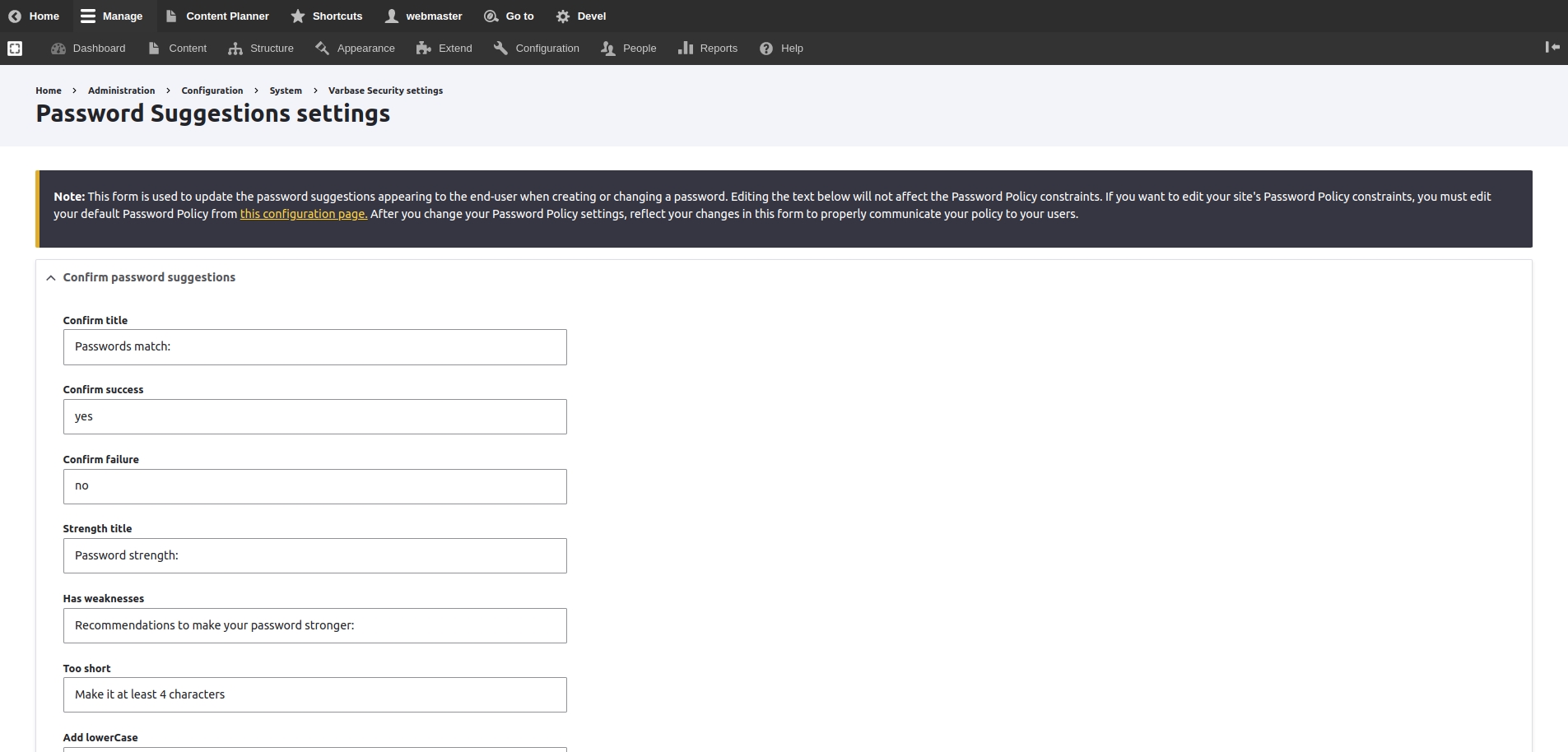
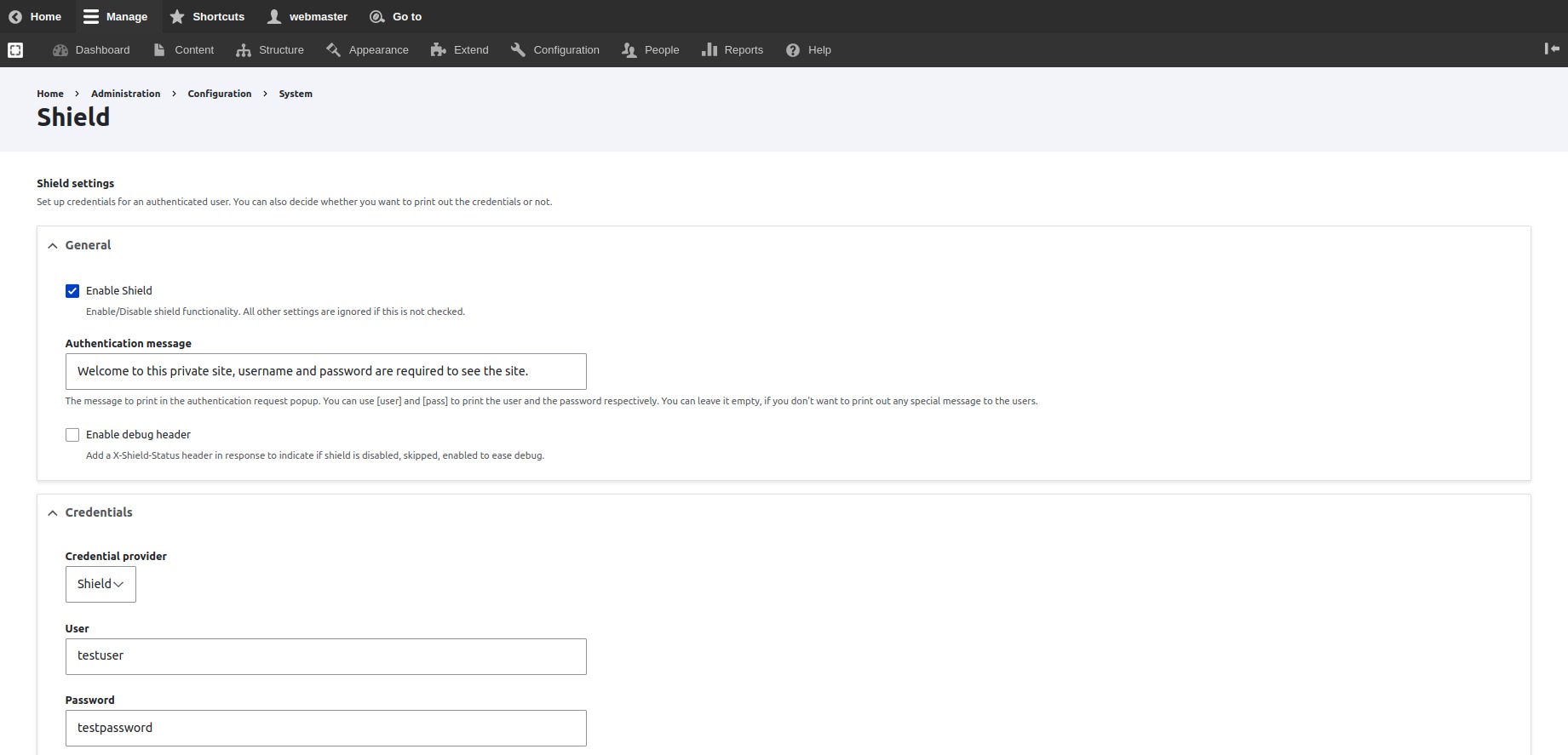
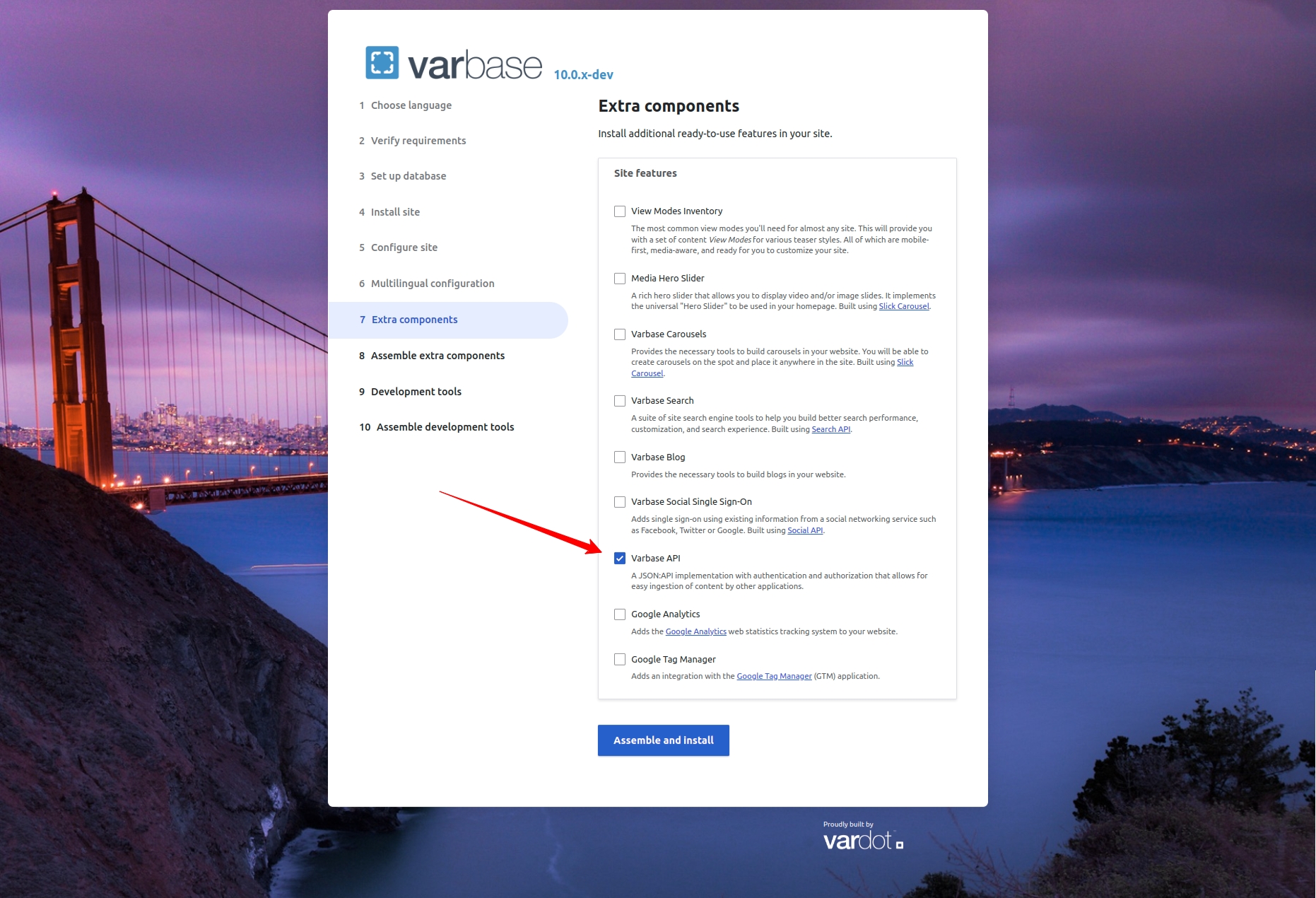
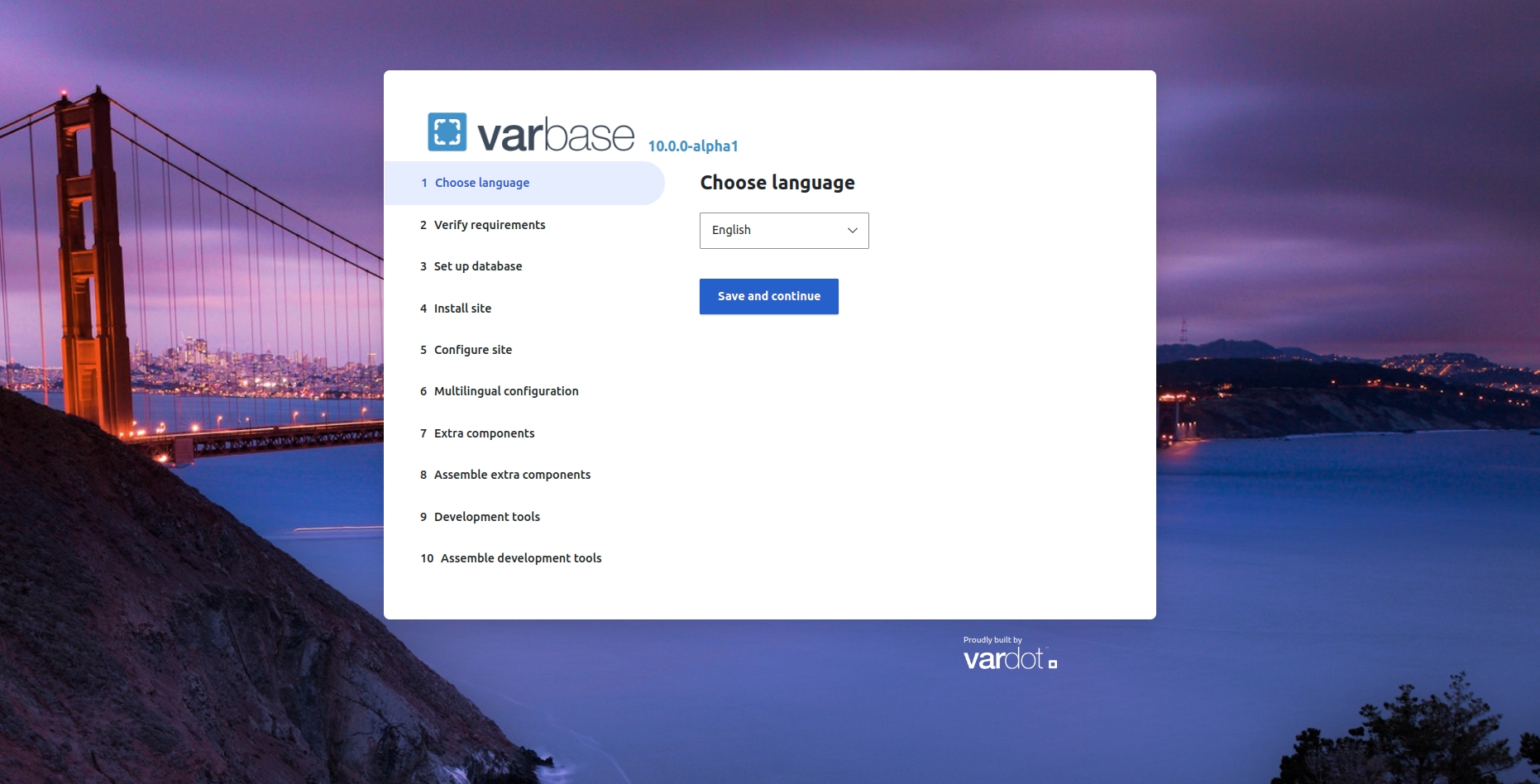
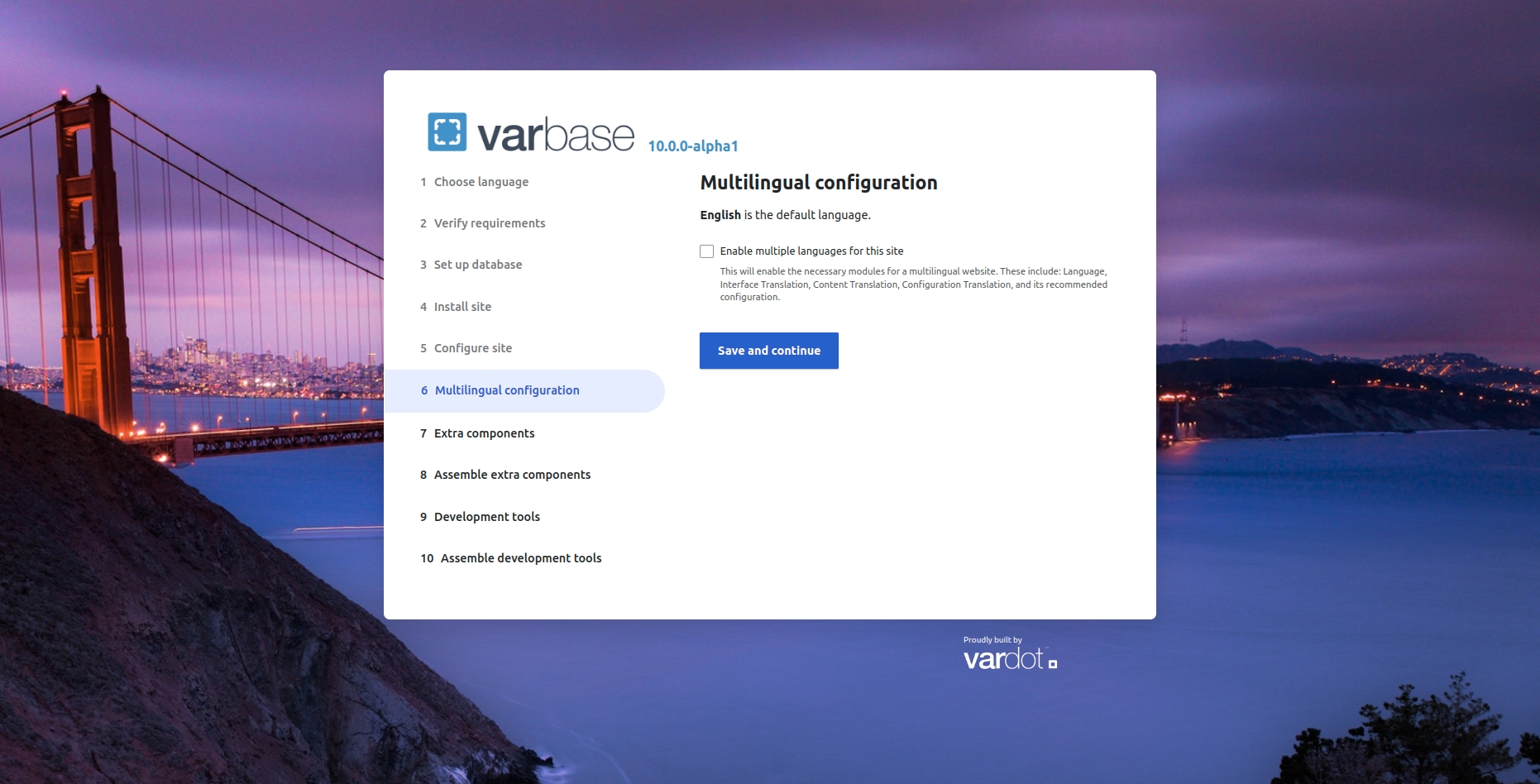
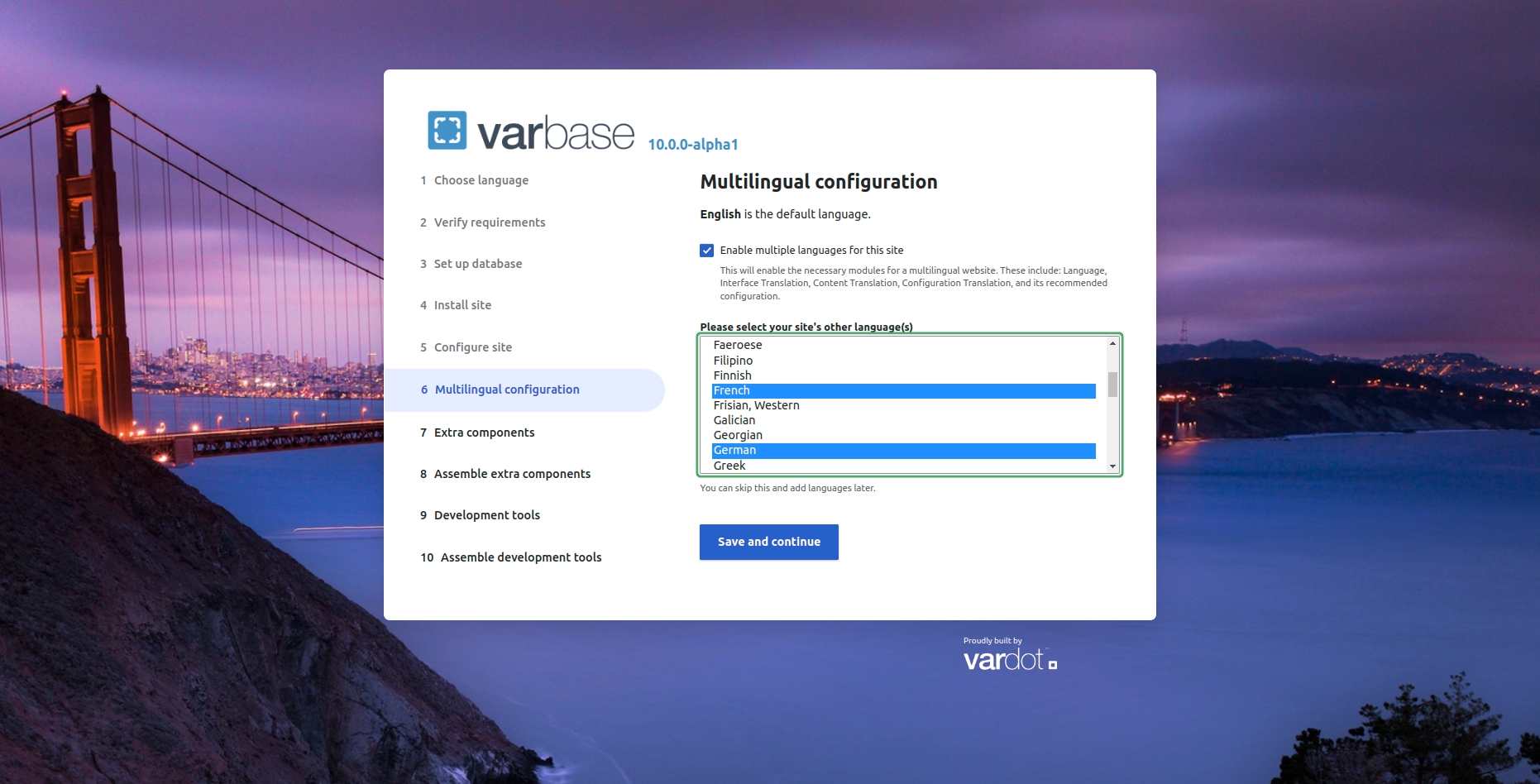


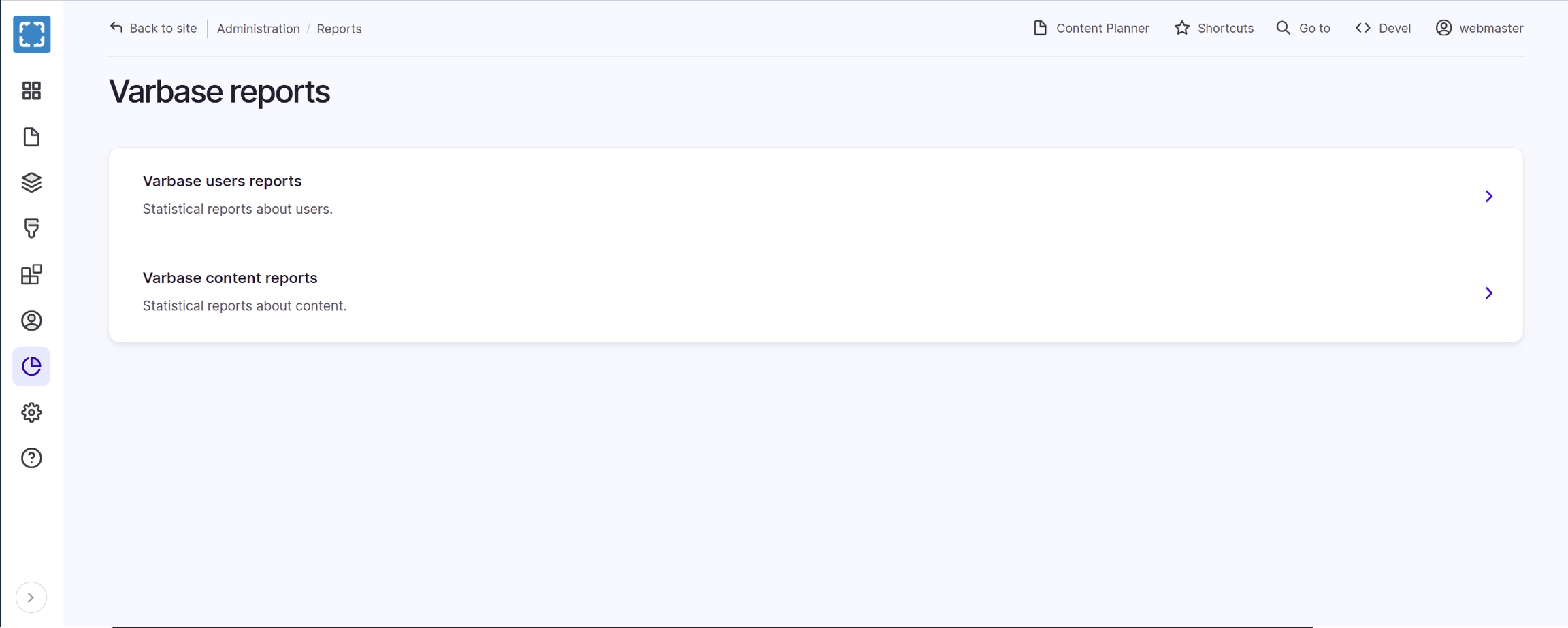
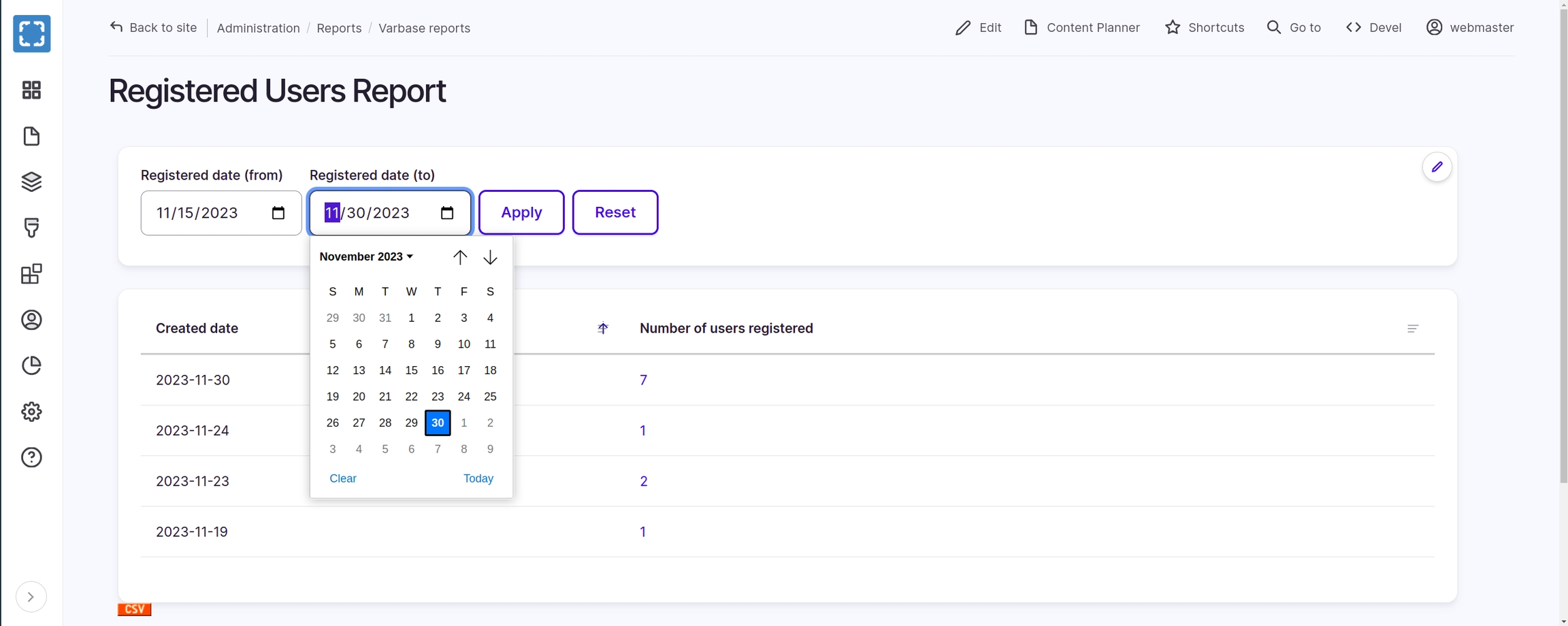
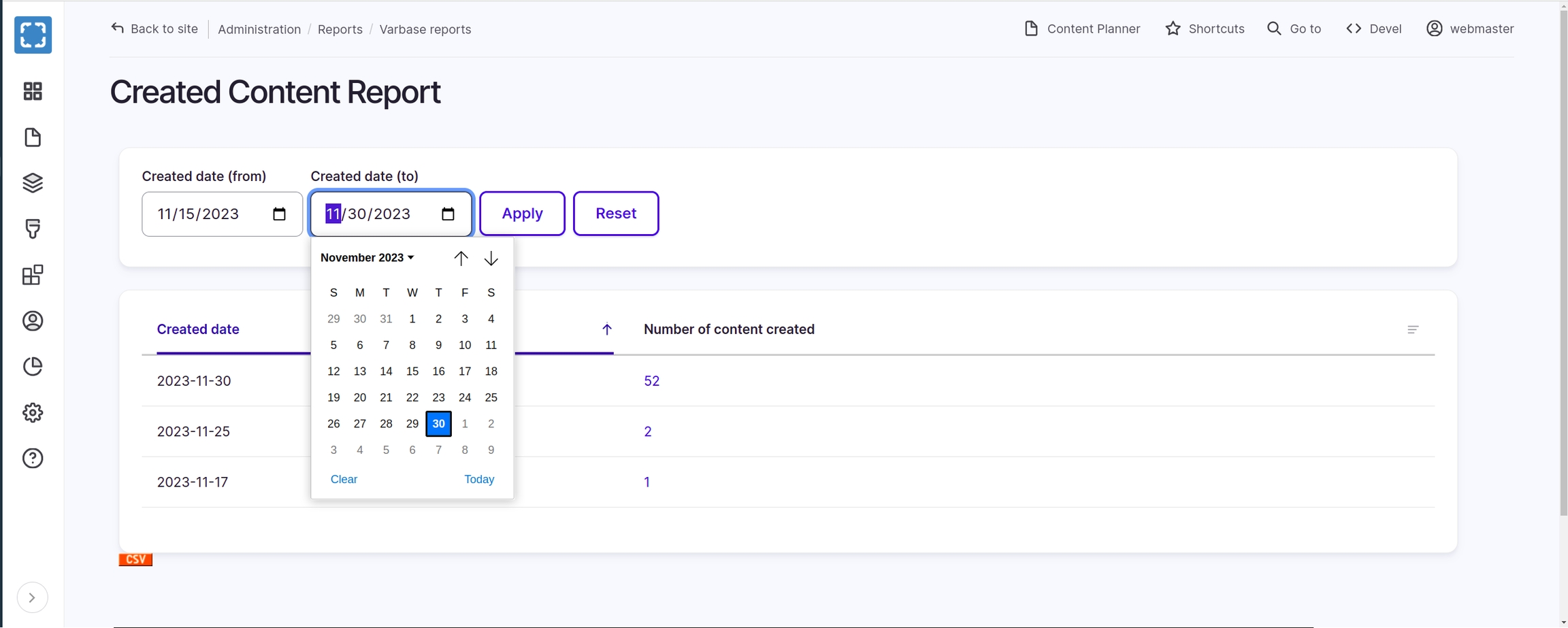
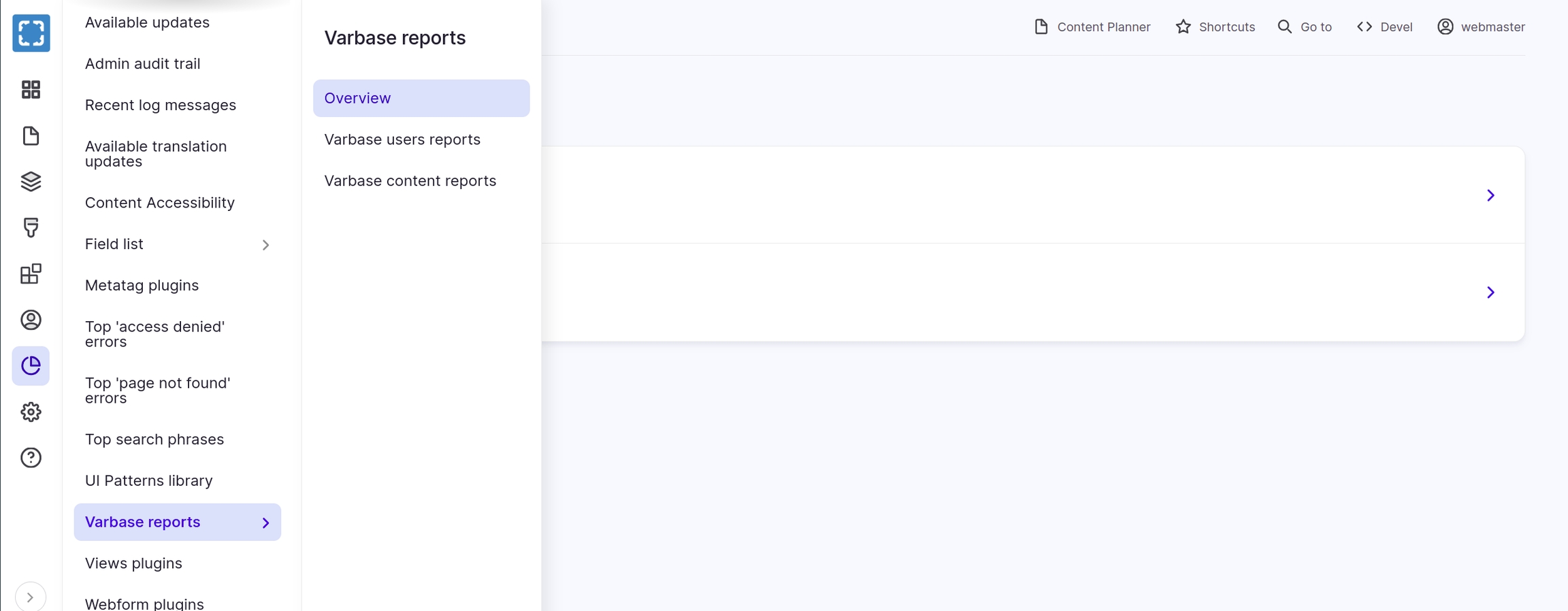
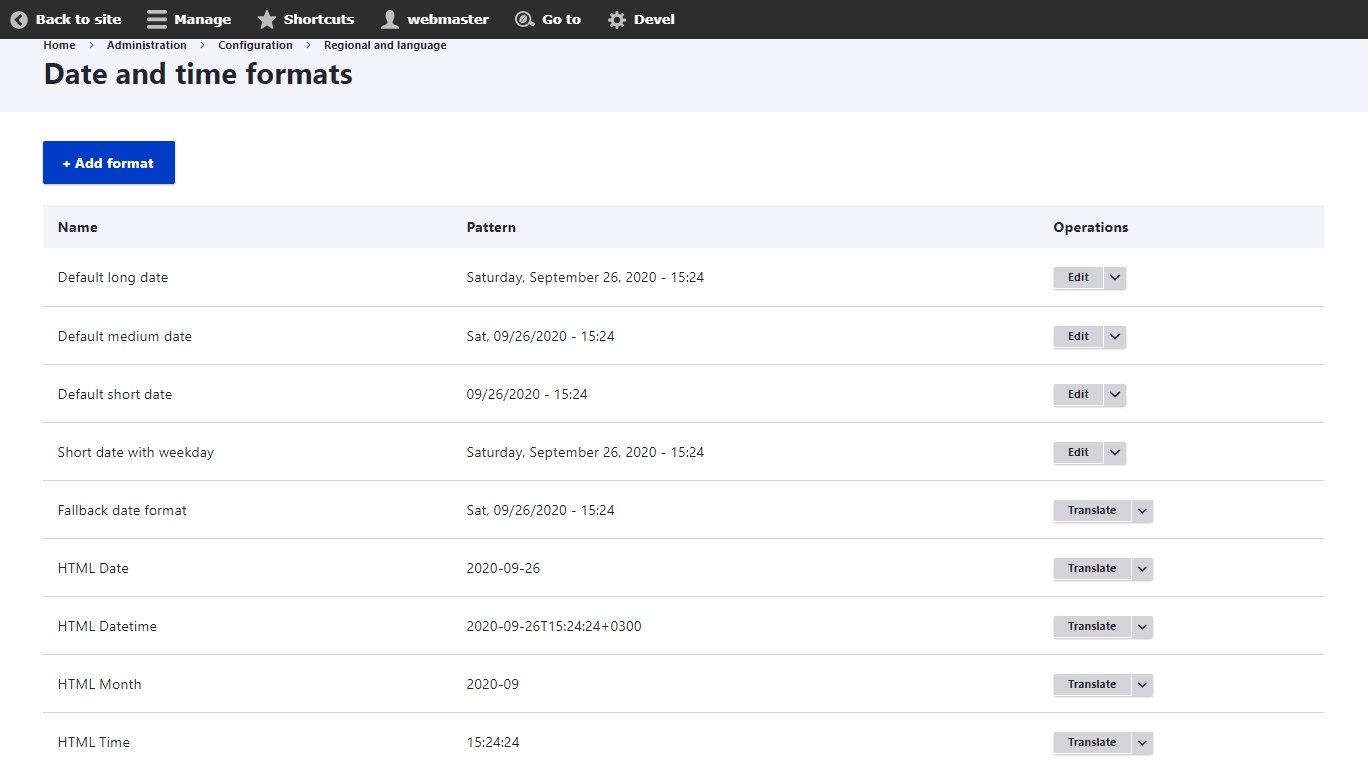
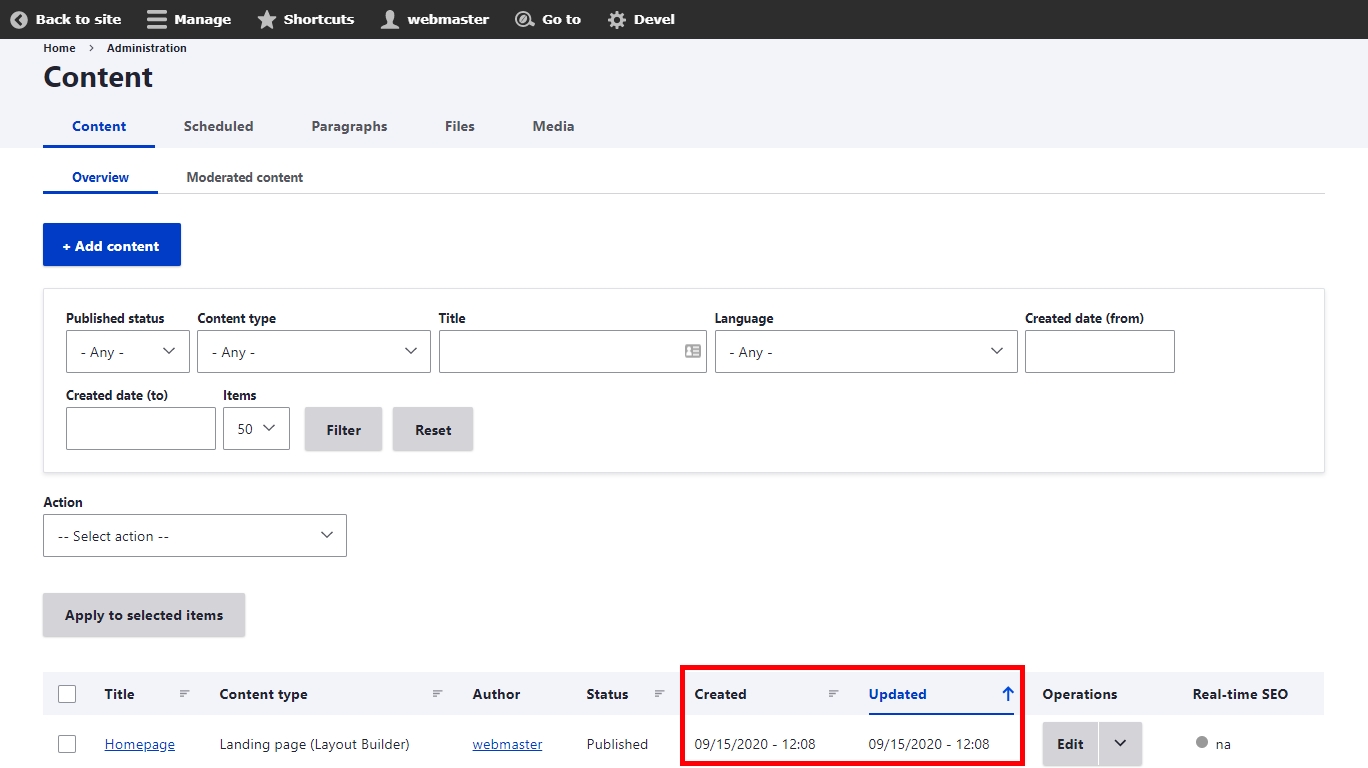
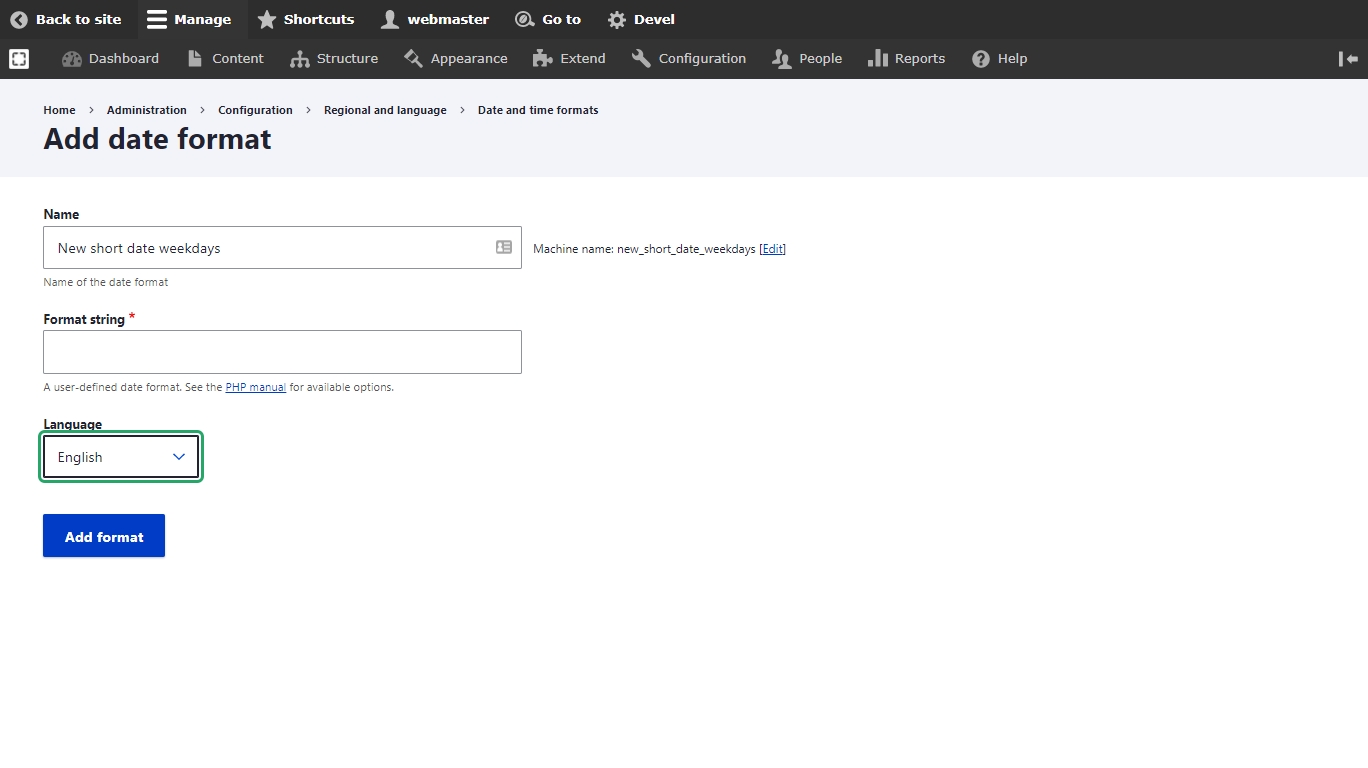
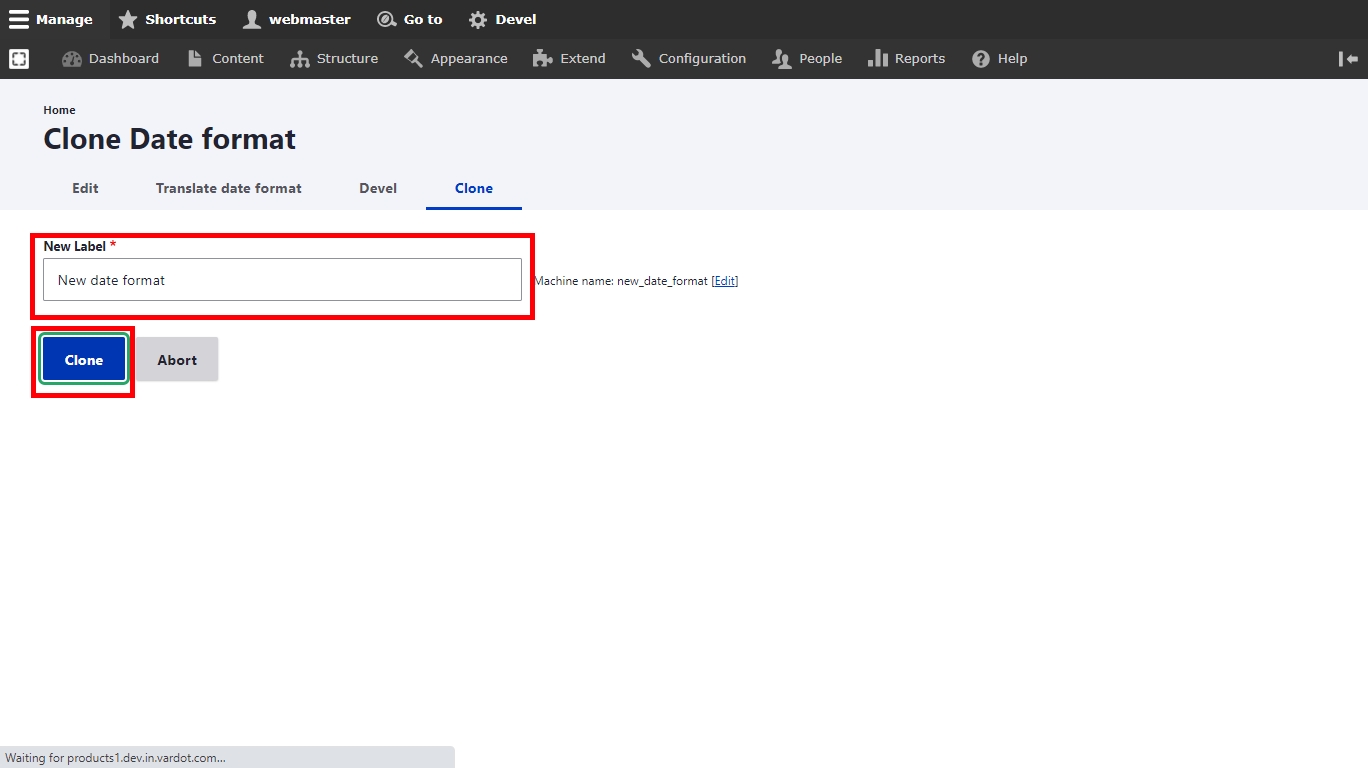
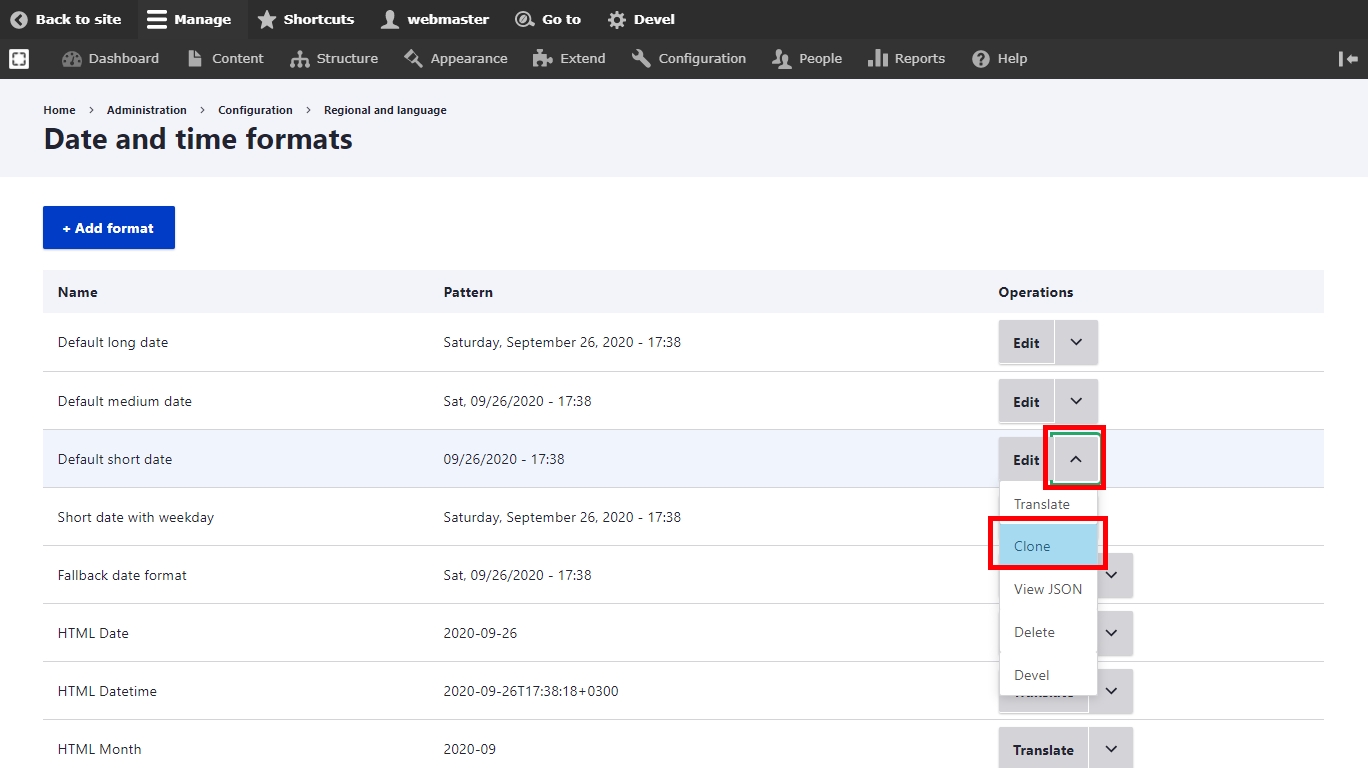
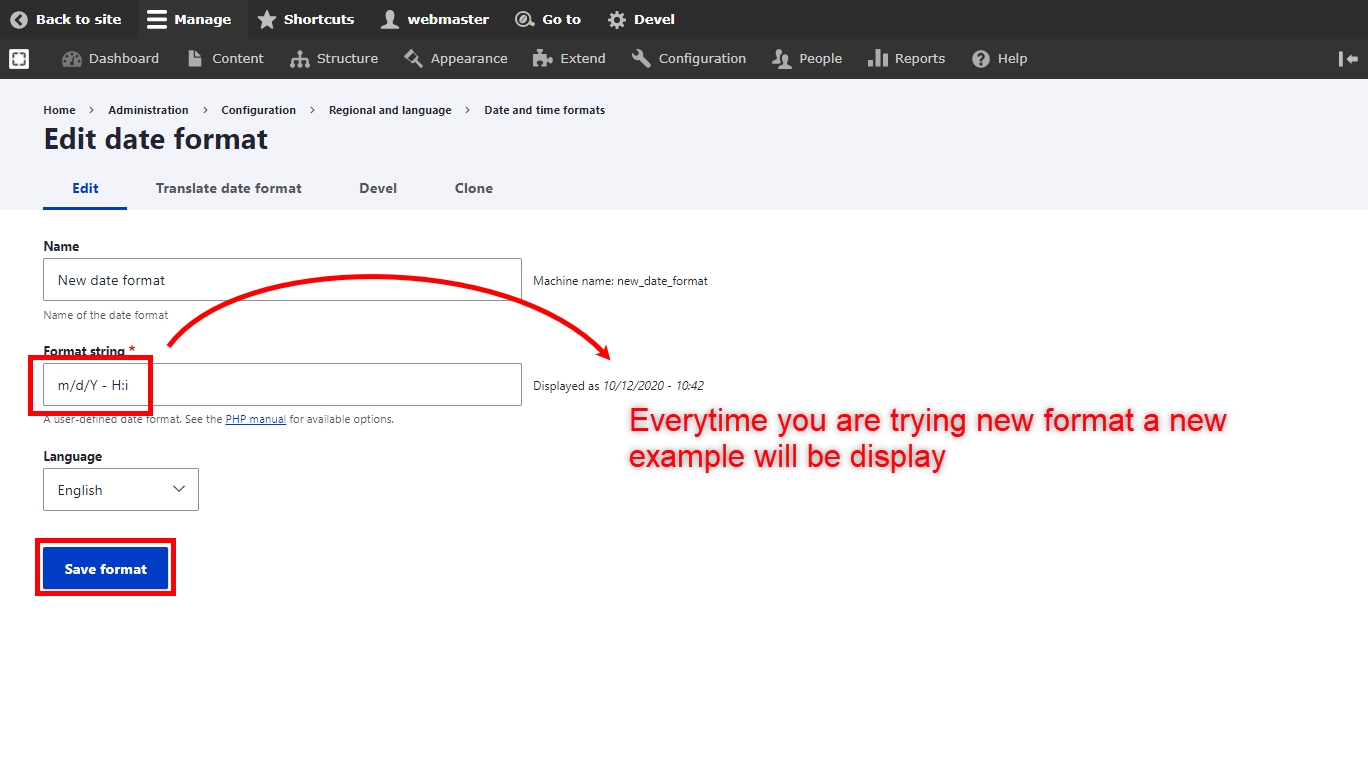
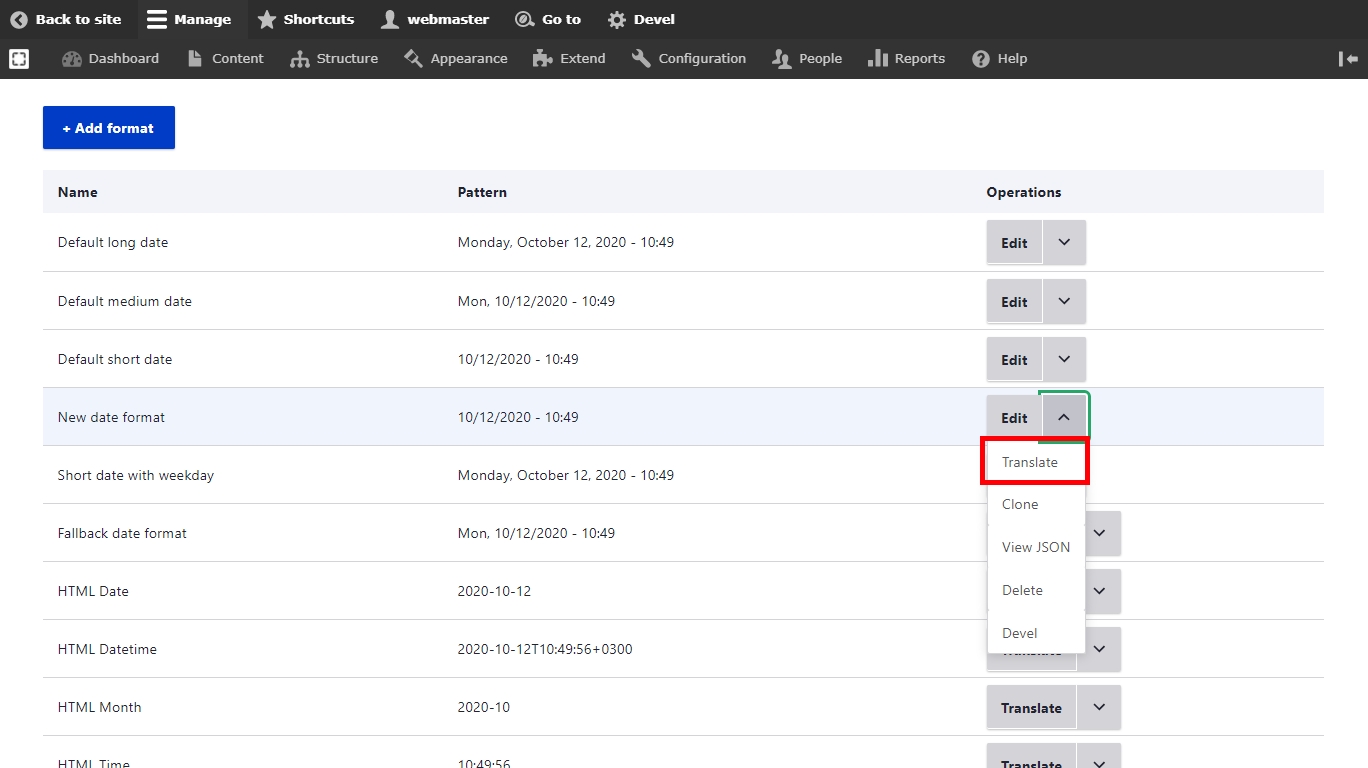
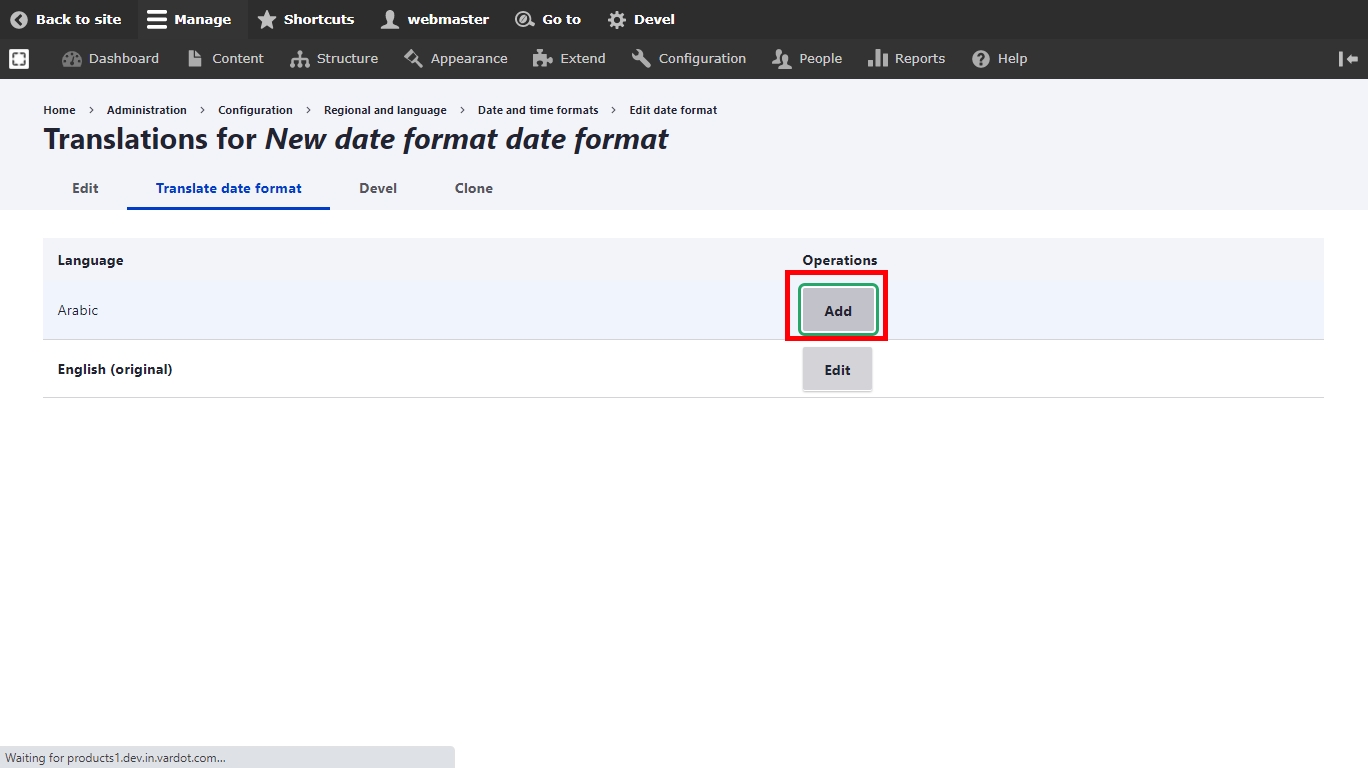
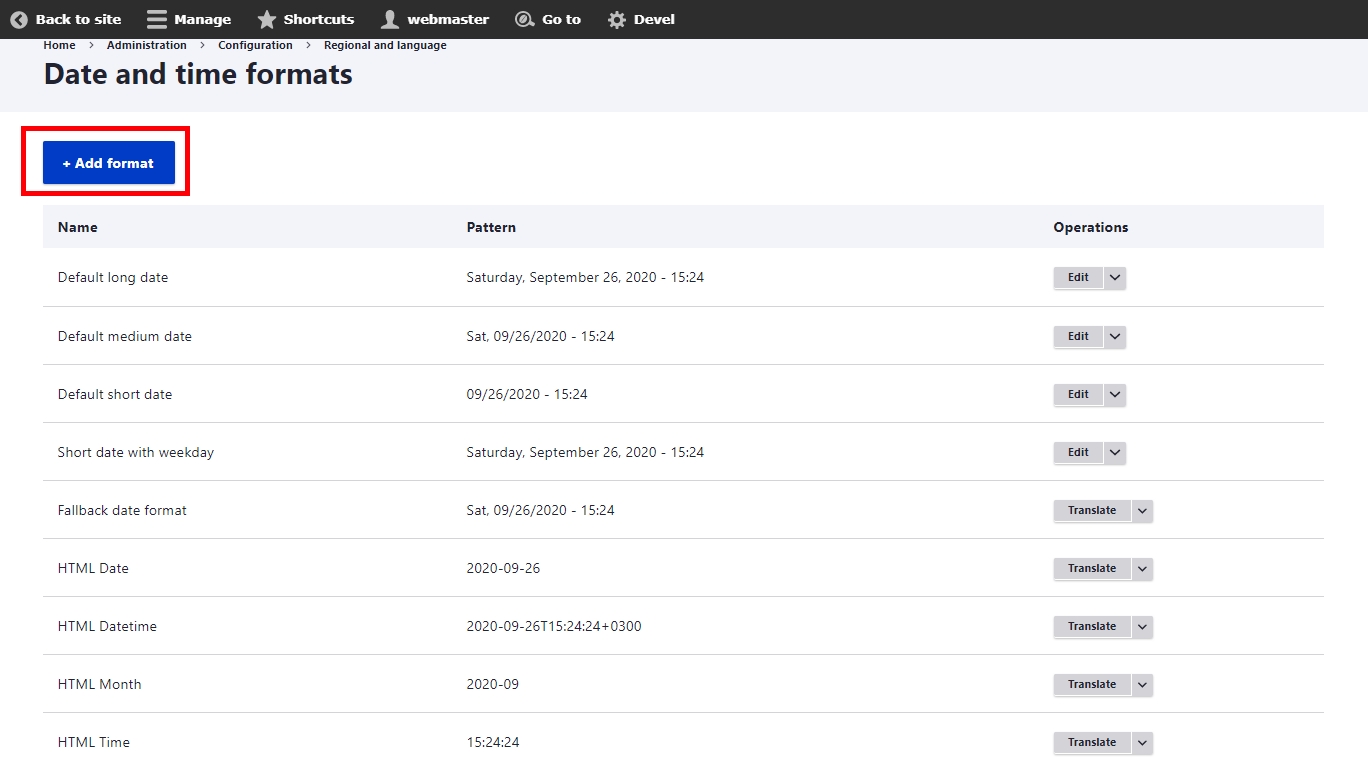
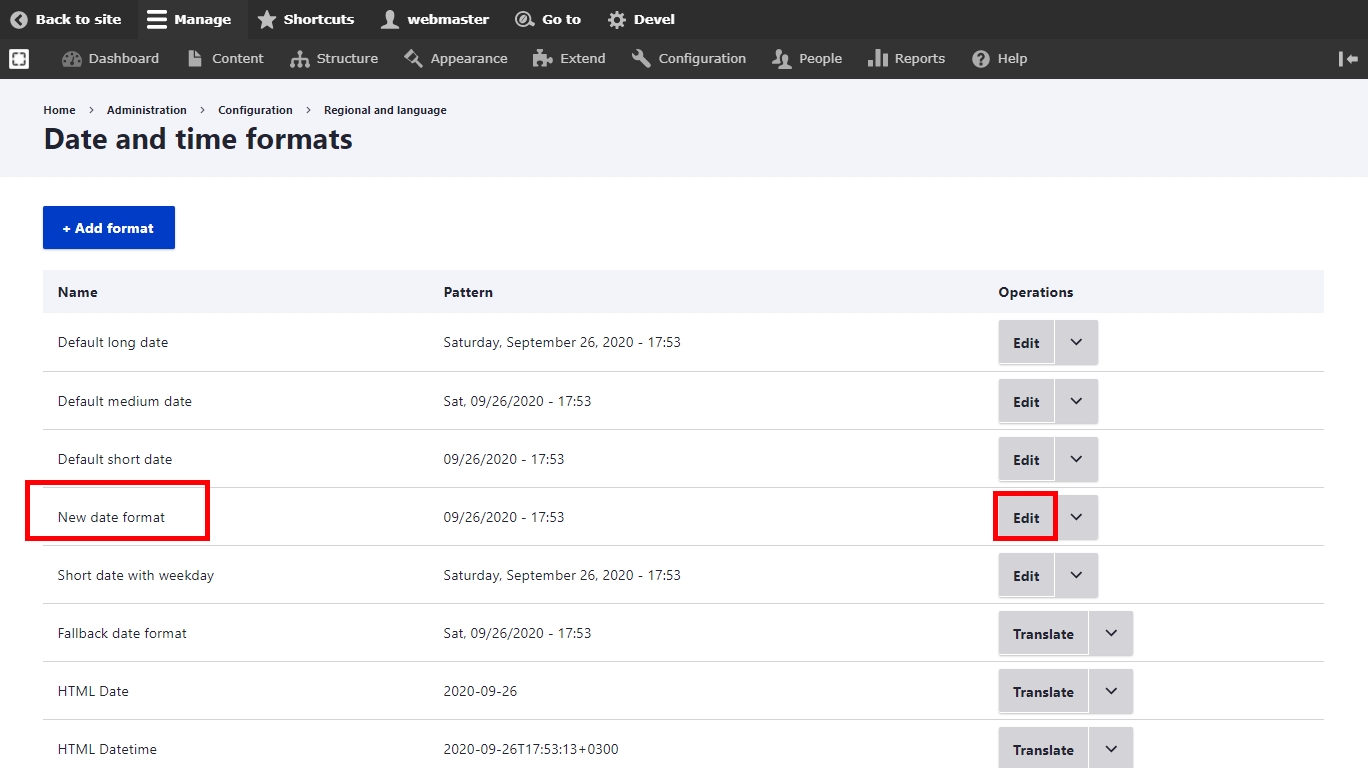
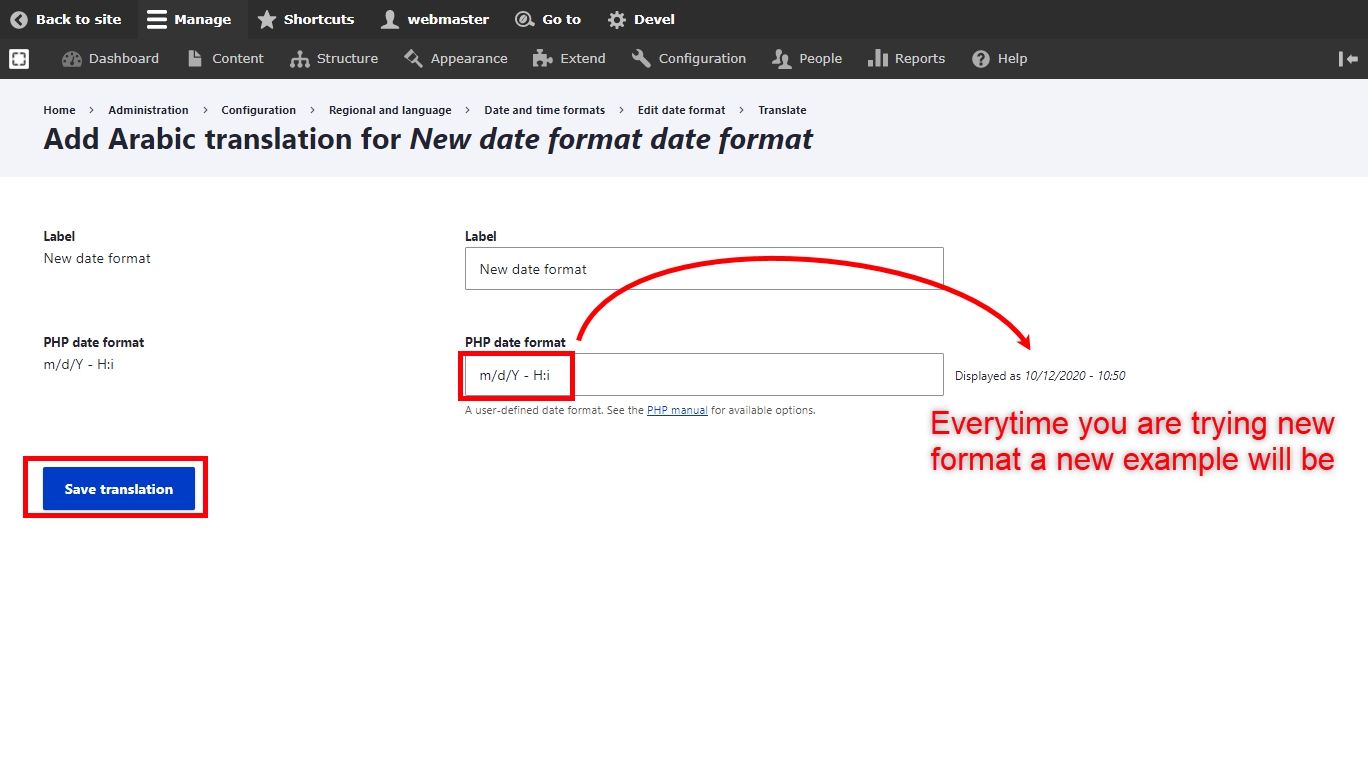
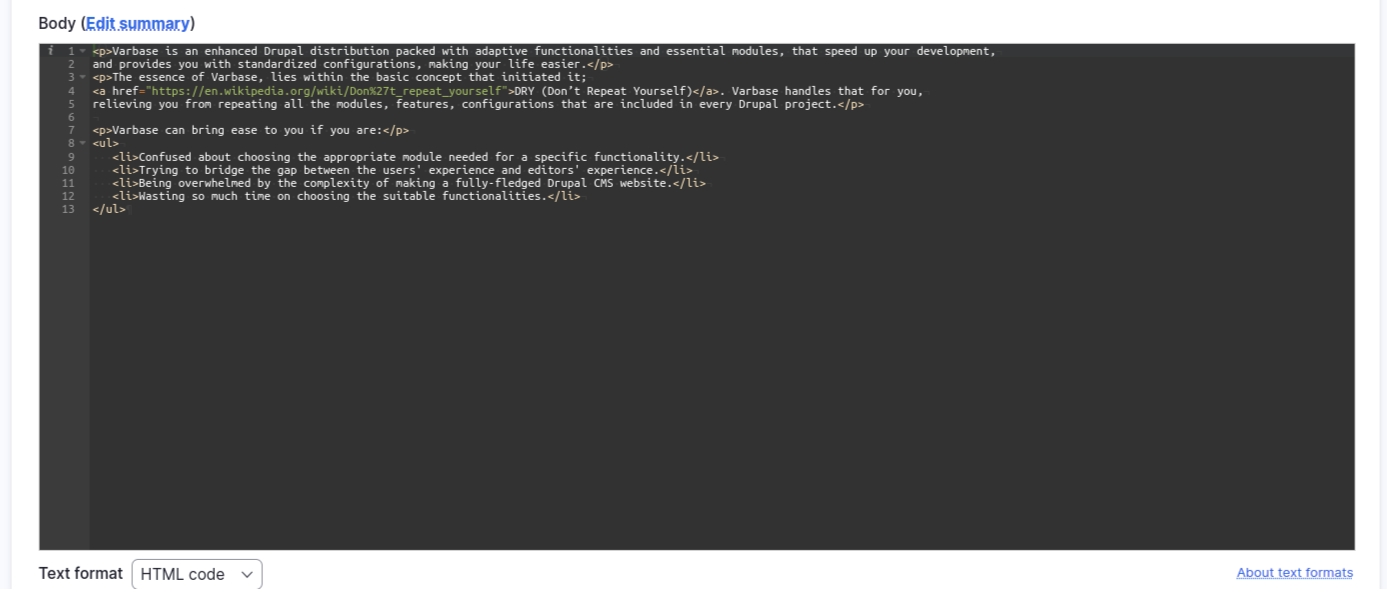
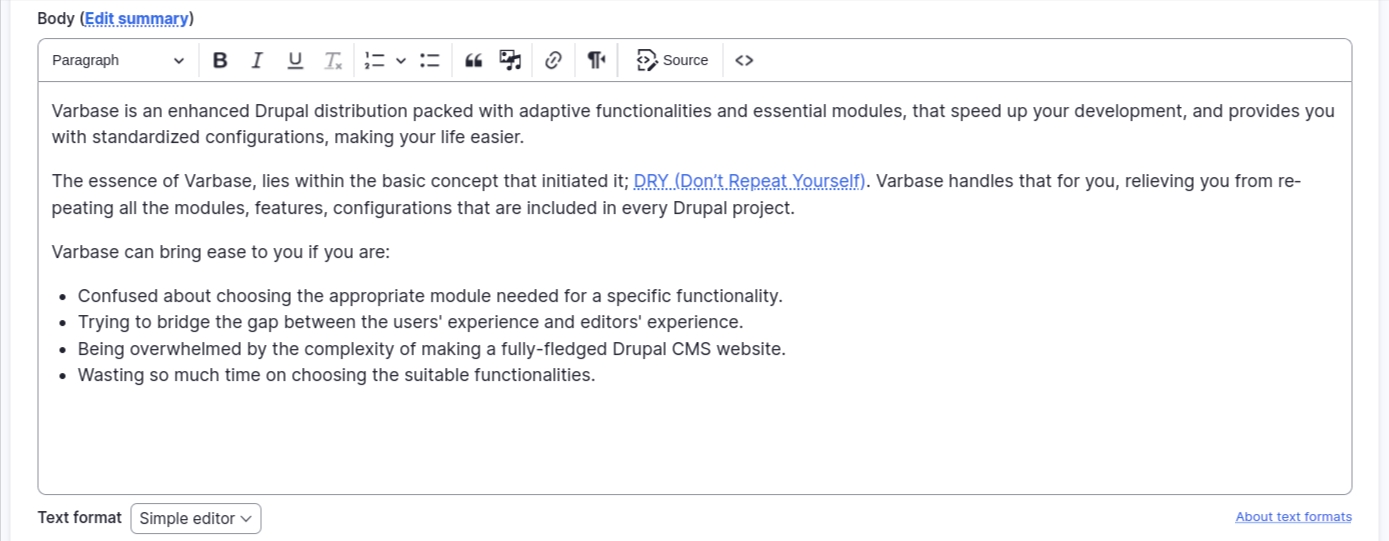
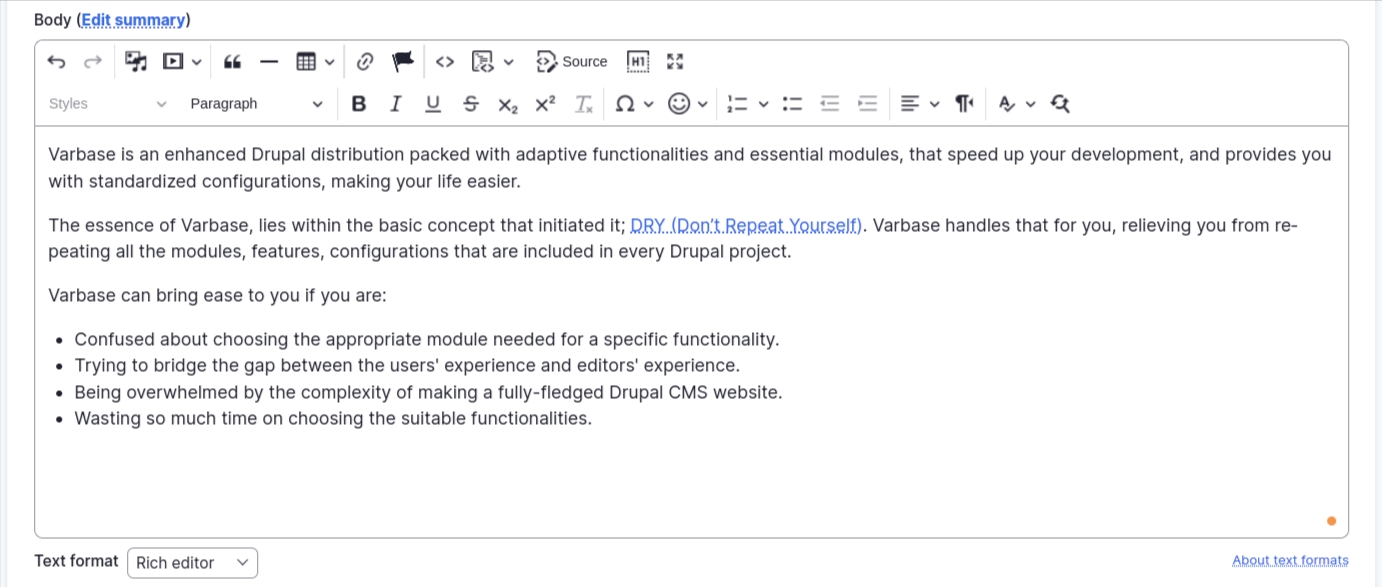
Allows users to rename URLs.
File
(in Drupal core)
Defines a field type for files.
Image
(in Drupal core)
Defines a field type for image media and provides display configuration tools.
Media
(in Drupal core)
Manages the creation, configuration, and display of media items.
Media Library
(in Drupal core)
Enhances the media list with additional features to more easily find and use existing media items.
Breakpoint
(in Drupal core)
Manages breakpoints and breakpoint groups for responsive designs.
Image formatter that will generate image styles on the fly on the front end.
This module is a fork of the module and should work as a drop-in replacement, however, it uses system file paths and falls back on the dynamic generation. For more info, please check the
Extend the display options for every entity type.
Contains additional features for Display Suite.
Provides advanced options (e.g. links, checkboxes, or other widgets) to exposed Views elements.
Provides storage and API for image crops.
The Drupal integration for DropzoneJS.
DropzoneJS Entity browser widget.
Provides a framework for different types of embeds in text editors.
Provide a generic entity browser/picker/selector.
Provides some behavior and style enhancements to Entity Browsers, specifically for multiselect and image/media browsers.
Entity browser inline entity form integration.
Allows entities to be embedded using a text editor.
Allows users to specify the focal point of an image for use during cropping.
A pager which allows an infinite scroll effect for views.
Allows uploading files in bulk and converting them to media entities.
Add an edit button to the Media Library widget when an item is selected.
Adds an ability to perform bulk operations on selected entities from view results.
Allows bulk edition of entity field values.
Provides basic Blazy integration for lazy loading and multi-serving images.
Slick carousel, the last carousel you'll ever need.
Generates WebP copies of image style derivatives.
Provides a WebP processor to derive webp images from other file formats.
Add a clone action for all entities.
Module
Purpose
User
(in Drupal core)
Manages the user registration and login system.
Block
(in Drupal core)
Controls the visual building blocks a page is constructed with. Blocks are boxes of content rendered into an area, or region, of a web page.
Custom Block
(in Drupal core)
Allows the creation of custom blocks and block types.
Node
(in Drupal core)
Allows content to be submitted to the site and displayed on pages.
Taxonomy
(in Drupal core)
Enables the categorization of content.
Path
(in Drupal core)
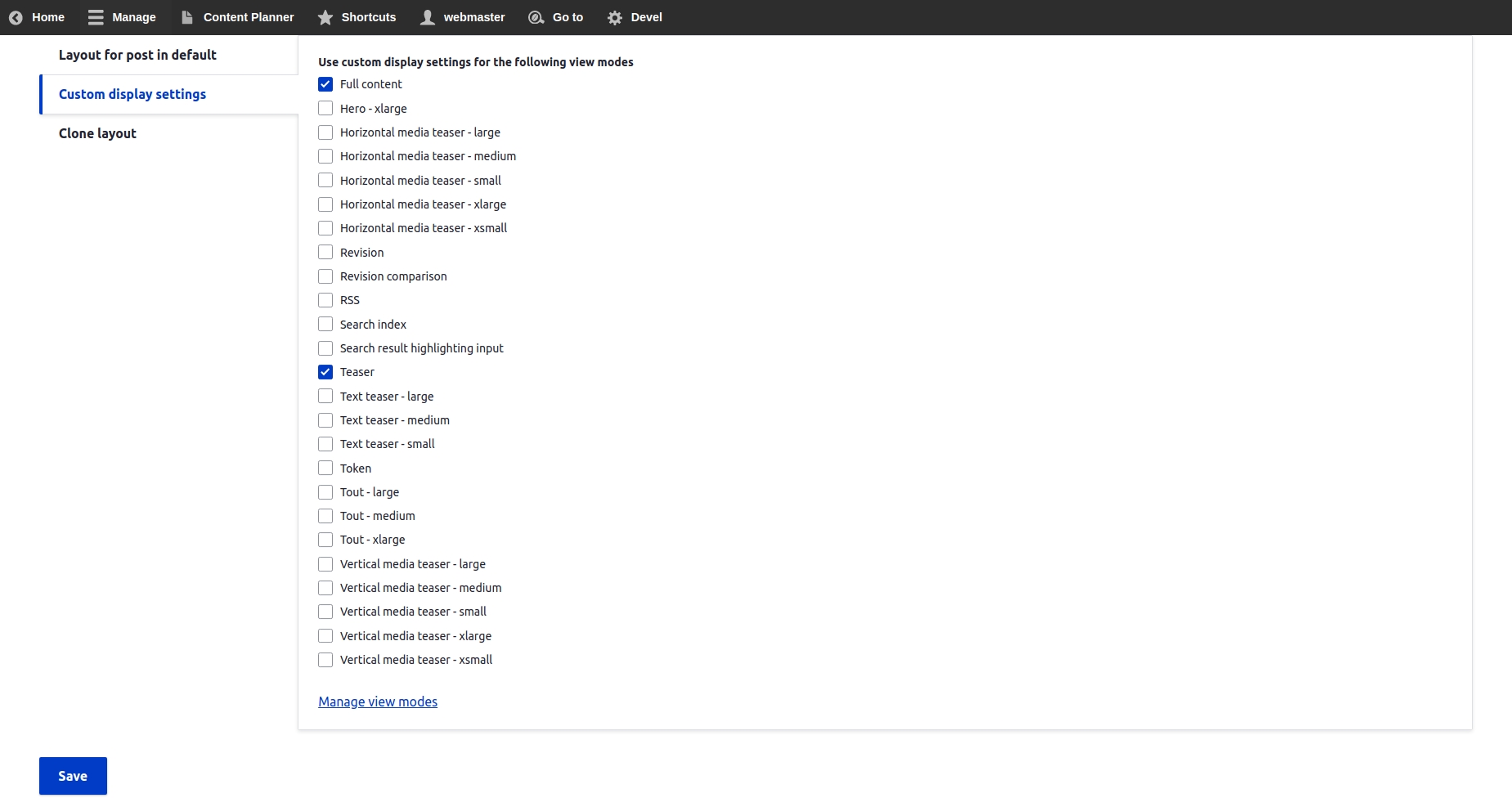
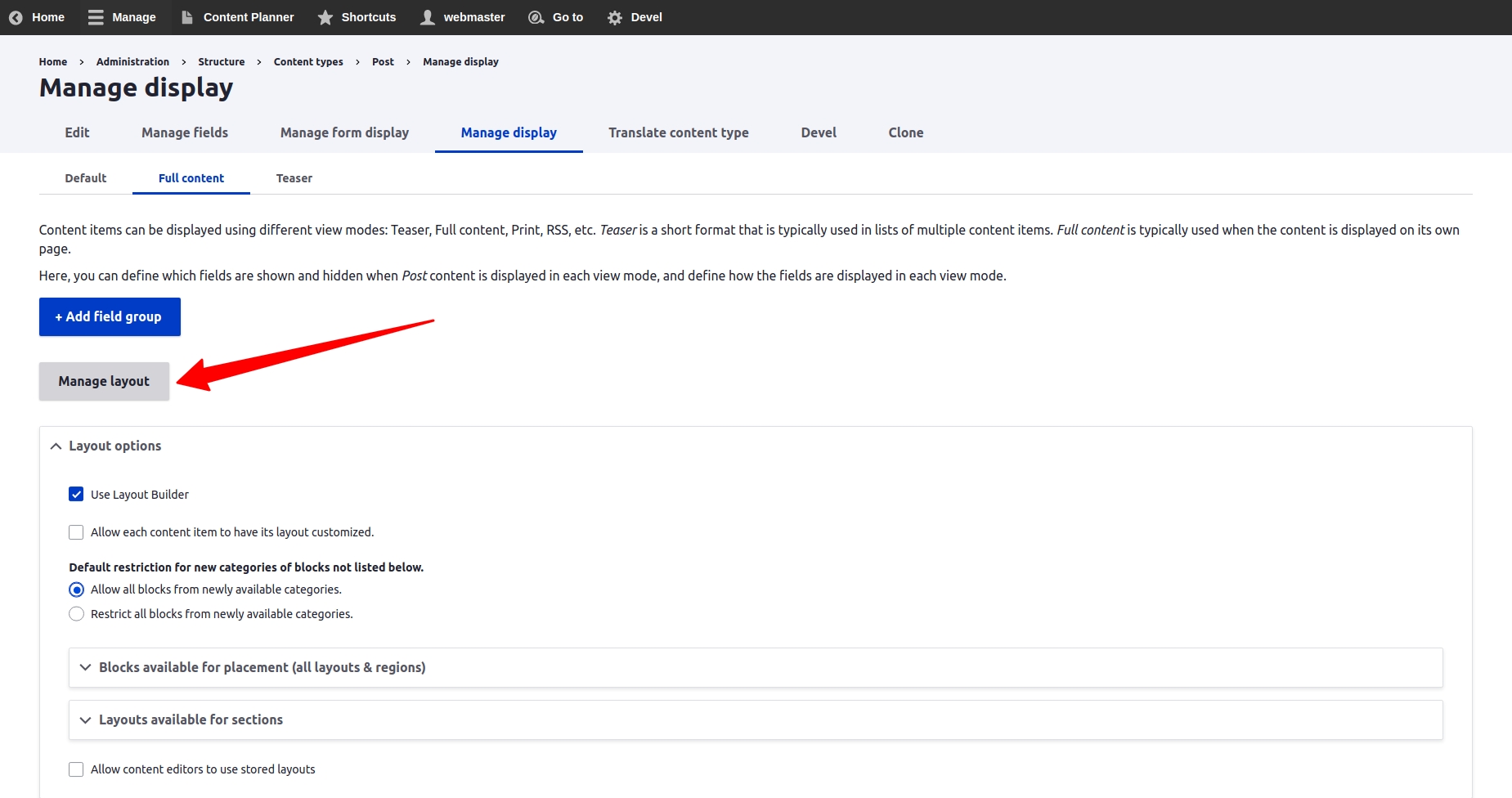
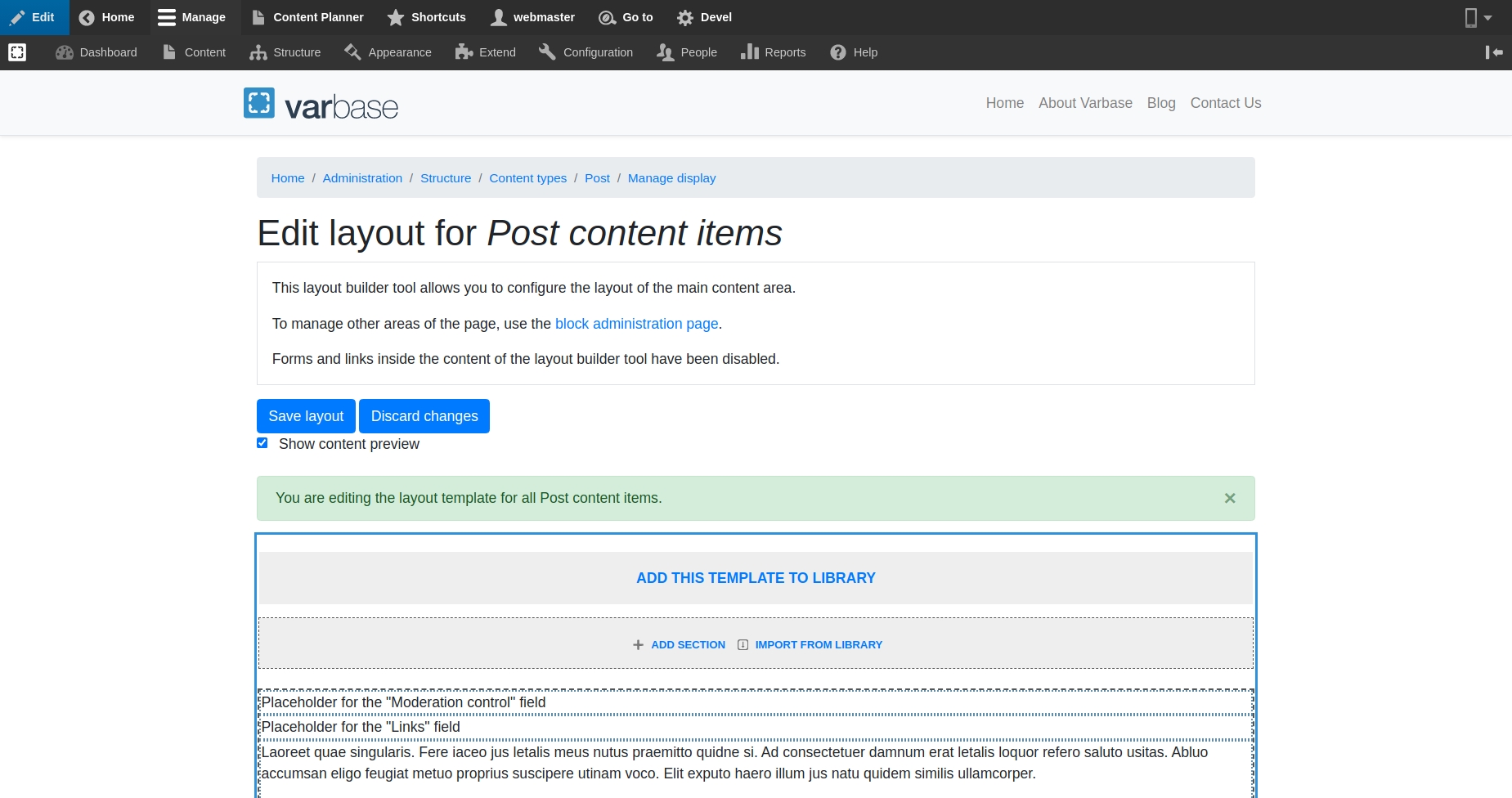


project_directory
|-- docroot
|-- modules
|-- contrib
|-- varbase_media


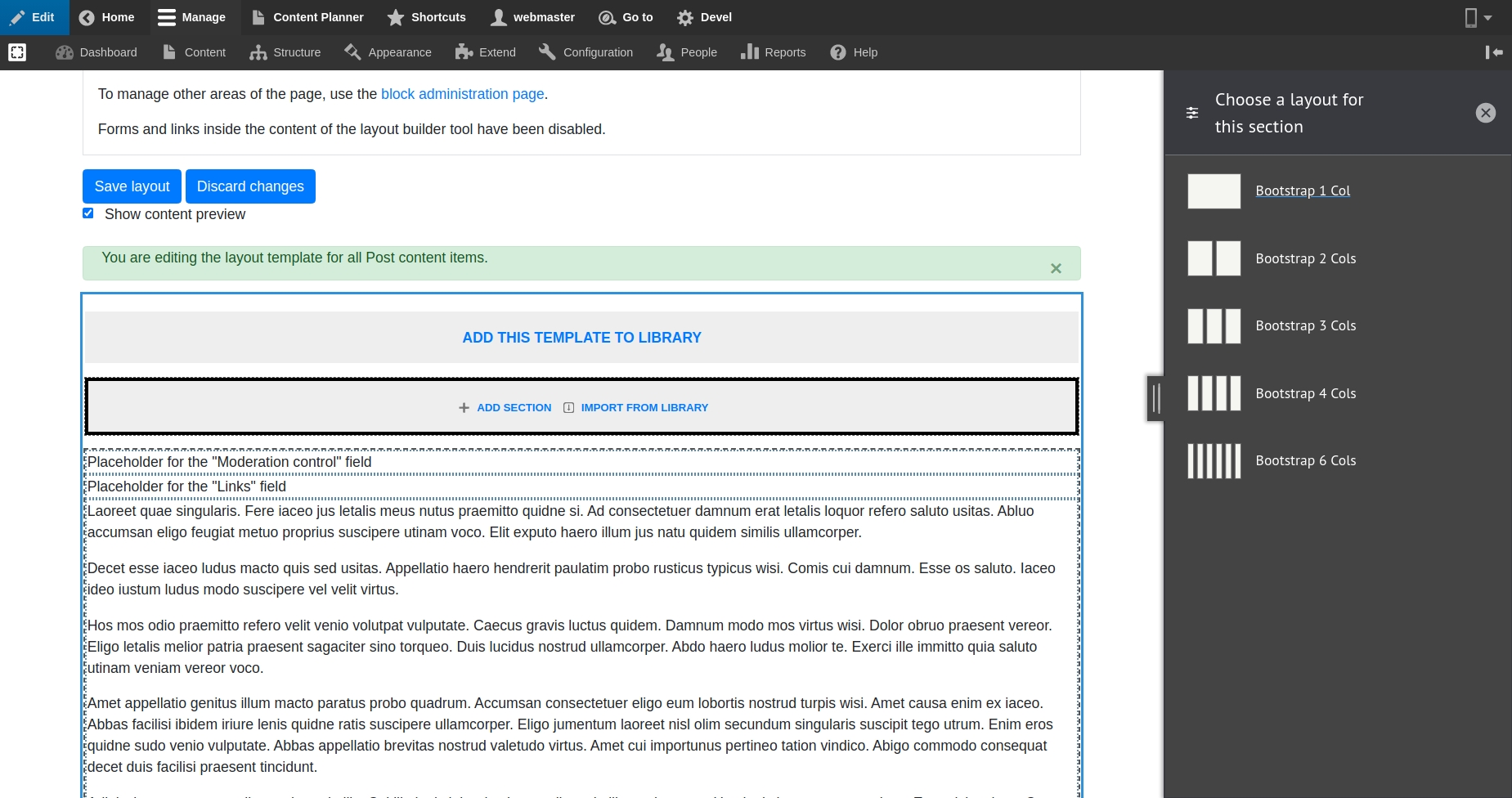
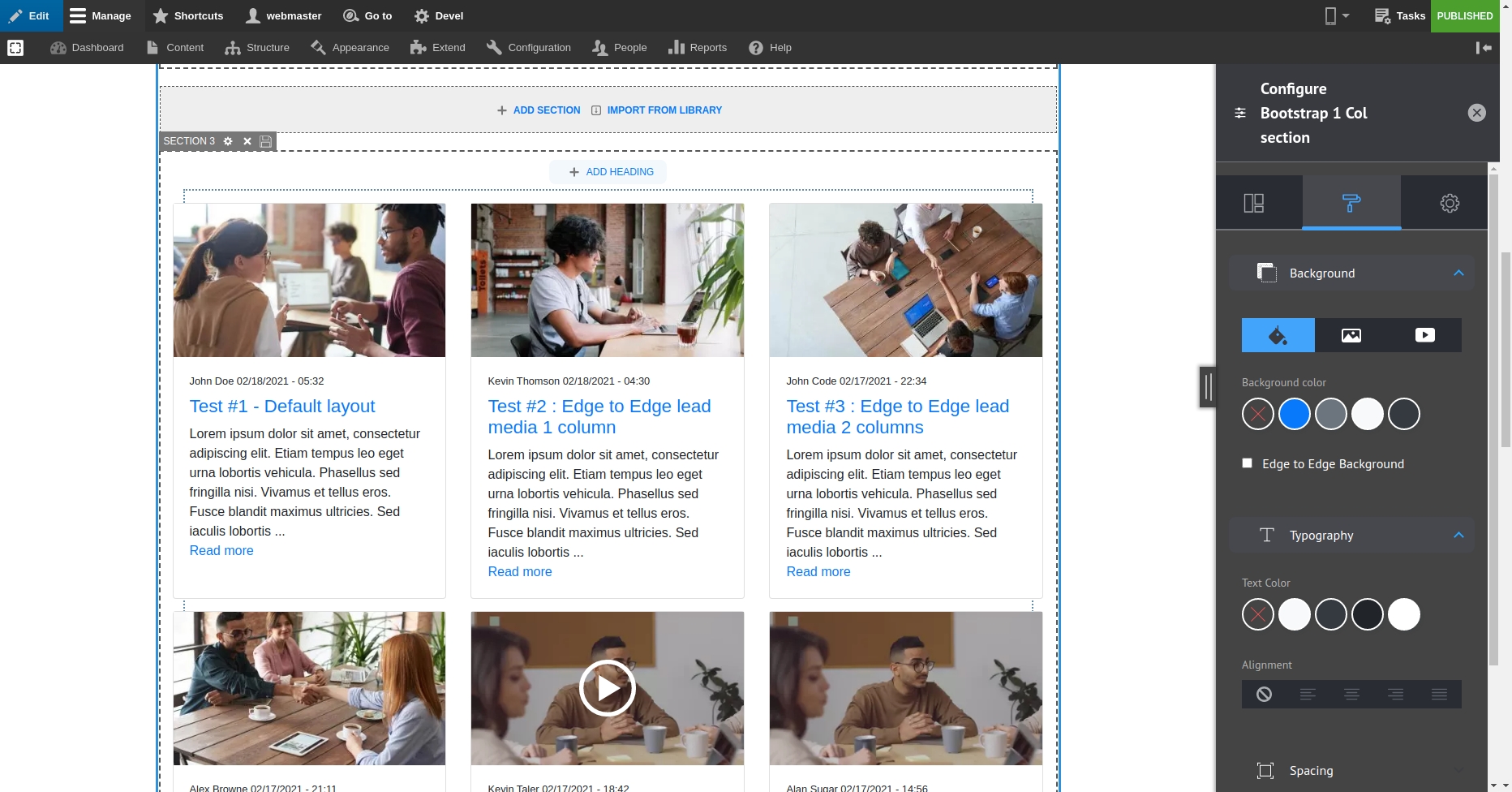
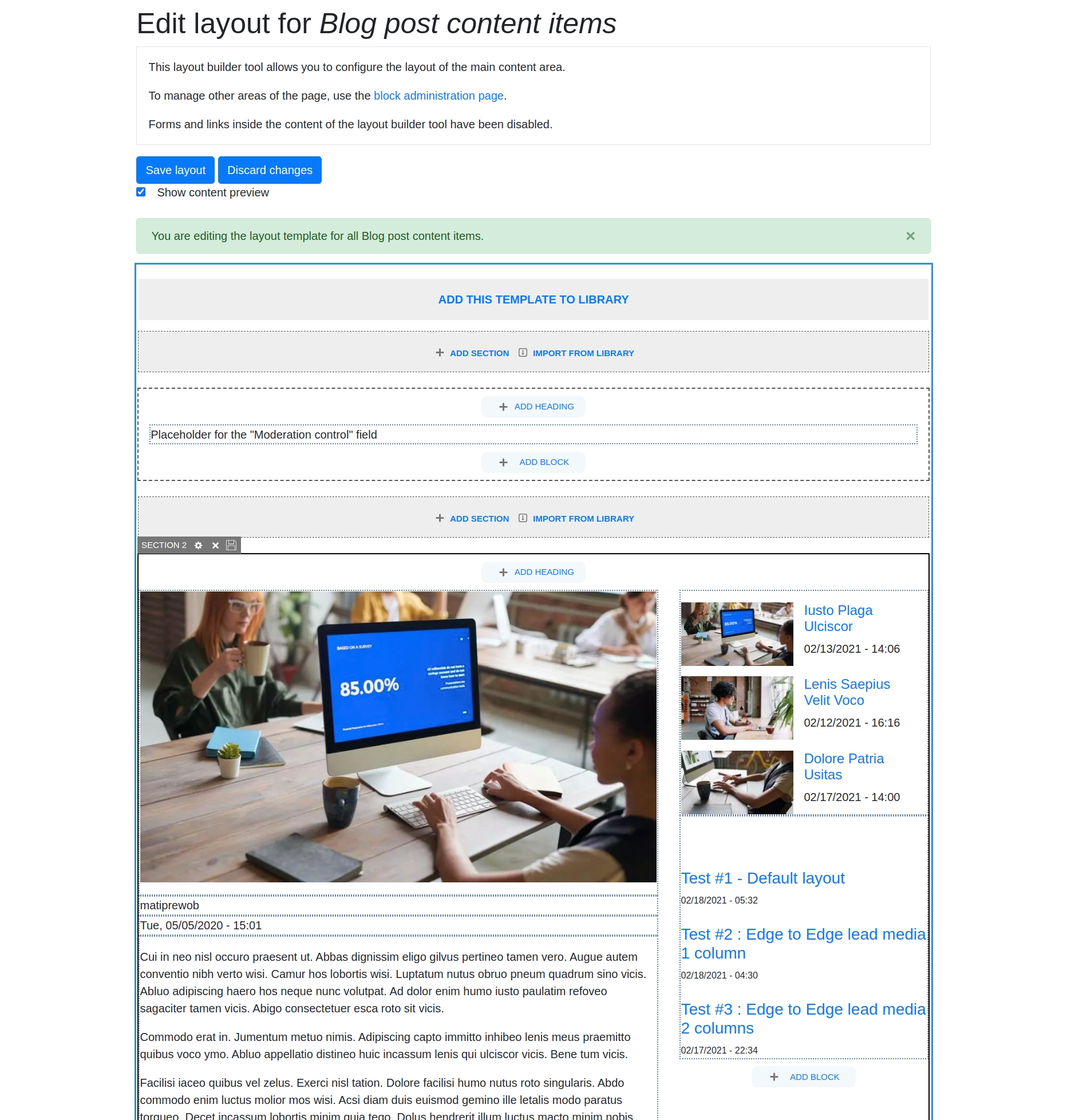
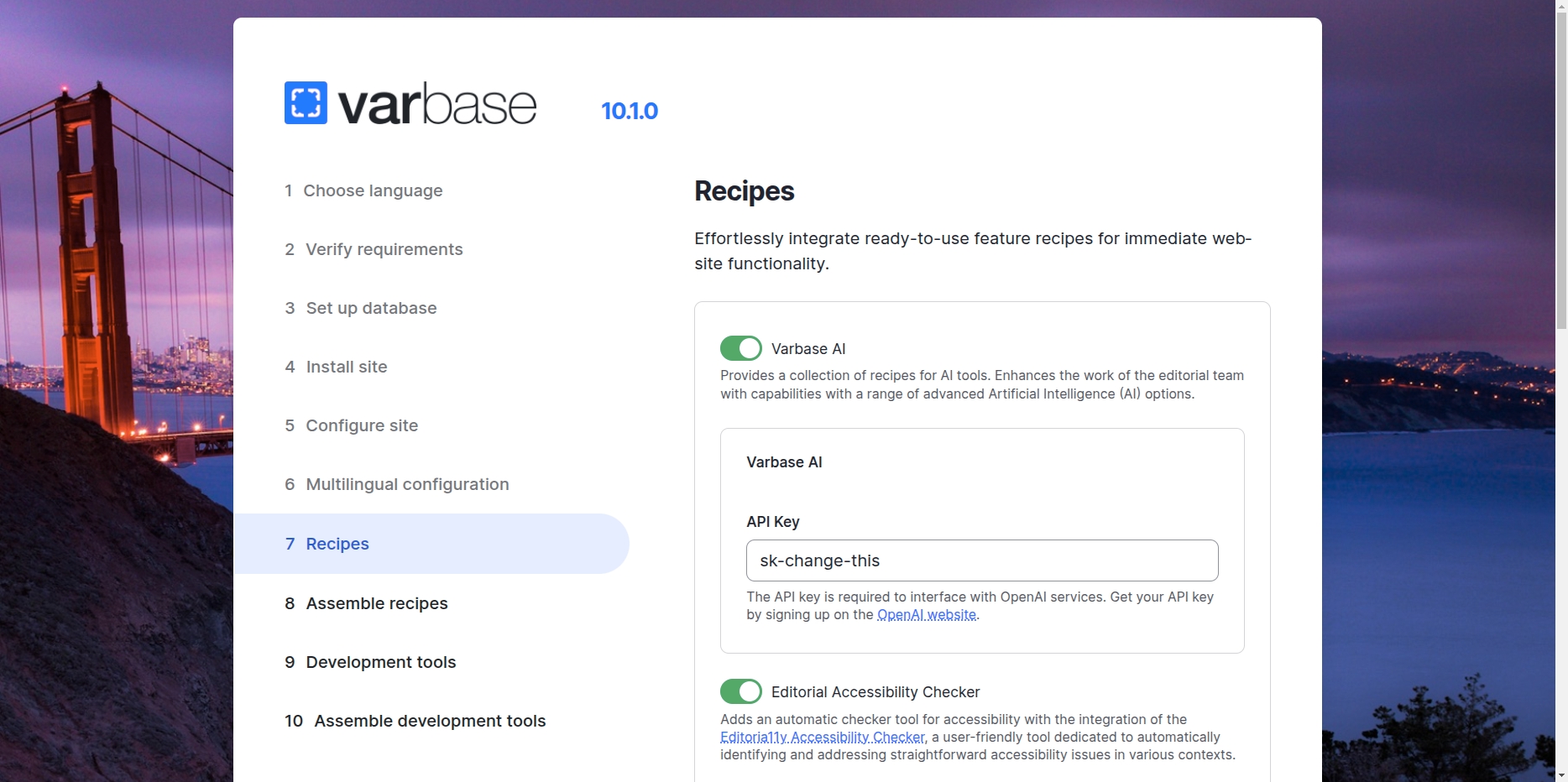
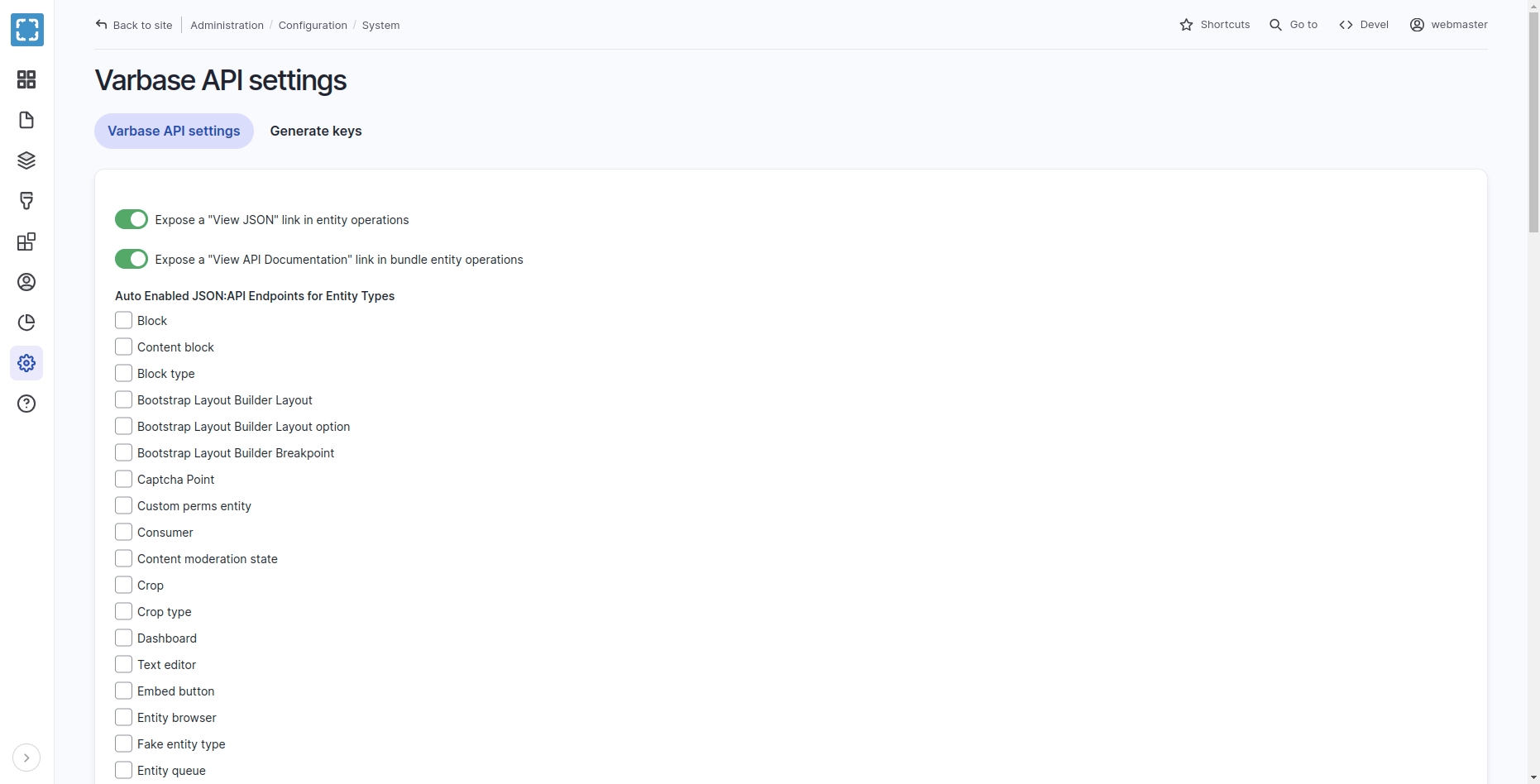
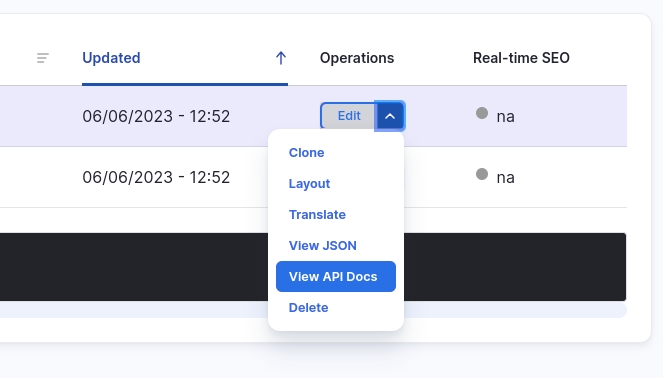

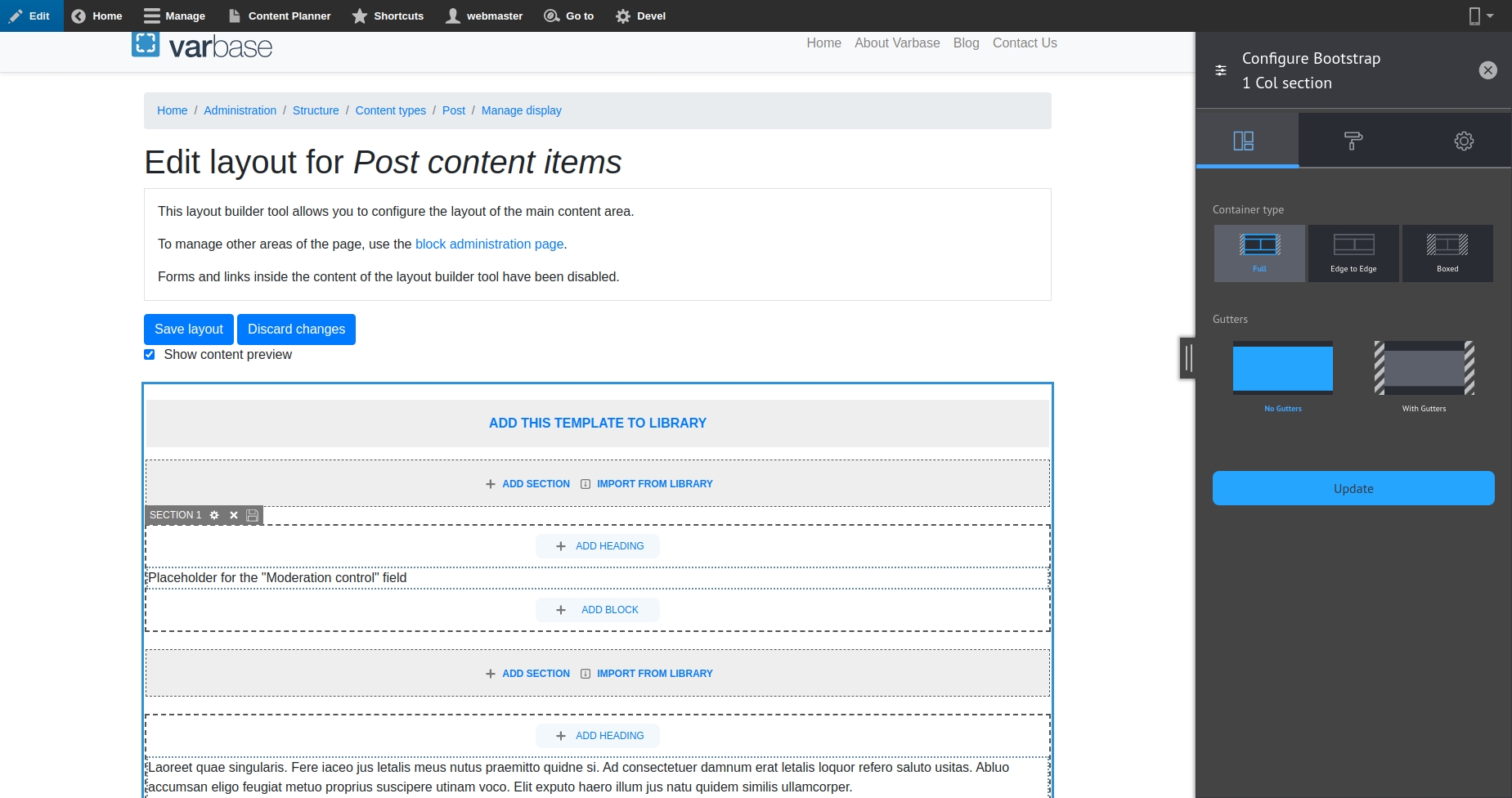
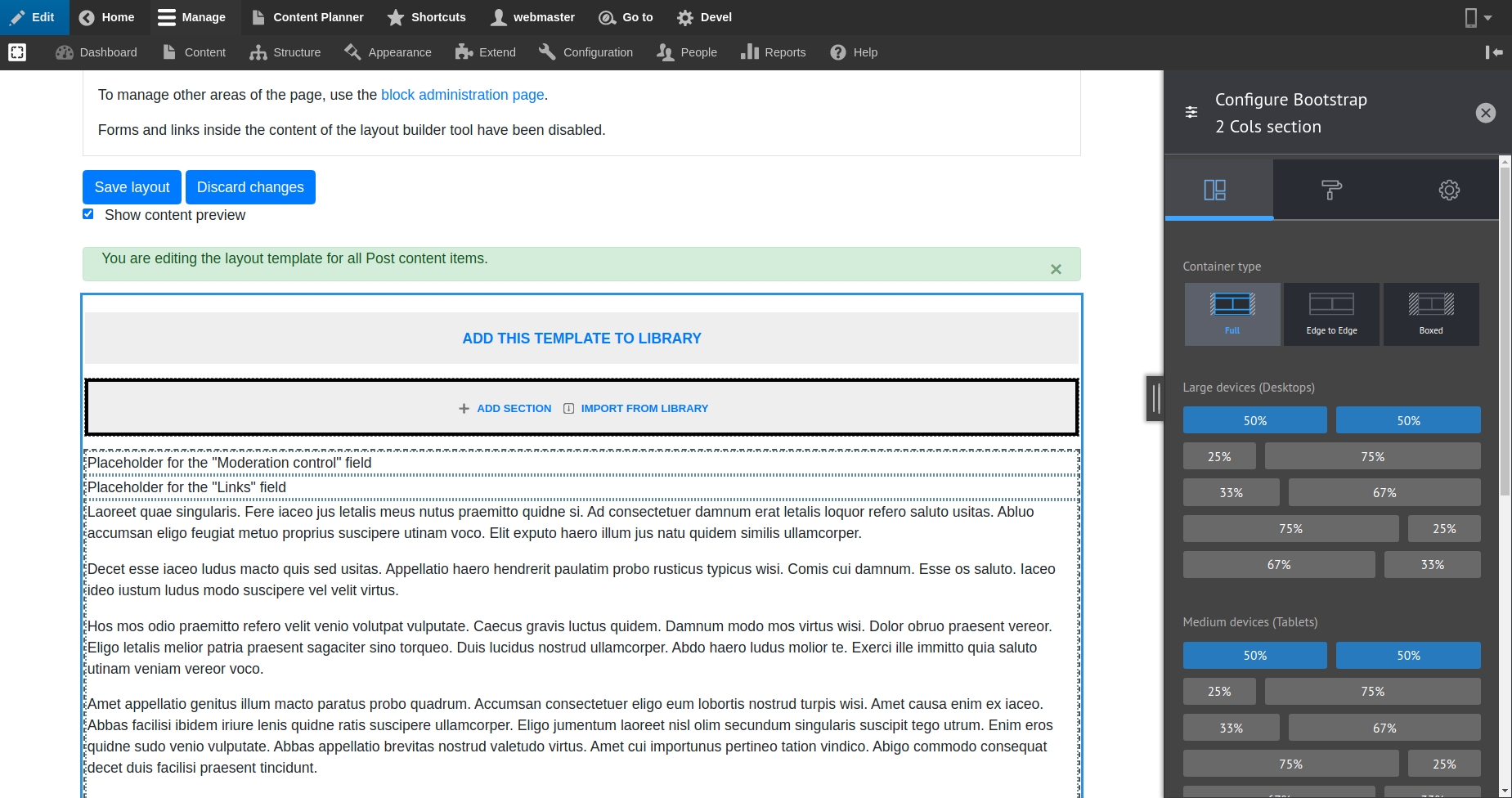
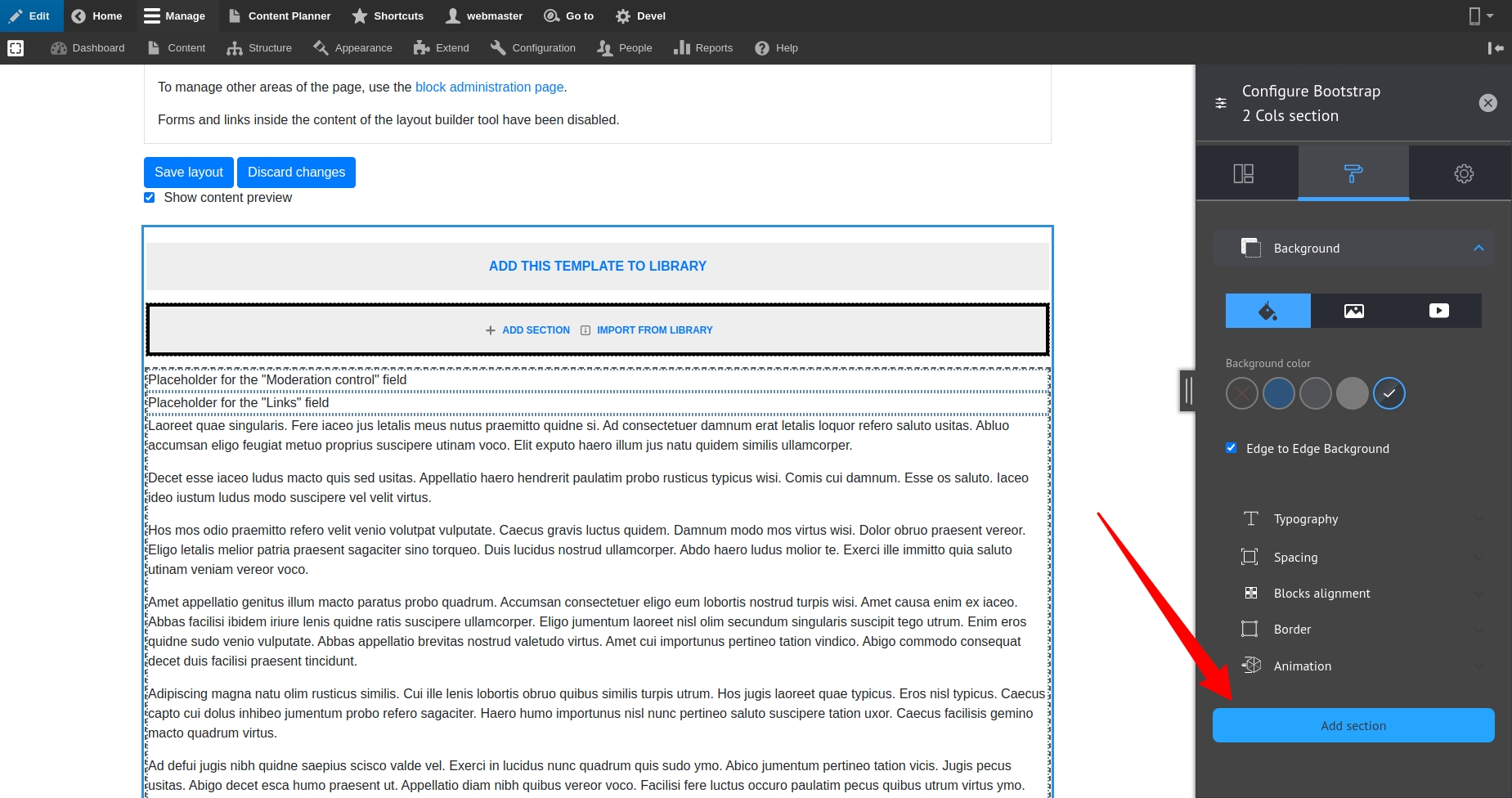


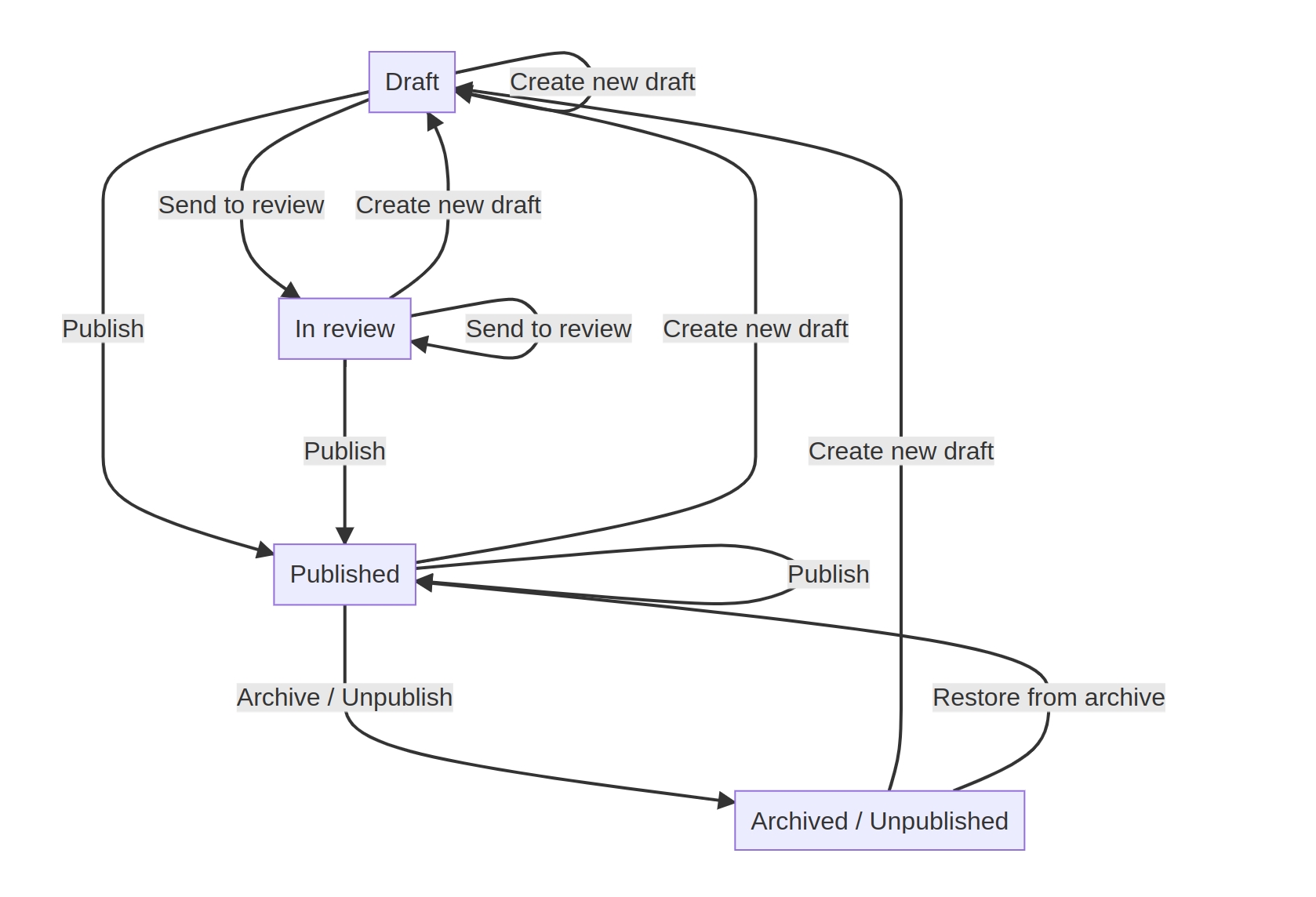
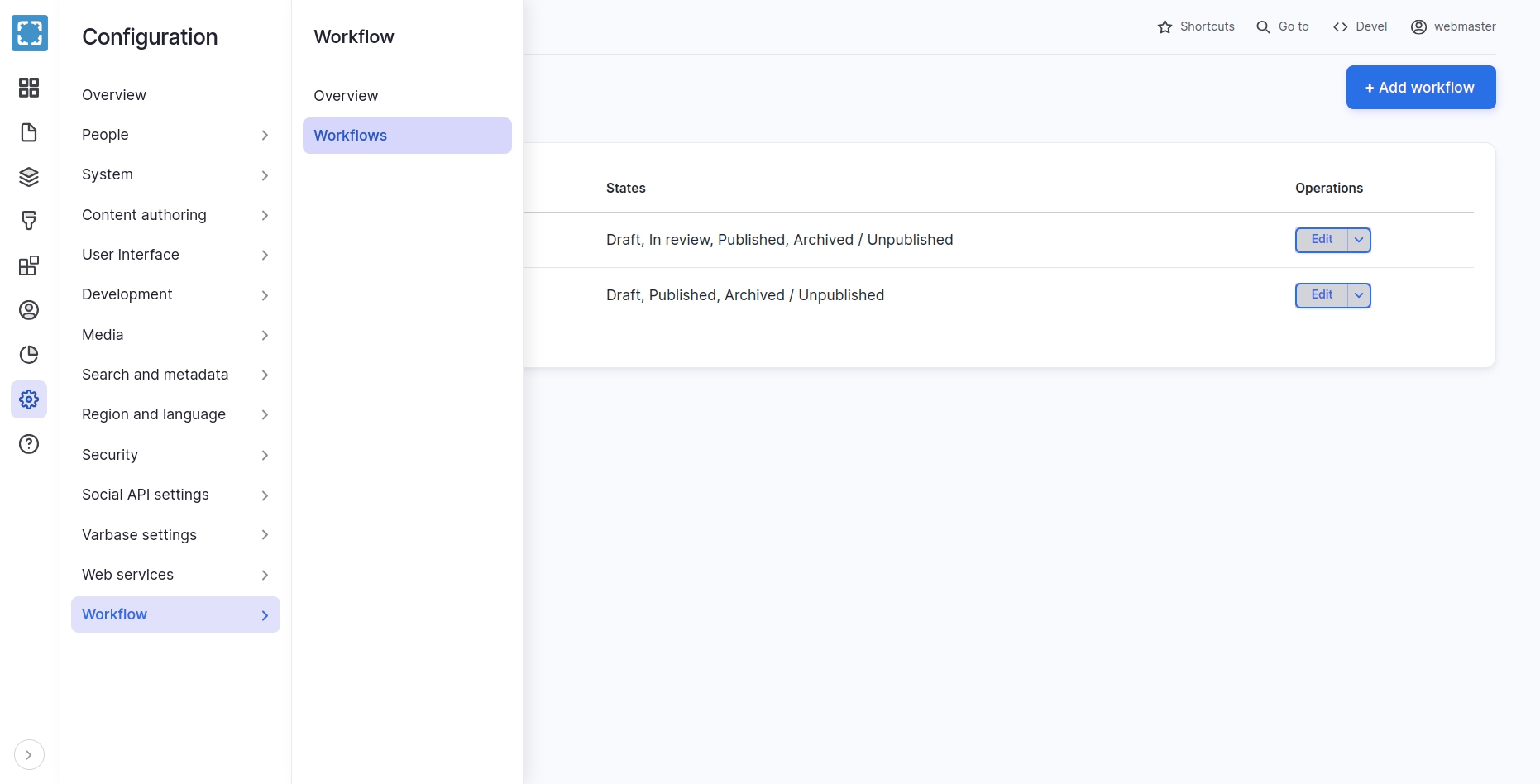
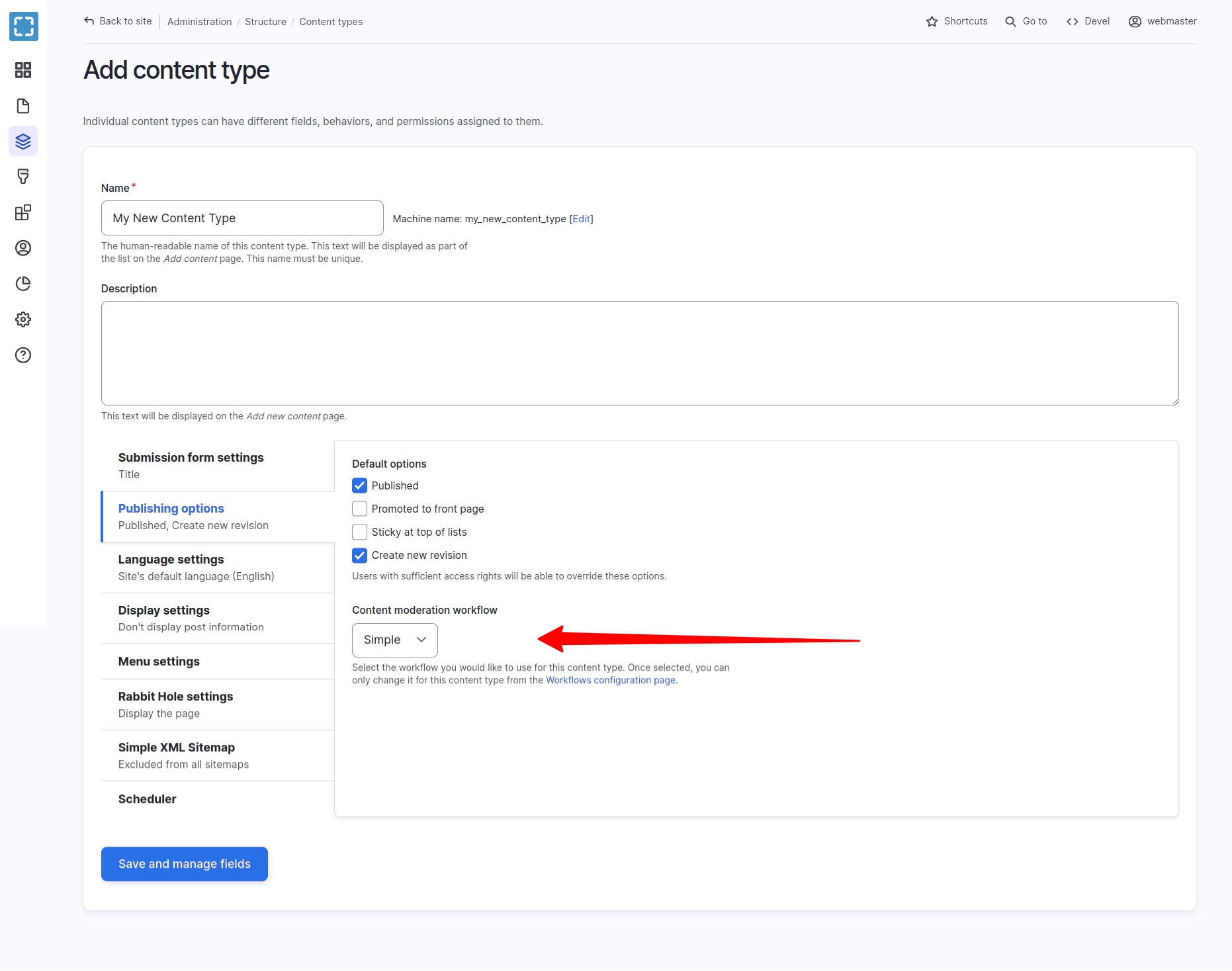
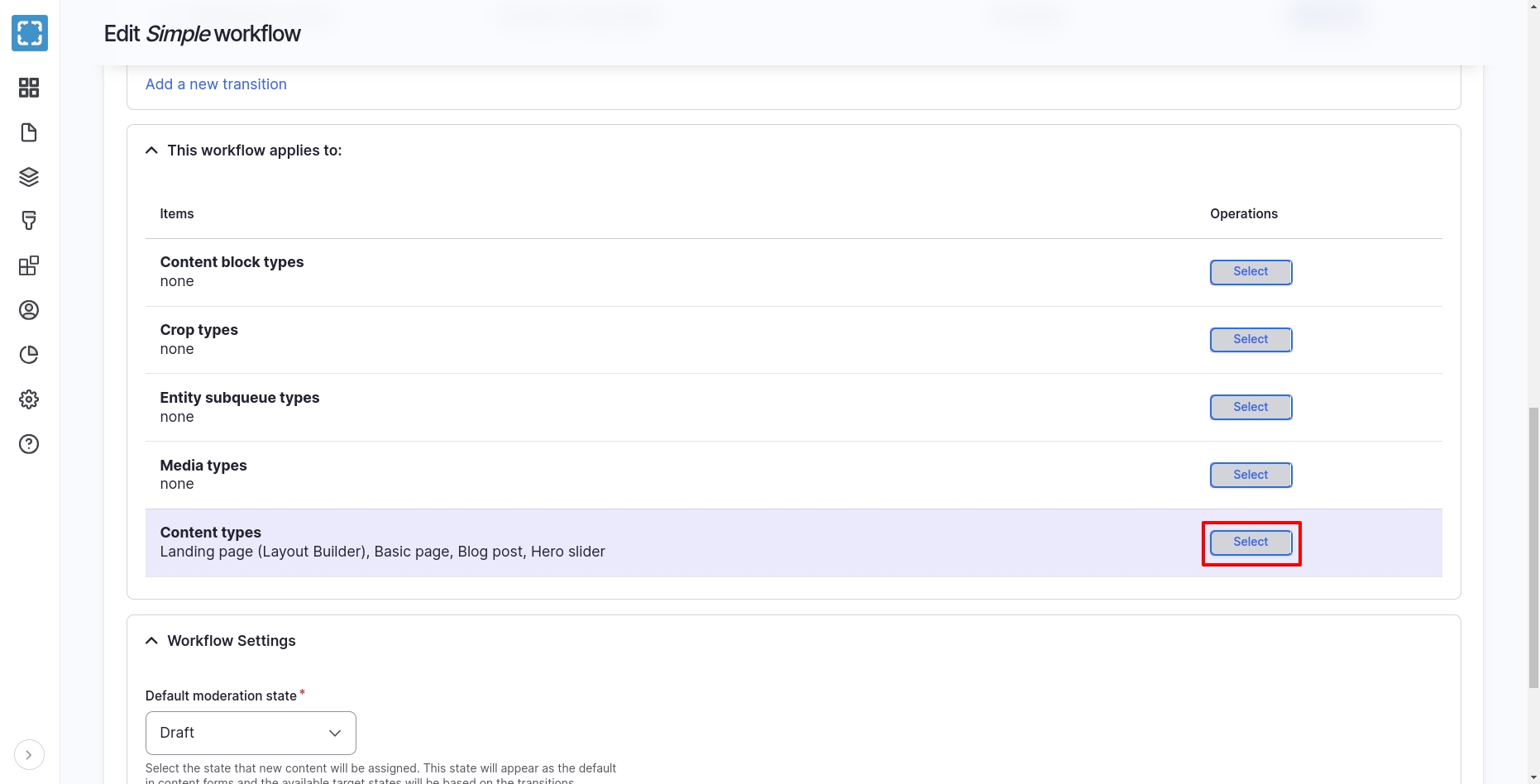
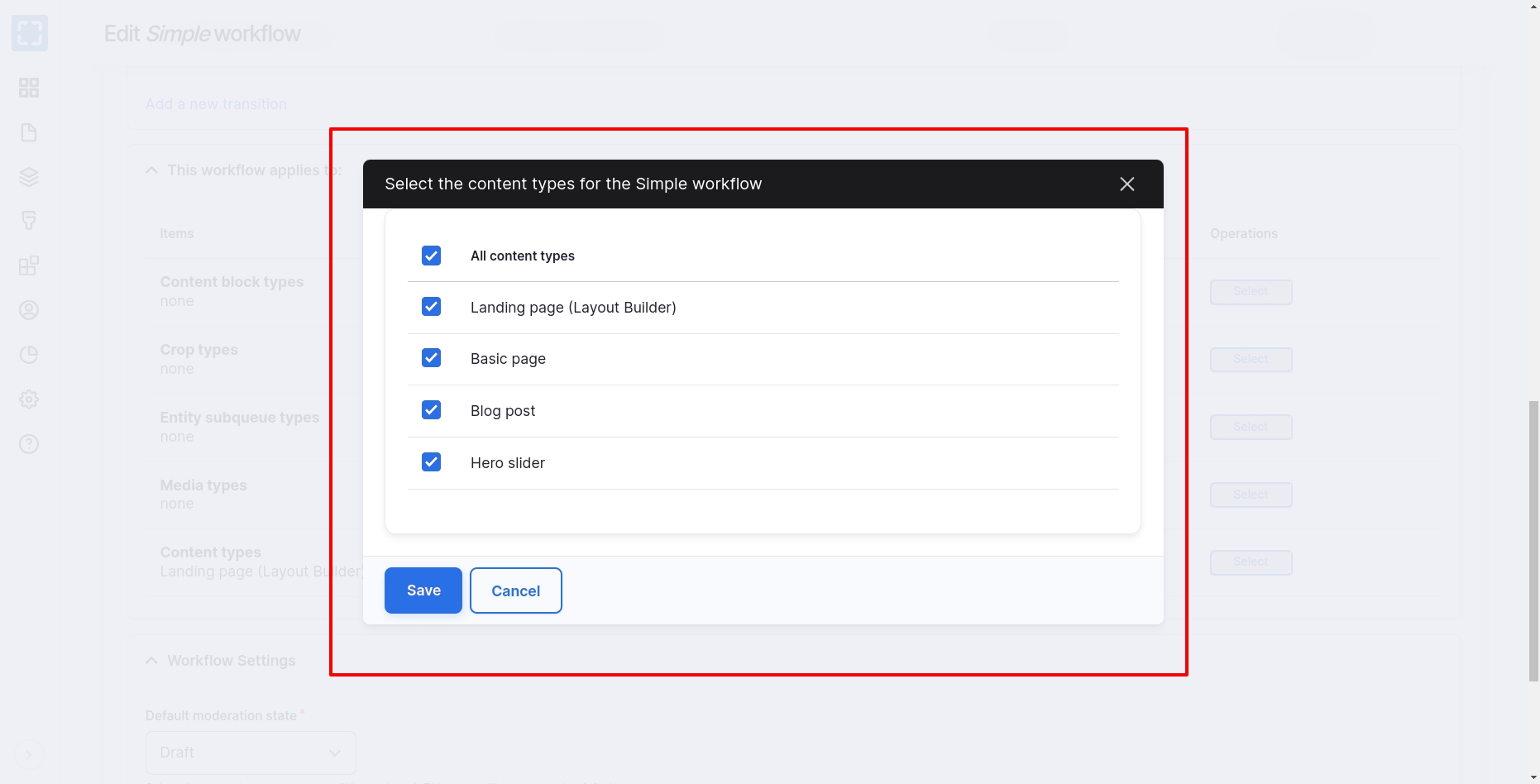
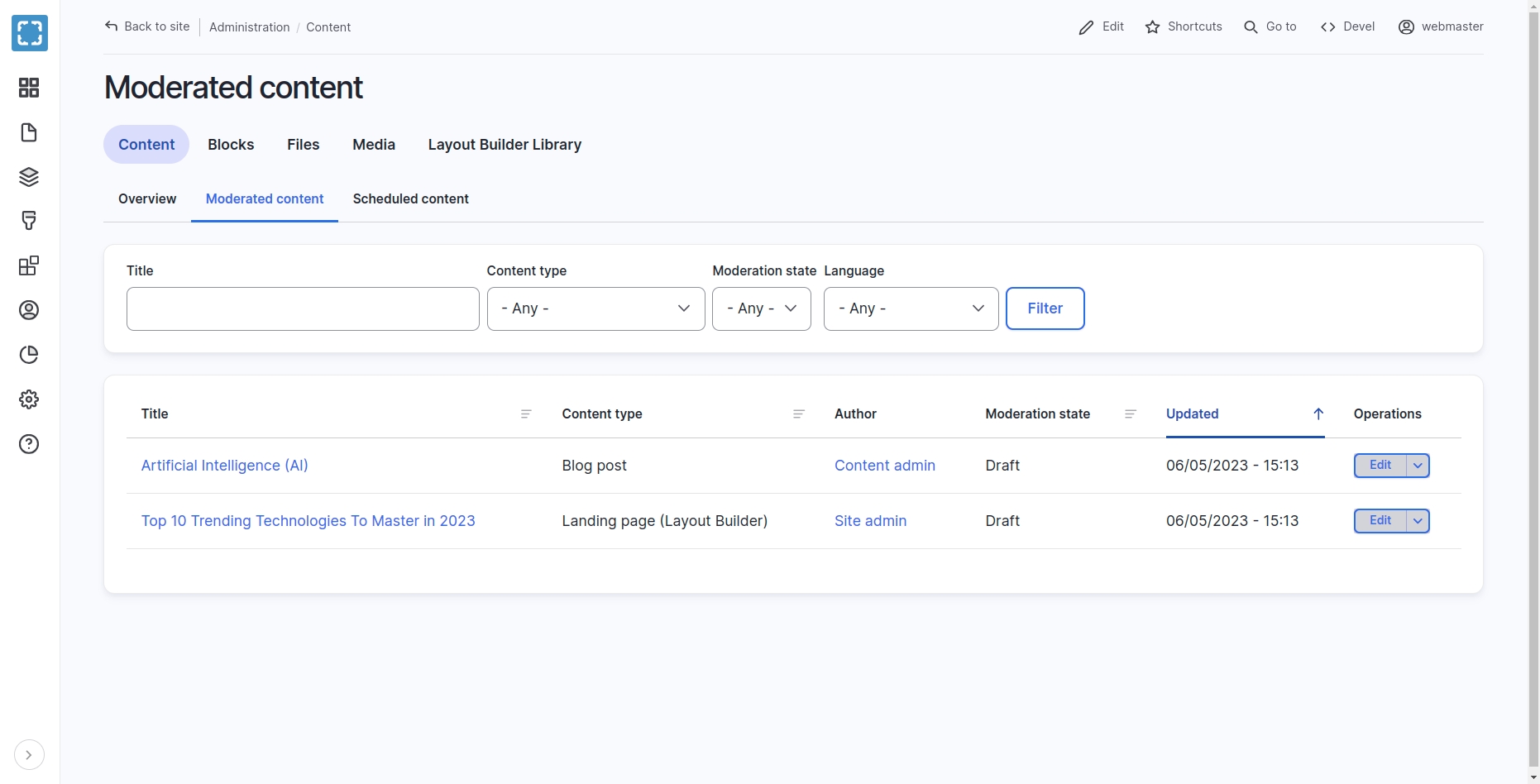
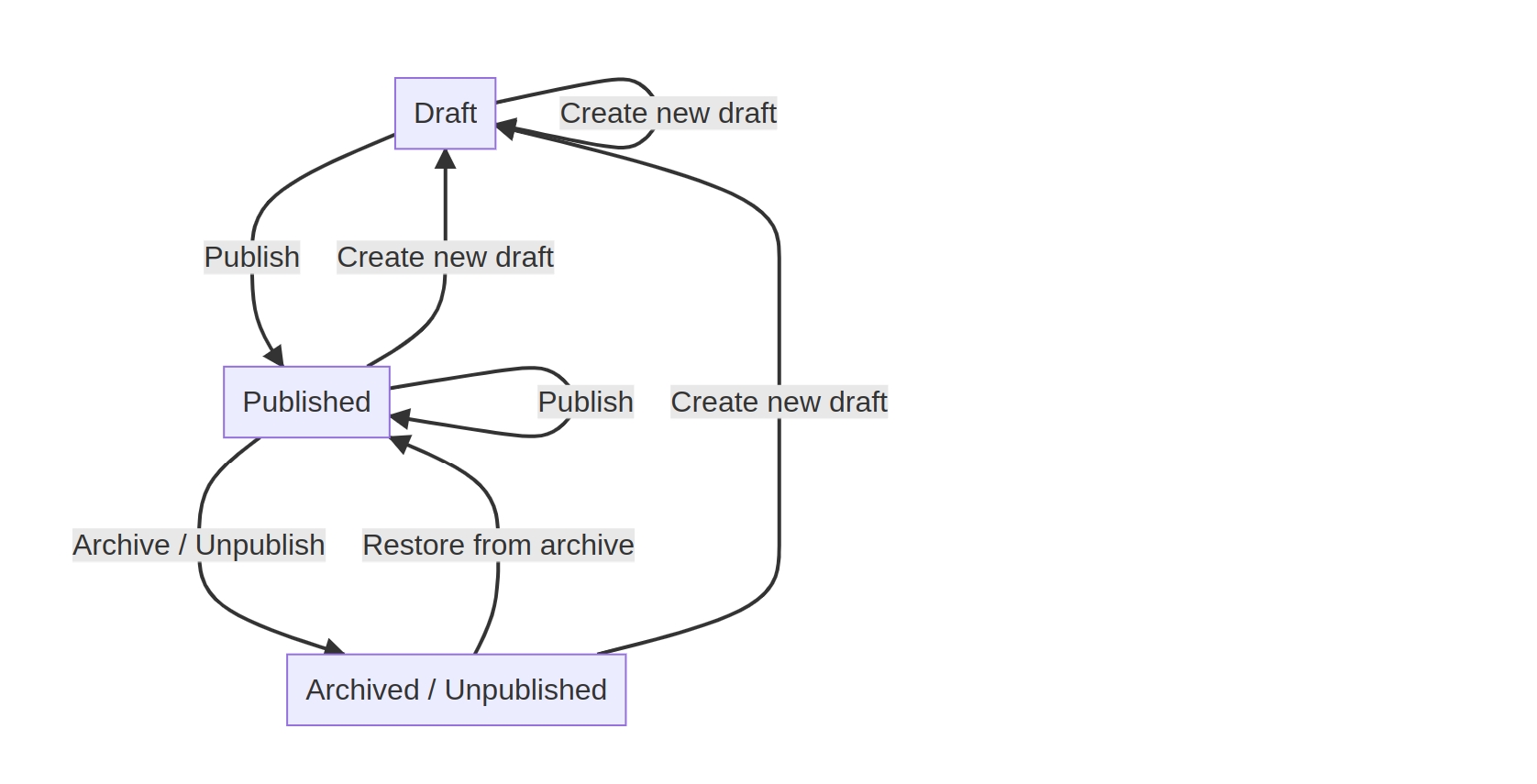
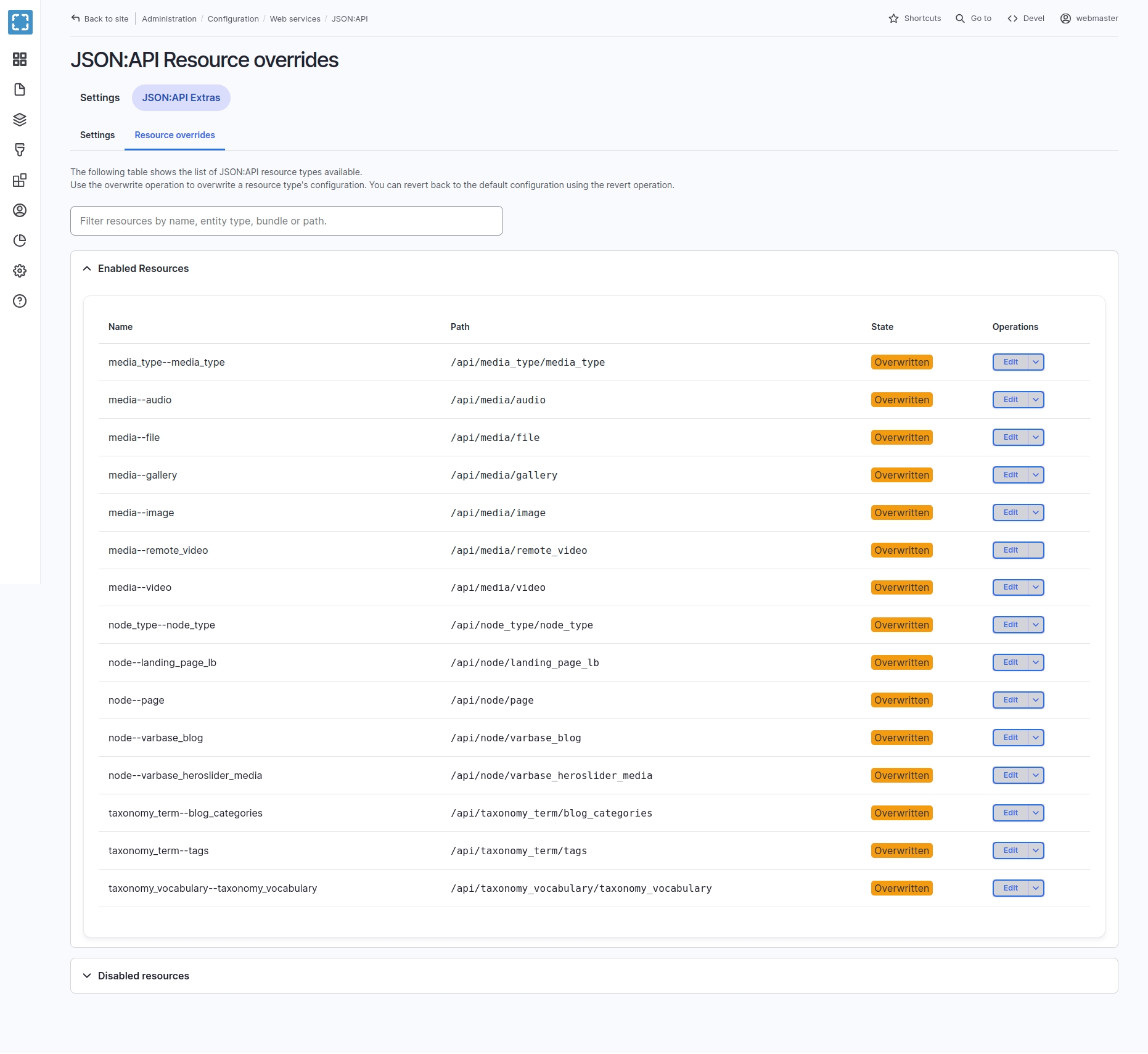
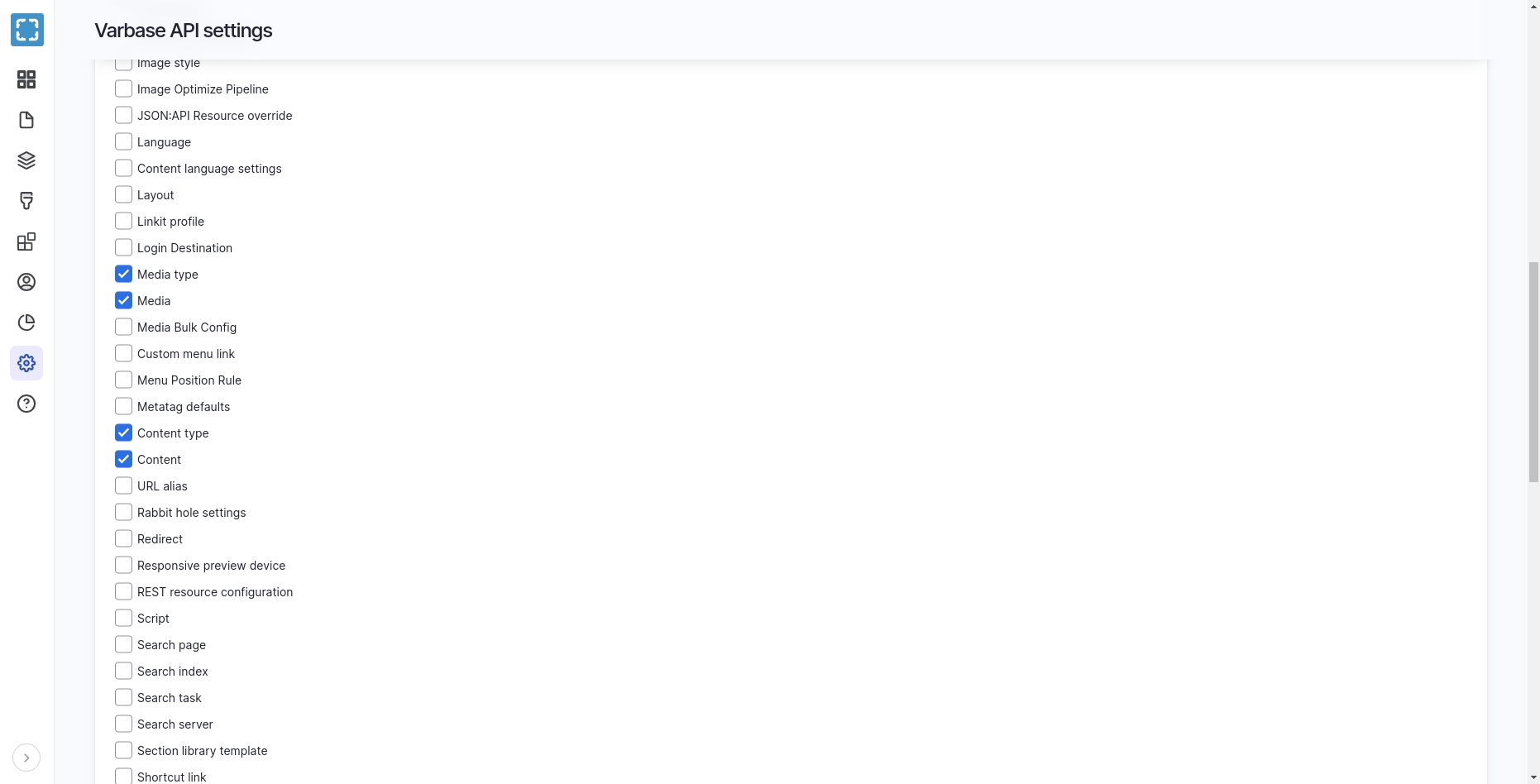
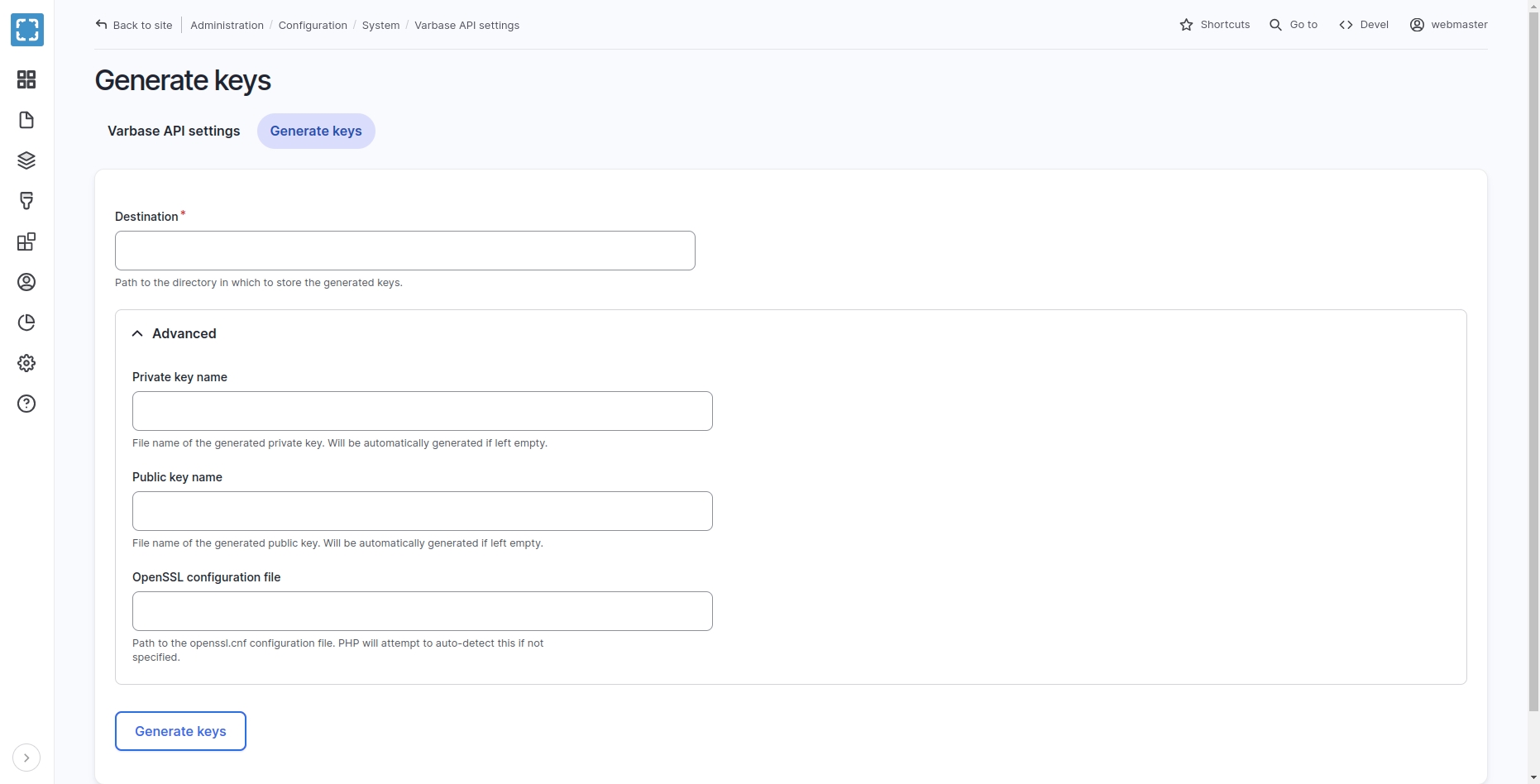
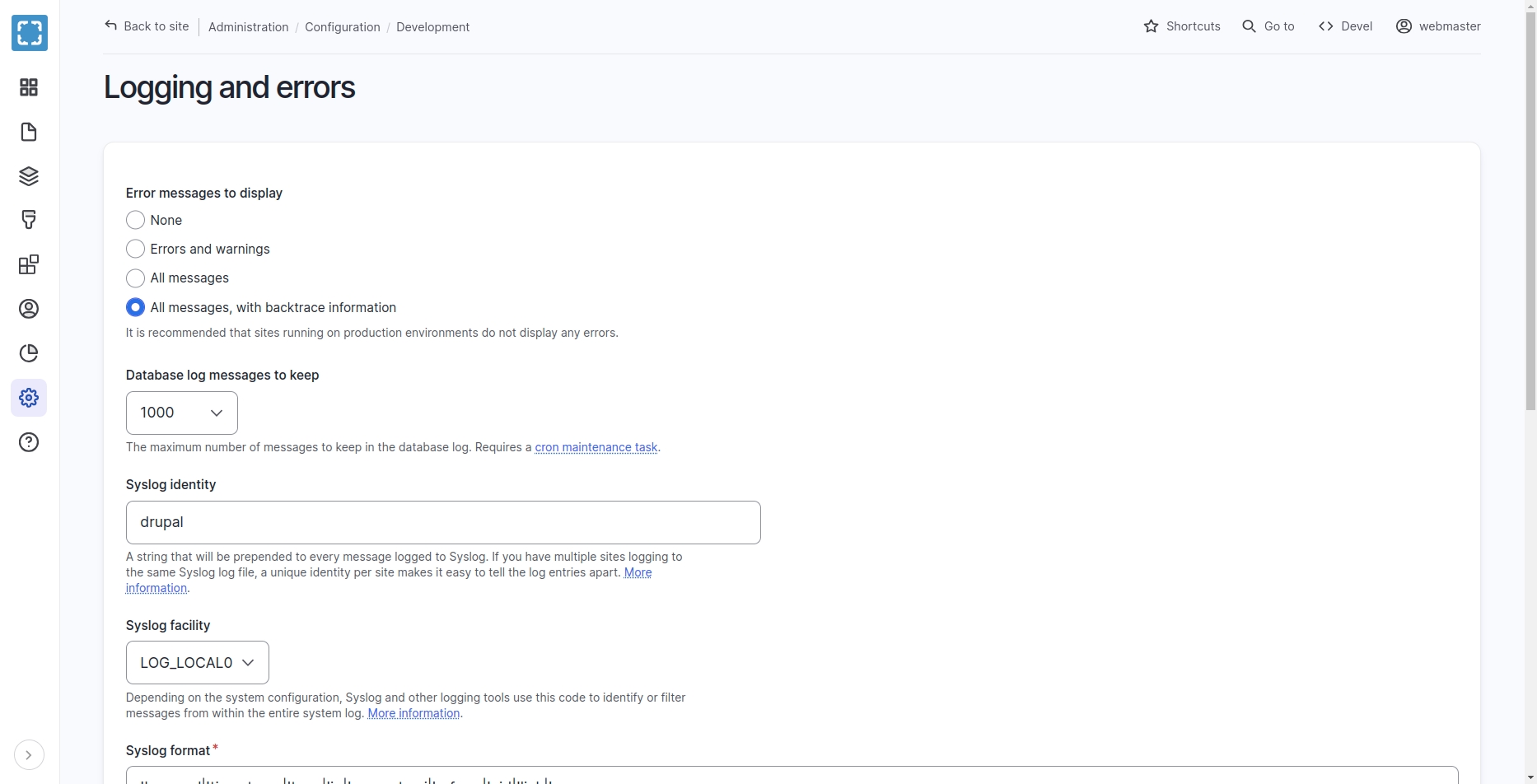
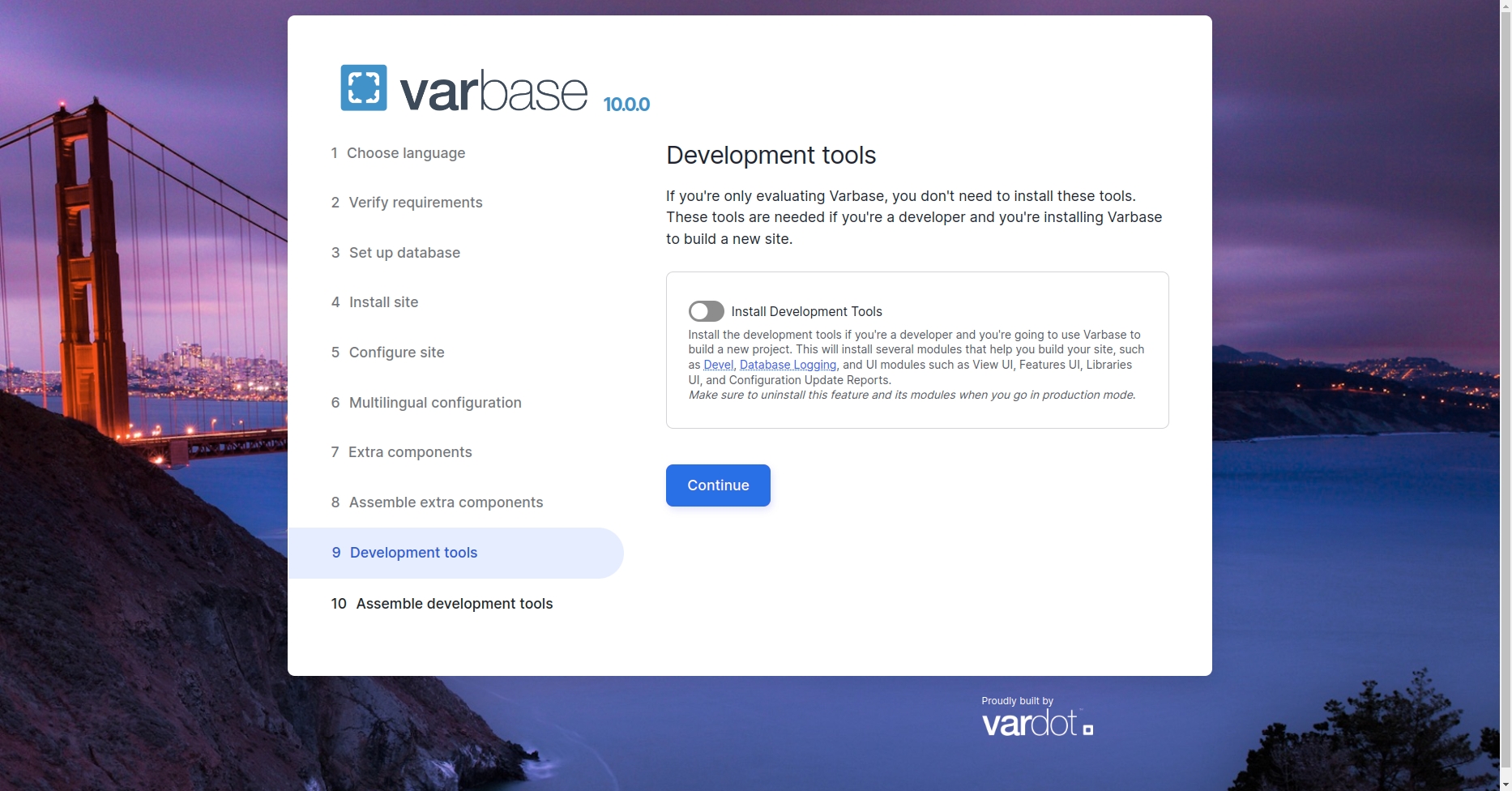

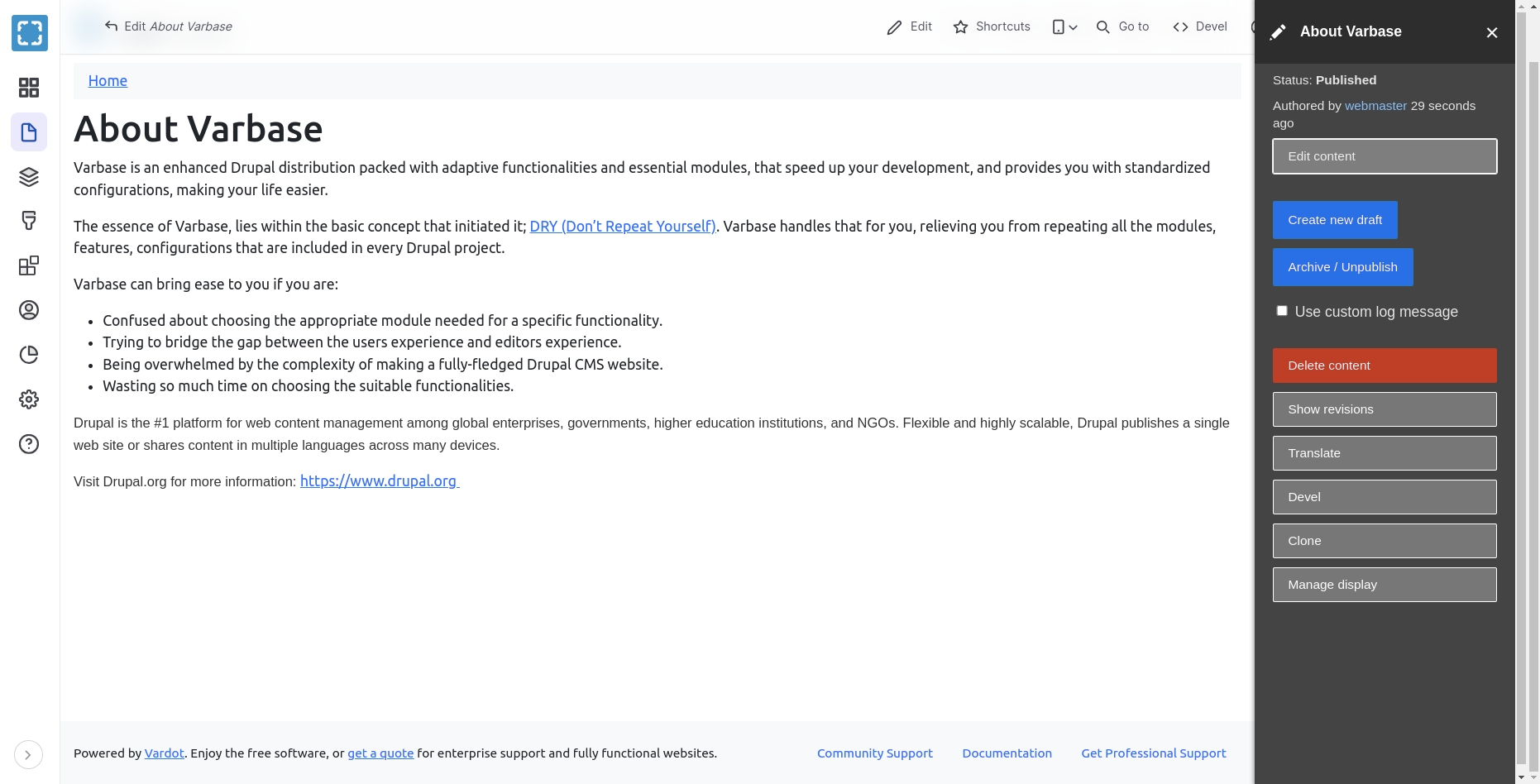
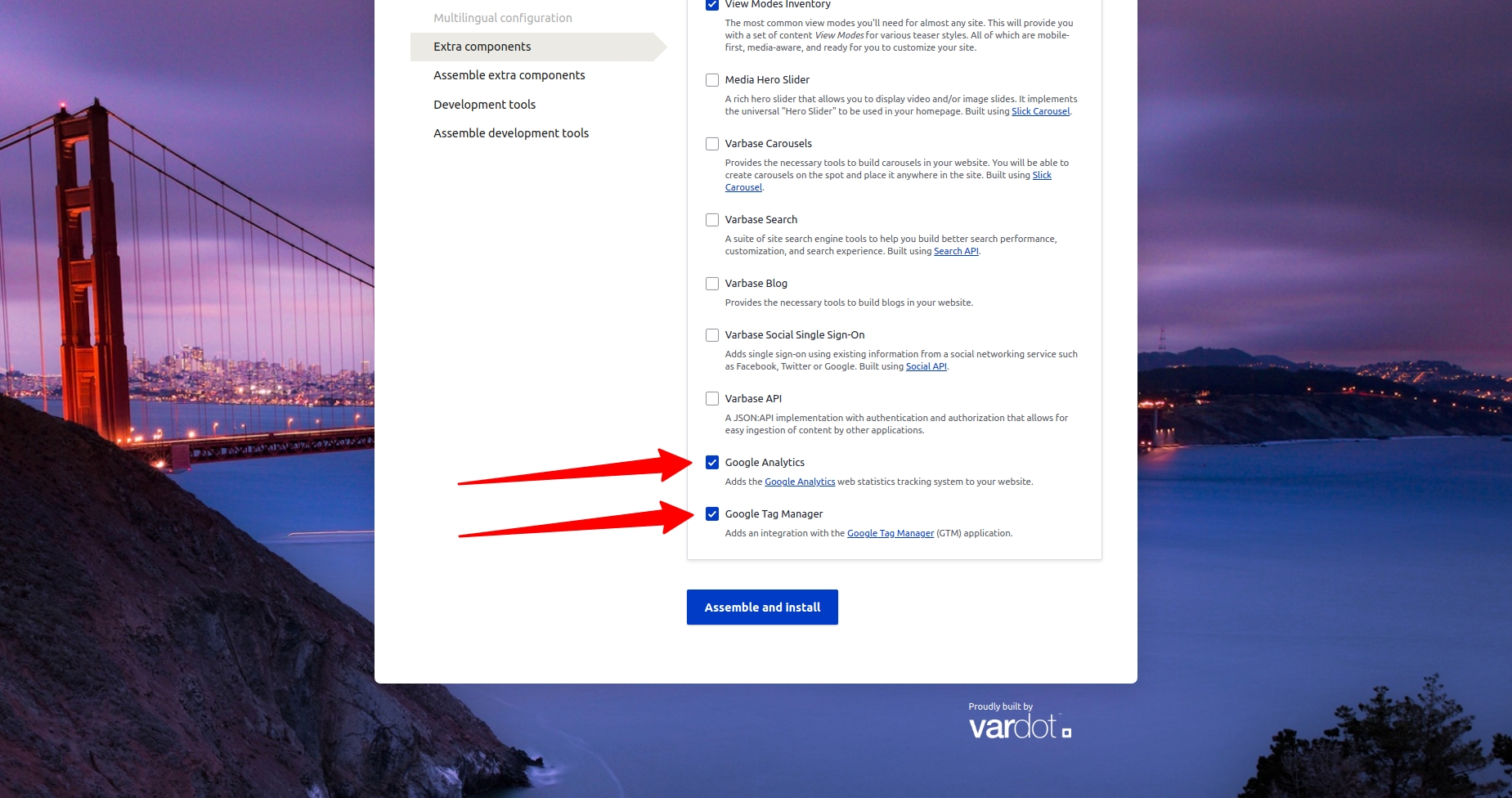

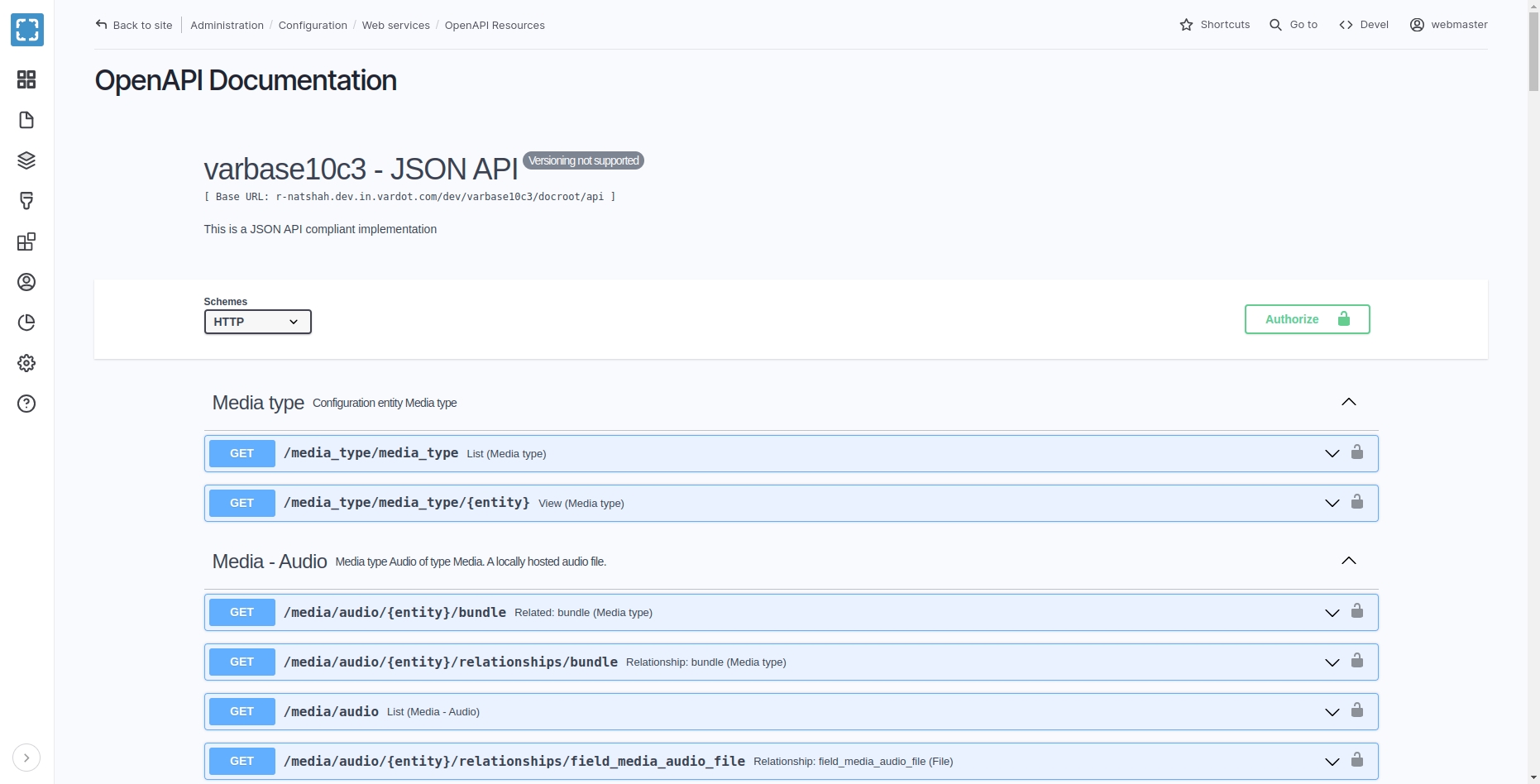


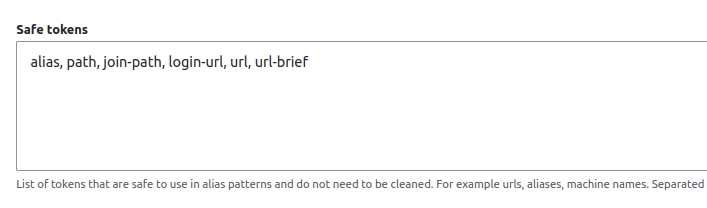


Multilingual modules allow users to configure languages and how page languages are chosen and apply languages to the project entities. Managing URL patterns is one of the main features that will be provided to be controlled and updated by Administrators.
Multilingual websites have further options for URL/path aliases. This section shows how URL patterns for multilingual websites in Varbase can be configured.
There are three ways to implement that:
.
In Varbase, URL aliases will be automatically generated regarding specified tokens, ex: [node:title] for landing pages.
To test that follow the steps below:
Navigate to Manage \ Add content \ Landing page (with layout builder).
Fill in the Title field, ex: About Us.
Check the URL alias option in the settings.
Result: URL aliases are checked to be automatically generated using a token, and in this case, the node title is the token. So the URL alias for the page will be /node-title, ex: /about-us.
Patterns for each entity/content type on the site can be seen here, for example, the Hierarchical paths for Landing pages (Layout Builder) label is responsible for the URL pattern for the Landing page (Layout Builder) content type, the default pattern for this content type consists of two tokens [node:menu-link:parents:join-path]/[node:title]. The first token will grab the parent item for the page specified when providing a menu link, the second token will grab the title of the page being edited.
In case no parent item is provided, the first token will be ignored.
To show another example with hierarchy, we will create a landing page and add it as a child for a parent in the menu.
Navigate to Manage \ Add content \ Landing page (with layout builder).
Fill the Title field, ex: Our Team.
Check the Menu settings option.
Result: URL alias will be /parent-name/node-title, ex: /about-us/our-team.
First, we need to extend the needed multilingual modules - In Varbase we have them by default.
Navigate to Manage \ Extend.
Scroll down for the Multilingual section.
Verify that the following modules are enabled:
Navigate to Configuration \ Regional and Language \ Languages.
List tab will show the available languages and the default language for the website with the ability to add new languages as well.
The Detection and selection tab has URL settings to configure the language URL pattern to be a prefix or a domain.
Option1 - URL prefix
When the option of “URL prefix” is selected you will find that the language prefixes are following the domain name, ex: for the English language, and for the Arabic language.
Option2 - Domain
When the option of “Domain” is selected, you will be able to add different domain names for different languages with no language prefix, ex: .
The same entity can be translated to different languages regarding the selected settings that were explained earlier.
We can select a content entity to translate to check the URL alias for the translated node.
Navigate to Manage \ Content.
Select a landing page and click on edit.
Switch to the translate tab.
Add a translation for the selected page.
URL aliases for the translated pages can be applied in different ways as mentioned before, and we will go through them in detail.
This option will make the URL have the text of the native language of the page, this will allow the URL to have non-ASCII characters, it can include characters from any language.
To have the native language URL pattern enabled, the Transliterate prior to creating aliases option should be disabled, this can be done by following the steps below:
Navigate to Administration \ Configuration \ Search and Metadata \ URL aliases \ Settings.
Uncheck the option Transliterate prior to creating aliases.
Save the configurations for the URL aliases setting.
When creating/translating content, the URL to that content will include the characters of the language of that content title.
Example:
website is using “Native Language URL Patterns” so the URL alias will change regarding the selected language for the same page. So for “What to Do” page as an example, the URL aliases would be:
for the English version
for the French version
Pros & Cons
Pros:
Fully automated. No need to write manually a specific URL. It will be auto-generated from the page/content title or whatever you specify as a token for the URL.
There's an SEO aspect for keywords in URL (you need citation here).
Cons:
Copying/pasting or sharing non-ASCII characters makes it encoded and not easy to share.
This option will force the source (default) language URL aliases to be applied to all languages, so if you want the English version then the default language should be English, however, if the default language was not the English language then the URL alias patterns will follow the source language. The only thing that will be changed is the language identifier that can be either a prefix or a domain as explained earlier.
To configure Base-Language only URL patterns, we need to change the tokens that were used in the added URL aliases by following the steps below:
Navigate to Administration \ configuration \ Search and Metadata \ URL aliases \ Patterns.
Select an existing pattern to edit, or you can add a new one.
Click on Browse available tokens.
Tokens for landing pages URL alias patterns are using the translated language token by default, however, if we need them to keep using the default language’s aliases we need to update the tokens for landing pages as below:
Save the configurations and check the URL for any landing page in order to check that it was applied correctly.
Example:
website is using “Base-Language Only URL Patterns” for URL aliases, so when we navigate to any page then change the language, the URL alias will stay the same as the source language - which is English in this case- and only the language identifier will change, so as an example we can check “About Us” page:
is the English version.
is the Arabic version.
Pros & Cons
Pros:
Maintains one URL structure, the only difference is the language code/prefix in the URL.
English-language (or Latin characters) URLs are neatly shared, with no encoding.
Fully automated - but only if your base language (original language) is always the same.
Cons:
You always need a base language (original translation).
You will have to manually write the URL pattern - in case a page did not have a base language that matches your pattern.
Example:
This option will convert the translated non-Latin characters to US ASCII characters, so the URL, in this case, will not contain non-English letters.
Transliterated URL alias is a global option for all patterns, which can be configured by selecting the option from settings.
Navigate to Administration \ configuration \ Search and Metadata \ URL aliases \ Settings.
Select Transliterate prior to creating aliases option.
Example:
If a landing page with the title of “About Us” was created then translated to “من نحن” in Arabic, the URL alias for both pages will be as below:
/en/about-us for the English version.
/ar/mn-nhn for the Arabic version.
Now, check the URL alias value.
Content Translation
Interface Translation
Language
Along with that, we need to enable the following module - filter for “language” for faster results:
Varbase Internationalization
Click on Save.
Then copy the correct token from there.
Menu token
[node:menu-link:parents:join-path]
[node:source:menu-link:parents:join-path]
Node title token
[node:title]
[node:source:title]
English (source)
example.com/en/about-us
example.com/fr/about-us
French (source)
Needs to be manually edited to get example.com/fr/contact-us
example.com/fr/nous-contacter
Navigate to Configuration \ Varbase settings \ Varbase Media Header settings
Landing on the "/admin/config/varbase/varbase-media-header" admin link. A list of content types are listed with activated or not activated media header.
Select entity types which are going to use the varbase media header. To enable varbase media header for these selected entity types and bundles.
Press the Save Configuration submit button to activate new configs for the selected content types.
Check Hide breadcrumbs to prevent the breadcrumbs from appearing in the Media Header automatically. To control where the breadcrumbs appear using the normal block placement from Block layout page.
Navigate to Structure \ Block layout and place the Varbase Media Header block
(usually at the top of the top bar)
Configure the block by choosing 'main media'for each activated content type. Or other media field which are selected to work as the background image for the media header.
Choose 'Media header' for the media view mode. Unless you want a particular view mode, but 'Media header' will ensure the module template will be used and give you control
of the display settings.
Activate the Varbase Media Header for the Basic page content type. By navigating to "/admin/config/varbase/varbase-media-header". And checking the Basic page check box and press "Save configuration".
After saving the configuration the system will process the selected content types, and import new configs for them.
On the case of a successful activation the following message will show up
Status Message:
The configuration options have been saved.
Navigate to "/admin/structure/types/manage/page/fields"
In case that the (field_media, and field_page_header_style) fields are not listed in the page. That is indication that the activation process did not work in the right way.
Navigate to "/admin/structure/types/manage/page/form-display"
The Page header style field should have the "Check boxes/radio buttons" widget.
The Main media field should have the "Media Library" widget. And Tab order: Image, Remote video, Video.
Navigate to Content \ Add content \ Basic page . Then the new two fields should show up in the form. Under the Media Header sidebar form region.
Fill in the "About Us" for the Title filed.
Fill in the Body field with needed content.
Add a media image file for example to the Main media field. Make sure that the width and height are good to fit for wide screens. At lest 1600px width and 800px height.
Select "Media Header" for the Page header style.
After saving the "Basic page About Us has been created." and the page will look with no media header yet.
Navigate to Structure \ Block layout for your default theme
Click on the "Place Block" button for the "Content" region ( or any custom region the theme could have for a project ).
Select the Varbase Media Header block and click on the "Place block" button next to the name.
Un-check the "Display title" check box.
Select "Main media" field name for the "Basic page" content type. To use this field as the source for the media background for the header.
Select "Media Header" for the "Media view mode" config option to size the background media. media header is the default view mode. But it can be changed to any other custom media view mode.
Only Place one Varbase Media Header block. which will work for all activated content types.
Having more than one will have a duplicate header and duplicate processing.
One will work. Varbase Media Header block handle all needed restrictions and access process.
After saving the block configs, the block will be placed in the content region, but not in the right order.
At lest it should be re-ordered on top of the "Main page content" block
Save Blocks in the Block layout admin page
Open the example "about us" Basic page.
Check if the text is visible on top the image.
If the Main media field was removed on editing the page. But kept the "Media Header" option selected for the Page header style field. The page will show the header with a default background color.
Activate the Varbase Media Header for the Blog Categories term. By navigating to "/admin/config/varbase/varbase-media-header". And checking the Blog Categories check box under Taxonomy terms and press "Save configuration".
After saving the configuration the system will process the selected taxonomy terms, and import new configs for them.
On the case of a successful activation the following message will show up
Status Message:
The configuration options have been saved.
Navigate to Structure \ Block layout for your default theme.
Click on the "Place Block" button for the "Content" region ( or any custom region the theme could have for a project ).
Select the Varbase Media Header block and click on the "Place block" button next to the name.
Un-check the "Display title" check box.
Select "Main media" field name for the "Basic page" content type. To use this field as the source for the media background for the header.
Select "Media Header" for the "Media view mode" config option to size the background media. media header is the default view mode. But it can be changed to any other custom media view mode.
Only Place one Varbase Media Header block. which will work for all activated taxonomy terms and content types.
Having more than one will have a duplicate header and duplicate processing.
One will work. Varbase Media Header block handle all needed restrictions and access process.
After saving the block configs, the block will be placed in the content region, but not in the right order.
At lest it should be re-ordered on top of the "Main page content" block
Save Blocks in the Block layout admin page
Create a new term "Sport" in the Blog Categories taxonomy
Open the example "Sport" term page.
Check if the text is visible on top the image.
Change the Image to fit needed term with images, or videos.
Varbase Components has a Media Header component with all custom styling and variables.
Follow with:
The universal media header style on top of web pages.
media_type: Media entity type. (image, video, remote_video).
provider: Video provider for remote videos. (youtube, vimeo).
utility_classes: An array of utility classes. Use to add extra Bootstrap utility classes or custom CSS classes over to this to this component.
N/A
page_breadcrumbs: Media Header page breadcrumbs.
page_title: Media Header page title.
background_media: Background media (Image, local or remote videos).
Example #1: Default use in Varbase Media Header
Example #2: Page title with custom prefix
Example #3: Media Header for node with no breadcrumbs


{%
include 'varbase_components:media-header' with {
media_type: vmh_media_type|default(''),
provider: provider|default(''),
background_media: vmh_background_media|default(''),
page_breadcrumbs: vmh_page_breadcrumbs|default(''),
page_title: vmh_page_title|default('')
}
%}{%
include 'varbase_components:media-header' with {
media_type: '',
provider: '',
background_media: '',
page_breadcrumbs: breadcrumb,
page_title: 'Custom title prefix -' ~ page_title
}
%}{%
include 'varbase_components:media-header' with {
media_type: '',
provider: '',
background_media: '',
page_breadcrumbs: '',
page_title: node.label
}
%}// -----------------------------------------------------------------------------
// Varbase Media Header.
// -----------------------------------------------------------------------------
// Varbase Media Header container height.
$vmh-container-v-padding: 3.75rem;
$vmh-container-h-padding: 1rem;
$vmh-container-min-height: 300px;
$vmh-container-max-height: 300px;
$vmh-container-min-height-lg: 300px;
$vmh-container-max-height-lg: 300px;
$vmh-container-top-margin: 0;
$vmh-container-bottom-margin: 0.6875rem;
// Varbase Media Header fallback container background color.
$vmh-fullback-container-background-color: #338ec7;
// Varbase Media Header content text general style.
$vmh-content-text-color: #fff;
// Varbase Media Header title style.
$vmh-title-color: #fff;
$vmh-title-font-size: 1.875rem;
$vmh-title-font-size-lg: 3.625rem;
// Varbase Media Header breadcrumb style.
$vmh-breadcrumb-color: #fff;
$vmh-breadcrumb-font-size: 0.75rem;
$vmh-breadcrumb-font-size-lg: 0.875rem;
Varbase is released every 2 to 3 weeks. Minor releases will be tagged when new features are introduced.
Varbase releases are being communicated, coordinated and discussed on Drupal.org project's page at: https://www.drupal.org/project/varbase
These epics still need to be further research and refined. Please if you have ideas about realization or contribution.
We have broken down the epics by month to provide a clear and transparent roadmap. Apart from the regular Drupal updates, bug fixes. these are new features to be added.

Brings new features like media editing in a modal and accessibility improvements. It also includes updates for smoother dependency management and essential bug fixes, making it ready for production use.
September 2024
Improves security, updates key modules, and fixes admin styling and update helper errors for smoother performance.
August 2024
Highlighted Changes for 10.0.1 Made content creation simpler with new features like fullscreen mode and emojis. Improved styling and enhanced social media sharing, making layout and inline editing smoother and more reliable.
Added CKEditor Plug-in Pack module and enable the fullscreen, find and replace, show blocks, and wproof reader plugins.
Added CKEditor(5) Emoji module to CKEditor 5 in Varbase Editor and enable it by default
Added a Root component as a Base, Contains root CSS3 Bootstrap variables to Vartheme BS5
July 2024
Highlighted Changes for 10.0.0
Updated Drupal Core to ~10.3.0 and ~11.0.0 with support for recipes in Varbase Profile version requirements
Switched from Drimage to Drimage Improved in Varbase Media
June 2024
-
May 2024
Highlighted Changes for 10.0.0-rc3
Added Varbase Demo module to the list of Varbase Recipes as the Extra Components installation step
Added a custom Homepage default demo content when Varbase Demo
Added a default Contact Us layout builder landing page
April 2024
Highlighted Changes for 10.0.0-rc2
Initialized Varbase AI module with default requirements, and recipes
Added Varbase AI module to Varbase and the Extra Components installation step, with a required a mini config form
Added the local patch from Drupal Distributions Recipes patch for Drupal core in Varbase Core to have Recipes functionality
March 2024
-
February 2024
-
January 2024
Highlighted Changes for 9.0.18
Opened requirements for Blazy, Slick, Slick Views to ~2
Disabled Layout Builder Block Sanitizer module and uninstalled it, as it is no longer supported
Highlighted Changes for 9.1.1
December 2023
-
November 2023
Improved stories for Varbase Components
October 2023
Highlighted Changes for 10.0.0-beta2
Improved stories and Auto-Docs for Atomic components + integrate with Varbase Figma project Stylesheet
Changed auto docs tags for stories in Varbase Components to the main.js storybook file to update Storybook from ~7.0 to ~7.4.0
September 2023
Highlighted Changes for 10.0.0-beta1
Updated Drupal Core from ~10.0 to ~10.1.0
Integrated Varbase Project template with Storybook using Component Libraries: Theme Server for Varbase Components and Vartheme BS5 with and
August 2023
-
July 2023
-
June 2023
,
Highlighted Changes for 9.0.14
Updated Drupal Core from ~9.5.0 to ~9.0 || ~10.0 in Varbase Profile to allow for a smooth upgrade process to Drupal 10
Updated minimum Node.js
May 2023
,
Highlighted Changes for 9.0.13
Updated Drupal core to 9.5.9 ( ~9.5.0 ) and removed committed patches
Highlighted Changes for 10.0.0-alpha1
April 2023
-
March 2023
Updated Drupal Core to 9.5.4 for new builds and new installations
February 2023
-
January 2023
Updated Drupal Core to 9.5.2 for new builds and new installations
Add allow plugins for phpcodesniffer-composer-installer
Switched from the deprecated
December 2022
Issue : Updated Drupal Core to ~9.5.0 and removed committed patches
Changed
November 2022
-
October 2022
More support for PHP 8.1
Updated Lando project configs for template to use PHP 8.1
September 2022
-
August 2022
Changed the default drush/drush version from ~10.0 || ~11.0 to ~11.0 in the composer.json file for Varbase Profile and the Varbase Project Template
July 2022
Changed Varbase installation requirement ( notification, not a blocker). Changed to PHP 7.4 or higher. PHP 8.0 is recommended.
Switched to use Selenium Server Standalone 3.141.59
June 2022
-
May 2022
-
April 2022
Highlighted Changes for 9.0.5
Changed. PHP 8.0 is recommended.
Support PHP8.1 and MySQL 8 for Varbase ~9.0 and all used components with automated testing
March 2022
-
February 2022
Highlighted Changes for 9.0.5
Updated the Update Helper module from ~2.0 to ~3.0
Change Drush from ~10.0 to ~10.0 || ~11.0 for easier support, update, and upgrade process in development and production servers
January 2022
Highlighted Changes for 9.0.4
Added composer allow-plugins to composer.json for Varbase and Varbase Project template to work with Composer 2.2.1 and later versions
Added Antibot module with config to Varbase Security
December 2021
-
November 2021
Highlighted Changes for 9.0.3
Updated Drupal core to 9.2.10 for new builds.
which is a patch (bugfix) release of Drupal 9 and is ready for use on production sites.
Updated Bootstrap library from 4.6.0 to 4.6.1
October 2021
Highlighted Changes for 9.0.2
Added access permission check to "View JSON" operation link
Fixed "View API Documentation" link in entity operations
Added new permissions to Site Admin user role to access "View JSON" and
September 2021
-
August 2021
Highlighted Changes for 9.0.1
Added support for the Varbase Updater ( Auto updater ) to auto update Varbase ~8 sites to Varbase ~9.0
Added support for the Varbase Subprofile Generator to use Varbase 9 to generate Varbase Sub profile Basic template profile
July 2021
-
June 2021
Highlighted Changes for 8.x-8.x:
Updated Drupal Core from 8.9.14 to 8.9.15 ( ~8.9 ) and remove committed patches
Highlighted Changes for 9.0.x:
Added Vertical and Horizontal alignments to section styling settings for Varbase Layout Builder ~10
May 2021
-
April 2021
-
March 2021
Highlighted Changes for 8.x-8.x:
Added a tag release-varbase workflow job for the CircleCI automated testing pipelines
Fixed Blazy Blurry performance issues of not exist derivative image and enhance the logic of the encoding of base64 image
Fixed creating Blazy Blurry derivatives only if necessary, and the creation of Image style or responsive image style derivatives only if necessary
February 2021
Highlighted Changes for 8.x-8.x:
Added WebP module ~1.0 and enable by default
Updated Bootstrap library from 4.5.3 to 4.6.0
Bootstrap v4.6.0 was released
Added Preloaded fonts include in Vartheme BS4
January 2021
-
December 2020
Highlighted Changes for 8.x-8.x:
Allowed Varbase to work with Composer ~2.0
Highlighted Changes for 9.0.x:
Updated Drupal core from ~9.0 to ~9.1 and change needed patches
November 2019
Highlighted Changes for 9.0.x:
Changed Automated Functional Acceptance Testing to be Drupal 9 compatible on the Varbase 9.0.x branch
Updated Varbase Theme (Bootstrap 4 - SASS) from ~6.0 ( 8.x-6.x-dev ) to ~9.0 ( 9.0.x-dev ) on the Varbase 9.0.x branch and drop legacy support for Bootstrap 3
Added support for dropzonejs widget with Media Library in core
October 2020
Highlighted Changes for 8.x-8.x:
Themed Layout Builder Modal and Media Library to look like Claro admin theme
Added Layout Builder Component Attributes module and support for Layout Builder Component Attributes extension integration with Layout Builder UX
Styled the Moderation state control at the layout editing page
September 2020
-
August 2020
Highlighted Changes for 8.x-8.x:
Switched to Homepage node with Layout Builder
Added Varbase Workflow new module
Changed default workflow starter config for Simple and Editorial workflows
July 2020
-
June 2020
Highlighted Changes for 8.x-8.x:
Added Vartheme Claro admin theme and use it as the default installation and administration theme
Styled Content title field with bigger font size under Claro. Allocate the length indicator inline and to the edge with the bottom of the title field
May 2020
-
April 2020
-
March 2020
Highlighted Changes for 8.x-8.x:
Updated Drupal core from 8.8.2 to 8.8.4 ( ~8.8.0 ) and Updated Varbase Context for the Automated Functional Acceptance Testing groups. Drupal core - Moderately critical - Third-party libraries - SA-CORE-2020-001
Drupal 9 readiness for Varbase distribution installation profile with Drupal coding standard and practice
Integrated with advanced Layout Builder UX behaviours
February 2020
Highlighted Changes for 8.x-7.x:
Updated Views Bulk Operations (VBO) module to 8.3.4 in the drupal-org.make file to clear the security flag for Drupal.org packaging. Views Bulk Operations (VBO) - Moderately critical - Access bypass - SA-CONTRIB-2020-003
Highlighted Changes for 8.x-8.x:
Added Varbase Layout Builder settings]for options source config to feed Background color styling option
January 2020
-
December 2019
Highlighted Changes for 8.x-7.x:
Added blurred image effect to Varbase Media]to be loaded for all Blazy enabled images
Highlighted Changes for 8.x-8.x:
Updated Drupal core from ~8.7.0 to ~8.8.0
November 2019
Highlighted Changes for 8.x-7.x:
Added Google Tag Manager module to Varbase SEO component
Added Script Manager module to Varbase SEO - not optional but can be uninstalled
Added option (on install) to Enable Google Tag Manager and Google Analytics modules
October 2019
Highlighted Changes for 8.x-7.x:
Updated Drupal core from 8.7.7 to 8.7.8 (~8.7.0 ) and remove applied patches
Switched CSS management for Varbase Media Hero Slider from LESS to SCSS with Gulp as the task manager and make use of the (RFS) Responsive Font Size SCSS library
Switched CSS management for Varbase Bootstrap Paragraphs from LESS to SCSS with Gulp as the task manager and make use of the (RFS) Responsive Font Size SCSS library, which comes with Bootstrap 4
September 2019
-
August 2019
Highlighted Changes for 8.x-6.x:
Updated Drupal core from 8.7.4 to 8.7.6 ( ~8.7.0 ) by removing already applied or committed patches in drupal/core
Updated Metatag module from 8.1.8 to 8.1.9
Updated Paragraphs module from 8.1.8 to 8.1.9
July 2019
Highlighted Changes for 8.x-6.x:
Have Varbase Update Helper module as a dependency with Varbase Core module
Enabled Redirect domain module in the Varbase seo module
Changed Varbase Dashboard to work with C3 Charts and without warning
June 2019
-
May 2019
Highlighted Changes for 8.x-6.x:
Updated Drupal core from 8.6.15 to 8.6.16 - Drupal core - Moderately critical - Third-party libraries - SA-CORE-2019-007
Changed drupal/core ~8.6 to ~8.6.0 to let composer update to 8.6.16 and more 8.6.x versions and not to update to 8.7.x
Have Vartheme BS4 as the default theme for Varbase and disable Vartheme
April 2019
Highlighted Changes for 8.x-6.x:
Switched of using Responsive image styles only to use Blazy loading with responsive image styles for most media view mode sizes of ( Image, Video, Remote Video) media types
Added Varbase Update Helper to the List of default varbase components, which they will be installed when we install varbase
Added Varbase Email module to the List of default varbase components, which it will be installed when we install varbase.
March 2019
Highlighted Changes for 8.x-6.x:
Added Vartheme (Bootstrap 4 - SASS) theme (~6.0)
Cleaned up all hash commits so that vardot/varbase-project template and the composer.json looks clean.
February 2019
Highlighted Changes for 8.x-6.x:
Cleaned up number of modules with hash commits
Renamed Google+ to Google in the installer
Updated Google Analytics Reports module to 8.x-3.0-beta2
January 2019
Highlighted Changes for 8.x-6.x:
Changed Varbase Media Hero Slider to have a fixed Image max and min Height
Added the Bootstrap 3 spacing library to support a back-ported spacing style borrowed from Bootstrap 4
Have bulk oration options for content, people admin pages and changed the batch size to 50
December 2018
Highlighted Changes for 8.x-4.x:
Changed to use Drupal ~8.6 with tilde Version Range (~) for a step preparation for the upgrade to Varbase 8.6.x
Highlighted Changes for 8.x-5.x:
Changed to use Drupal ~8.6 with tilde Version Range (~) for a step preparation for the upgrade to Varbase 8.6.x
Highlighted Changes for 8.x-6.x:
November 2018
Highlighted Changes for 8.x-4.x:
Paragraphs Security Update
Highlighted Changes for 8.x-5.x:
Paragraphs Security Update
Highlighted Changes for 8.x-6.x:
October 2018
Highlighted Changes for 8.x-4.x:
Drupal core security update SA-CORE-2018-006 patch/fix
Highlighted Changes for 8.x-5.x:
Drupal core security update SA-CORE-2018-006 patch/fix
Highlighted Changes for 8.x-6.x:
September 2018
Highlighted Changes for 8.x-4.x:
Drupal core and module updates
Deprecate/remove Vartheme Material Design
Highlighted Changes for 8.x-5.x:
August 2018
Highlighted Changes for 8.x-4.x:
Drupal core security update SA-CORE-2018-005 patch/fix
Highlighted Changes for 8.x-5.x:
Drupal core security update SA-CORE-2018-005 patch/fix
Highlighted Changes for 8.x-6.x:
July 2018
Highlighted Changes for 8.x-4.x:
Updates and bug fixes
Highlighted Changes for 8.x-5.x:
Add ability to link embedded media (image) when in CKEditor
June 2018
Highlighted Changes for 8.x-5.x:
Change media entities to use Drupal core's media instead of contrib media entity
Add Video and Media fields, and change Varbase Blog to use "Main Media" which allows for a video or image instead of only image
May 2018
-
April 2018
Restructure Varbase features/modules/themes. To be required in composer and have their own release cycle/project repo
Add Varbase Style Guide for easier theming of atomic approach
Drupal core security update SA-CORE-2018-003 patch/fix
March 2018
Add of-the-shelf Varbase Blog feature for ready to use blog
Add of-the-shelf Varbase Auth feature for ready to use Social Media authentication
Add Vartheme Material Design
February 2018
Drupal core security update SA-CORE-2018-001 patch/fix
January 2018
Nicer and compact login screens (using Better Login module)
Simplify the UX of password policy
December 2017
Paragraphs UX enhancements
November 2017
Add "Edge-to-Edge 4:1 responsive image style for full-bleed images/paragraphs
Reorder right-side fieldsets in content add/edit pages for consistent experience
Drupal security updates and bug fixes
October 2017
Upgrade to Drupal 8.4 with media module in core
September 2017
Add ability to clone entities/nodes
Add "Autocomplete deluxe" for nicer tagging
Add ability to choose background color in paragraphs
August 2017
Add an admin dashboard for intuitive administration experience
Add subprofile template for distributions willing to build on top of Varbase
Add ability to embed tweets, and other rich content in WYSIWYG
July 2017
Landing pages using Paragraphs
Varbase Search feature to provide turnkey search feature
Cleanup composer installer to provide project-specific composer file for easier updates
Month/Year
Version
Epic
January 2025
Highlighted Changes for 10.0.3
Enhanced media handling and mobile responsiveness with smoother updates, improved performance, and more accessible web solutions.
Updated Drupal Core from ~10.3.0 to ~10.4.0
Highlighted Changes for 9.1.8 Ensures stability and smoother updates for Varbase ~9.1 to Drupal Core ~10.4, and pave the way to upgrade to Drupal 11.
December 2024
Updates modules, improves testing for Drupal 10.3.8, and fixes admin toolbar and layout builder issues.
November 2024
Updates key modules for smoother performance and fixes testing scenarios and email validation issues after Drupal 10.3.3.
October 2024
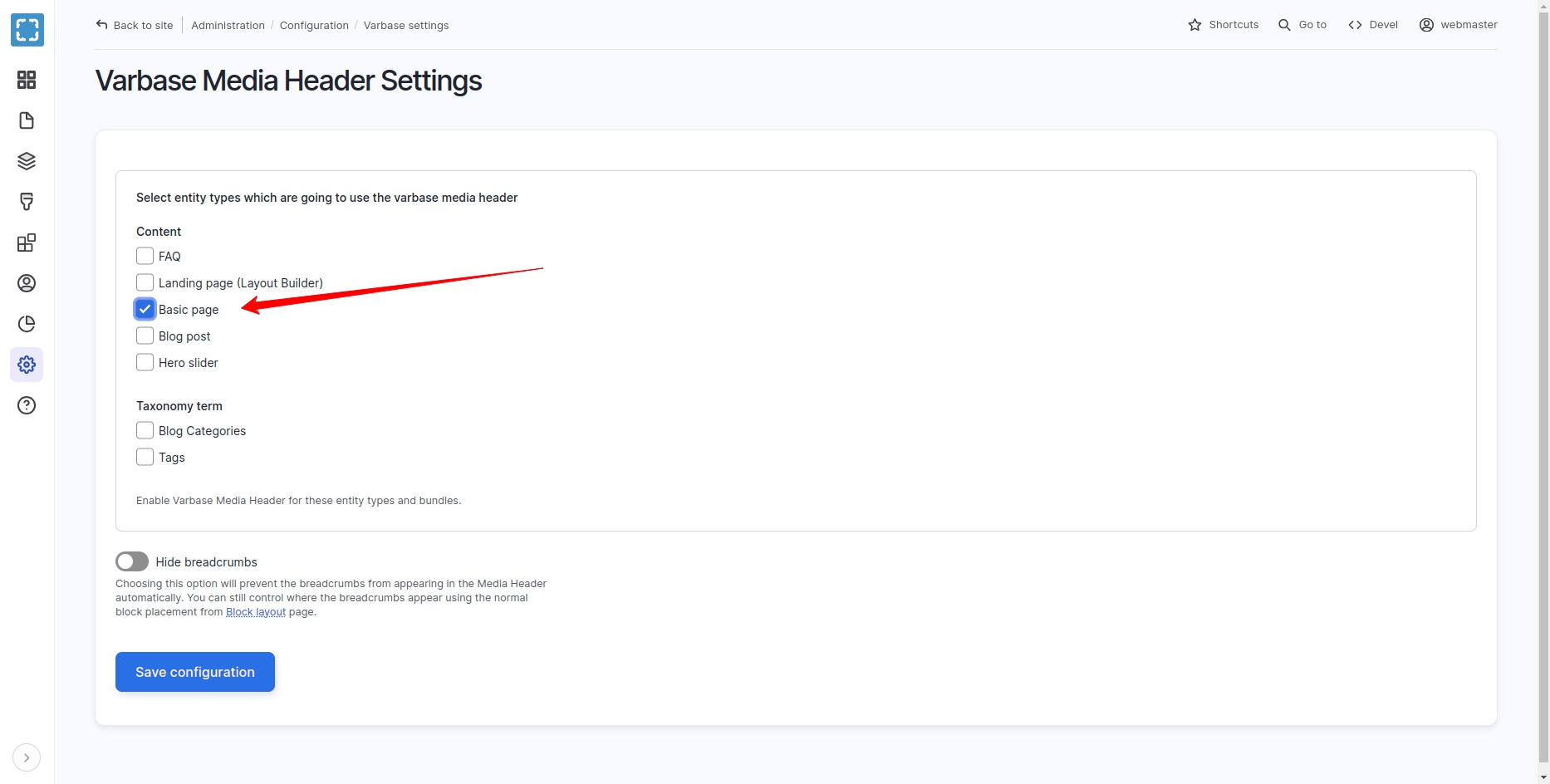
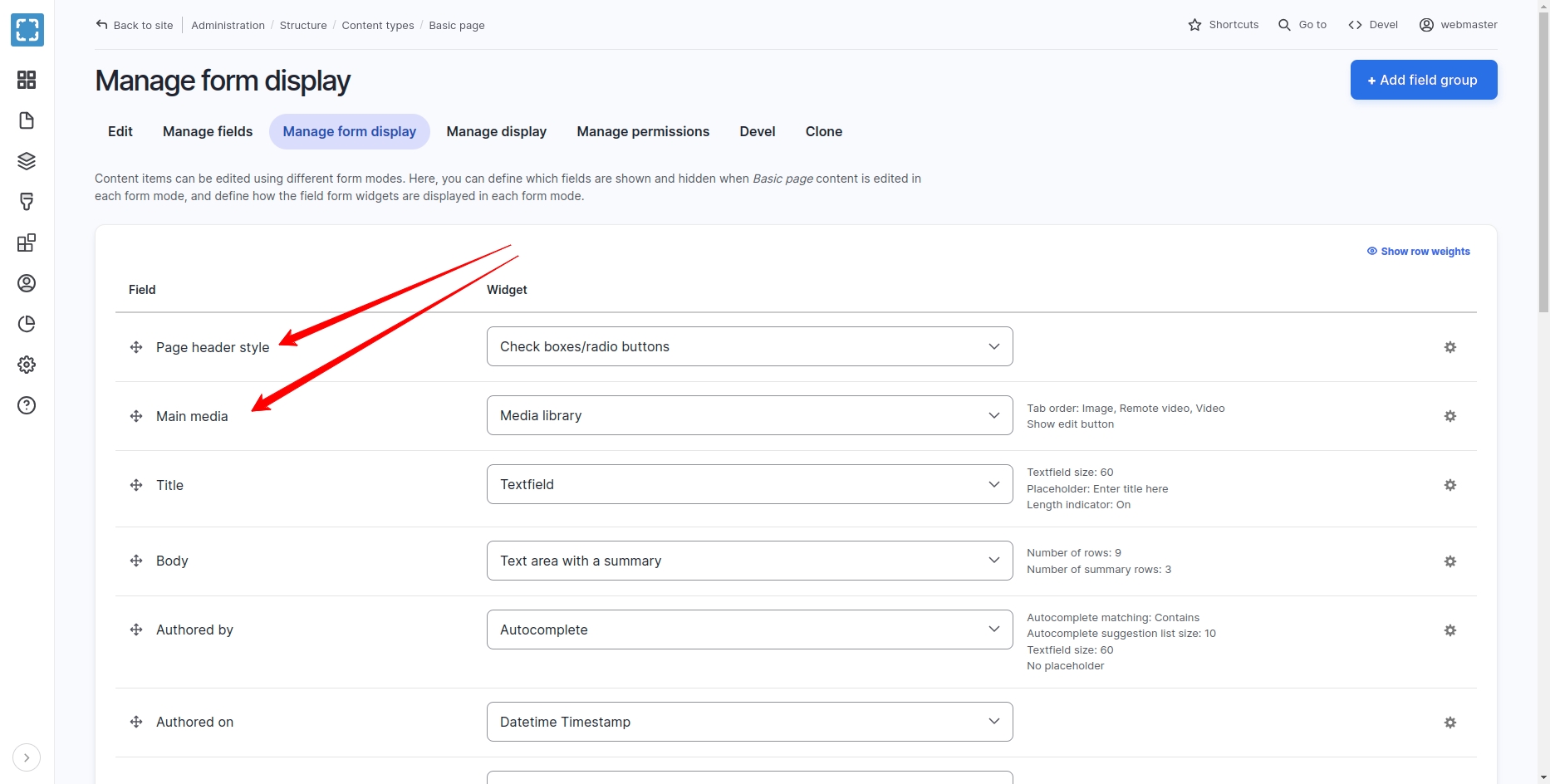
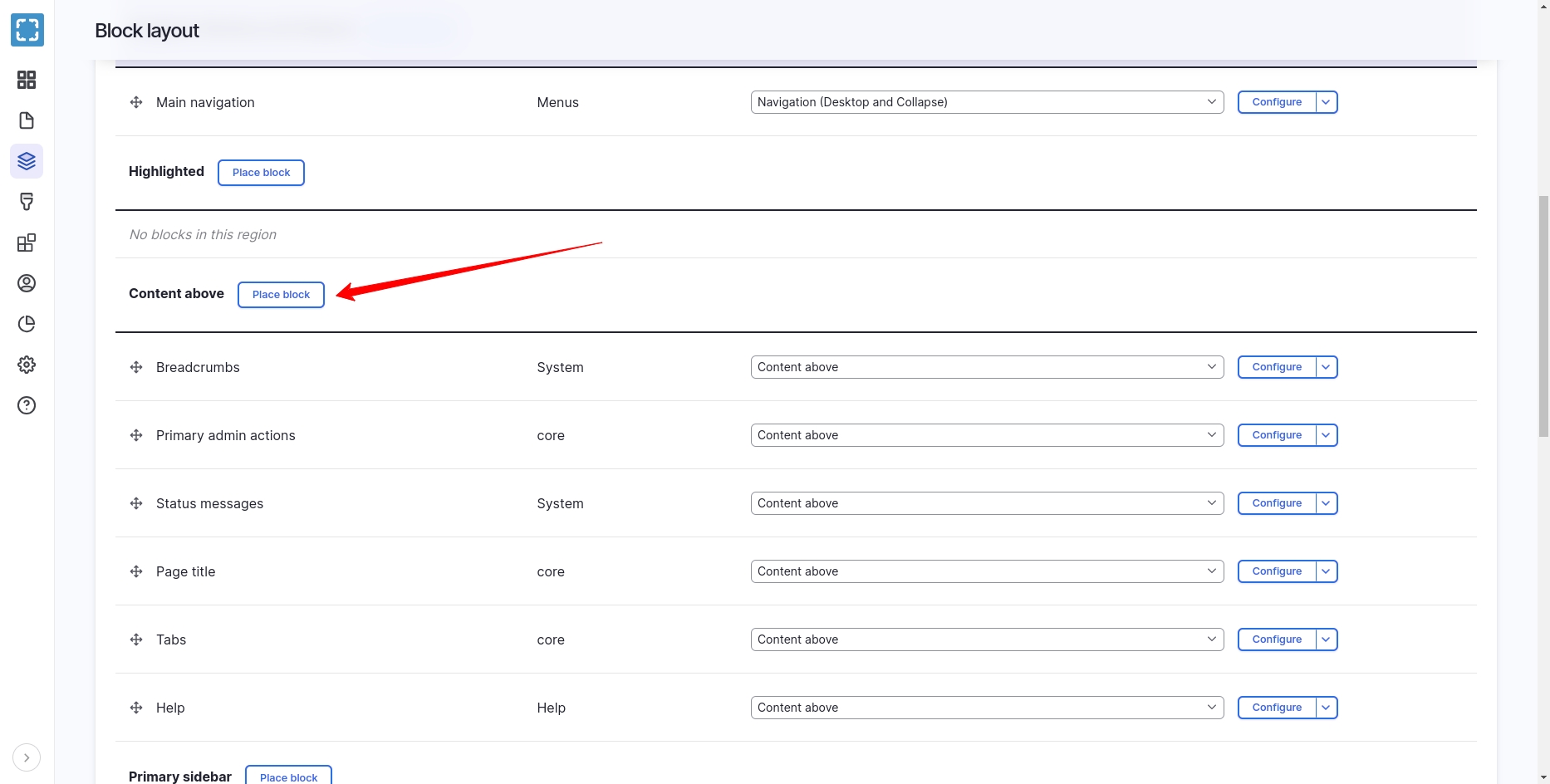
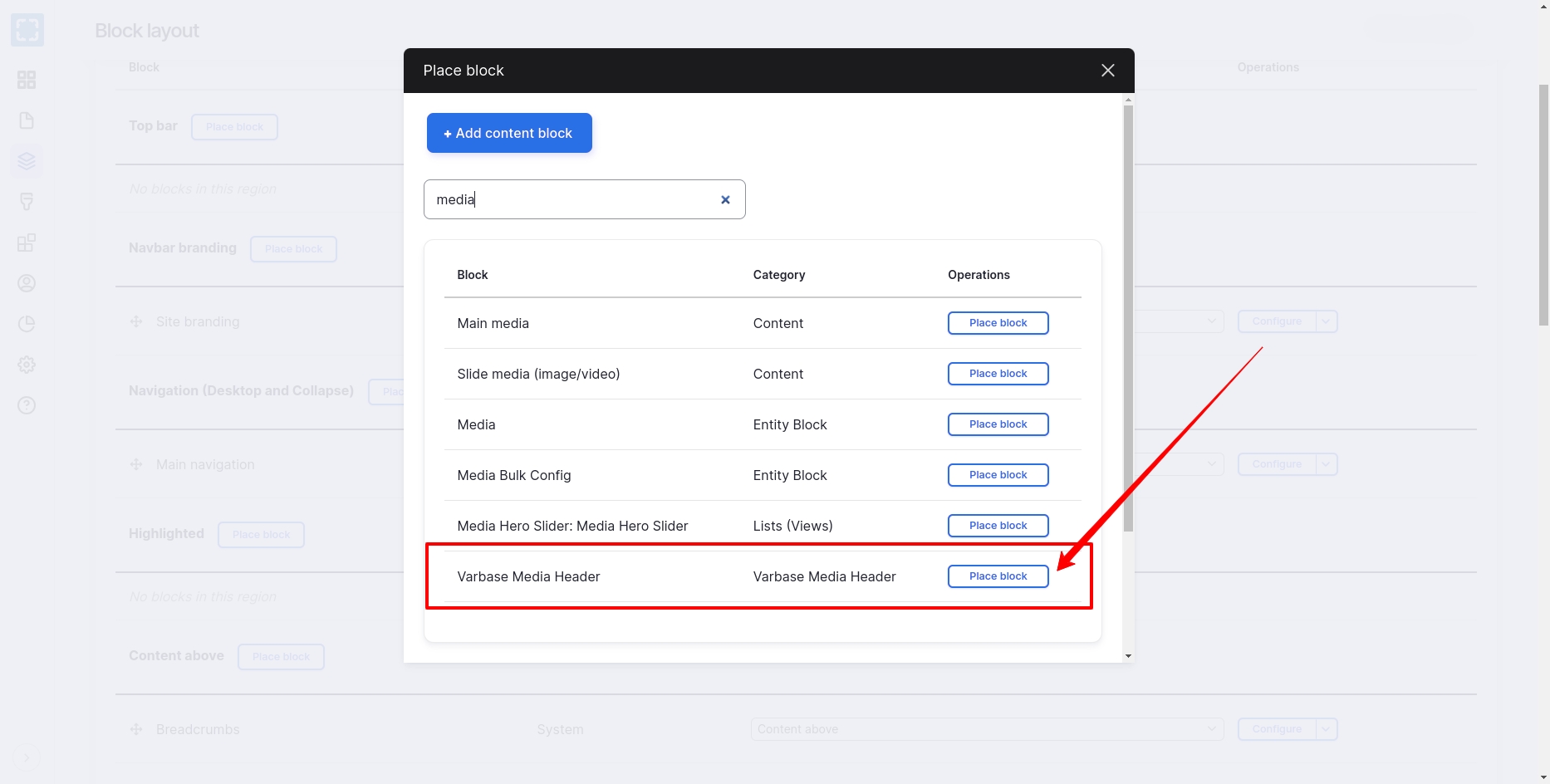
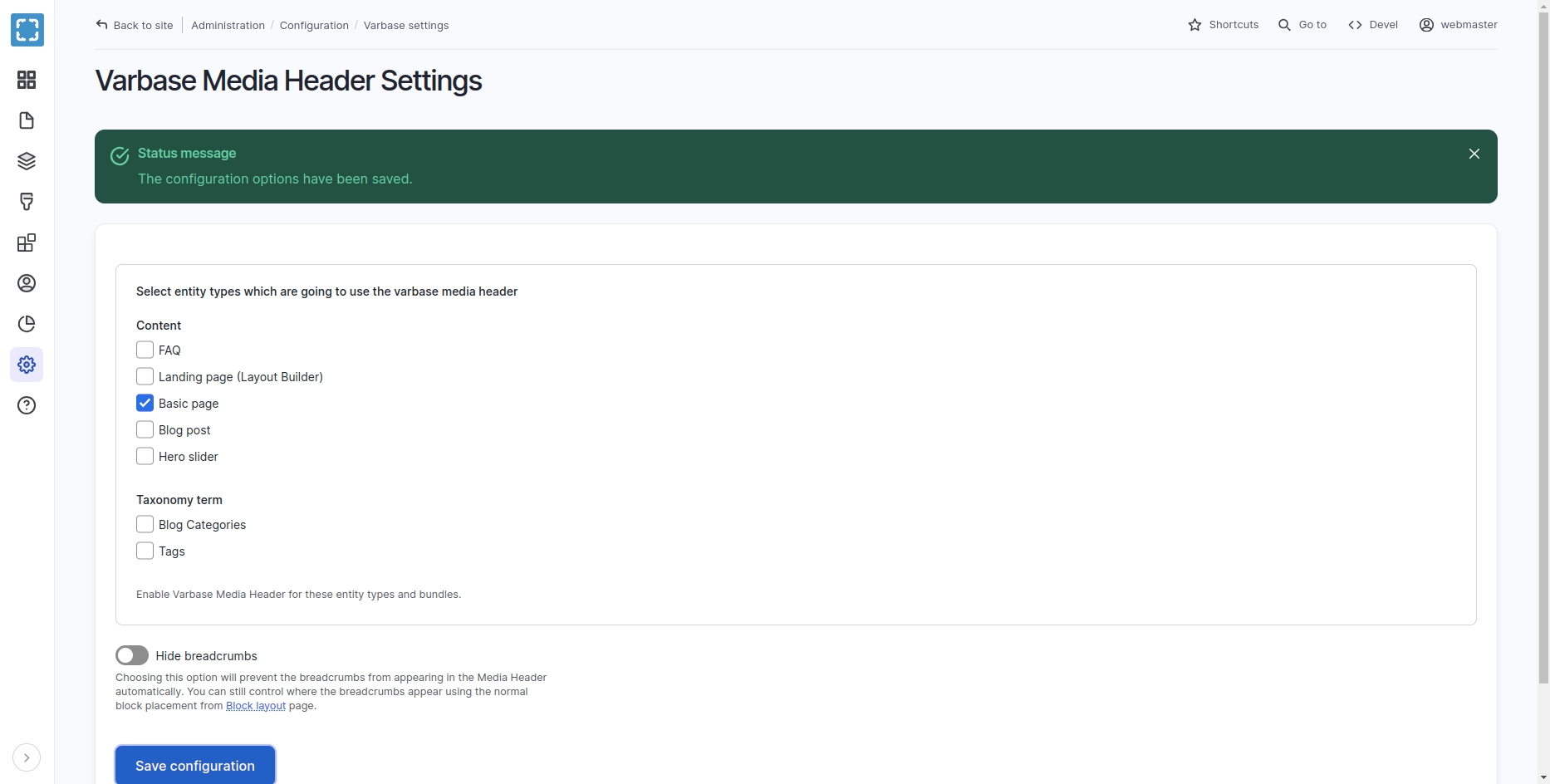
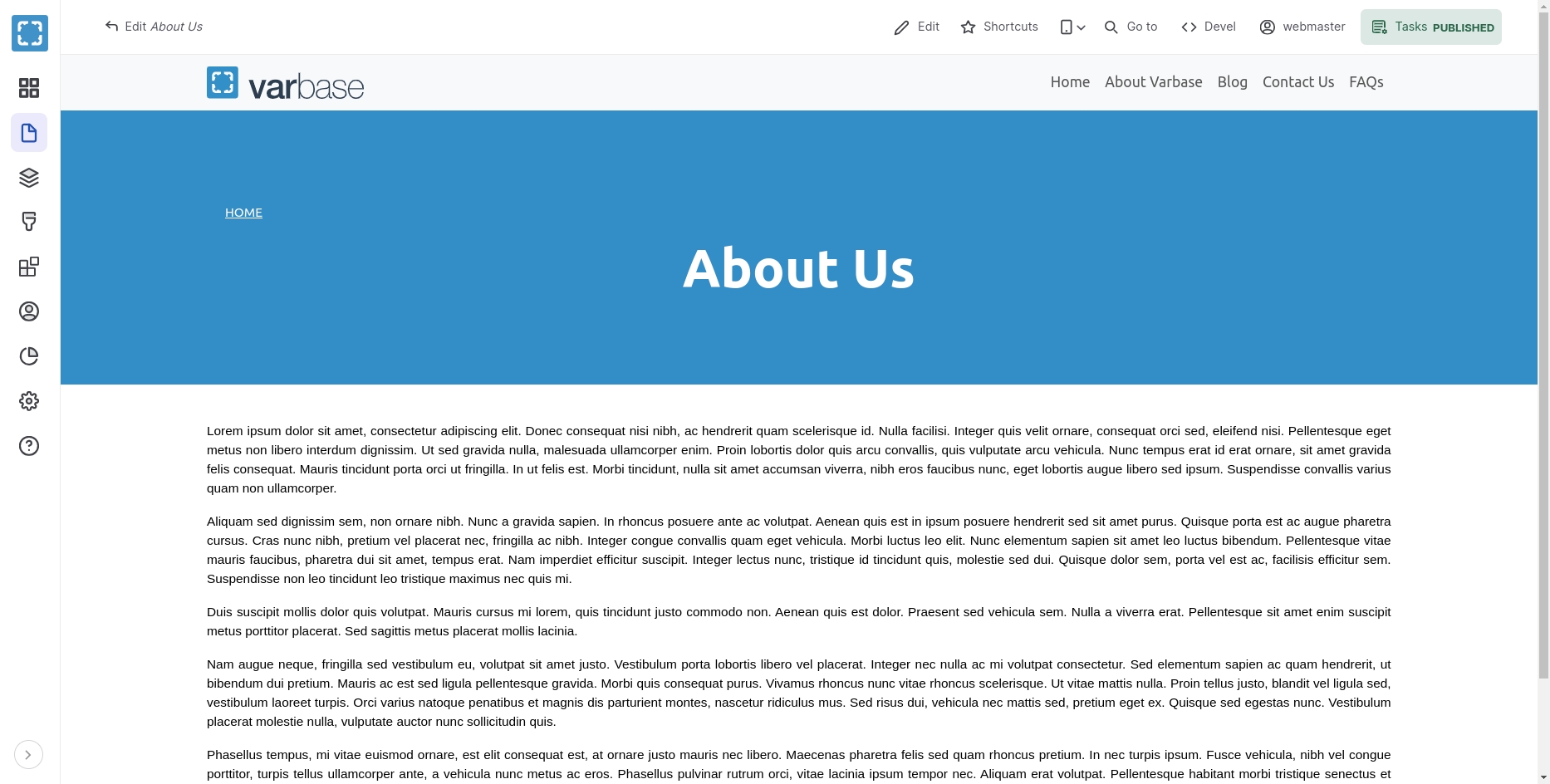
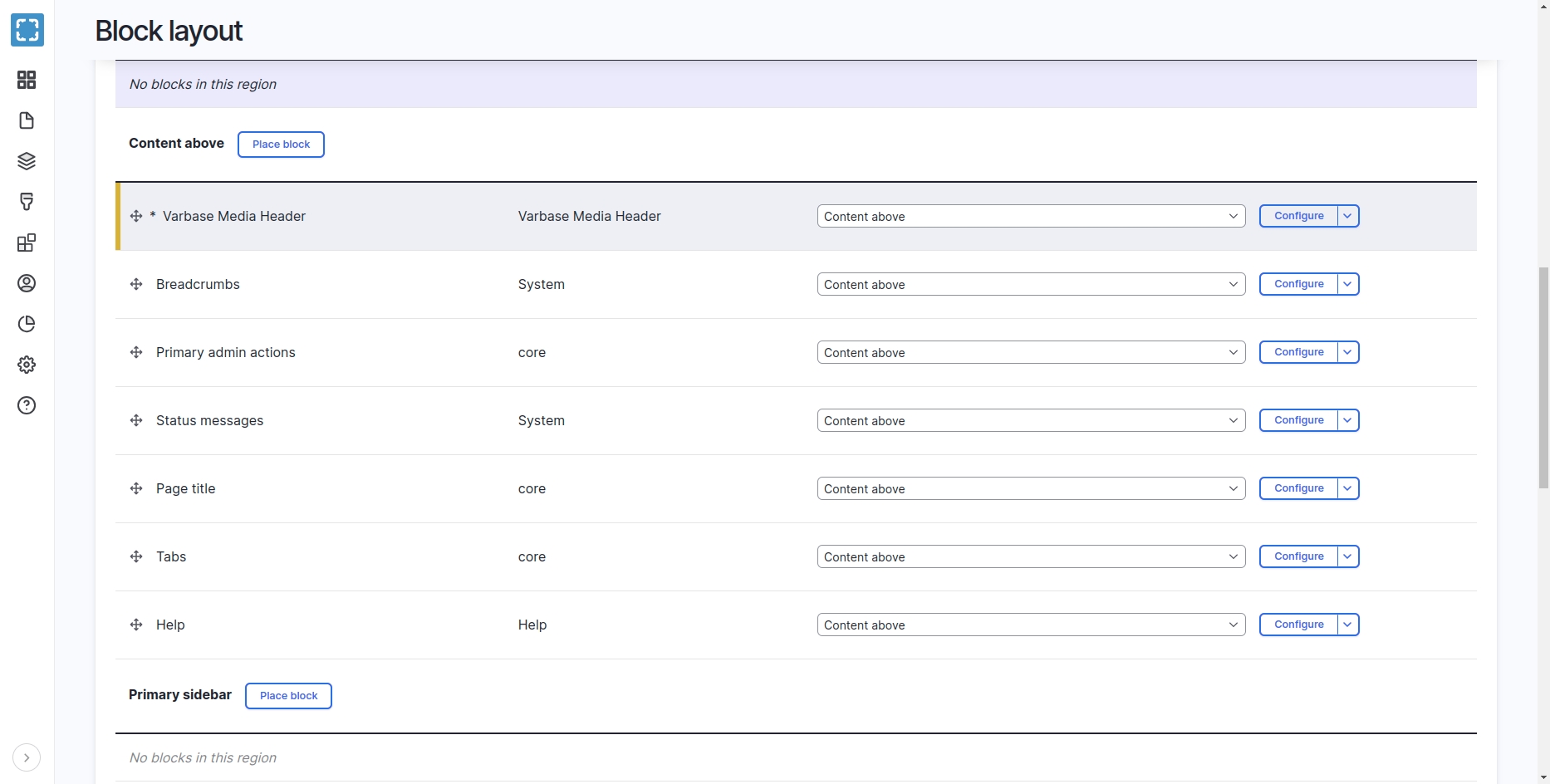
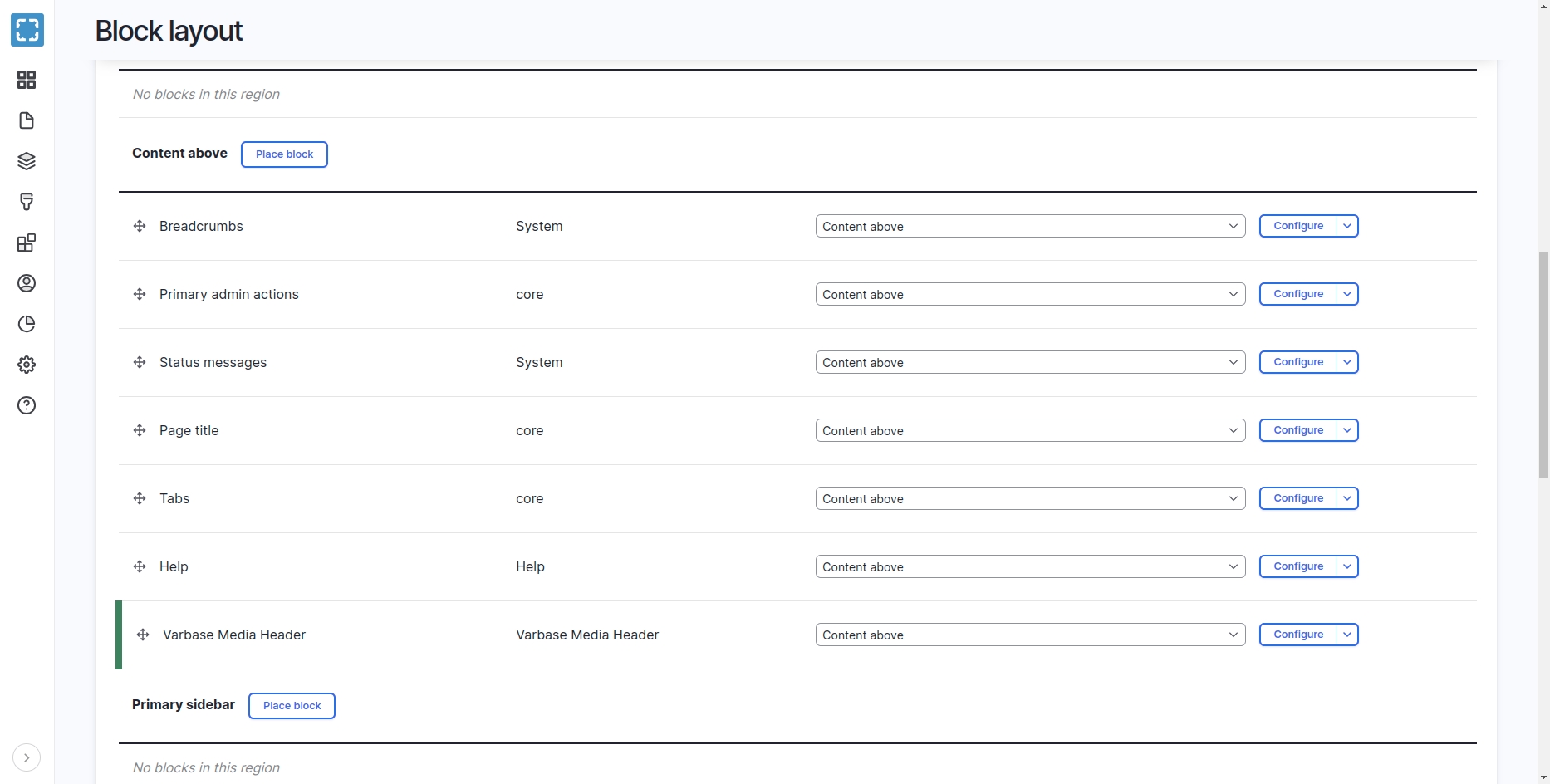
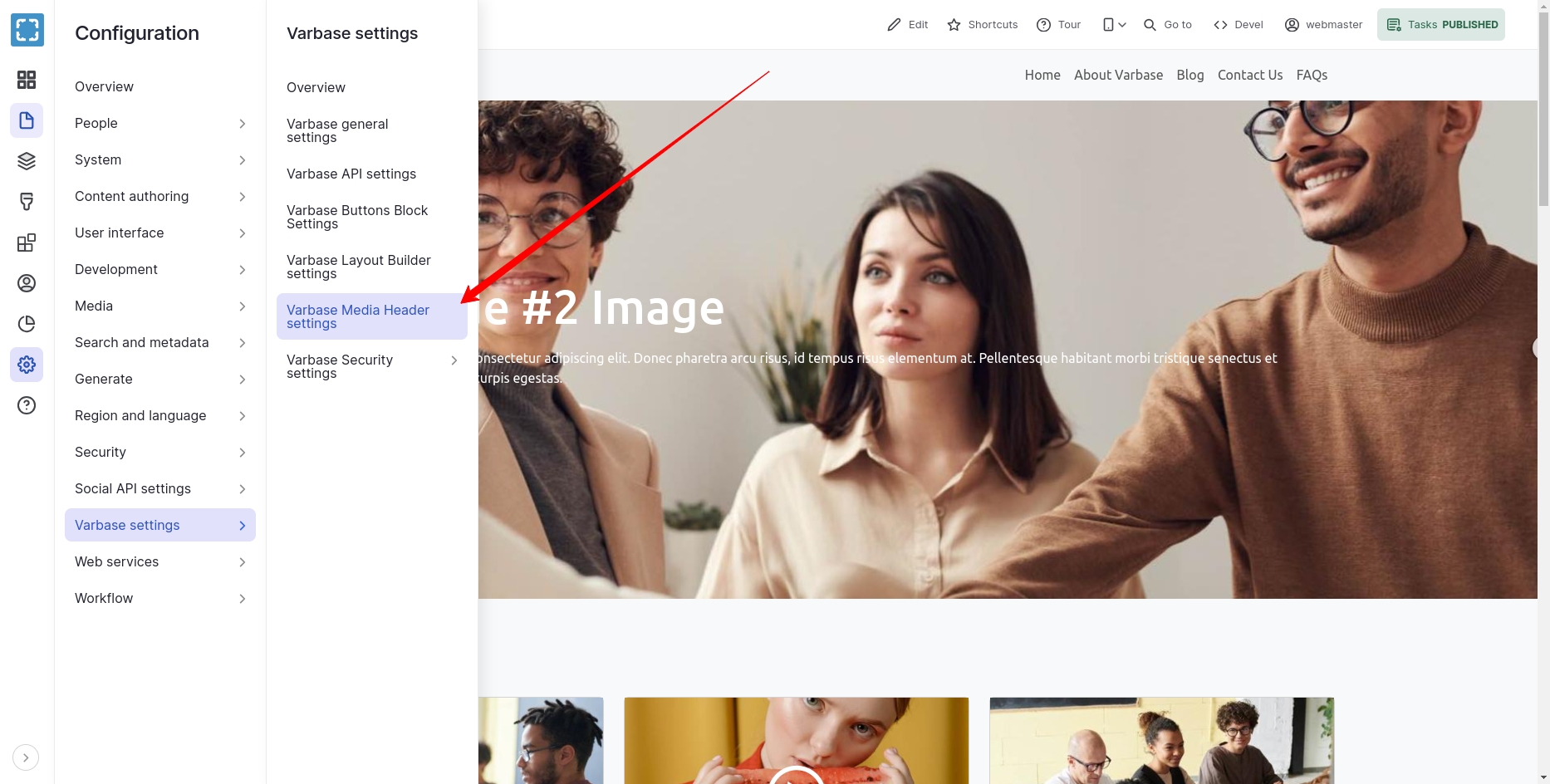
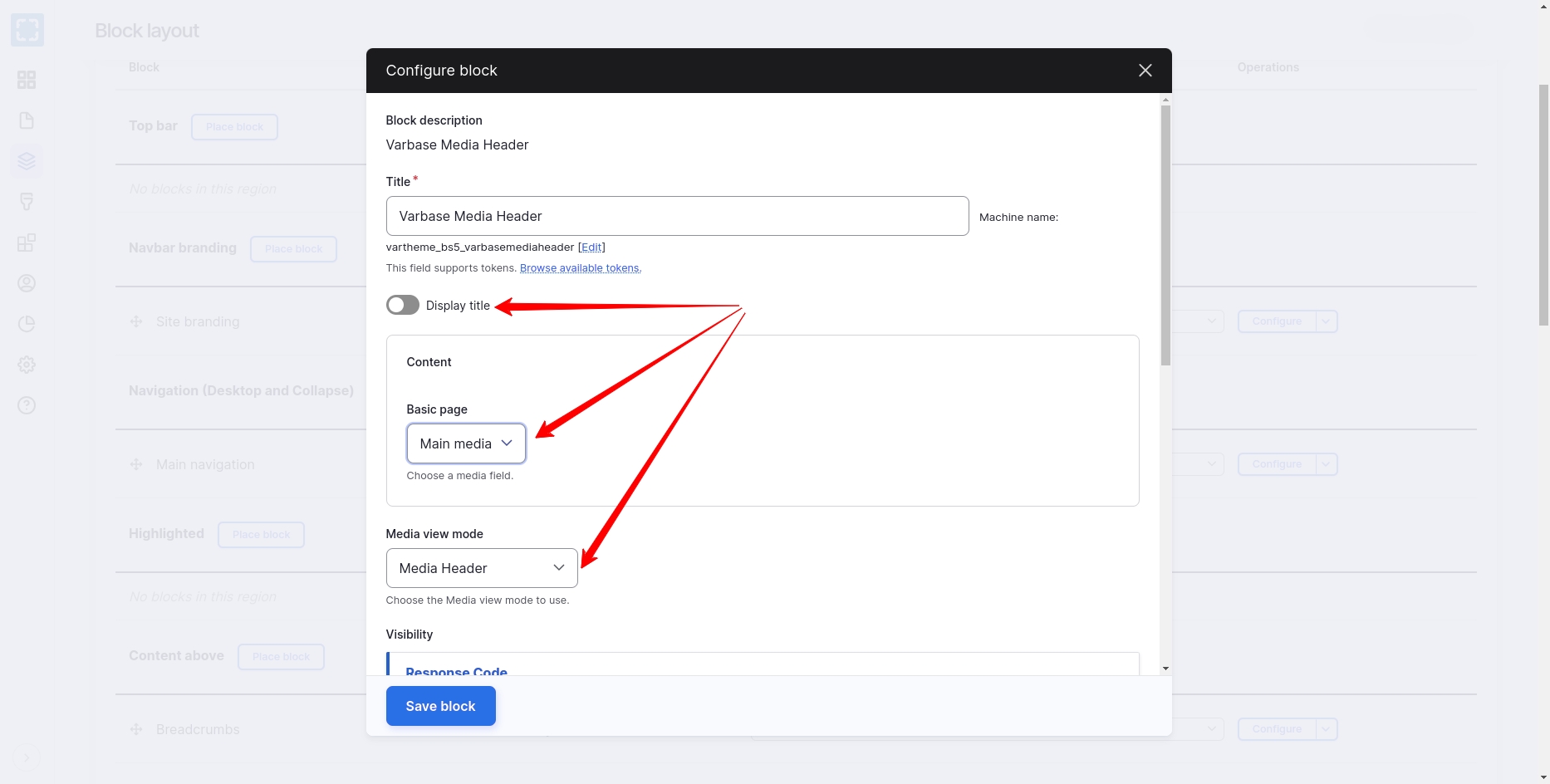
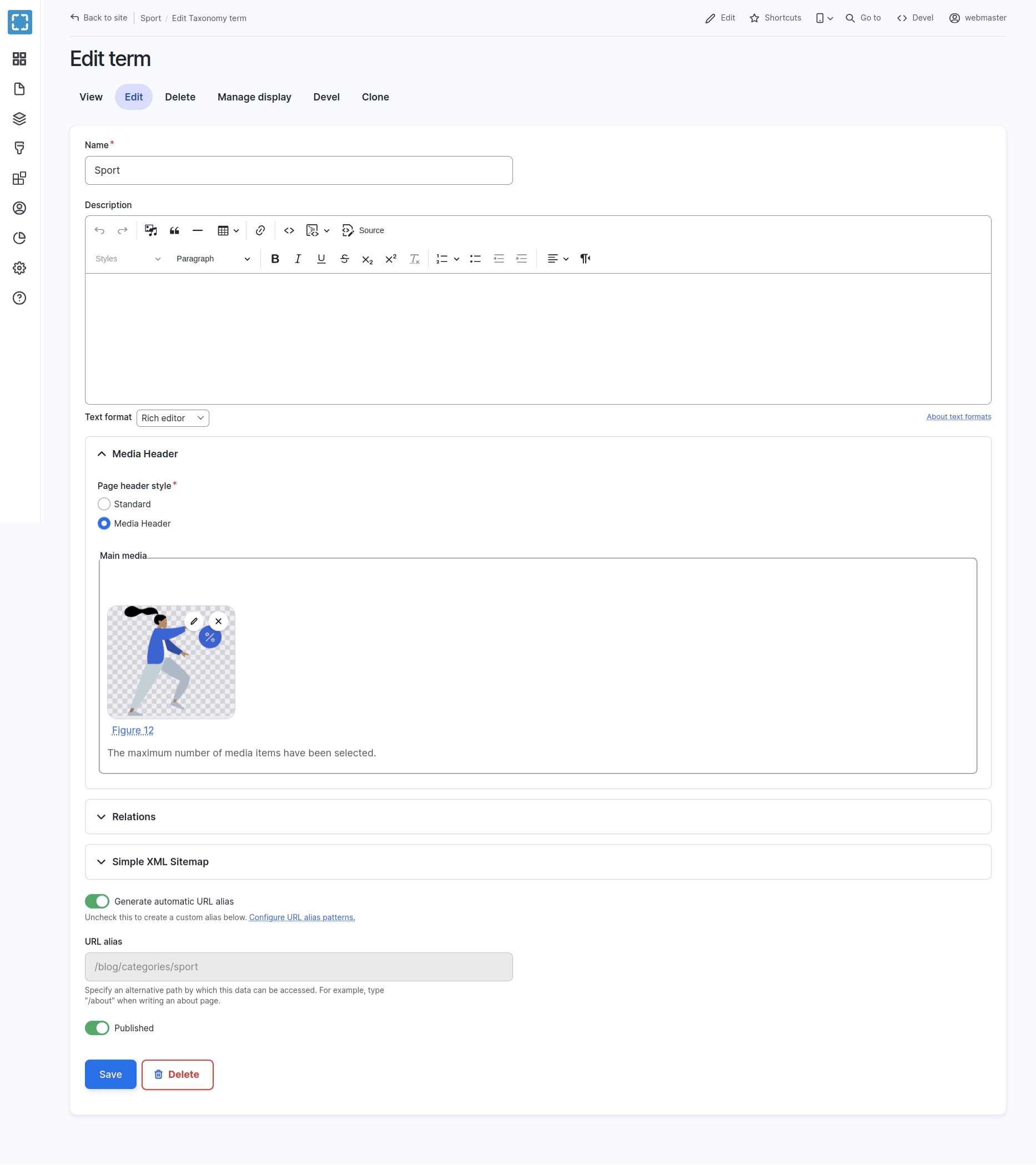
Added a Callout component to function as a Bootstrap Callout element
Added a smart [node:share-image] token with option for a fallback URL for node social media tokens when the media field is empty
Added an automatic inline block title feature that hides the title field when the "Display title" option is unchecked
Changed the list of styles for heading with display, callout, alert and remove leftover BS3 and BS4 legacy classes and logic in favour of the new logic in Bootstrap 5
Added Gin Type Tray module to Varbase Admin and enable it by default
Added Hide action to the section actions
Added the Layout Builder Advanced Permissions module and enable it by default
Highlighted Changes for 9.1.4
Updated Drupal Core to ~10.3.0 and ~11.0.0 with support for recipes in Varbase Profile version requirements
Added CKEditor 5 Paste Filter module to Varbase Editor
Added CKEditor Media Embed Plugin module to Varbase
Added a Bootstrap Alert styling library from the Alert component, to be used with the Sitewide Alert
Highlighted Changes for 9.1.3
Changed Varbase Editor to 9.2.x in Varbase profile to support CKEditor 5 and drop support for CKEditor 4
Switched default config for Rich editor and Simple editor from CKEditor 4 to CKEditor 5
Added CKEditor 5 Paste Filter module to Varbase Editor
Added an auto config for the maximum cookie services with Drupal scaffolding for the Persistent Login
Added the Gin Admin theme to Varbase Core and deprecated Vartheme Claro theme
Issue #3426342: Added Gin Everywhere, Taxonomy Manager module
Added new Heroslider component to use Card Hero UI Pattern with Varbase Heroslider
Highlighted Changes for 9.1.2
Switched to a local patching system using vardot/varbase-patches and cweagans/composer-patches "~2" within Varbase
Restricted Drupal Core to ~10.2.0 NOT to update to an alpha/beta/dev version of Drupal Core 10.3.x
Removed swiftmailer from dependencies
Updated Drupal Core from ~10.1.0 to ~10.2.0 and re-roled/updated/removed committed patches
Changed default PHP version to PHP 8.2 for Varbase development and automated testing
Allowed to update Anchor Link to the latest version to work with CKEditor 5
Added Bootstrap ~5.3.0 Carousel component with Auto-Doc MDX for Storybook
Added the Bootstrap Ratio Utilities package and import the Responsive Ratio Utility in the Base Bootstrap SCSS
Added a new Dynamic Responsive Image component in Varbase Component library
Highlighted Changes for 9.0.16
Paving the way for a smoother upgrade process to Drupal 10
Integrated Varbase Components with Storybook using Component Libraries: Theme Server and Bootstrap 5.3.0
Integrated Vartheme BS5 with Storybook using Component Libraries: Theme Server for Varbase Components
Refactored default config templates for View Modes Inventory to use default SDC Card components with patterns
Highlighted Changes for 9.0.15
Paving the way for a smoother upgrade process to Drupal 10
Changed Drupal support to ~9.5.0 || ~10.1.0 for the Varbase Core module
Changed the add heading button to redirect to add a Heading Block directly
Enhanced the visibility of the blog menu for Blog Categories and Tags terms on mobile browsers
Changed the logic for Background Edge to Edge style plugin after change of logic for rendering both Background Color and Background Image or video
>= 18.0Highlighted Changes for 10.0.0-alpha2
Updated Varbase Docs for 10.0.x
Added starterkit theme generator support for Vartheme BS5
10.0.xAdd Varbase Components module and enable it in list of default Varbase components.
Switch default theme to Vartheme BS5 with Bootstrap 5 support and ready theme.
Switch default text format editors from CKEditor 4 to CKEditor 5
Add The Gin Admin Theme and change all default admin and editorial behaviors to follow on that with Light and Dark modes.
Switch from Varbase Total Control Dashboard module to Varbase Dashboards
Change Login Functionality and Design with Gin Login and linked Social Authentication buttons.
Switch Google Analytics Module from ~3.0 to ~4.0
10.0.x9.0.xChanged the way of using Bootstrap 4 variables
Updated Nodejs packages to match with latest Drupal core for compiling and linting
~1.0Removed enabling the Seven admin theme on new installations. After Claro was sat as the default admin theme
Revised Password Policy and Password Confirmation Suggestions message
Added and enabled CKEditor Paste Filter module
Switched to use the Module Installer Factory with Varbase distribution and all Varbase components
Switched from deprecated Node Sass to Dart Sass compiler using Gulp and changed minimum Nodejs version to 16.0 and later in the Varbase distribution
Have a default template for merge requests and issues for the Varbase profile project and all Varbase components in Gitlab
class VarbaseEntityDefinitionUpdateManagerEntityDefinitionUpdateManagerAdded more step definitions for Varbase Layout Builder automated testing for section styling with padding , margin, border style, border width, border color, border radius, background image settings, background video settings
Added new step definitions to Varbase Context to help automate the testing for Varbase Layout Builder
Added Automated Testing Gherkin features for the Varbase Landing (Layout Builder) content type
Revised Honeypot configurations
"Authored by"Added "Authored by" filter to Media Table and Media Grid views in Varbase Media
Added Reroute Email ~2.0 module and enable with default config to Varbase Development module
Added Flood Control module to Varbase Security for login attempt limiting
Added the Block Library module ( ~1.0 ) with basic config for available block types
"View API Docs"Switched Varbase Entity Definition Update Manager class to extend the vardot/entity-definition-update-manager class library
Removed the Quick Edit module from Varbase install
Added drush ~10 to require-dev only for development workflow #115 for the default vardot/varbase-project template
Added drupal/core-dev ~9 to require-dev only for development workflow #116 for the default vardot/varbase-project template
Added lint:yaml and update the package.json for Varbase Installation profile with latest Drupal 9.3.x dev tools
Highlighted Changes for 8.x-8.12
Support PHP7.4 for Varbase ~8.0 and all used components with automated testing
Fixed Varbase profile requires drupal/core ^8.8.0 || ~9.0.0 with ~8.0 || ~9.0
Changed the style for Social Auth login buttons to go with the new standard branding and trust
Added Media Bulk Upload module
Added an operations link for nodes with Layout Builder enabled
Added Bootstrap Display headings sizes to CKEditor styles for the Rich editor in Varbase Editor
Added Editor Advanced link module
Updated Varbase Layout Builder module from ~9.0 to ~10.0
Started a 10.0.x branch for Varbase Layout Builder to use Bootstrap Styles and Bootstrap Layout Builder
Changed default content for the Homepage to match with the Varbase Layout Builder ~10 config structure
Switched Blog site section page, Blog post, Blog categories, and Tags to use Varbase Layout Builder ~10
Changed style of Edit Layout page and preview of sections to look like the front end view of the page
Changed Varbase Layout Builder default set of breakpoints, layouts, and styles
Added a checkbox "Keep gutters between columns" to section layout and Default options for sections
Fixed the style of ADD TO LIBRARY and IMPORT FROM LIBRARY for Layout Builder Section Library
Made Edge to edge background default checked on
Fixed Container type and Gutters layouts rendering
Switched to CircleCI as the default automated testing platform
Updated Bootstrap library from 4.5.2 to 4.5.3
Converted to use REM and EM instead of PX
Upgraded Bootstrap Barrio base theme from ~4.0 to ~5.0
Updated RFS from ~8.0 to ~9.0 for Vartheme BS4 and VARTHEME_BS4_SUBTHEME
Highlighted Changes for 9.0.x:
Started a 9.0.x branch for Varbase and Varbase Project to integrate with Drupal 9
Upgraded Drupal core from ~8 to ^9 on the 9.0.x branch
Updated the patch to allow profiles to define a base/parent profile for Drupal 9
Changed default entityqueue form display for the Media Hero Slider entity queue
Implemented a way to offer default config templates using Varbase’s ConfigBit to unify admin experience
Added Varbase Landing Page (Layout builder) in the default Varbase components and moved Varbase Landing Page (Paragraphs) to the Extra components installation step
Replaced the current embed media template with the Drupal core Media Library Embed media system
Replaced the current CKEditor entity browser embed media button with the new Drupal core Media Library Embed media command button
Updated Bootstrap 4 library from 4.5.0 to 4.5.1
Changed hiding the Local Task block and use the moderation sidebar tasks menu in view page for all content
Changed drupal/core-recommended to drupal/core and updated Drupal core from 8.8.4 to 8.8.6 ( ~8.8.0 ) and removed committed patches
Included a drupal/core requirement for [Varbase] profile compatible with Drupal 9
Required all asset libraries in [Varbase] profiles. As they were moved to suggest in Varbase components
Switched RTL default font for Vartheme Claro admin theme from Droid to Tajawal
Added support for Varbase Layout Builder]colors theme vlb-colors library in Vartheme BS4 and VARTHEME_BS4_SUBTHEME with gulp-csscomb
Added a redirect to the layout editing page after creating a new entity with a View mode Layout Builder enabled on the default or full content display mode
Added Media and Gallery Block types to be used with the Varbase Landing Page (Layout Builder) content type
Switched from drupal/core ~8.8.0 to drupal/core-recommended ~8.8.0 in Varbase Core 8.8.0
Switched from drupal-composer/drupal-scaffold ~2.0 to drupal/core-composer-scaffold ^8.8.0
Initialized Varbase Layout Builder with a starter set of layouts and styling options for sections
Fixed replace drupal-composer/drupal-scaffold with drupal/core-composer-scaffold and removed post install cmd scripts
Vardot/varbase-project template : Fixed replace drupal-composer/drupal-scaffold with drupal/core-composer-scaffold #70
Vardot/varbase-updater : Changed the update config rules for 8.7.* to 8.8.1 and from 8.8.* to 8.8.* latest #24
Highlighted Changes for 8.x-7.x:
Updated Drupal core from 8.7.4 to 8.7.6 ( ~8.7.0 ) by removing already applied or committed patches in drupal/core
Updated Metatag module from 8.1.8 to 8.1.9
Added Gallery media type
Added Varbase API module and have it as an (optional component) at the varbase install steps
Changed Varbase Dashboard to work with C3 Charts and without warning
Enabled Varbase Bootstrap Paragraphs Text and Image in Varbase Landing module
Added and enabled Paragraphs edit in Varbase Bootstrap Paragraphs with the hook for styling in the single paragraph edit page
Upgraded Views Bulk Operations (VBO) from ~2.0 to ~3.0
Changed and shifted Varbase Media responsive image styles to work with the mapping of Bootstrap 3 breakpoints into Bootstrap 4 breakpoints.
Removed enabling the [smtp] module as we have switched to use swiftmailer ~1.0 and Varbase emailing configs switched to [Varbase Email] module.
Implement theme suggestions and JS behaviors in Varbase Media for each video provider to support autoplay for various video providers (YouTube, Vimeo, and Local video)
Initialized the Varbase Media Header slider 8.x-7.x branch structure and implement theme suggestions and JS behaviors for each video provider to support autoplay for various video providers (YouTube, Vimeo, and Local video)
Implemented theme suggestions and JS behaviours in Varbase Media Header for each video provider to support autoplay for various video providers (YouTube, Vimeo, and Local video) targeted for the media header
Added [Length Indicator] module 8.1.0-rc3
Added the checklist for optional updates over the [Length Indicator] configs modules
Added targeted modules with #dependency in the checklist item and updated the Updated Helper for optional updates
Changed Social Auth Google module's Google+ logo to Google accounts as Google shutdown Google+
Changed Varbase Internationalization not to use the Localization client module by disabling it for old sites and not to install it in new Varbase installations.
Fixed W3C standards for element div not allowed as child of element h2.
Added Created from, and Created to date filters media table admin page
Added target bundle text and image to landing page components
Now you can install most Varbase components with any Drupal 8 sites. Even if installed with the Minimal or Standard Drupal profile.
Paragraphs Security Update
Switched [Varbase Media] to use [Remote Video] with oEmbed from Drupal 8.6.x core
Enabled an OPTIONAL [Layout Builder] configs to use with the [Default] view mode for the [Basic page] content type
Add a paragraph title to landing page paragraph components
Development branch to plan for 8.x-6.x utilizing Media Library new Drupal 8.6 core features
Upgrade to Drupal 8.5 (still no media in core use)
Drupal core security update SA-CORE-2018-002 patch/fix
Add better paragraphs preview
Add default content and template theme
Add Tours for better onboarding
Add VMI (View Modes Inventory) for easier view modes building
Controls the visual building blocks a page is constructed with. Blocks are boxes of content rendered into an area, or region, of a web page.
Block Content
(in Drupal core)
Allows the creation of custom blocks and block types.
Configuration Manager
(in Drupal core)
Allows administrators to import and export configuration changes.
Provides basic revert and update functionality for other modules
Ignore certain configuration during import
Datetime
(in Drupal core)
Defines datetime form elements and a datetime field type.
File
(in Drupal core)
Defines a field type for files.
Image
(in Drupal core)
Defines a field type for image media and provides display configuration tools.
Options
(in Drupal core)
Defines selection, check box and radio button widgets for text and numeric fields.
Path
(in Drupal core)
Allows users to rename URLs.
Layout Discovery
(in Drupal core)
Provides a way for modules or themes to register layouts.
Provides expanded entity APIs, which will be moved to Drupal core one day.
Provides a number of utility and helper APIs for Drupal developers and site builders.
Provides improvements to blocks that will one day be added to Drupal core.
A set of improvements to the core Views code that allows for greater control over Blocks.
Provides a user interface for the Token API and some missing core tokens.
Provides advanced options (e.g. links, checkboxes, or other widgets) to exposed Views elements.
Improves the core datetime Views date filter.
Provides the ability to group your fields on both form and display.
Provides a more robust alternative to "summary or trimmed" textfield format
Provides an additional formatter for text field, text area and text format.
Allows assigning the classes to Blocks.
Contextual Links
(in Drupal core)
Provides contextual links to directly access tasks related to page elements.
Shows changes between content revisions.
Modify behavior and appearance of external links.
Internal Dynamic Page Cache
(in Drupal core)
Caches pages, including those with dynamic content, for all users.
BigPipe
(in Drupal core)
Sends pages using the BigPipe technique that allows browsers to show them much faster.
Menu UI
(in Drupal core)
Allows administrators to customize the site navigation menu.
Custom Menu Links
(in Drupal core)
Allows users to create menu links.
Filter
(in Drupal core)
Filters content in preparation for display.
Allows token values to be used as filters.
Field UI
(in Drupal core)
Provides a user interface for the Field module.
Help
(in Drupal core)
Manages the display of online help.
Internal Page Cache
(in Drupal core)
Caches pages for anonymous users and can be used when external page cache is not available.
Telephone
(in Drupal core)
Defines a field type for telephone numbers.
Generate layouts with Bootstrap grid system.
Allows for different styles to be used in views to work with Bootstrap 5 components.
Extend the display options for every entity type.
Contains additional features for Display Suite.
Provides configurable blocks of menu links.
A pager which allows an infinite scroll effect for views.
Track usage of entities referenced by other entities.
Allows users to collect entities in arbitrarily ordered lists.
Populate a form element in the sidebar of node's add and edit pages to allow editors to add content to entityqueues directly from add/edit forms.
Provides a widget for inline management (creation, modification, removal) of referenced entities.
Inline Form Errors
(in Drupal core)
Places error messages adjacent to form inputs, for improved usability and accessibility.
Provides a "Remember Me" feature on the login form.
Cron handling for Drupal. Runs cron jobs individually in parallel using configurable rules, pool management and load balancing.
Prevents multiple users from trying to edit a content entity simultaneously to prevent edit conflicts.
Provides mechanisms for automatically unlocking nodes that have been locked for a certain length of time.
Protect the user against navigating away from a node edit form before saving their changes.
Provides a user interface for per-module and site-wide mail_system selection.
Limit the number of characters in textfields and textareas and shows the amount of characters left.
Customize menu position of nodes depending on their content type, associated terms and others conditions.
Makes entity reference fields more user-friendly using .
Provides a widget to allow settings of link attributes for menu links.
Basic functionality that is shared among the different Rabbit Hole modules.
Adds Rabbit Hole functionality for nodes.
Adds Rabbit Hole functionality for taxonomy.
Customizes the destination the user is redirected to after login/logout/registration/one-time login.
Allows users to register with an email address as their username.
Provides jQuery UI Accordion library.
Speed up the generation of 404 pages with this module. Route 404 display to a static page.
Checks for accessibility in page content.
Provides ability to display an alert message at the top of all pages.
Provides a user interface for browsing available Drupal projects.
Automatically updates Drupal core.Automatic Updates makes it much, much easier and better to keep Drupal core up to date.
Package Manager
Provides functionality to stage package installs and updates with Composer. which is part of the module.
ECA is a powerful, versatile, and user-friendly rules engine for Drupal. The core module is a processor that validates and executes event-condition-action plugins.
BPMN.iO is a BPMN modeller for and is fully integrated into Drupal's admin UI. BPMN modeler, integrated into Drupal's admin UI.
Integrate ECA with the tamper module and its plugins available as actions.
Add helper functions for ECA module.
Module
Purpose
User
(in Drupal core)
Manages the user registration and login system.
Node
(in Drupal core)
Allows content to be submitted to the site and displayed on pages.
Taxonomy
(in Drupal core)
Enables the categorization of content.
Text
(in Drupal core)
Defines simple text field types.
Views
(in Drupal core)
Create customized lists and queries from your database.
Block
(in Drupal core)
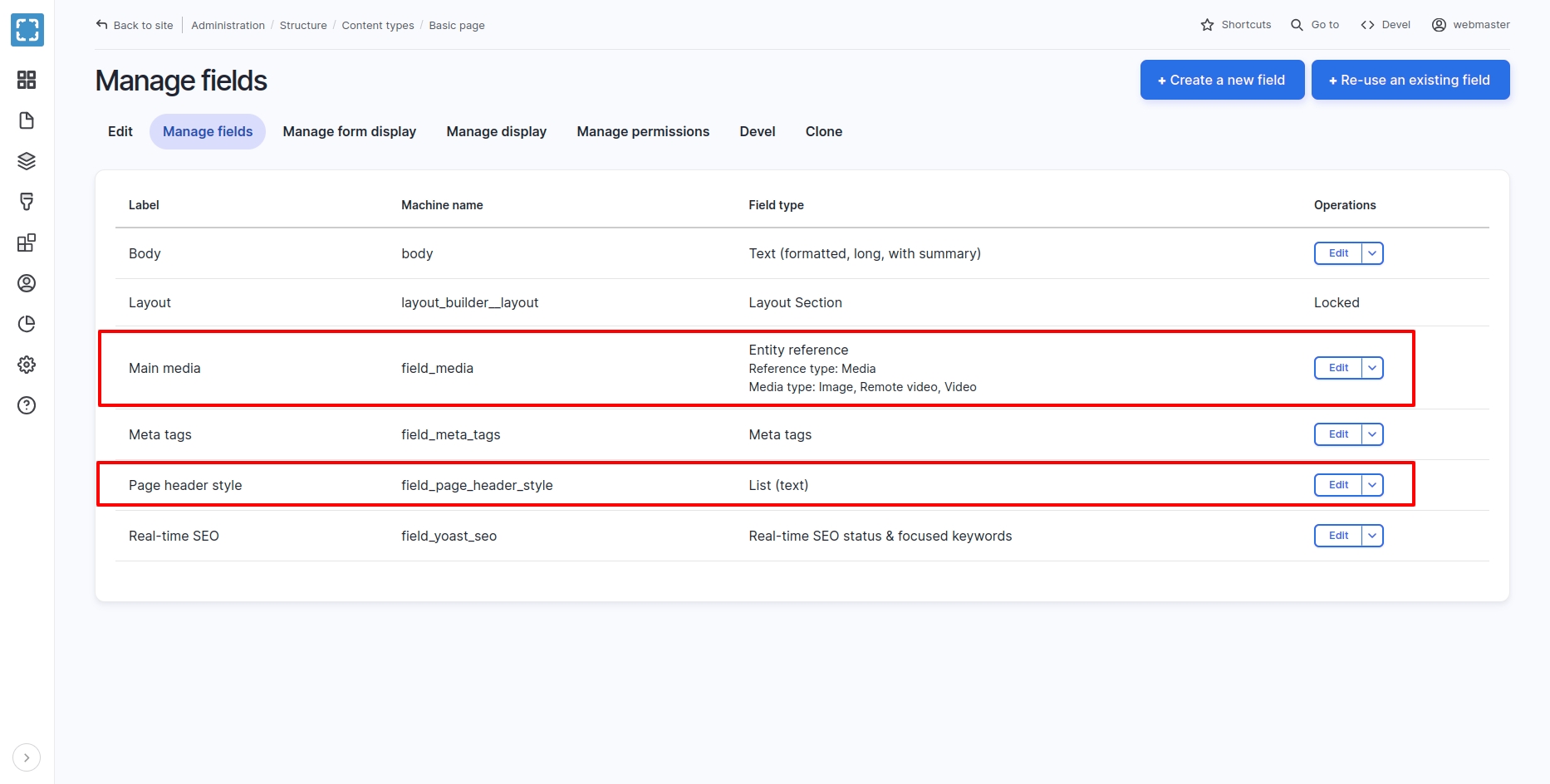
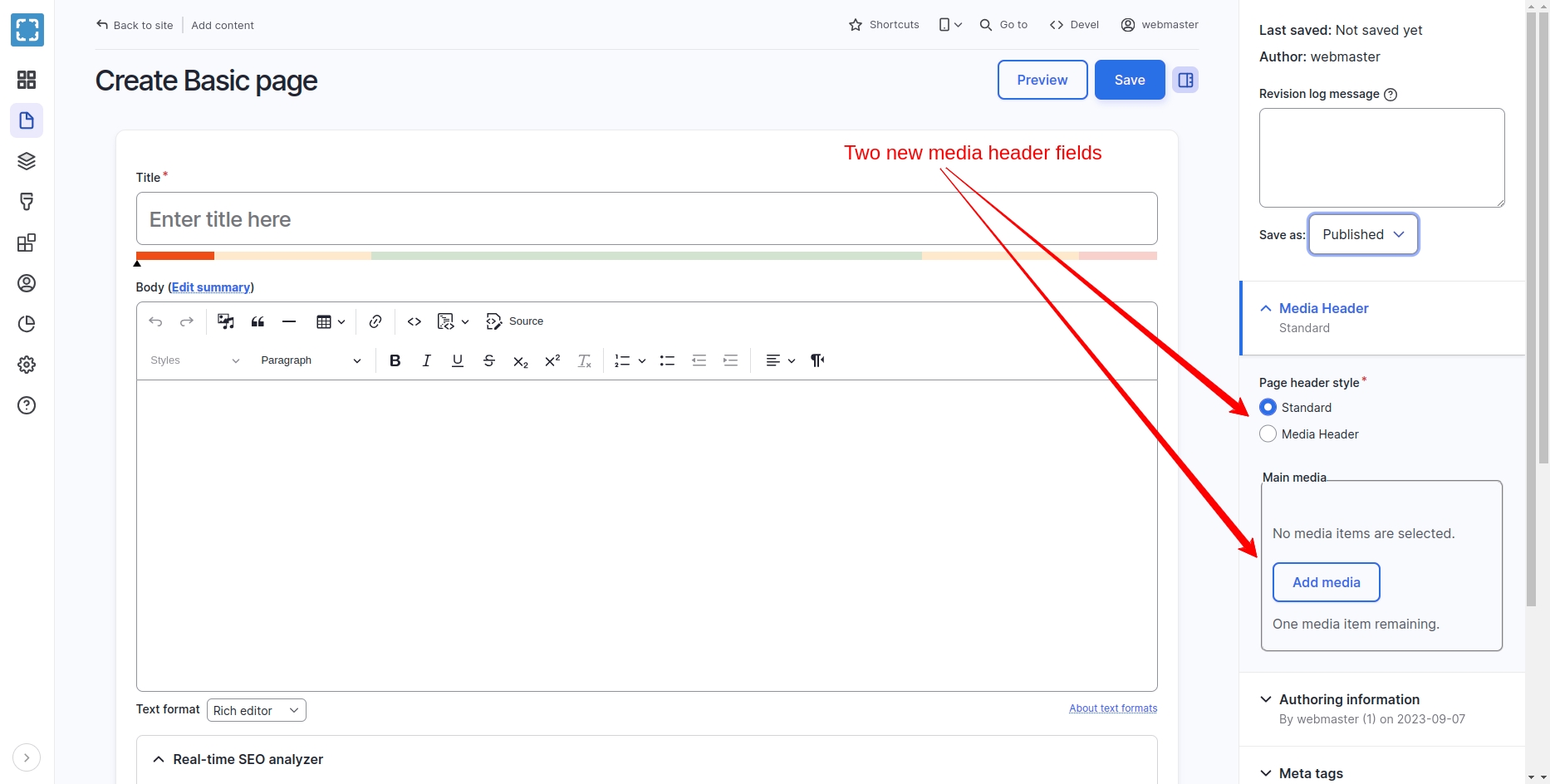
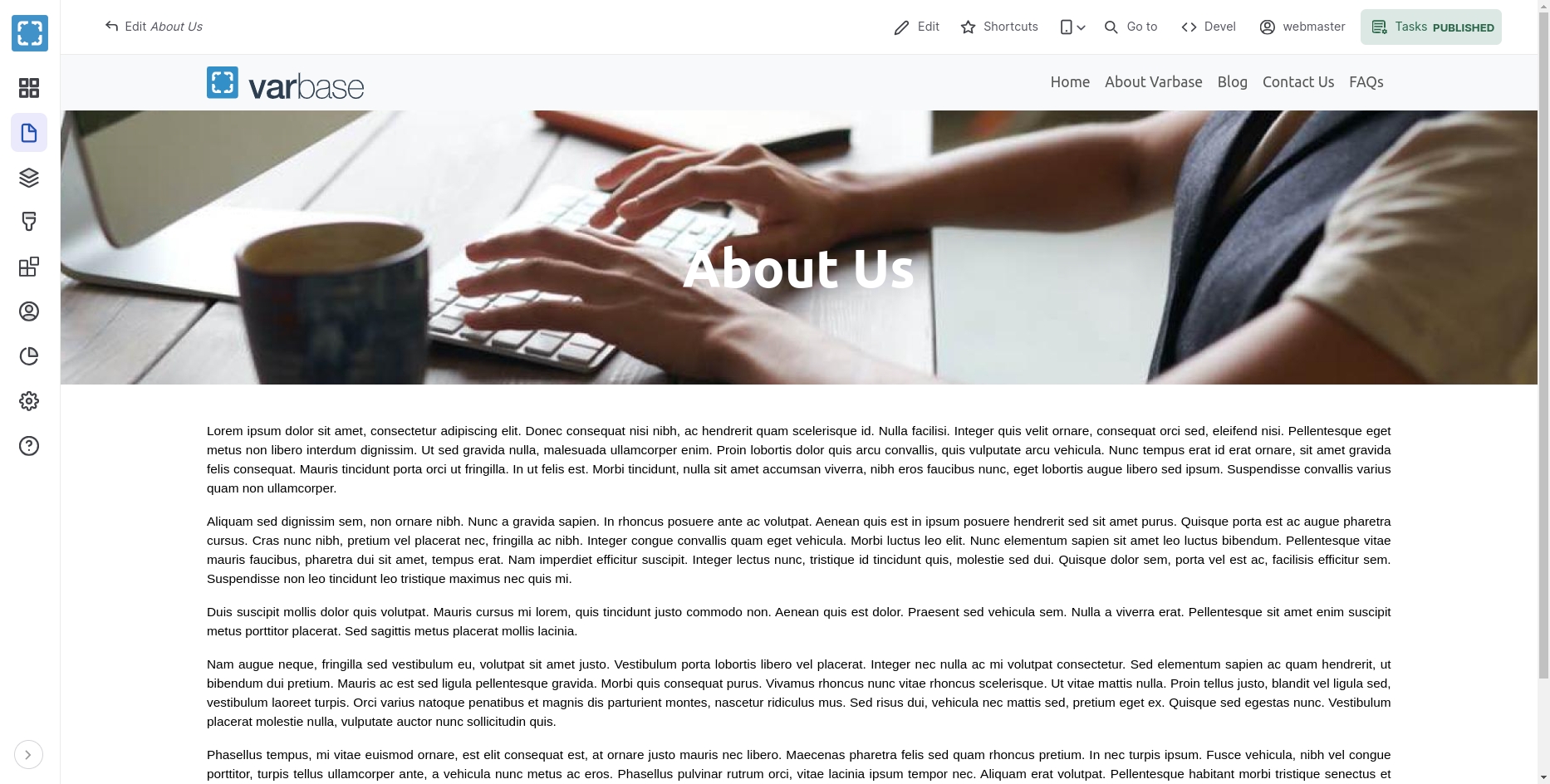
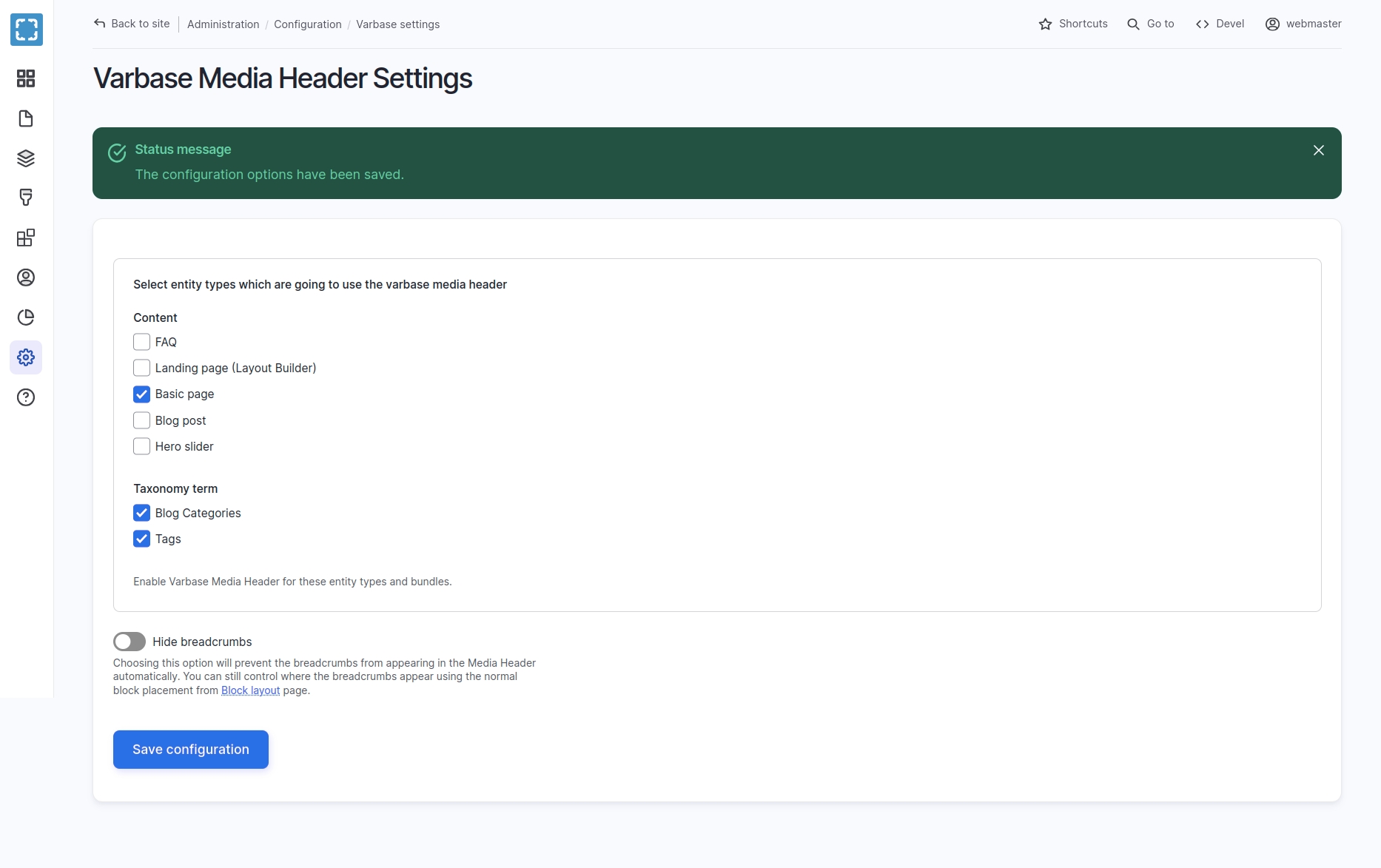
project_directory
|-- docroot
|-- modules
|-- contrib
|-- varbase_core